





HIPAA-compliant Medical Practice Management Software for Healthcare Providers
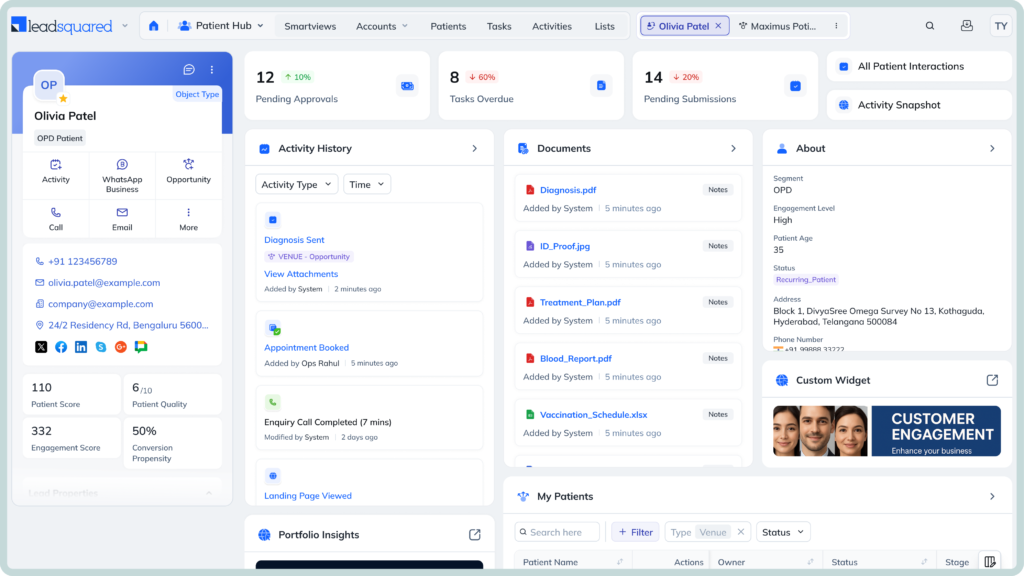
Powering 250,000 unique experiences (and counting)






Fragmented administrative systems are one of the leading drivers of silent revenue leakage in medical practices. Something as simple as a delayed response to patient inquiries, missed referrals, and manual data entry errors costs practices significant time and revenue.
Yet, most organizations continue to manage these workflows the old way across disconnected tools and spreadsheets.
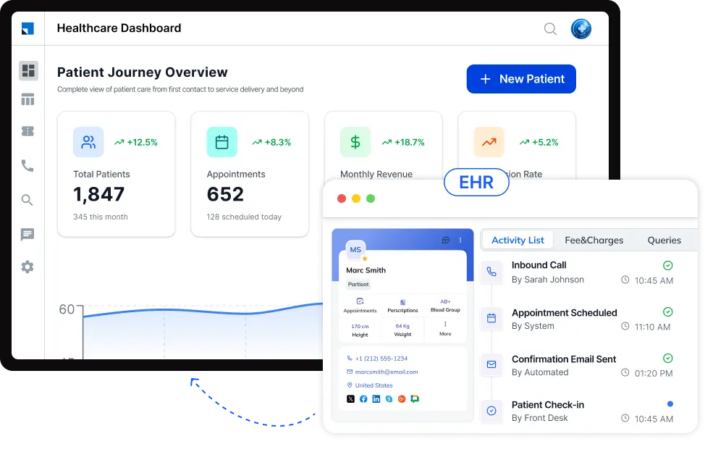
Simplify how you track, manage, and deliver patient care with our medical practice management software as your trustworthy assistant.
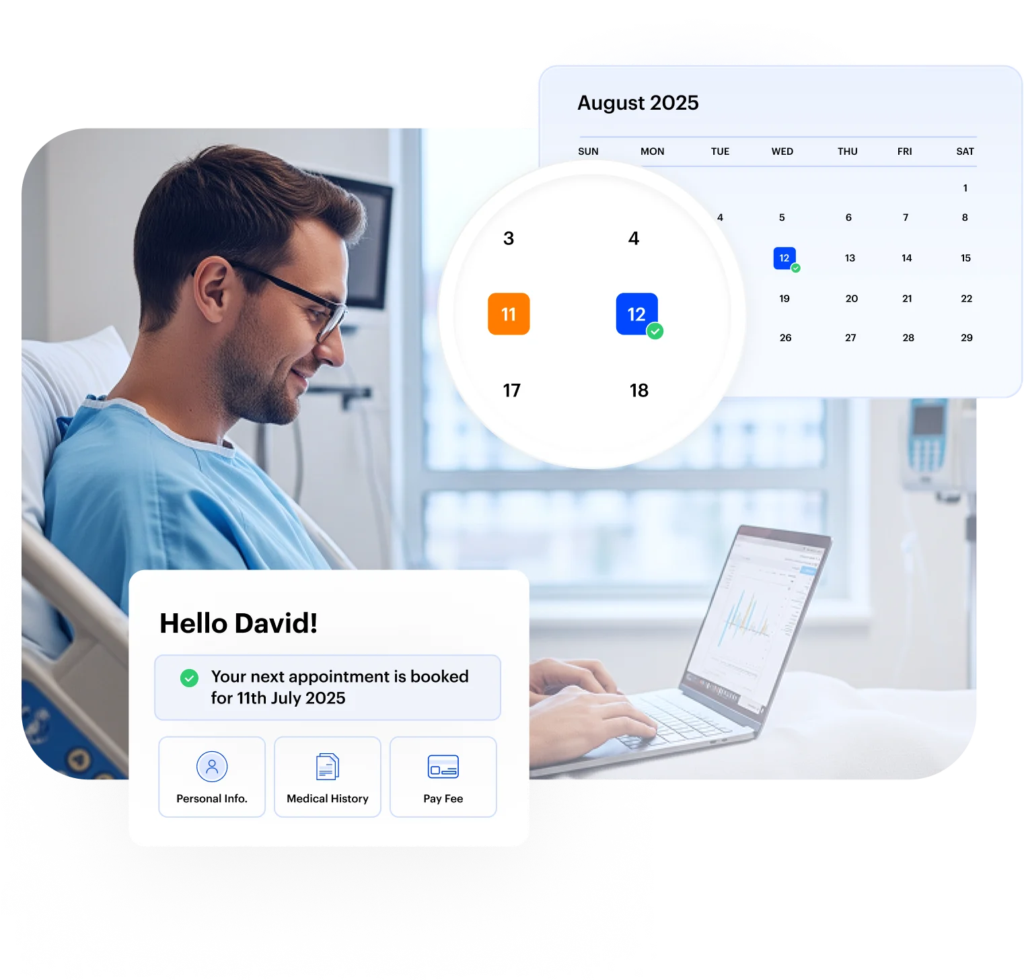
Handle appointment scheduling through one system that keeps bookings and updates easy to follow. Our medical practice management software gives your team a clear way to manage patient visits from start to finish.
Use digital intake forms to collect patient information before the visit. Our medical practice management software helps you capture and organize patient details without relying on manual processes.

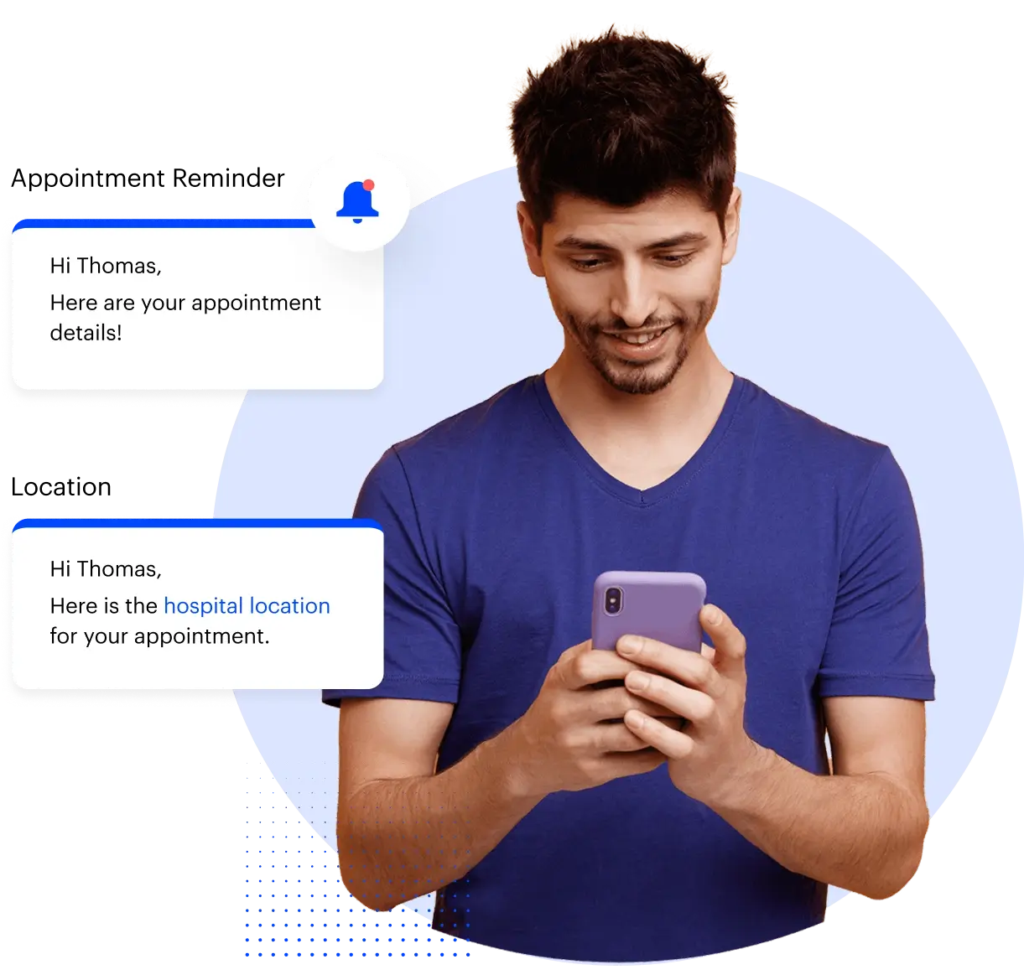
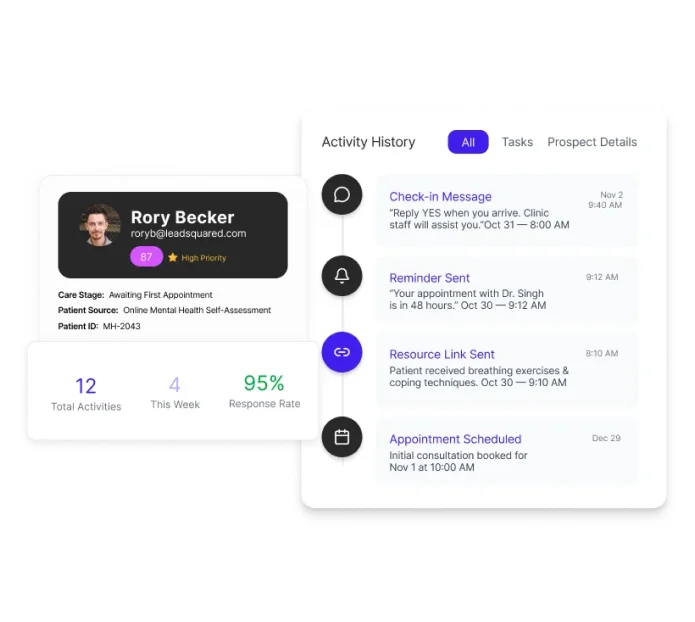
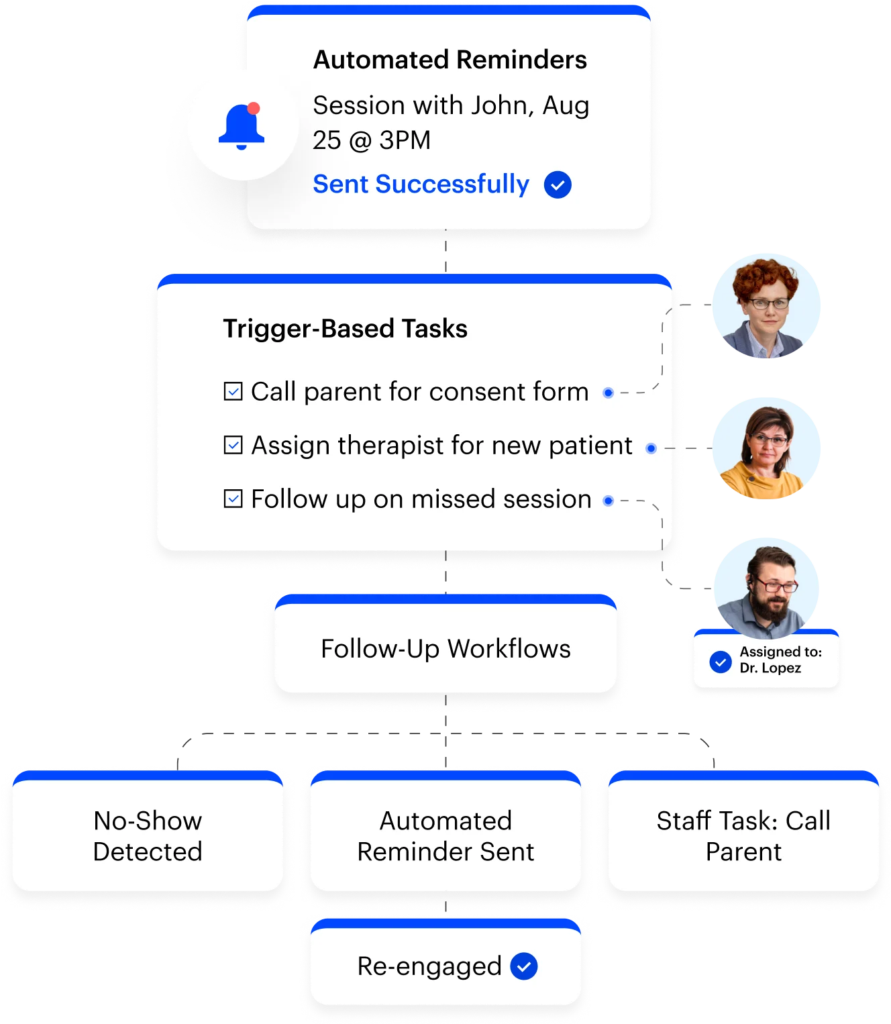
Engage patients the easy way. We help you send automated messages and reminders, so your team doesn’t have to manually handle every message or update.
Invorto handles inbound and outbound patient calls around the clock, booking appointments, answering common questions, routing callers, and following up on intake tasks without additional staff.
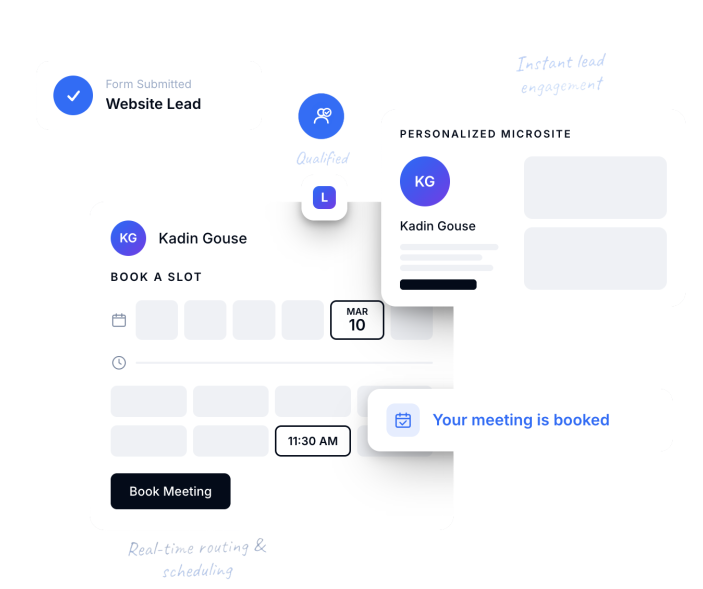
The moment a family submits an inquiry, FloStack automatically qualifies it, routes it to the right coordinator based on preset rules, and sends the family to a personalized microsite built around their specific interest: program, insurance, location, and more.
From there, families can book an appointment or connect with someone in real time through chat, with no waiting for a callback.
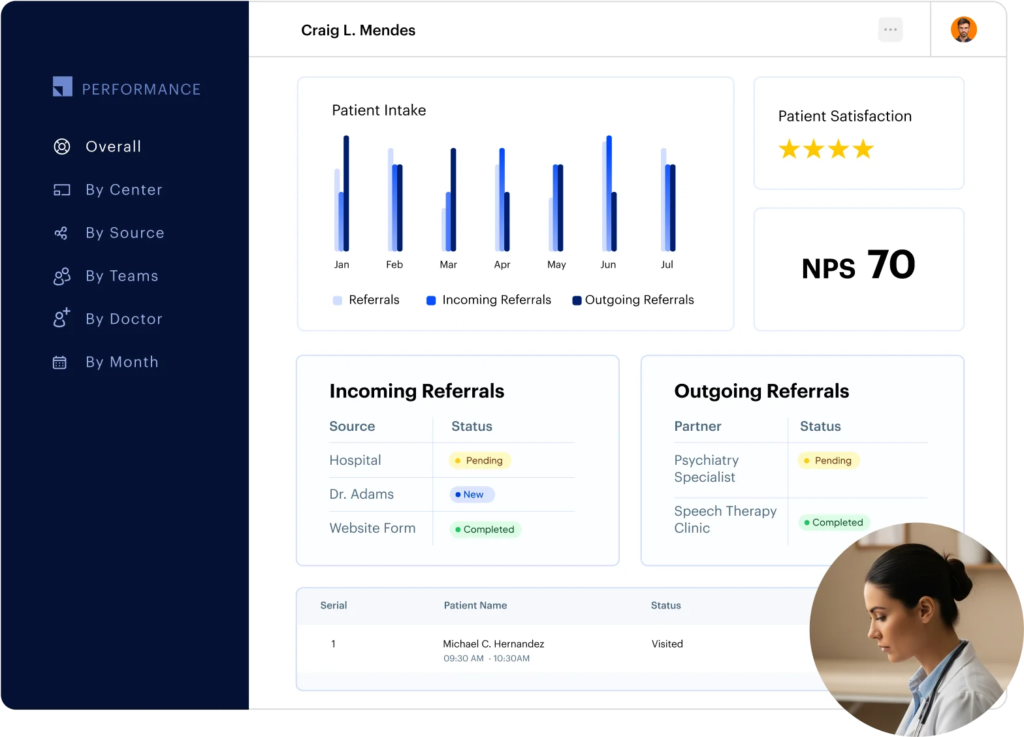
Never lose track of your referrals. With pipeline tracking, you can monitor both incoming and outgoing referrals in real time. Our medical practice management software also gives complete visibility into where each referral stands, while automated follow-ups keep communication flowing.
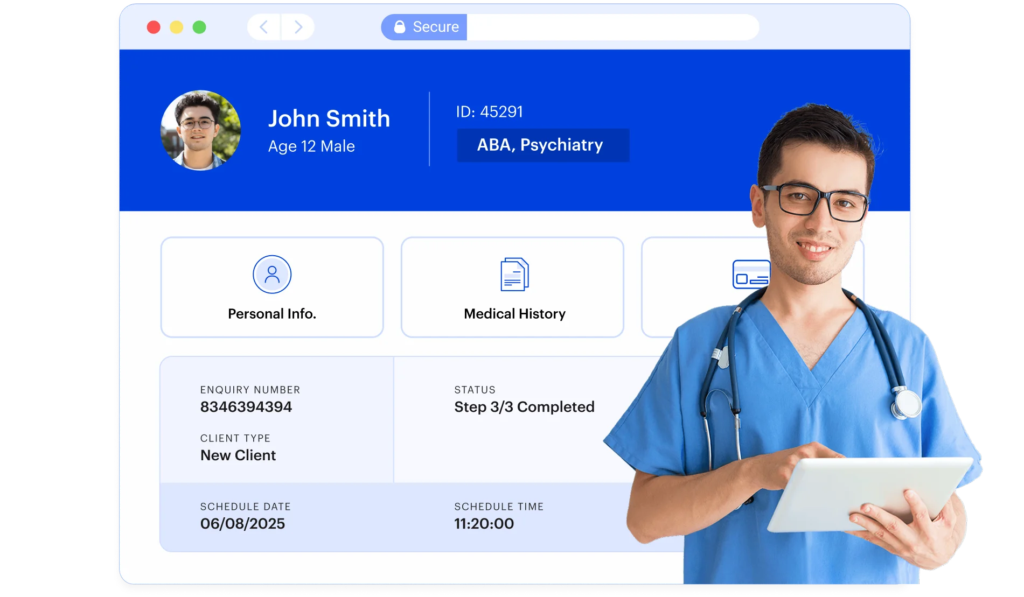
All patient records in one place, structured, searchable, and instantly accessible.
Your practice runs on dozens of small but important tasks every day. What if our software could handle the ones that don’t need your deepest attention? Our workflow automation tools take care of routine work for you.
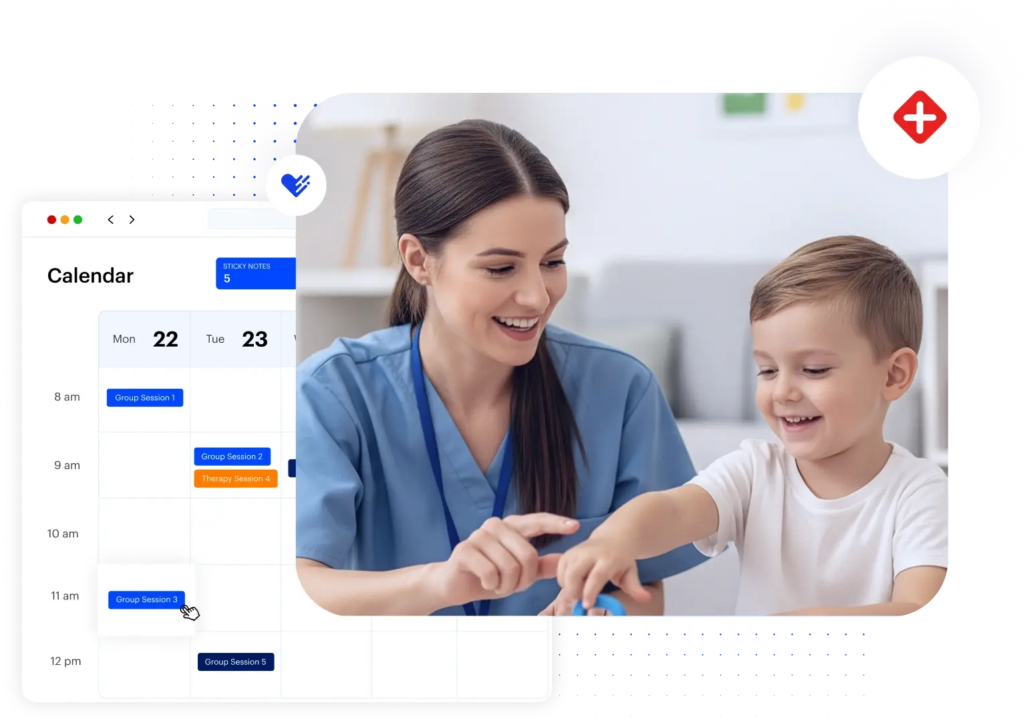
See all your upcoming appointments and schedules in one place.
Take full control of your schedule, no matter where care happens. Our medical practice management software keeps schedules organized across clinics, home visits, and virtual sessions.
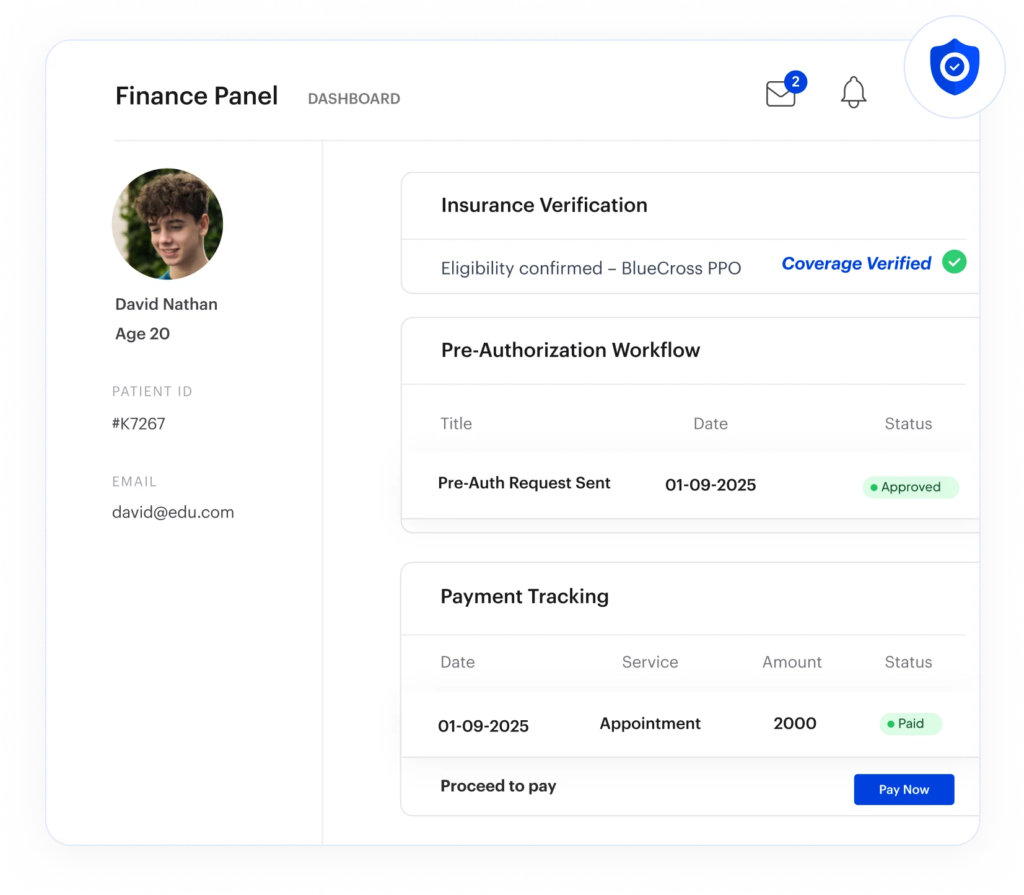
Our medical practice management tool integrates directly with your billing and insurance tools, allowing you to verify coverage and manage payments in one place.
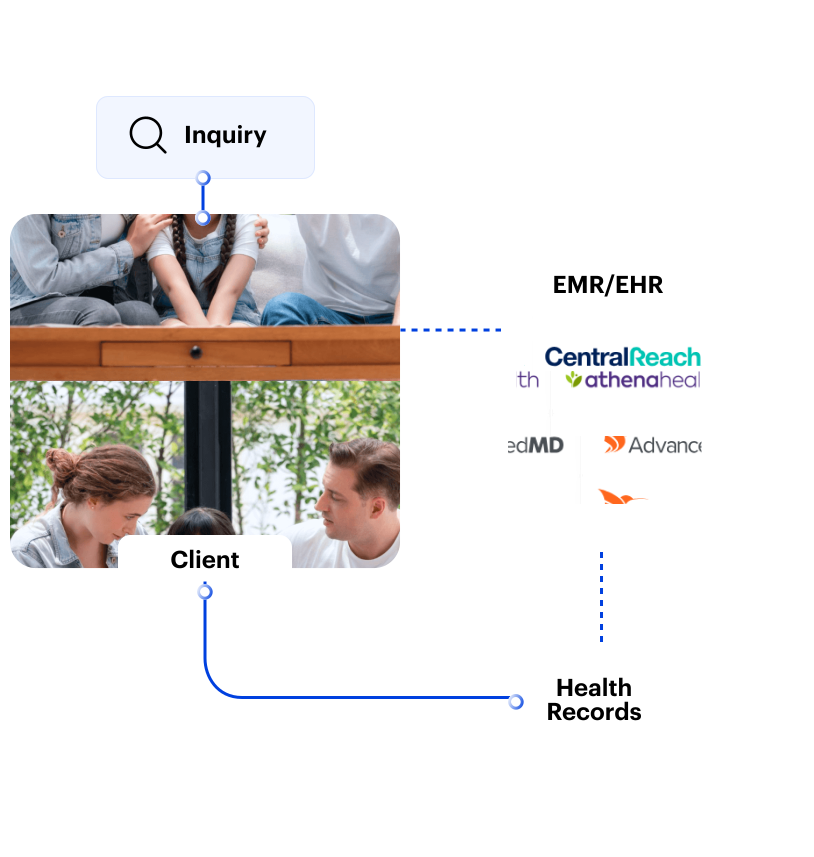
Keep clinical and administrative workflows in sync. With deep integrations to leading EMRs and EHRs, data flows effortlessly between your systems. This allows you to access accurate patient and scheduling information in one place, and support telehealth workflows to deliver care without disruption.
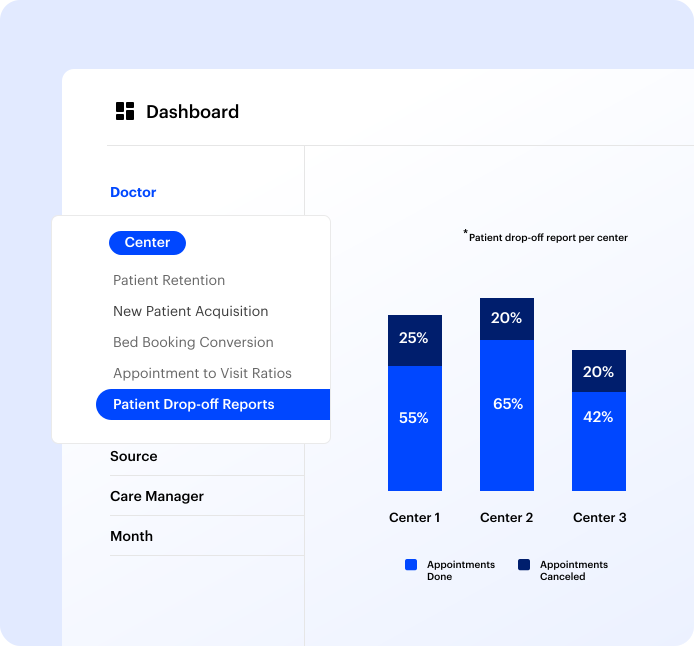
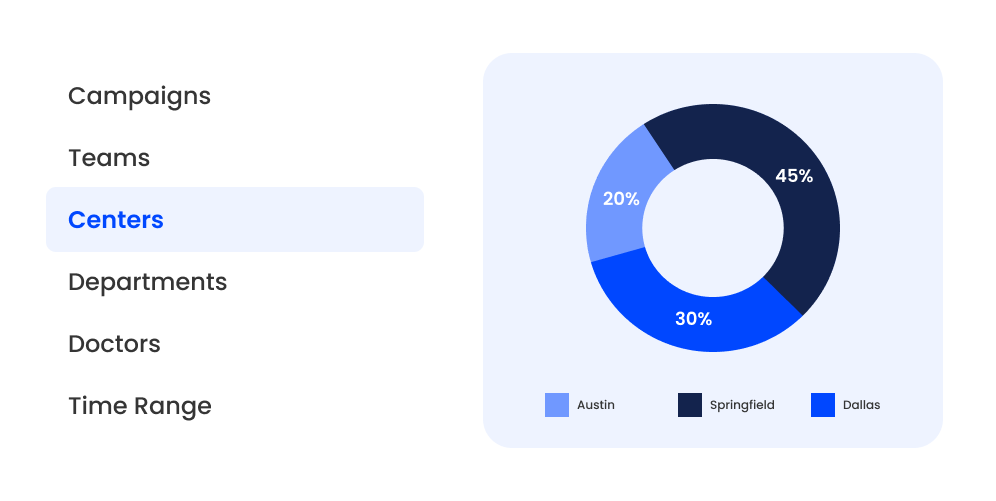
Numbers tell the story, if you know how to read them. LeadSquared’s medical practice management software helps you organize your practice’s data into reports, spot inefficiencies, and make decisions that improve patient care.
Patient data needs to be handled carefully, and your systems should support that without adding extra steps for your team. We help you manage access, track activity, and keep records in line with healthcare data standards.
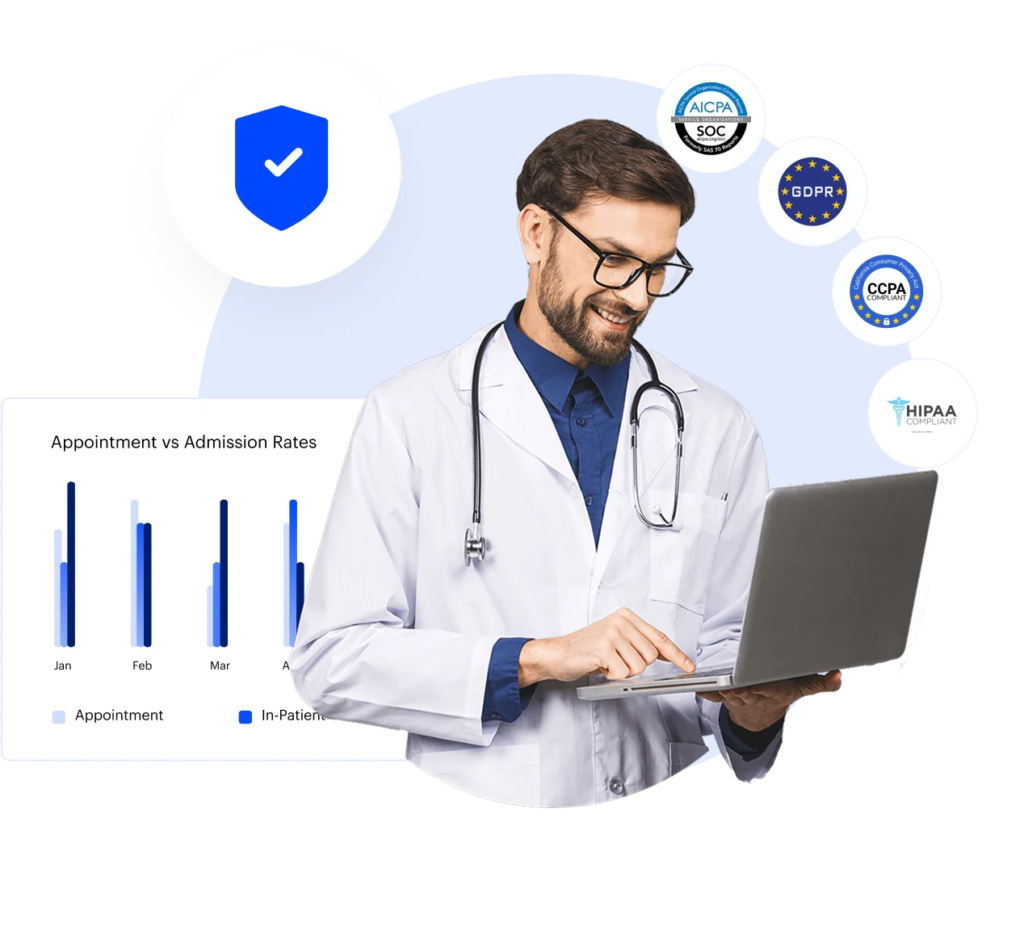

LeadSquared is configured — not compromised — for your specialty. Workflow stages, intake forms, routing logic, and dashboard views are built to reflect how your specific type of practice actually operates.
Healthcare organizations using LeadSquared include:
Generic CRM platforms are built for sales pipelines. Medical practice management requires something built for clinical workflows, patient journeys, and healthcare compliance.
LeadSquared delivers enterprise-grade medical AI software capabilities with a total cost of ownership, without outsourced consultants, lengthy deployment timelines, or post-go-live support gaps.
| Capability | LeadSquared’s Medical Practice Management Software | Generic CRM |
| Healthcare-first design | Built for patient journeys, intake workflows, and clinical coordination | Designed for B2B sales pipelines |
| AI medical software capabilities | Invorto Voice AI Co-Pilot with sentiment analysis and FloStack are native platform capabilities | AI tools are typically third-party add-ons at additional cost |
| HIPAA compliance | Built into the platform architecture | Requires additional configuration, BAA negotiation, and ongoing compliance management |
| EHR/EMR integration | Bidirectional sync with 10+ confirmed healthcare systems | Limited native integrations |
| Implementation model | In-house team works as your extended implementation team | Often outsourced to third-party consultants |
| Total cost of ownership | Enterprise-grade medical CRM software capability | High licensing costs compounded by customization |
| Multi-location support | Native territory configuration, center-level pipelines, and role-based access across locations | Multi-location workflows require custom development and ongoing maintenance |
Posterity Health scaled patient engagement and achieved 7× revenue growth with the same team size by automating key workflows and integrating its healthcare technology with LeadSquared.



“LeadSquared’s implementation has transformed our operations completely, surpassing all other platforms we’ve used at Tandem.”
“The LeadSquared solution enabled us to nearly double our referral coordinator productivity.”
Book a demo to see the platform in action for your specialty.
How does a medical practice management software keep track of what happens after a patient books an appointment?
Once an appointment is booked, the system continues to track each step.
It can send reminders before the visit, update the appointment status after the visit, and store any related notes or actions. If a patient needs a follow-up, that can also be recorded and scheduled.
This creates a clear record of what has already happened and what still needs attention, without relying on memory.
What changes for the front desk team after using a medical practice management software?
The most immediate change is the elimination of repetitive manual tasks. Front desk staff no longer need to manually enter intake data collected on paper forms, chase appointment confirmations by phone, or coordinate referral follow-ups across disconnected tools.
LeadSquared automates these workflows so front desk teams can focus on patient-facing interactions that genuinely require human attention.
Role-based dashboards also give front desk staff a clear, filtered view of their specific responsibilities without the noise of data irrelevant to their function.
How does the medical practical management software help reduce missed appointments without extra manual work?
LeadSquared automates the full appointment reminder workflow: sending confirmation messages immediately after booking, reminders at defined intervals before the visit, and re-engagement messages when a patient does not confirm.
Invorto Voice AI Co-Pilot can also handle outbound reminder calls at scale, using sentiment analysis to identify patients who may be hesitant or confused and escalating those conversations to a human team member.
Where is patient communication stored in LeadSquared’s medical practice management software, and how does the team keep track of it?
Every patient communication is stored directly in the patient’s CRM record in LeadSquared. Team members can see the full interaction history at a glance, including call transcripts and summaries generated automatically by Invorto.
How does the medical practice management software handle clinics that operate in more than one location?
LeadSquared’s medical practice management software is built for multi-location medical practice operations. Territory configuration, location-level pipeline views, provider-specific scheduling, and role-based access controls are all native to the platform.
FloStack manages scheduling coordination across 70+ calendars simultaneously, making it well-suited for practices operating across multiple clinics or regions.
Leadership and operations teams get consolidated visibility across all locations, while each site’s staff sees only the data and workflows relevant to their center.
How are payments and billing details tracked alongside patient activity?
LeadSquared integrates directly with insurance verification tools, including pVerify and Health Harbor, allowing your team to confirm patient coverage before appointments without leaving the platform.
Billing status updates are logged automatically in the patient record, keeping administrative and clinical teams aligned without manual reconciliation.
For practices using bidirectional EHR integrations such as Athena or AdvancedMD, billing data flows between systems in real time, ensuring records stay accurate at every touchpoint in the patient journey.
How does a medical practical management software make sure patient data is not accessed by the wrong people?
LeadSquared’s AI-powered medical software uses granular role-based access controls to ensure every team member sees only the information relevant to their function.
All patient data is also encrypted in transit and at rest, and comprehensive audit trails log every access and modification.
How long does it usually take for a team to get comfortable using a practice management software?
Most of the tasks in a medical practice management software should be familiar to clinic staff; it’s just handled in a more structured way.
Booking appointments, updating patient details, and sending reminders follow a clear flow inside the system. Because of this, teams usually start using the basic features quickly and then expand to other features over time.
The transition is more about changing how tasks are organized than learning completely new processes.
How does LeadSquared’s AI medical software keep track of what happens after a patient books an appointment?
LeadSquared automatically logs every interaction, status change, and communication after a booking is confirmed. Appointment reminders are sent via SMS, email, or WhatsApp, depending on patient preference.
Follow-up tasks are automatically assigned to the right team member. If a patient reschedules, cancels, or does not respond, the system flags the record and triggers the appropriate workflow.
Your team always knows what happened and what needs to happen next, without having to manually track each case.


