Why a healthcare CRM

How LeadSquared’s Healthcare
CRM benefits your practice

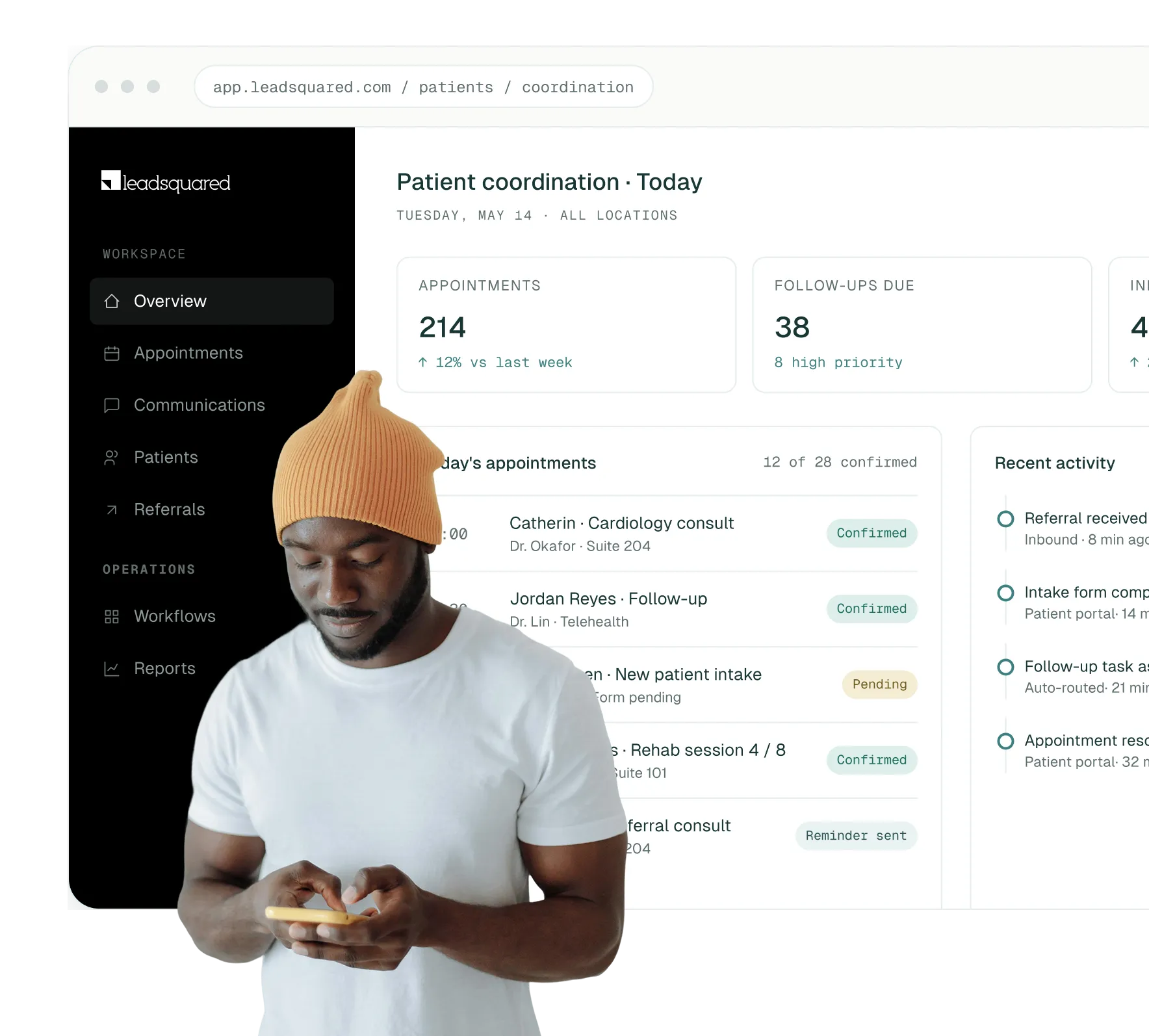
A healthcare CRM helps healthcare organizations improve patient engagement,
streamline operational workflows, and manage communication more efficiently
across teams and locations.

improve patient communication and engagement

Improve patient communication and engagement

The platform helps healthcare teams stay connected with patients and improve patient responsiveness through automated reminders, follow-ups, and multi-channel communication across SMS, email, and other mediums.

better access to patient and communication data

Better access to patient and communication data

Patient interactions, appointment history, referrals, and more are brought together into one centralized system to give teams better visibility into patient activity.

reduce missed appointments and follow-up gaps

Reduce missed appointments and follow-up gaps

Automated reminders and structured follow-up workflows help reduce patient no-shows and improve scheduling consistency.

improve operational efficiency across teams

Improve operational efficiency across teams

The CRM reduces administrative workload by automating routine coordination tasks and organizing workflows in a single platform.

support better care coordination

Support better care coordination

Shared visibility into patient interactions, referrals, and workflow status helps teams coordinate more effectively across departments, providers, and partner networks.

deliver more personalized patient experiences

Deliver more personalized patient experiences

With access to patient interaction history and engagement data, healthcare teams can tailor communication based on patient preferences, care journeys, and previous interactions.

gain operational insights through reporting and analytics

Gain operational insights through reporting and analytics

The platform provides reporting and analytics tools that help healthcare organizations monitor patient engagement, appointment trends, workflow performance, and operational bottlenecks.

Who it’s for

Who is LeadSquared Healthcare
CRM built for?

LeadSquared Healthcare CRM is designed for healthcare organizations that manage high
volumes of patient communication, referrals, appointments, and follow-ups across teams
and locations. Healthcare providers use LeadSquared differently depending
on their workflows and operational needs:

01 / Hospitals

Hospitals & large health systems

Use it to streamline patient communication, referral coordination, and multi-department workflows at scale.

02 / Clinics

Clinics and outpatient practices

Use it to manage scheduling, reminders, and day-to-day patient engagement more efficiently.

03 / Specialty Care

Specialty care providers

Including mental health and long-term care practices, use it to support ongoing patient communication and recurring care journeys.

04 / Telehealth

Telehealth and digital-first providers

Use it to coordinate virtual consultations, automate follow-ups, and manage communication across digital channels.

By role

How different healthcare teams use
LeadSquared CRM

Administrative & front-desk teams
Marketing & outreach teams
Care providers and patient coordinators
Referral and partner management teams

Administrative and front-desk teams

Administrative teams use the CRM to manage scheduling, patient communication, follow-ups, and day-to-day coordination more efficiently from a centralized system.

Key benefits

  • Faster access to patient information during calls and appointments
  • Better visibility into pending follow-ups and patient status
  • Reduced manual coordination across systems and spreadsheets
  • More consistent communication across teams
icon

Marketing & outreach teams

Marketing and outreach teams use our healthcare CRM to organize patient engagement efforts and deliver more targeted communication.

Key benefits

  • Segment patients based on care needs or engagement history
  • Run targeted outreach campaigns and reminders
  • Track engagement and communication performance
  • Improve ongoing patient engagement over time
icon

Care providers and patient coordinators

Doctors, nurses, and coordinators use LeadSquared to maintain visibility into patient interactions and support more connected care journeys.

Key benefits

  • View patient communication and engagement history
  • Coordinate more effectively across care teams
  • Track follow-ups and ongoing patient journeys
  • Reduce repetitive communication and manual updates
icon

Referral and partner management teams

Referral teams use LeadSquared to manage incoming and outgoing referrals more efficiently while improving coordination between providers.

Key benefits

  • Track referral status and patient progress
  • Improve coordination with external providers and partners
  • Identify delayed or inactive referrals faster
  • Maintain visibility across referral workflows
icon
Did you know?

Cloud-first

Healthcare CRM adoption

Cloud-based healthcare CRM platforms now account for the majority of the market.

Industry research shows that healthcare organizations are increasingly adopting cloud systems because they support easier access across teams, simpler scaling, and better integration with modern healthcare workflows.

Capabilities

Features built for healthcare
workflows

Healthcare operations often involve dozens of moving parts happening at
once. LeadSquared Healthcare CRM helps bring those moving parts
together with features that help you manage patient journeys with better
visibility and coordination.

Scheduling

Appointment scheduling and calendar management

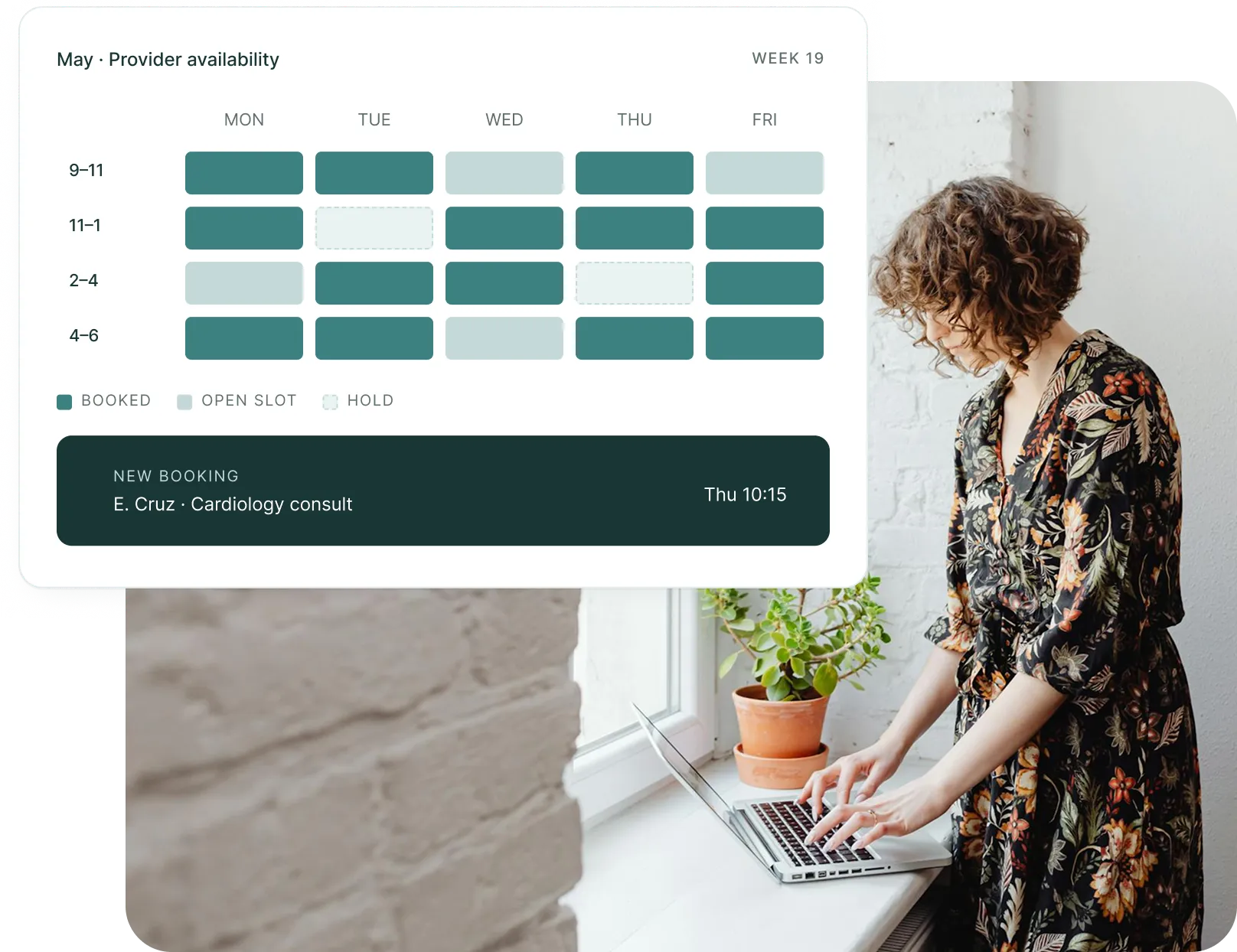
Managing healthcare schedules manually can lead to delays and booking conflicts. LeadSquared’s Healthcare CRM streamlines appointment coordination by connecting scheduling workflows, provider calendars, and patient booking experiences into one system.

With it, they can quickly manage appointments with better visibility into provider availability, while patients can schedule visits through online booking options.

  • Schedule, update, and manage appointments through a centralized calendar
  • Sync provider schedules and availability across departments and locations
  • Minimize double-booking and scheduling overlaps with real-time updates
  • Allow patients to book appointments online without relying on phone calls
  • Link appointments and schedule changes directly to patient records
  • Keep staff informed with instant updates to schedules and booking statuses
us healthcare page - scheduling
us healthcare page - engagement
Engagement

Communication and engagement tools

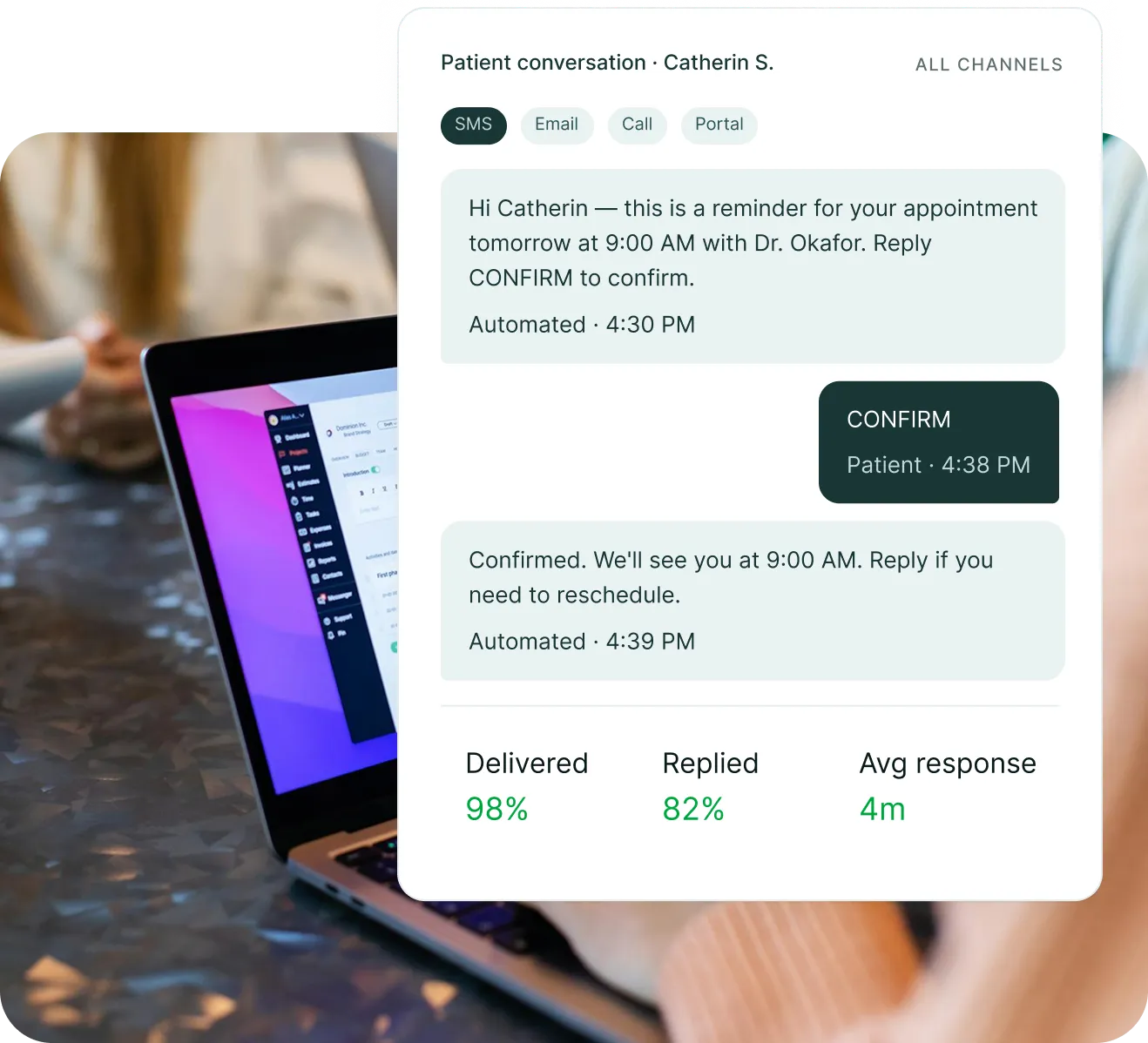
Patient communication often happens across multiple channels, making it difficult for healthcare teams to maintain consistency across conversations. LeadSquared’s Healthcare CRM centralizes patient communication by bringing calls, messages, emails, and other engagement workflows into its system.

By doing so, teams can automate routine outreach, respond with better context, and maintain more organized patient conversations throughout the care journey.

  • Manage patient communication across SMS, email, phone calls, and messaging apps from one system
  • Automate reminders, confirmations, follow-ups, and post-visit updates
  • Trigger communication workflows based on appointments, patient actions, or engagement status
  • View previous conversations and interaction history before reaching out
  • Monitor patient responses and engagement activity in real time
  • Maintain shared visibility into communication records across teams
Automation

Healthcare workflow automation

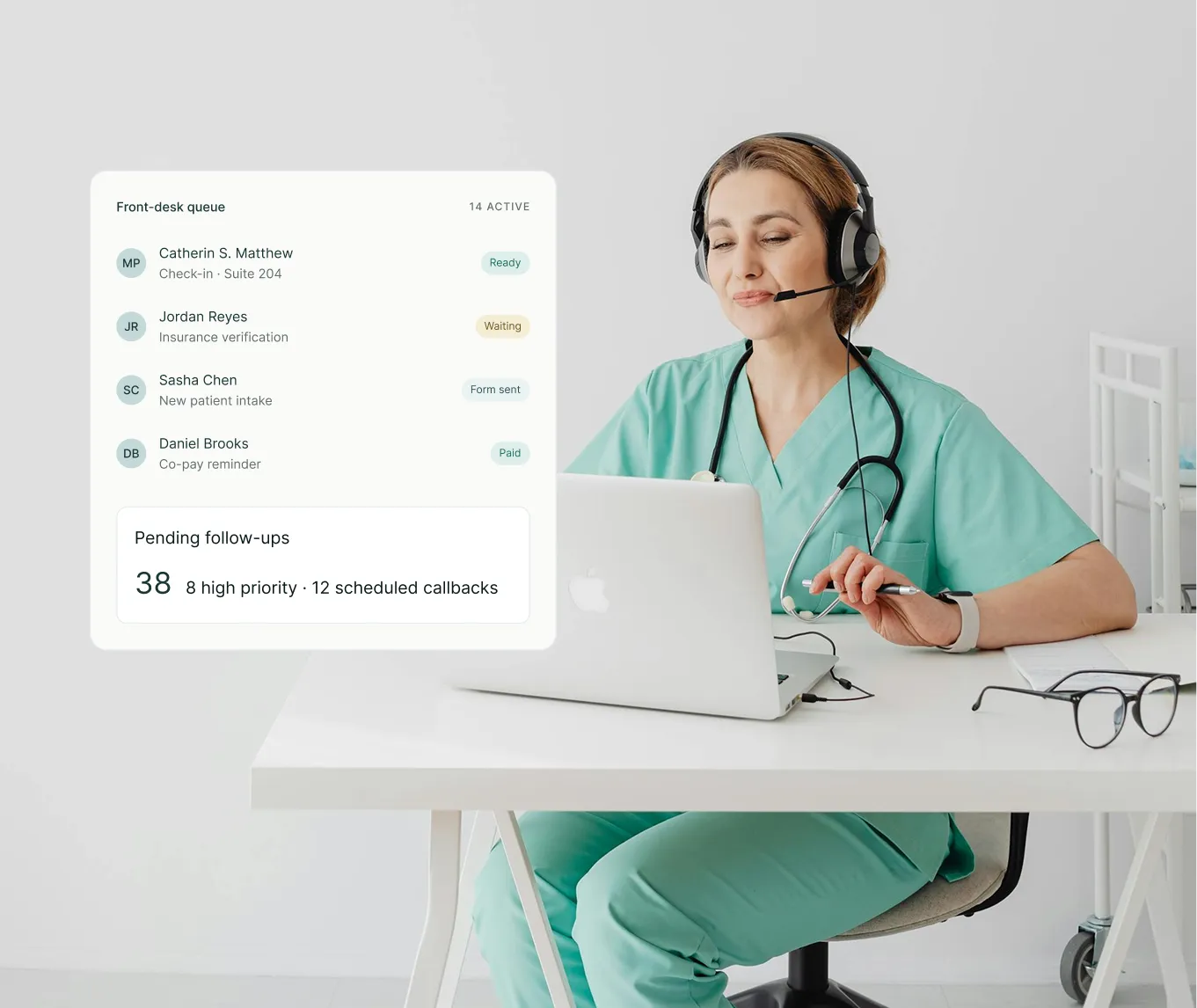
Many workflows in healthcare depend on timely coordination between staff, departments, and patient activities. Automate these operational processes with LeadSquared by triggering tasks and follow-up actions automatically based on predefined workflows.

With healthcare workflow automation, teams can improve response times and minimize errors that would otherwise be incurred by manually doing the task.

  • Automate routine workflows such as appointment confirmations and patient follow-ups
  • Assign tasks to the appropriate teams or staff members automatically
  • Trigger workflow actions based on appointments, patient activity, or status changes
  • Monitor pending, active, and completed tasks from a centralized dashboard
  • Prioritize urgent workflows based on patient needs or upcoming schedules
  • Maintain consistent patient processes without relying on manual tracking
us healthcare page - automation
us healthcare page - journey
Journey

Patient journey tracking

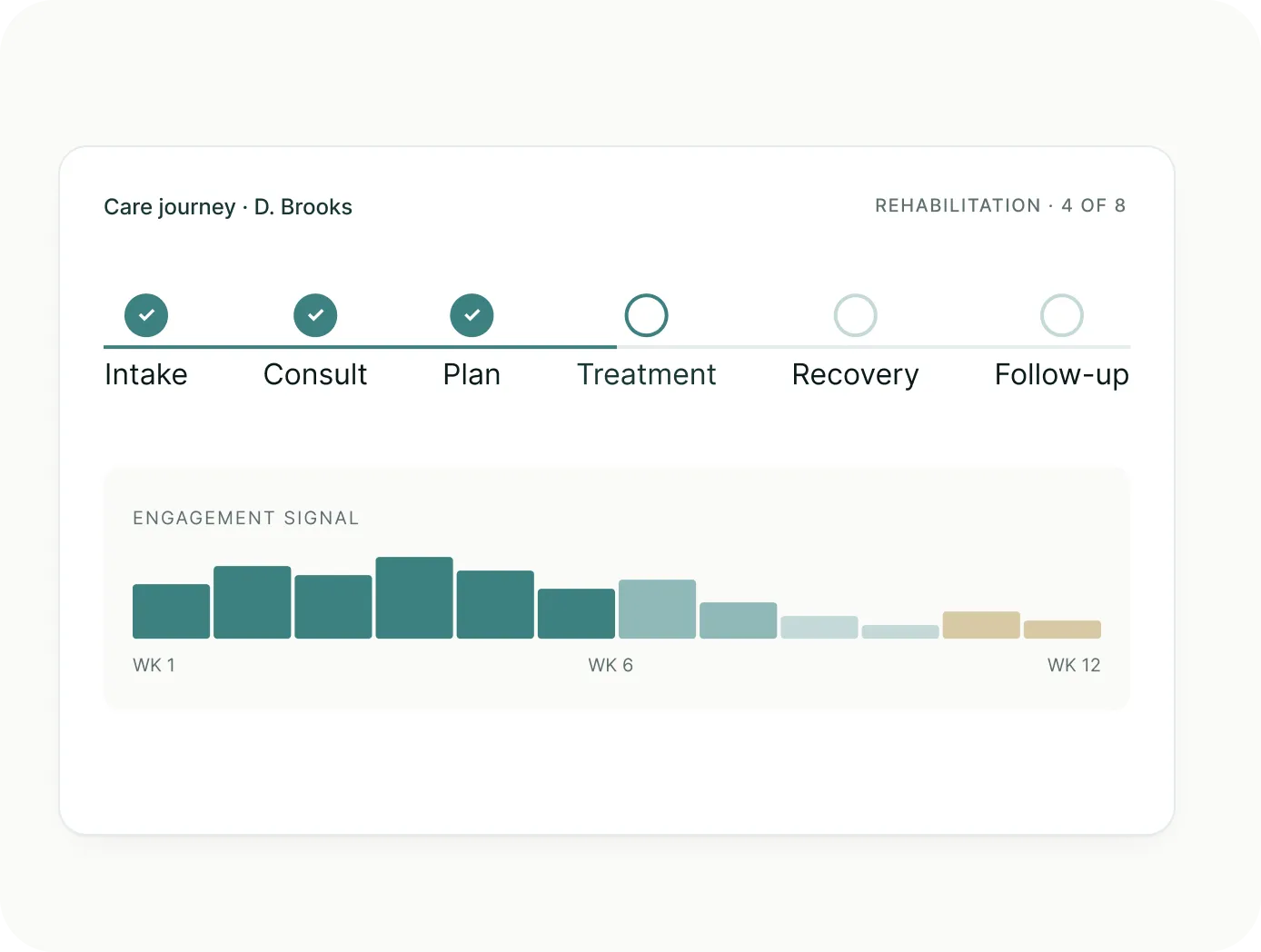
Patients often move through multiple stages of care over weeks, months, or even years. We help healthcare teams track these ongoing interactions more effectively.

By monitoring patient engagement over time, teams can follow up with patients more proactively and maintain strong care continuity throughout the patient journey.

  • Track patients across consultations, treatment plans, follow-ups, and recurring visits
  • Monitor patient engagement and activity throughout different stages of care
  • Identify missed follow-ups or inactive patients who may need outreach
  • Detect drop-offs after inquiries, appointments, or consultations
  • Maintain visibility into ongoing treatment journeys and long-term engagement
  • Support more timely follow-ups and proactive patient coordination
Referrals

Referral and partner management

Referrals are a critical part of many healthcare systems, but without structured tracking, they can easily become fragmented across calls, emails, and informal updates.

LeadSquared’s referral management tools help structure these referral workflows so teams can track patient movement and outcomes more reliably from the system.

  • Capture and organize incoming referrals from healthcare partners in a structured system
  • Track outbound referrals when patients are directed to external providers or specialists
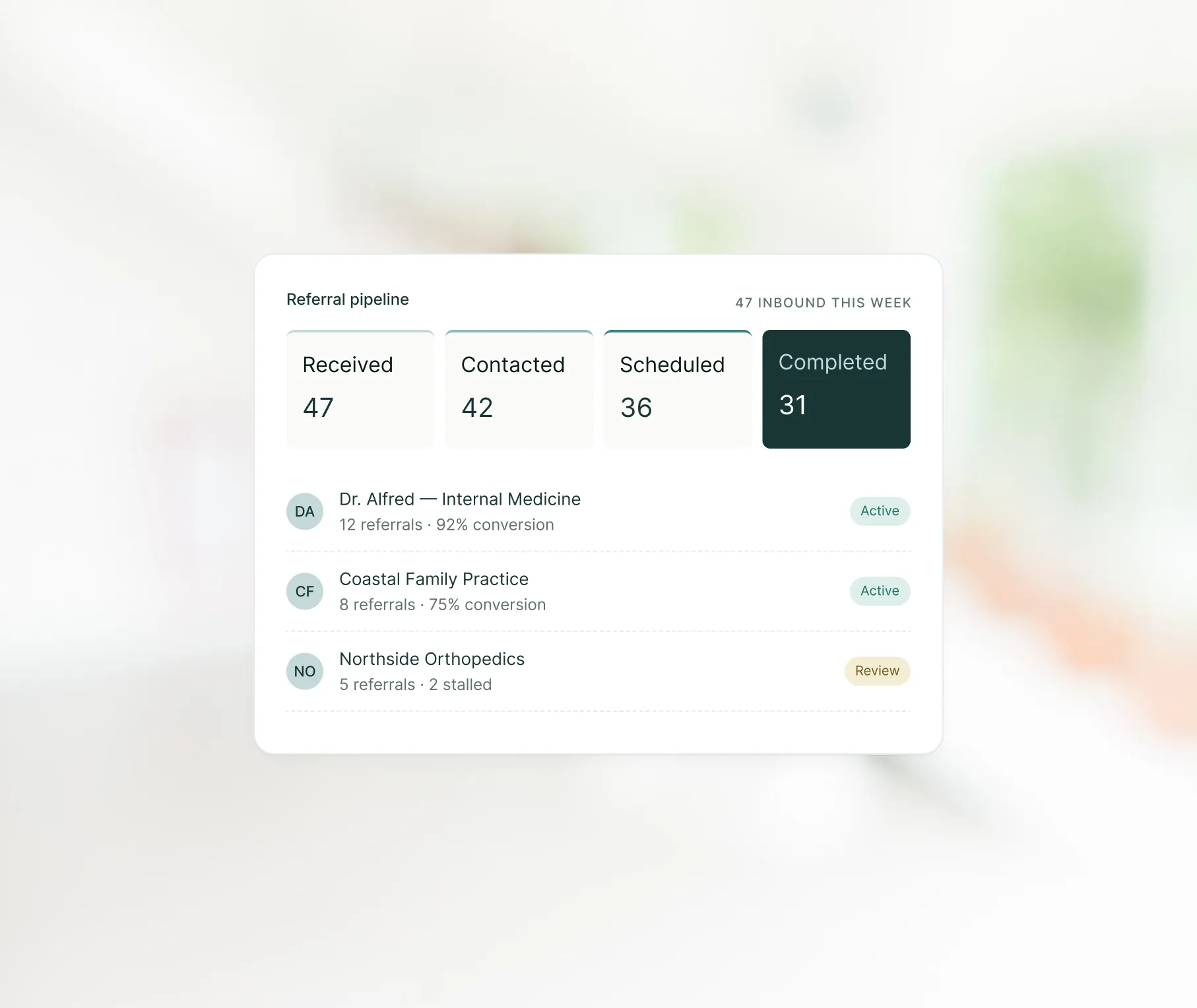
  • View real-time referral status across stages like pending, scheduled, and completed
  • Maintain visibility into referring partners and referral volumes over time
  • Coordinate updates between internal teams and external healthcare providers
  • Identify stalled or inactive referrals to improve patient follow-through
us healthcare page - referrals
us healthcare page - records
Records

Centralized patient data management

Healthcare teams handle patient communication and coordination across many different systems every day. LeadSquared brings together this data which is spread across patient interactions, appointments, referrals, and operations.

This gives staff faster access to the information they need during patient interactions and reduces the need to switch between disconnected tools.

  • Consolidate patient appointments, referrals, and communication history into one profile
  • Access follow-ups, pending tasks, and recent interactions from a centralized workspace
  • Connect scheduling, billing, and other healthcare systems through integrations
  • Maintain shared visibility across teams with real-time workflow updates
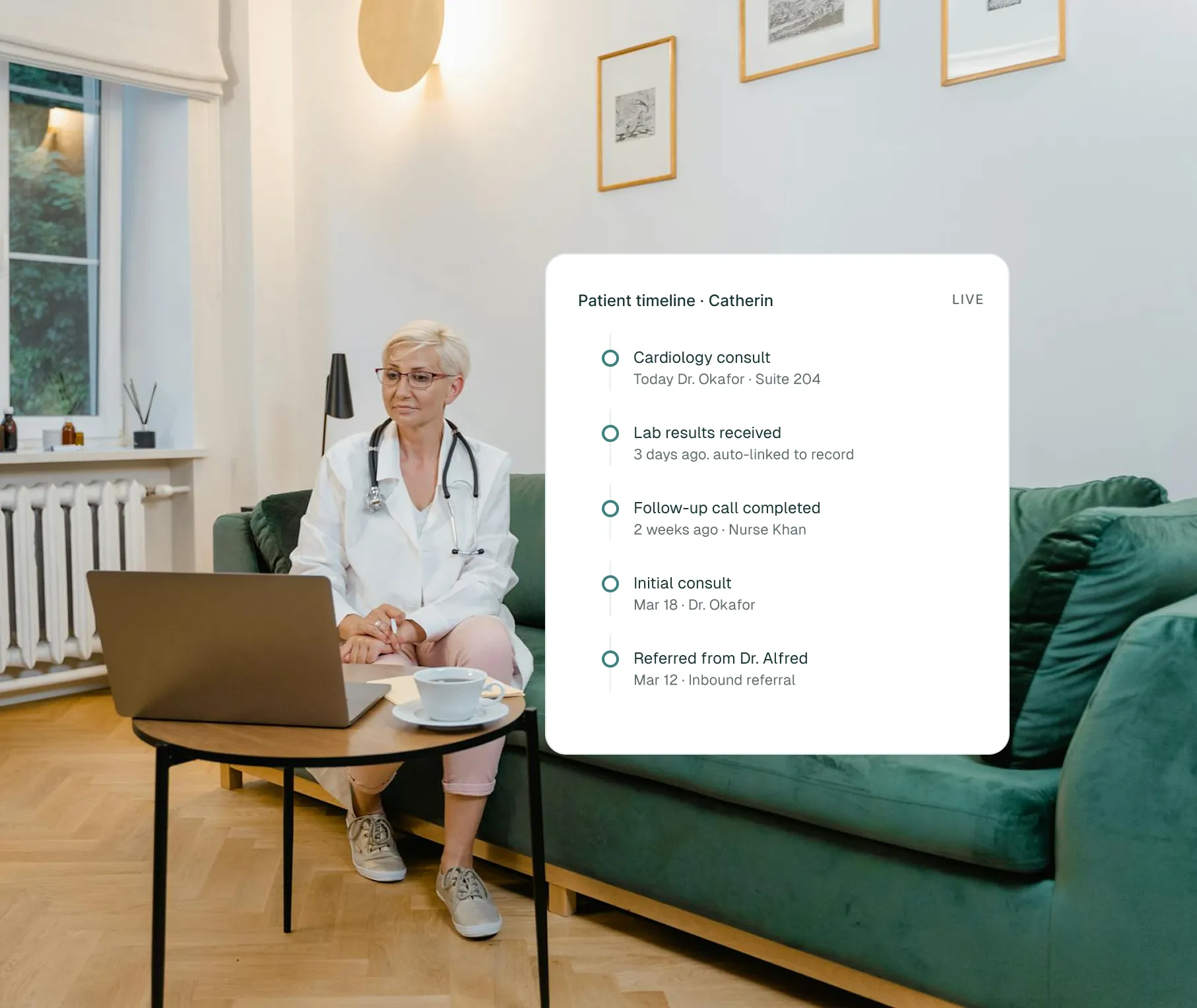
  • Track calls, messages, appointments, and patient interactions in one timeline
Outreach

Patient segmentation and outreach tools

Patient outreach is effective when communication is relevant to the patient’s needs and stage of care. Our healthcare CRM helps teams organize patients into relevant groups to deliver them more personalized follow-ups and engagement campaigns.

With segmentation and targeted outreach tools, teams can improve patient participation in preventive care and follow-up programs without relying on broad one-size-fits-all communication.

  • Group patients based on care history, visit activity, medical conditions, or engagement levels
  • Identify patients who may need reminders after missed visits or inactive periods
  • Send targeted outreach for screenings, vaccinations, follow-up care, or treatment adherence
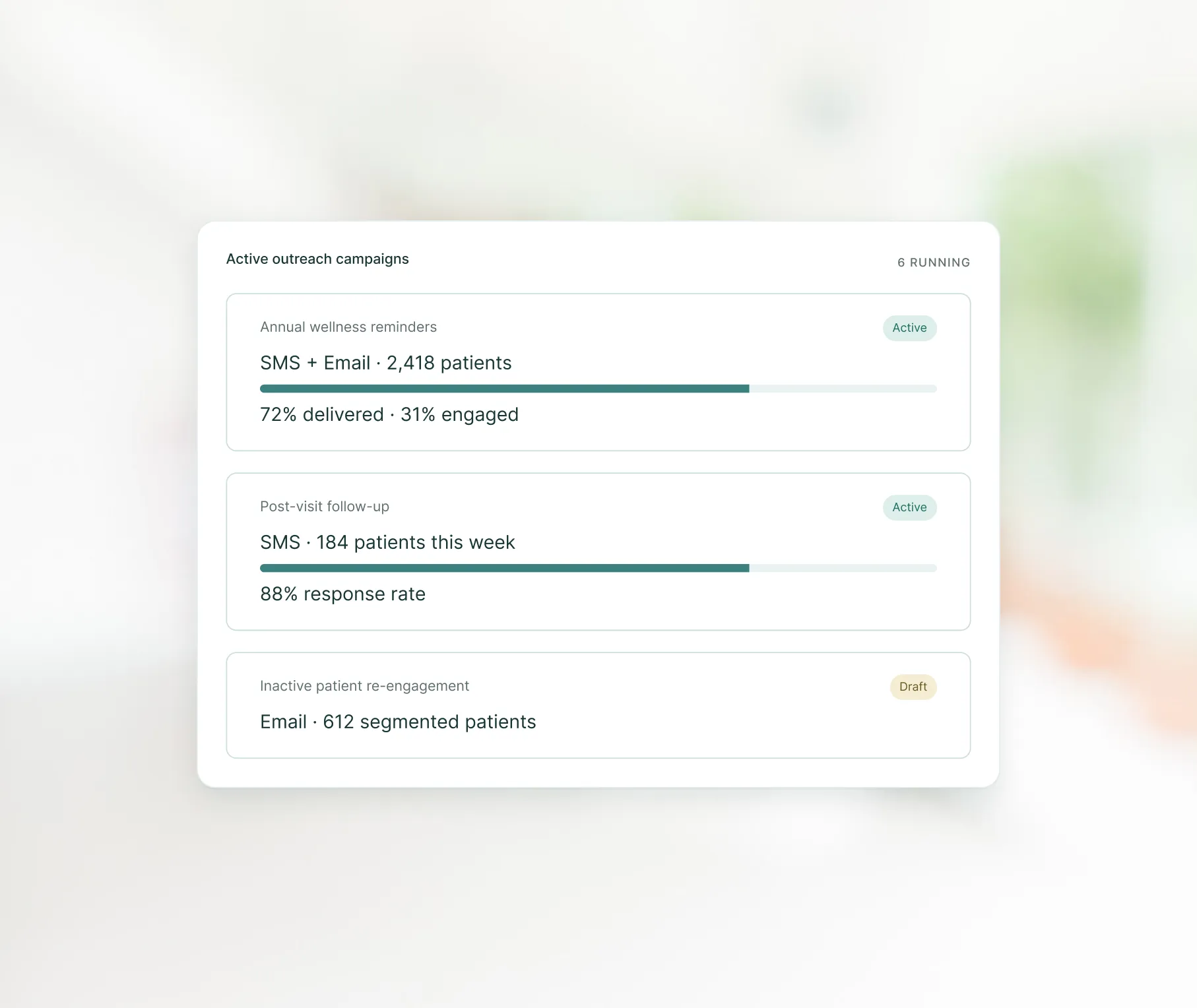
  • Create communication campaigns for specific patient categories and care programs
  • Reach patients through SMS, email, phone, or messaging channels
  • Refresh patient segments automatically as new interactions and activity are recorded
us healthcare page - outreach
us healthcare page - ai
AI

AI tools for patient intake and communication

Healthcare intake involves large volumes of unstructured communication across emails, messages, and referral notes. LeadSquared Healthcare CRM uses AI to interpret and structure this information so teams can act on it faster and with better clarity.

  • Summarize long patient or referral conversations to extract key context instantly
  • Identify intent from incoming communication such as new inquiry, follow-up request, or referral
  • Classify and group incoming messages based on urgency or type of request
  • Highlight key details such as symptoms, referral source, or required next action from communication
  • Categorize incoming messages automatically to support faster triage and routing
  • Reduce time spent reading and reviewing long communication threads
Reporting

Reporting and analytics tools

Healthcare teams generate large amounts of operational and patient engagement data every day, but turning that information into actionable insights can be difficult without the right reporting tools.

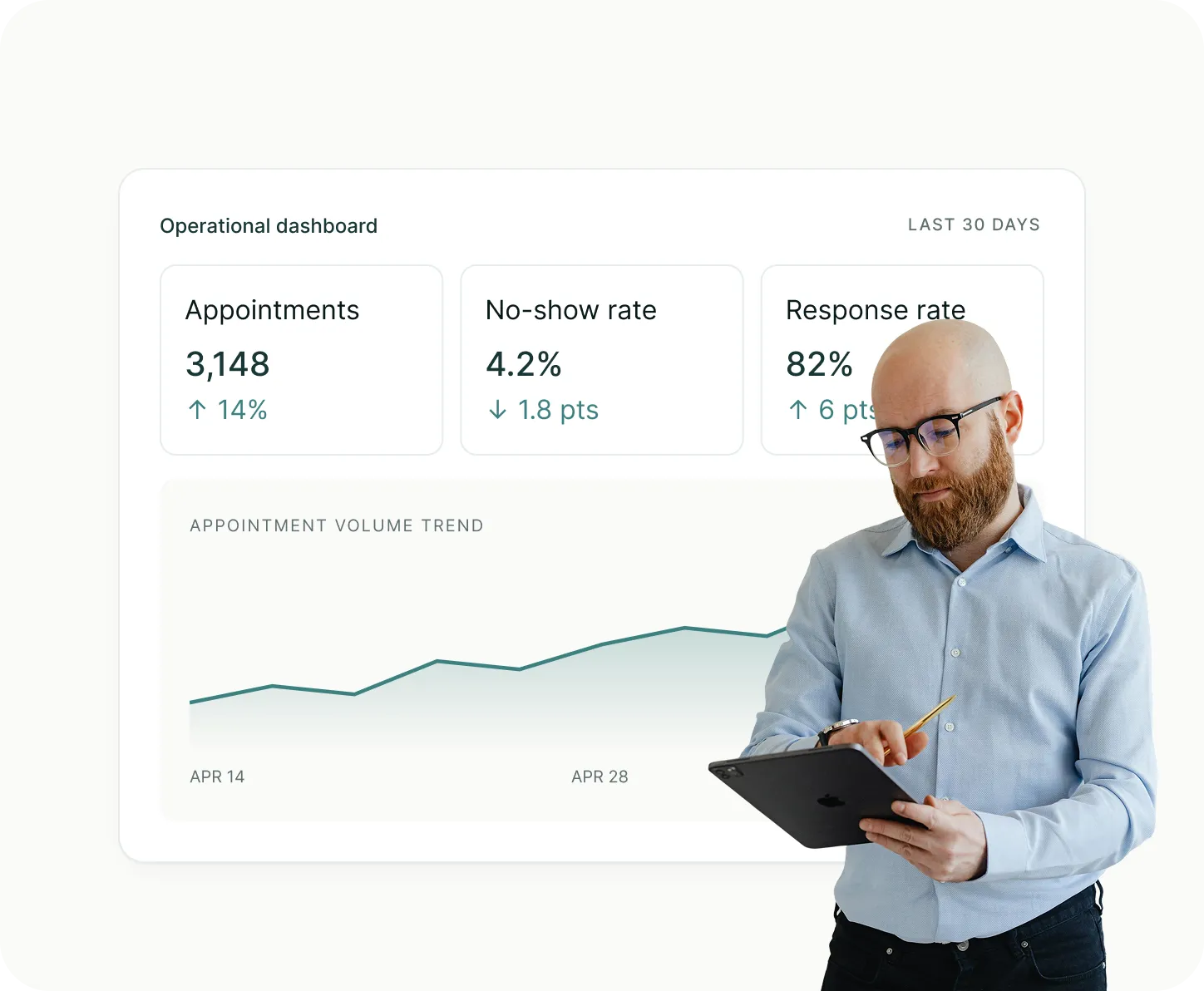
Let our healthcare CRM’s built-in reporting and analytics tools do the needful for you. With them, you can track patient behavior trends, monitor workflow performance, and more effortlessly.

  • Monitor appointment volumes, cancellations, no-show rates, and completed visits through real-time dashboards
  • Track patient engagement trends such as response rates, follow-up activity, and communication performance
  • Analyze operational metrics like staff workload, workflow bottlenecks, and appointment flow
  • Compare performance trends over time to evaluate process improvements
  • Break down reports by provider, department, or location for deeper operational visibility
  • Identify gaps such as missed follow-ups, declining return visits, or inactive patient segments
us healthcare page - reporting
us healthcare page - integrations
Integrations

Integration with healthcare systems

Disconnected healthcare systems can slow down operations and create gaps between clinical, administrative, and patient communication workflows. Our healthcare CRM bridges these systems by integrating with them.

With connected workflows across EHRs, billing platforms, scheduling systems, and other healthcare tools, organizations can improve day-to-day coordination across teams.

  • Integrate the CRM with EHR, EMR, billing, scheduling, and diagnostic systems
  • Share patient updates and operational data automatically across connected platforms
  • Reduce delays caused by disconnected records or manual information transfers
  • Give teams access to more complete patient context during interactions and follow-ups
  • Minimize duplicate work across clinical, front-desk, and administrative workflows
  • Support smoother coordination across healthcare operations and patient engagement processes
Self-service

Patient portal and self-service access

Patients today expect faster and easier access to basic healthcare services without always depending on phone calls or front-desk support. We support this necessity through a secure patient portal that allows patients to manage routine interactions on their own.

  • Schedule, reschedule, or cancel appointments online without contacting the clinic
  • Receive reminders, notifications, and visit-related instructions through the portal
  • Use secure messaging to connect with providers for non-urgent communication
  • View available medical documents such as visit summaries or care instructions
  • Fill and submit intake or registration forms before arriving for appointments
  • Keep all portal activity automatically updated in the patient’s profile
us healthcare page - self-service
us healthcare page - security
Security & Compliance

Security and compliance controls

Protecting patient information is a critical requirement in healthcare, where systems handle sensitive clinical and personal data every day.

LeadSquared’s Healthcare CRM is designed with security controls that help healthcare organizations safeguard data, manage access carefully, and maintain accountability across all system activity.

It also supports compliance with healthcare regulations such as HIPAA and GDPR by enforcing structured security practices across data handling, storage, and user activity monitoring.

  • Protect data through encryption during storage and transmission across systems
  • Track all system activity with audit logs showing user actions and access history
  • Prevent unauthorized access using session timeouts and controlled login policies
  • Detect and monitor unusual system activity for potential security risks
  • Align with compliance requirements like HIPAA and GDPR through built-in safeguards and controls
Coexistence

EHR and EMR integration

When your healthcare CRM is integrated with an EHR or EMR, patient and appointment
information can be synced. This means your team doesn’t have to enter the same details
in multiple places or worry about data inconsistencies.

Clinical system

EHR / EMR

Clinical documentation and medical history — the system of record for diagnoses, lab results, prescriptions, treatment records, and charting.

Best used for

  • Diagnosis and treatment
  • Long-term medical history
  • Care continuity across providers
sync leadsquared for healthcare
Engagement & operations

Healthcare CRM

Patient engagement and operational workflows — appointment scheduling, referrals, communication logs, outreach history, and administrative workflow data.

Best used for

  • Scheduling and reminders
  • Referrals and intake
  • Patient communication and retention
  • Administrative and outreach workflows

How both systems can coexist

01

EHR/EMR and healthcare CRM serve different purposes, so one does not replace the other.

02

When the two systems are integrated, it becomes easier to coordinate between clinical care and operations. Appointment history, reminders, patient communications, and care scheduling can all be linked with medical records.

03

Using only EHR/EMR may leave gaps, such as limited support for outreach, reminders, referral tracking, or marketing.

04

A CRM cannot replace EHR’s role because it is not designed to record clinical data such as diagnoses, prescriptions, or lab results.

SystemCore purposeTypical data or functionBest used for
EHR / EMRClinical documentation and medical historyDiagnoses, lab results, prescriptions, treatment records, chartingDiagnosis, treatment, long-term medical history, care continuity across providers
Healthcare CRMPatient engagement and operational workflowsAppointment scheduling, referrals, communication logs, outreach history, administrative workflow dataScheduling, reminders, referrals and intake, patient communication and retention, administrative and outreach workflows
Customer story

How Clearway Pain Solutions
improved referral conversion with
LeadSquared’s Healthcare CRM

Clearway Pain Solutions is a multi-location pain management organization focused on
improving patient access to coordinated care. Along with its partner organizations, the
company provides interventional pain treatments, rehabilitation therapies, and support
services across multiple regions.

With LeadSquared, we have a seamless, patient-centered system that better serves our patients, providers, referral sources, and staff.
VP of Patient Experiences
Clearway Pain Solutions
The challenge
As the organization expanded, referrals coming in through fax, email, and other channels were managed through inboxes and spreadsheets. This made it difficult to track follow-ups consistently, leading to delays and referral-to-appointment conversion plateauing at around 70%.
The solution
By implementing a healthcare CRM (LeadSquared) alongside their clinical system, the team centralized referral intake, standardized outreach, and managed patient coordination from a single system without switching between tools.
The impact
Referral conversion lifted into the high-70s and low-80s, every referred patient was contacted within the defined timelines, and outreach across channels increased meaningfully.
78–82%
Referral-to-appointment conversion (up from ~70%)
100%
Of referred patients contacted within defined timelines
+67%
Increase in outreach across channels

This implementation was powered by LeadSquared’s healthcare CRM platform.

Platform comparison

Healthcare CRM platform
comparison

Healthcare CRM platforms vary in their strengths depending on organization size and
operational priorities. The comparison below shows how commonly used platforms differ
in terms of focus areas, capabilities, and implementation considerations.

It is intended to help teams understand how different solutions align with different healthcare requirements, rather
than to identify a single “best” option.

PlatformBest suited forHealthcare focusTypical strengthsConsiderations
LeadSquaredHealthcare organizations managing patient engagement, referrals, and operational workflowsHighReferral management, workflow automation, outreach coordination, healthcare-focused workflowsTypically requires structured onboarding to align workflows and integrations with existing healthcare systems and processes
Salesforce Health
Cloud
Large hospital systems and enterprise healthcare organizationsHighEnterprise customization, interoperability, care coordination, large ecosystemRequires significant implementation time, specialized consulting support, and ongoing administration due to platform complexity
HubSpotSmaller healthcare teams focused on patient acquisition and marketingModerateEase of use, onboarding speed, marketing automationLimited native healthcare-specific functionality; advanced healthcare workflows and compliance often require third-party tools or customization
Zoho CRMBudget-conscious clinics and growing practicesModerateFlexibility, affordability, broad customization optionsHealthcare-specific workflows and integrations may require configuration or additional modules; scalability can become complex in larger deployments
MicrosoftOrganizations already using the Microsoft ecosystemHighEnterprise workflow integration, analytics, Microsoft ecosystem connectivitySetup and customization can be complex and may require technical expertise or implementation partners, especially for healthcare-specific use cases

Did you know?

$41.45B

Projected by 2031

The healthcare CRM market is growing rapidly as organizations invest more in patient engagement and digital coordination.

According to Mordor Intelligence, the global healthcare CRM market is expected to grow from USD 23.15 billion in 2026 to USD 41.45 billion by 2031. The growth is being driven by increasing demand for connected patient communication, workflow automation, and integrated healthcare systems.

Implementation

Implementation and onboarding of
your healthcare CRM

To get real value from your healthcare CRM, practices should approach onboarding as a
process involving planning, training, integration, and continuous evaluation.

What a typical implementation process involves

<span>step 1</span>preparing and moving your data

Step 1Preparing and moving your data

Collect all the data you already have, like patient contacts, appointment history, and referrals. Clean up the information by removing duplicates, fixing mistakes, and updating old records. This makes sure the new system works correctly from the start.

<span>step 2</span>customizing the crm

Step 2Customizing the CRM

Setup the CRM to match how your practice works. Decide how new patients are added, how referrals are handled, who can see or edit information, and what alerts staff receive. This makes the system easier for your team to use.

<span>step 3</span>training your staff

Step 3Training your staff

Anyone who will use the system needs to know how it works. Provide hands-on training and guides for front-desk staff, administrators, clinicians, and support teams. This helps everyone use the CRM correctly in their daily work.

<span>step 4</span>integrating with existing systems

Step 4Integrating with existing systems

Connect the CRM to other tools like your EHR or EMR, billing software, scheduling systems, and patient portals to help keep your healthcare data consistent across all systems.

<span>step 5</span>pilot or phased rollout

Step 5Pilot or phased rollout

Start with a small group or one department before rolling out the CRM to everyone. This allows you to test workflows, gather feedback, and fix problems before full adoption.

<span>step 6</span>ongoing support and review

Step 6Ongoing support and review

Even after the CRM system is in use, provide support and refresher training. Regularly check that data is accurate and staff are using the system effectively. This keeps the system running smoothly over time.

Get started

For workflows that move

care forward.

Bring every patient touchpoint into one coordinated workflow.

See how LeadSquared helps you do that.

Book a Demo

FAQ

How do you know if you need a
healthcare CRM?

Here are signs your current setup is being
stretched too thin:

You don‘t have a clear view of every patient’s status
It is difficult to quickly answer where a patient is in their journey, especially across appointments, follow-ups, or referrals.
You cannot reliably track whether follow-ups are completed
There is no consistent way to confirm that every patient has been contacted after a visit, missed appointment, or inquiry.
Patient information is spread across multiple tools
Staff rely on a mix of systems, spreadsheets, or notes, making it harder to access complete and up-to-date information.
You are unsure where patients drop off in the process
It is difficult to identify whether patients are not scheduling, not showing up, or not returning after initial visits.
Teams are working with different versions of information
Front-desk staff, coordinators, and providers may not have a shared, real-time view of patient activity.
Manual coordination is increasing as volume grows
As patient numbers increase, more time is spent managing calls, updates, and follow-ups instead of patient-facing work.

How long does it take for a healthcare practice to start seeing benefits from a CRM?

Many practices see improvements within the first few weeks once staff begin using features like automated reminders, structured inquiry tracking, and organized follow-ups. More complex results, such as improved no-show rates or higher referral conversion, tend to appear over several months as workflows stabilize and more data accumulates.

Can a healthcare CRM work for practices that rely heavily on phone calls rather than digital requests?

Yes. A healthcare CRM can log and track phone inquiries, route calls to the right staff members, and document outcomes, so no request is lost. Even practices that operate primarily by phone benefit from better follow-up tracking, reminders, and organized intake workflows.

Do healthcare CRMs help with multi-location or multi-provider coordination?

They do. A CRM can separate or link locations, assign inquiries based on geography or provider availability, and centralize communication across branches. This helps ensure consistency in workflows and reduces confusion when patients move between locations or request specific providers.

Can a CRM support non-clinical teams such as billing, call centers, or administrative support?

Yes. Many use cases extend beyond clinical care. Billing teams can track follow-up on payment-related communication, call centers can manage inquiry queues more efficiently, and administrative staff can use the CRM to coordinate scheduling, patient updates, and recurring tasks.

Is a healthcare CRM useful for practices that operate on a referral-only model?

Very much so. Practices that depend on referrals often struggle with tracking where referrals come from, whether they were completed, and which referrers need updates. A CRM makes this process visible and organized, reducing lost referrals and strengthening relationships with referring providers.

Do healthcare CRM help reduce staff workload or only organize data?

A good healthcare CRM provides automation that genuinely reduces administrative work. Examples include automated reminders, repeated follow-up sequences, task assignment, template-based responses, and integration that eliminates duplicate data entry. It goes beyond storing information and actively supports staff throughout the day.

Can a healthcare CRM help improve patient satisfaction?

Indirectly, yes. Faster response times, fewer missed follow-ups, clearer communication, easier scheduling, and more organized workflows all contribute to a smoother patient experience. A CRM improves the operational side of care, which patients experience as shorter wait times and more consistent communication.

What challenges do healthcare organizations face when adopting a CRM, and how can they be addressed?

Healthcare teams often face a few common hurdles when rolling out a CRM. Staff resistance is one of the first, which can be reduced by involving team members early and offering clear training that shows how the system supports their day-to-day work. Another challenge is poor data quality. Fragmented or outdated records should be cleaned before import, so the CRM starts with accurate information.

Some organizations also run into compatibility issues with older scheduling, billing, or EHR systems. Choosing a CRM that supports the necessary integrations helps avoid this problem. It is also easy to over-customize the system in the beginning, which can make it overly complex. Starting with essential workflows and expanding gradually works better. Finally, CRMs need ongoing support. Without regular maintenance and check-ins, usage can drop and data may become unreliable. Addressing these areas early makes adoption smoother and more sustainable.

Does a CRM store clinical data like diagnoses or lab results?

Typically, no. Clinical information belongs in the EHR or EMR. A healthcare CRM focuses on communication, scheduling, intake, tracking patient requests, referrals, and administrative workflows. Some CRMs display limited clinical data through integrations, but they are not designed to replace clinical systems.

What happens if a practice switches to a different CRM later?

Practices can usually export data such as contacts, inquiry logs, communication history, and referral tracking. The ease of migration depends on how the CRM structures data. Choosing a system with clear export options and standardized data formats makes future transitions smoother

How to select a healthcare CRM for my practice?

Key areas to evaluate when choosing a healthcare CRM include workflow fit, system integration, usability, compliance, and total cost of ownership. It is also important to validate the solution in real-world scenarios and ensure it can support the way your teams actually work. Here are some important points to consider:

  • Define clear goals such as improving intake, reducing no-shows, or improving coordination
  • Ensure the system fits existing workflows and is easy for staff to adopt
  • Check integration with EHR/EMR, billing, scheduling, and other systems
  • Confirm security and compliance standards such as HIPAA or GDPR
  • Evaluate usability across different teams and roles
  • Consider total cost including setup, training, and ongoing usage
  • Test real workflows with multiple teams before making a decision
  • Review vendor experience and healthcare-specific implementations
prod.bread.humanisys.ai