


- Home

- Learn
- Healthcare
- Monday CRM alternatives for healthcare teams: when to switch to a healthcare CRM
HEALTHCARE
Monday CRM alternatives for healthcare teams: when to switch to a healthcare CRM
Contents

 17 min read
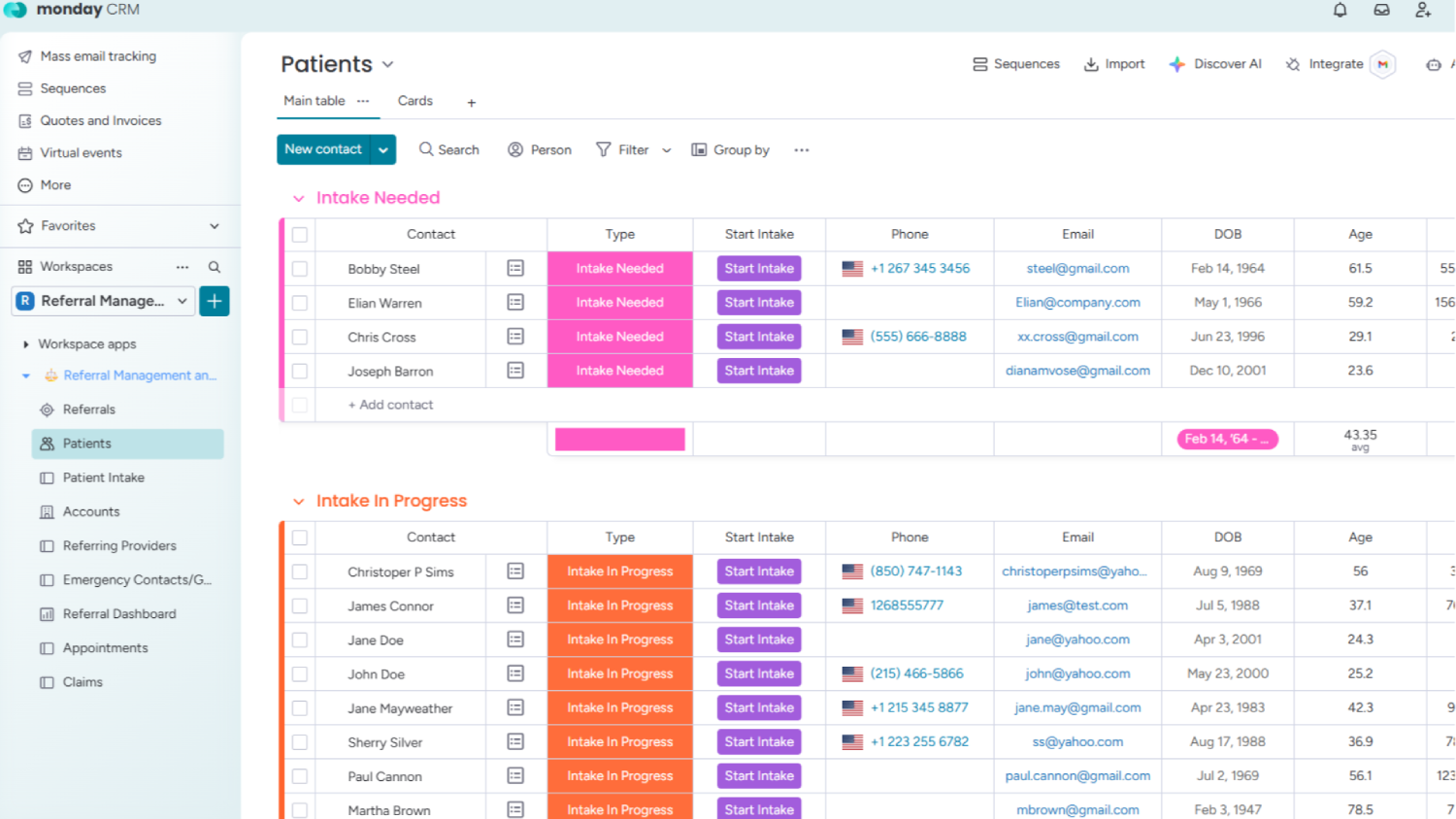


Healthcare teams use monday CRM to track patient inquiries, manage referrals, and coordinate patient intake activities. Its customizable boards and automations make it possible to organize these workflows around a practice’s needs.
However, connecting the tools involved in patient intake requires careful attention to HIPAA compliance. Monday’s HIPAA coverage does not automatically extend to third-party apps, and its Smart Call feature cannot be used for calls involving protected health information (PHI).
This matters when your team relies on connected tools to communicate with patients and manage their information.
If you’re considering moving away from Monday CRM, this guide compares 4 CRM alternatives based on their healthcare capabilities, integration options, and HIPAA safeguards.
Here are some product limitations of Monday CRM that can affect how easily a healthcare practice manages patient acquisition as its team and operations grow.
Monday uses seat bundles rather than charging for exactly the number of users a practice needs. Plans start at three seats and increase in groups of five. For example, a practice with six intake coordinators must purchase a ten-seat package. This can make it more expensive to give every coordinator and location manager access to the CRM.
Monday lets practices bring information from different tracking sheets into one dashboard. However, the information needs to follow a consistent format. For example, if one clinic records patient inquiries by referral source while another categorizes them differently, comparing inquiry volumes and appointment conversions across locations becomes difficult. The practice may first need to standardize how each clinic records and categorizes its data. G2 reviewers have also reported difficulties combining reports across teams.
G2 reviewers report difficulty setting up rules that use dates to trigger actions and describe the available rules as restrictive. For a practice, this is worth checking if it plans to automate follow-ups based on inquiry dates, appointment deadlines, or changes to patient status. The team may find that some rules need workarounds rather than working exactly as intended.
Monday Smart Call cannot be used for calls involving protected health information, even on accounts with HIPAA compliance activated. This includes routine patient interactions such as confirming appointments or discussing test results. Practices that want to make these calls through their CRM need a separate phone service with appropriate HIPAA protections and a BAA.
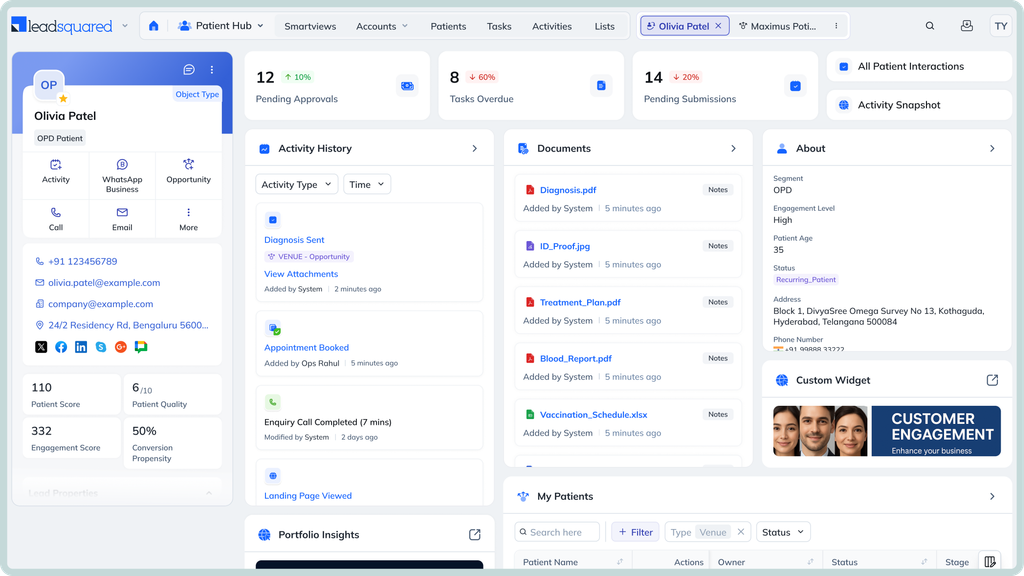
Healthcare organizations managing high volumes of patient inquiries and referrals across multiple teams, specialties, and locations.
LeadSquared’s healthcare CRM let’s you:
LeadSquared lists integrations with EHR and EMR platforms such as Athena/AthenaOne, AdvancedMD, CentralReach, ModMed, Opus EMR, SimplePractice, DrChronos, and more. It also connects with tools for call tracking, scheduling, and insurance verification, including RingCentral, CallTrackingMetrics, Acuity, pVerify, and Health Harbor.
For additional connections, its Universal Data Sync (UDS) feature lets administrators configure data flows between LeadSquared and external applications. It lets organizations decide what information should move between the two systems and which fields should match. For example, a patient’s contact details in one application can be matched with the corresponding fields in another with UDS. Organizations can also set up actions to share information when a particular event occurs or at scheduled intervals. UDS supports both sending information to other applications and receiving information from them.
LeadSquared offers a HIPAA-compliant healthcare CRM with a Business Associate Agreement (BAA) in place. Its security measures include encryption of data at rest and in transit, role-based access controls, and audit trails that record user activity. It is also SOC 2 compliant.
Pricing is available on request and depends on the organization’s requirements, such as team size and the features or integrations needed. Healthcare organizations can contact our team for a tailored quote.
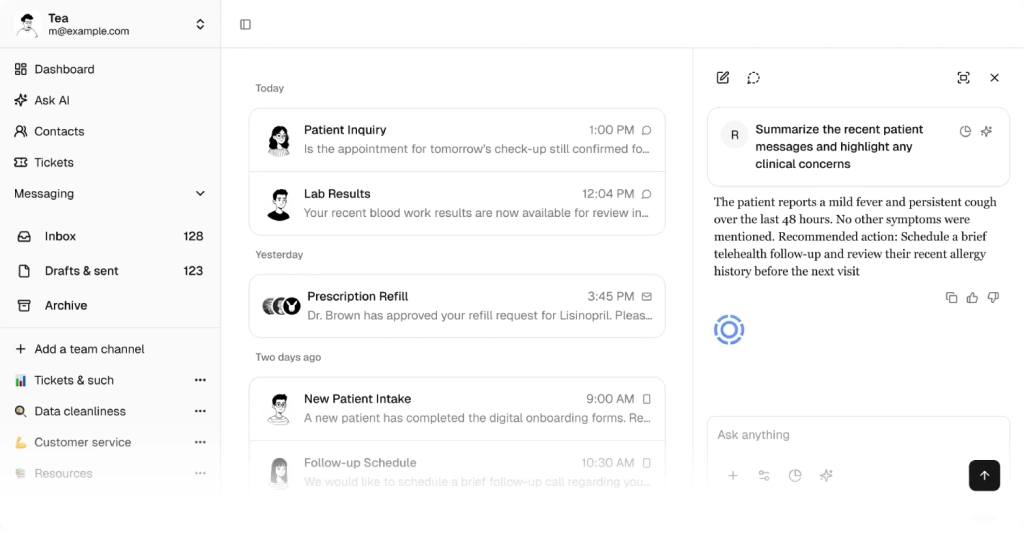
Digital health organizations and healthcare practices that want to manage patient intake, communication, and follow-ups through a single healthcare-focused platform.
Tellescope offers prebuilt, two-way integrations with EHR platforms such as athenahealth, Canvas Medical, Elation Health, Healthie, DrChrono, and Medplum. These connections allow patient information to move between Tellescope and the EHR. For example, demographic details and insurance information can sync between the systems, while completed intake forms and scheduled appointments can be sent to the EHR.
Organizations that use other applications can connect them through Tellescope’s API. The platform also works with integration partners for additional services. For example, its care navigation solution supports real-time insurance eligibility checks through integration partners rather than relying solely on a built-in verification feature.
Tellescope offers a HIPAA-compliant platform and confirms that it signs a Business Associate Agreement (BAA) with all customers. It is also SOC 2 Type II certified. Its security measures include encryption, role-based access controls, and audit logs. The platform supports HIPAA-compliant communication through text messages, email, phone calls, secure chat, and video.
Tellescope’s Starter plan starts at $250 per month and includes unlimited users, but limits usage to 250 patients. It focuses on patient communication and does not include the full CRM, online scheduling, intake forms, patient portal, or reporting capabilities. These features are available through its Enterprise plan, which has custom pricing. Texting, phone calls, and video also incur additional usage charges through Twilio.
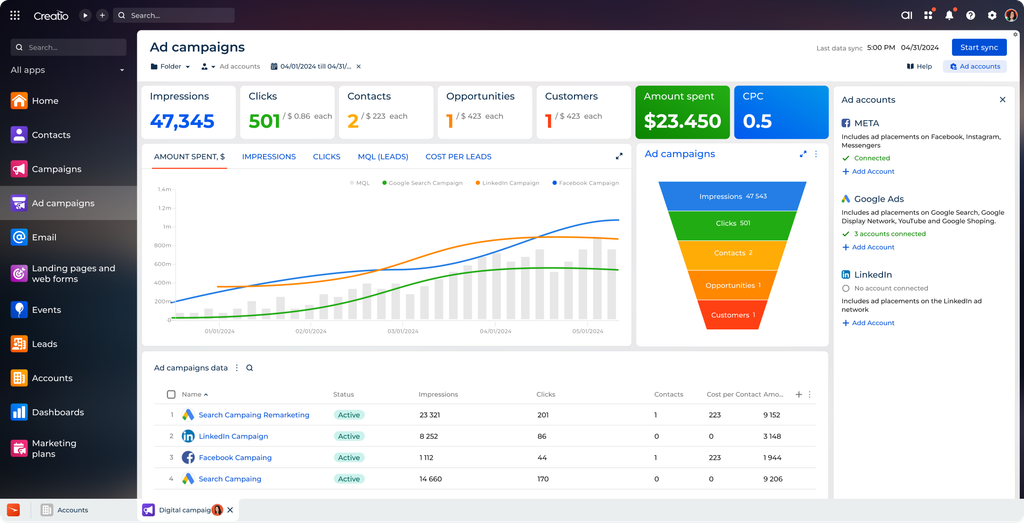
Mid-sized and large healthcare organizations that need to customize patient inquiry, referral, and administrative workflows across different teams.
Creatio supports connections with external applications through its REST and SOAP APIs, as well as connectors available through its marketplace. This gives healthcare organizations options for connecting the CRM with an EHR, practice management platform, or other business applications.
However, Creatio does not publish a clear list of prebuilt integrations with specific EHR platforms on its main CRM product pages. Organizations should check whether their existing clinical system has a ready-made connector or whether a custom connection will be needed.
Creatio states that its software follows HIPAA security requirements. Its published safeguards include role-based access permissions, audit logs, secure data storage, and regular security testing.
However, these security claims do not establish that a BAA is available for every Creatio deployment. Healthcare organizations planning to store or process protected health information should confirm whether Creatio will sign a BAA and which products, hosting arrangements, and services it covers before implementation.
Creatio uses modular, per-user pricing. Organizations pay for the Business & AI Studio platform and select the CRM applications they need, such as Sales, Marketing, and Service. The Unlimited plan has custom pricing and includes the full CRM suite. New customers also have a minimum annual purchase requirement, so the total cost can be higher than the advertised per-user rates suggest. Contact Creatio for a quote based on the required products and number of users.
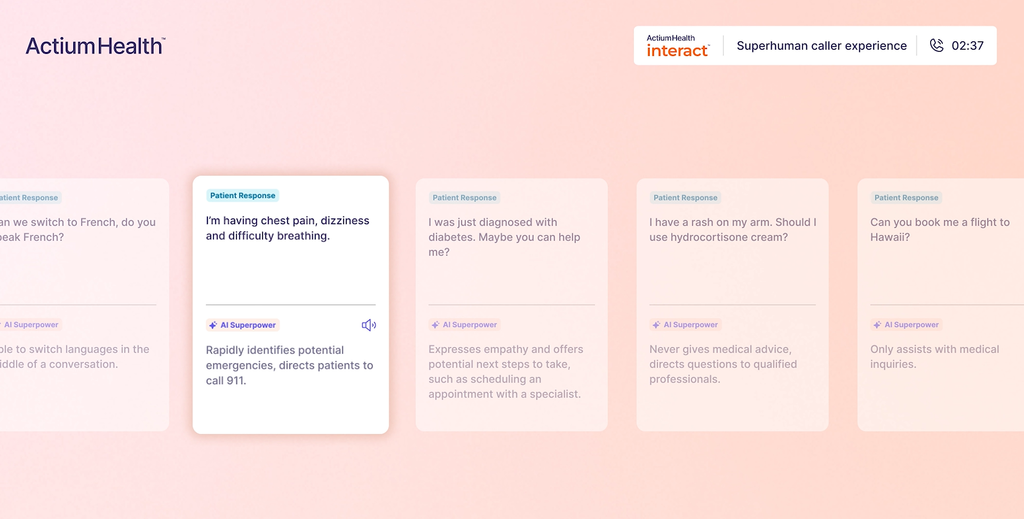
Hospitals and larger healthcare organizations that want to automate patient calls, reduce missed appointment opportunities, and convert more referrals into scheduled visits.
ActiumHealth integrates with EHR platforms such as Epic and Oracle Health’s Cerner. Its AI agents can retrieve information from the EHR and perform tasks such as checking appointment availability, booking visits, and updating referral statuses. The platform also supports organizations that use different EHRs across their hospital and clinic networks.
These connections are central to how ActiumHealth works. For example, when a provider creates a referral order in the EHR, the platform can detect it and contact the patient to arrange a specialist appointment. Once the appointment is booked, it can update the referral status in the EHR. Organizations should confirm support for their particular EHR and the integration work required before implementation.
ActiumHealth states that its platform is built to meet HIPAA requirements and identifies SOC 2 and HITRUST among its security standards. Its healthcare-focused platform is designed to handle protected health information during patient calls and automated outreach.
However, its public product pages do not clearly establish the availability and scope of a Business Associate Agreement (BAA). Healthcare organizations should request confirmation of the BAA and verify which products, services, and third-party providers it covers before using the platform with PHI.
ActiumHealth does not publish standard subscription rates. Its pricing depends on factors such as call volume, the features selected, the number of locations, EHR integrations, and customization requirements. Organizations need to request a quote to understand the cost of deployment.
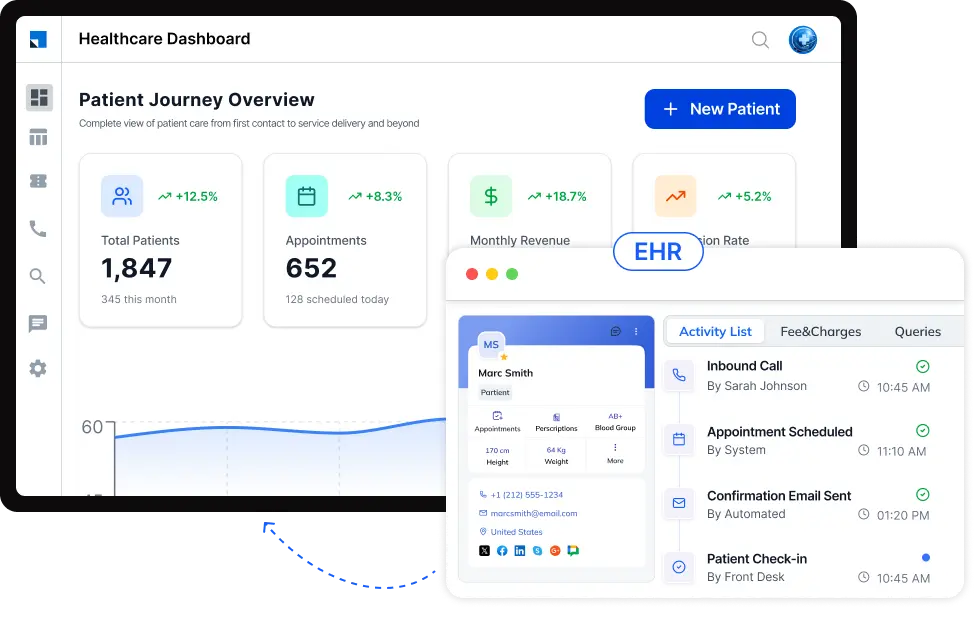
Imagine someone visits your clinic’s website to ask about a treatment. Your team needs to record their inquiry, connect the person with the right staff member, and stay in touch until they are ready to book an appointment.
LeadSquared helps healthcare organizations manage these steps through its CRM and connected tools. Here’s how
A prospective patient might call your clinic after business hours to ask about a treatment. LeadSquared’s AI voice agent, Invorto, can answer questions using information your practice has provided. It can also collect details such as the caller’s contact information and reason for calling. After the conversation, Invorto creates a transcript and summary so your team can review the inquiry and decide what to do next.
When a new inquiry enters LeadSquared, its Distribution Engine can assign it to an intake coordinator automatically. Your practice can set rules based on factors such as location, staff availability, and current workload. If the assigned coordinator does not respond within the set time, the system can pass the inquiry to someone else. This helps prevent prospective patients from being overlooked.
LeadSquared’s FloStack helps direct each person to a suitable next step. Depending on the rules your practice sets, it can take them to a personalized information page, an event registration page, or a booking link where they can schedule a meeting based on the team’s availability.
LeadSquared can connect with supported EHR and practice management platforms to exchange relevant information. Its Universal Data Sync (UDS) also allows organizations to set up connections with external applications by choosing what information should be shared and when.
If you’re considering Monday CRM alternatives because you need more structured ways to manage patient inquiries and track acquisition, LeadSquared’s healthcare CRM is worth exploring.
A product demo can help you see how LeadSquared’s CRM, Invorto, FloStack, and integration options fit your existing intake process and healthcare systems.
Book a demo today!
It depends on what is causing the problem. If your team struggles because workflows were not configured properly, improving the existing setup may be enough. But if Monday CRM lacks capabilities your healthcare organization needs or requires too many workarounds to support daily operations, it makes sense to evaluate alternatives. Before switching, identify which problems come from the way the system was set up, and which are limitations of the product itself.
No. Your organization can continue using Monday.com for project management and internal coordination while adopting a separate healthcare CRM for patient acquisition and intake. The important thing is to decide which platform will hold the primary record for each activity. This helps prevent staff from maintaining duplicate information or updating the same details in multiple applications.
Start by reviewing the information and workflows your team currently uses. This includes contact records, inquiry history, referral details, notes, attachments, ownership records, and active follow-ups. Identify duplicate or outdated records before moving them. Also, make a list of the integrations and automations connected to Monday CRM so you can determine which ones need to be recreated. Ask shortlisted vendors about which information they can import and test the migration with a sample before moving all your records.
Not necessarily. A new CRM can make responsibilities and overdue inquiries easier to track, but your practice still needs clear rules for who handles each inquiry and what happens when a patient does not respond. Before configuring the replacement, define who owns an inquiry, how quickly the team should respond, and when an unanswered inquiry needs to be escalated. The software can then support that process through assignments and reminders.
Ask the vendor to demonstrate a typical workday scenario using your practice’s requirements rather than relying only on a standard product presentation. Have intake coordinators and managers try the platform themselves. Check whether they can complete common tasks without repeatedly asking for help and find out how much assistance the vendor provides during onboarding and after launch. A small pilot with actual users can reveal practical problems before your organization commits to a full rollout.
Start by identifying what your team finds difficult about its current Monday CRM setup. Then compare alternatives against the workflows your practice needs to manage.
Check healthcare workflow support: Look for features that help your team capture patient inquiries, manage referrals, assign follow-ups, and track prospective patients through intake.
Review EHR compatibility: Check whether the CRM connects with your existing EHR or practice management system. Find out what information can be exchanged and whether the connection is ready-made or requires custom development.
Confirm HIPAA and BAA coverage: Ask whether the vendor will sign a Business Associate Agreement and whether it covers the specific products and integrations your organization plans to use.
Compare the total cost: Look beyond the subscription price. Account for implementation, data migration, integrations, additional users, and usage-based charges.
Involve your intake team: Ask the people who handle patient inquiries and referrals to test the shortlisted platforms. Their feedback can help you identify usability issues and gaps before committing to a new system.
Enter your details and we'll send you a quick confirmation email to verify your address.
 16 min read 17 min read 19 min read


