

- Home

- Learn
- Healthcare
- GoHighLevel alternatives for medical practices: 4 best CRM to consider
HEALTHCARE
GoHighLevel alternatives for medical practices: 4 best CRM to consider
Contents

 17 min read
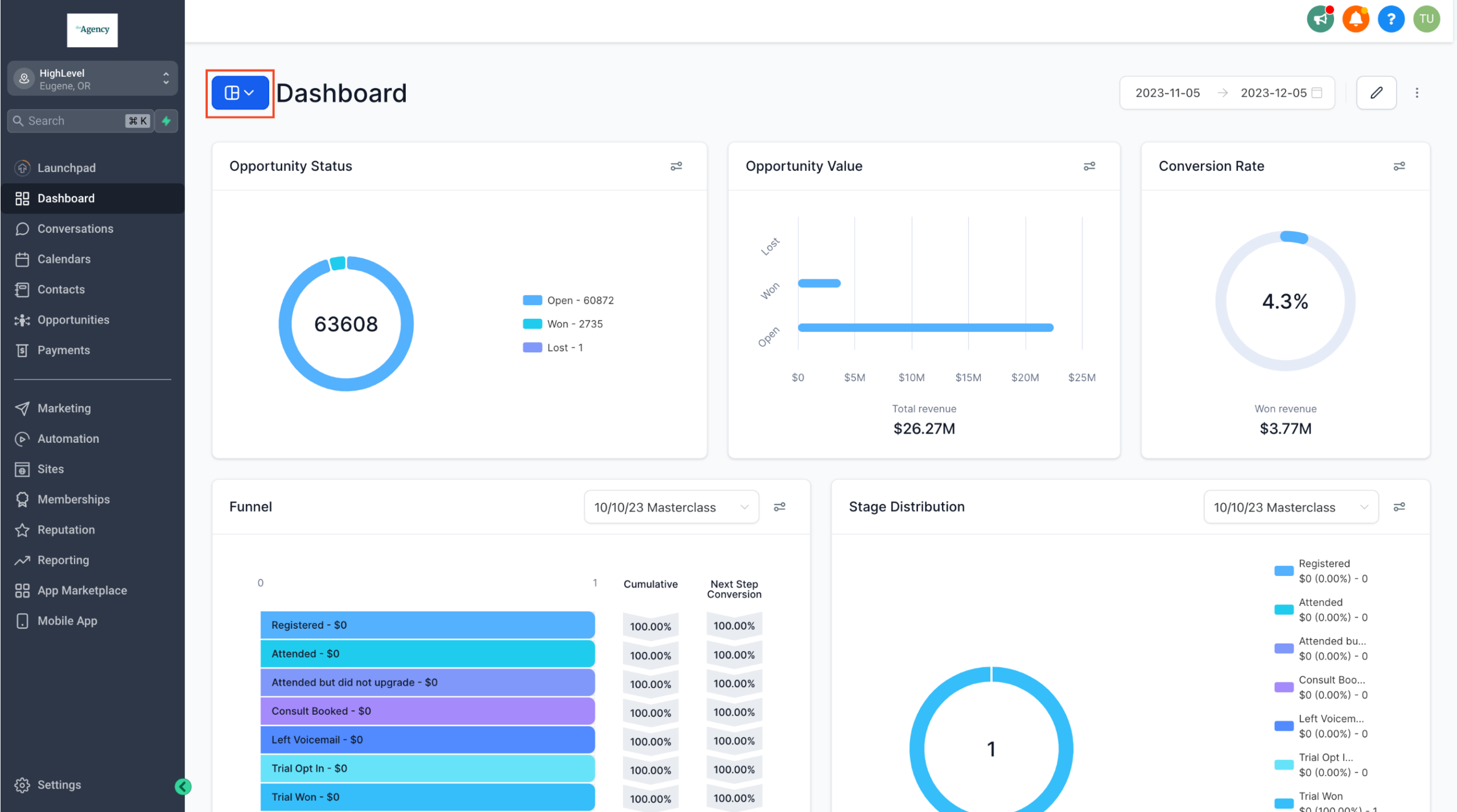


GoHighLevel appeals to small businesses and marketing agencies because it brings several tools into one platform. Their pricing plans start at $97 a month and include a CRM, marketing automation, booking calendars, and patient communication features.
For a medical practice, however, the low starting price does not tell the whole story.
GoHighLevel’s HIPAA features require a separate $297 monthly add-on, and practices may still need help setting up their custom workflows.
LeadSquared’s conversations with healthcare buyers have also surfaced concerns about GoHighLevel workflows not always executing as expected. Some buyers have also reported calendar bookings replacing information already stored in patient records.
If such challenges are affecting your patient acquisition and intake processes, you might want to consider evaluating other CRM options.
In this article, we’ll compare 4 best CRM alternatives GoHighLevel alternatives that can help medical practices manage patient acquisition, intake, and communication more effectively.
GoHighLevel offers an affordable starting point, but the cost and effort involved in adapting it to healthcare workflows can change the picture. Here are three reasons medical practices explore other options.
GoHighLevel’s Starter plan costs $97/month, but HIPAA safeguards are not included by default. Practices must purchase a separate $297/month HIPAA add-on to access features such as encryption for electronic protected health information (ePHI), a Business Associate Agreement (BAA), audit logs, and multi-factor authentication (MFA). The agency must also enable HIPAA settings for each relevant subaccount. This brings the monthly starting cost to $394 before usage charges or other add-ons.
GoHighLevel provides APIs and webhooks that developers can use to connect external applications. However, having these tools does not guarantee a ready-made integration with a practice’s EHR or ensure that information will sync correctly. Practices need to check that patient details, appointment updates, and lead-source information remain accurate across platforms. For example, one therapy group that spoke with LeadSquared reported that calendar bookings overwrote lead-source information, affecting its ability to track where inquiries came from.
GoHighLevel can automate messages, follow-ups, and appointment reminders. However, medical practices also need to manage who follows up with each inquiry, track referral sources, monitor response times, and understand how many inquiries turn into appointments. These workflows need to work together so that prospective patients don’t fall through the cracks.
In one conversation with LeadSquared, a men’s health practice reported moving 18,000 contacts away from GoHighLevel after an unsuccessful implementation that cost $15,000. This illustrates the financial and operational consequences of investing in a setup that doesn’t meet the practice’s needs.
Several Capterra reviewers describe GoHighLevel’s interface as confusing and difficult to navigate. Some also report a steep learning curve, with considerable time needed to configure features and workflows.
One reviewer specifically said that frequent software updates sometimes made it difficult to find features they had previously used because their locations in the interface changed.
Getting help is another challenge. Some reviewers report long waits for support tickets to be answered or resolved. Others say they had to contact the support team repeatedly about billing disputes and promised refunds. For medical practices, these problems can mean more time spent learning the CRM and resolving software issues.
| CRM/Tool | Best suited for | Healthcare capabilities | HIPAA/BAA |
| LeadSquared | Healthcare organizations managing patient acquisition across multiple locations | Lead assignment, intake automation, AI calling, appointment scheduling, referral and conversion tracking | HIPAA-compliant; BAA in place |
| HubSpot | Practices focused on digital marketing and prospective patient engagement | Forms, landing pages, email campaigns, automated follow-ups, contact management | Sensitive Data features require Enterprise; BAA available |
| NexHealth | Medical and dental practices focused on patient engagement and front-office operations | Online scheduling, digital intake forms, reminders, two-way texting, patient campaigns | HIPAA and SOC 2 compliant; BAA provided |
| Tebra | Independent practices seeking an integrated EHR, practice management, and patient engagement platform | Online scheduling, web-to-text, reputation management, patient messaging, digital intake | HIPAA-compliant; BAA provided |
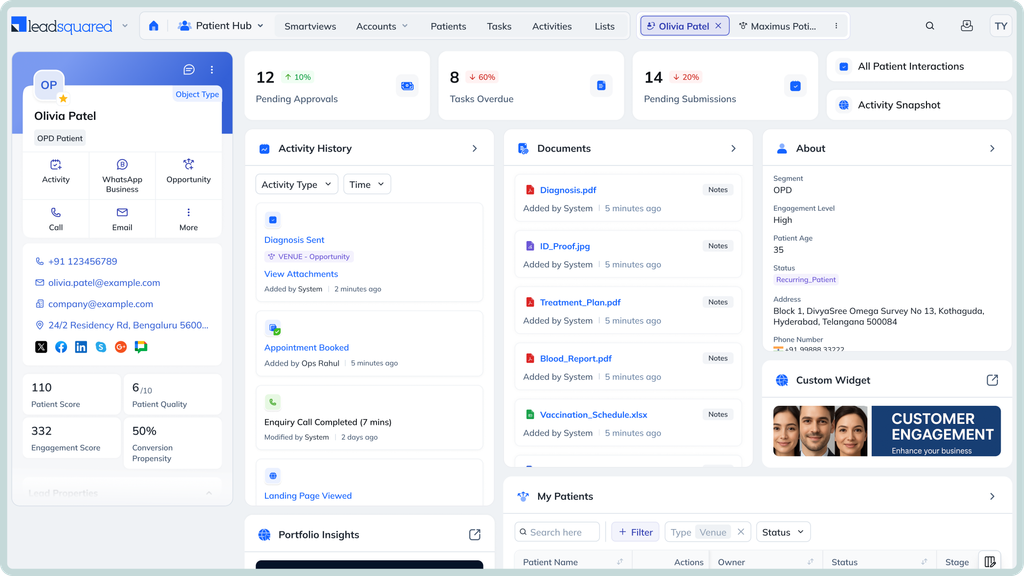
LeadSquared is best suited to healthcare organizations that manage patient acquisition and lead management workflows across multiple locations.
LeadSquared combines healthcare CRM capabilities with automation and AI-powered tools to help practices manage incoming inquiries and improve patient conversion.
LeadSquared integrates with EHR and EMR platforms such as athenahealth and AdvancedMD. Other supported connections include CentralReach, ModMed, and SimplePractice. Its Universal Data Sync (UDS) connector lets teams configure data flows with supported external applications. They can use API actions and scheduled triggers to synchronize relevant patient and appointment information. This reduces the need for manual data entry.
LeadSquared’s healthcare CRM is HIPAA-compliant, with a BAA in place. It uses encryption at rest and in transit to protect patient information. Security measures also include role-based access controls and audit trails. LeadSquared reports SOC 2 and ISO 27001 credentials.
LeadSquared’s Healthcare CRM pricing is quote-based and not publicly listed as a standard per-user rate. Book a free demo of LeadSquared for pricing based on your organization’s requirements.
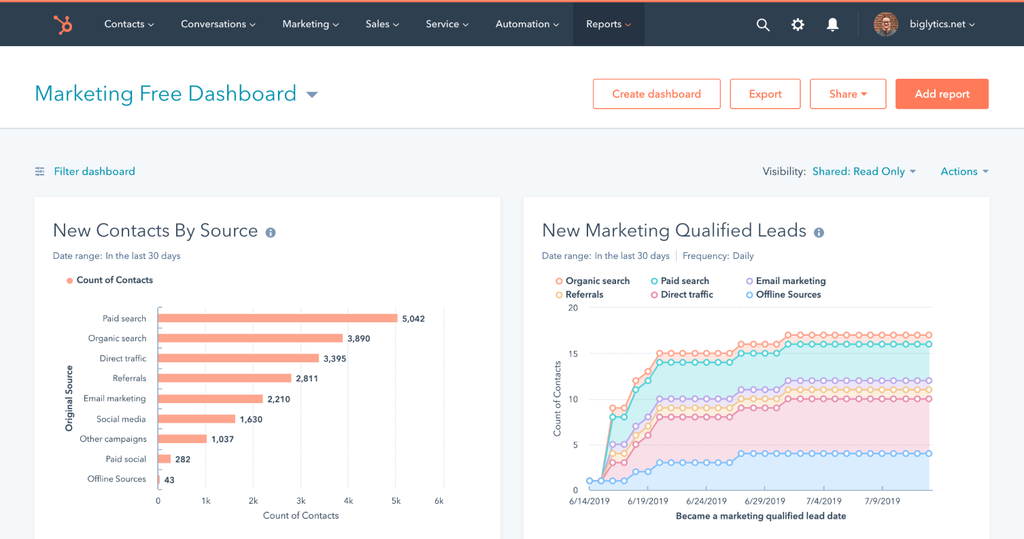
HubSpot is best suited to medical practices that want to attract prospective patients through digital marketing and manage their follow-ups in one CRM. It brings marketing, sales, and customer service tools together, so teams can track interactions from the first inquiry through ongoing engagement.
HubSpot helps practices capture inquiries and stay connected with prospective patients through tools such as:
HubSpot connects with third-party applications through its App Marketplace and APIs. Practices can use these connections to exchange data with other business and healthcare systems. However, they should verify whether their specific EHR has a supported connector and which patient or appointment details it can sync.
HubSpot supports HIPAA-related data handling through its Enterprise plans. Practices must enable Sensitive Data settings, identify themselves as a covered entity or business associate, and accept the BAA. Not all HubSpot tools support sensitive data, including chatbots and playbooks.
HubSpot does not offer healthcare-specific pricing. Practices need an Enterprise subscription to enable HIPAA-related Sensitive Data features.
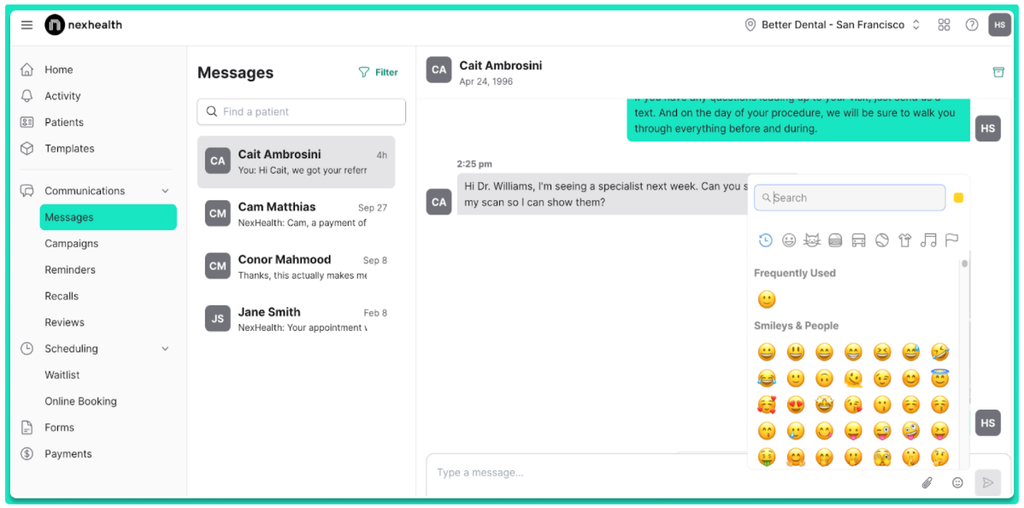
NexHealth is best suited to medical and dental practices that want to simplify appointment scheduling, patient communication, and front-office operations while keeping their existing health record system up to date.
NexHealth helps practices manage routine interactions before and after appointments.
NexHealth’s Synchronizer connects with supported EHR and practice management systems. It syncs data in both directions, so appointments and completed forms can update the existing patient record. Supported systems include athenahealth, eClinicalWorks, ModMed, and Dentrix.
NexHealth states that it is HIPAA and SOC 2 compliant. It encrypts patient data at rest and provides a Business Associate Agreement (BAA).
NexHealth does not publish fixed practice pricing. It offers custom quotes based on the products selected.
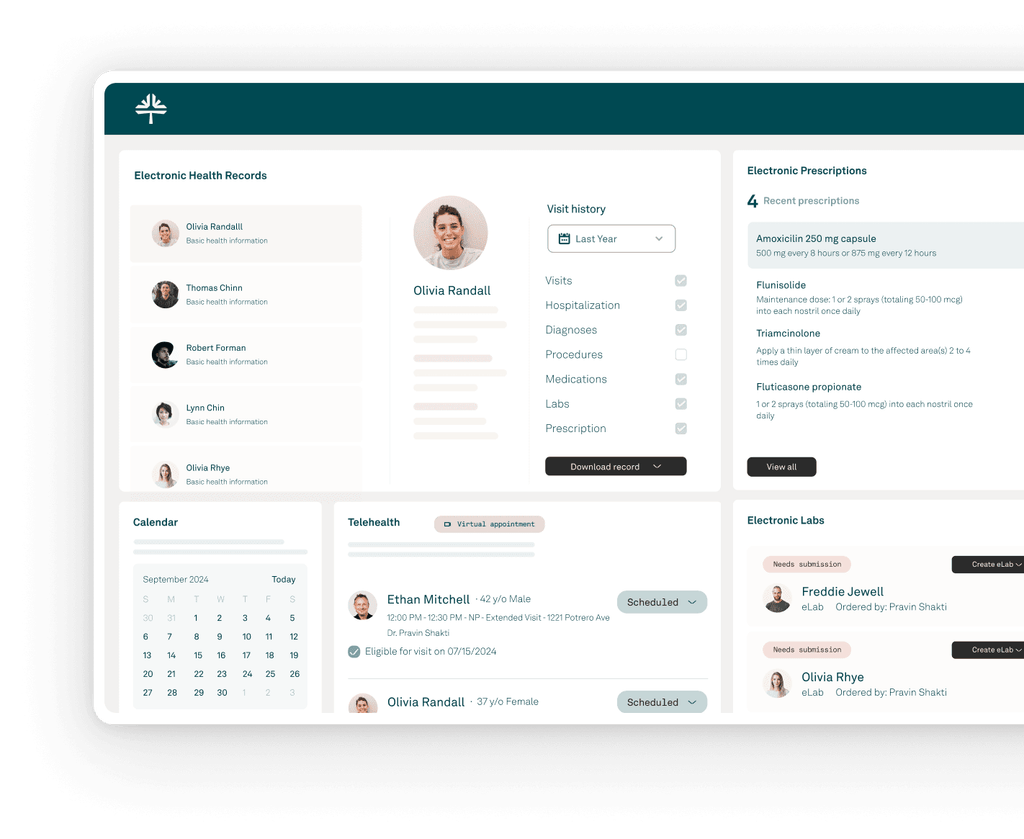
Tebra is best for independent medical practices that want to manage clinical records, billing, scheduling, and patient acquisition through one healthcare platform. It suits practices that want built-in tools to attract patients through online marketing and manage communication with them.
Tebra combines tools that help practices attract new patients with features for keeping existing patients engaged.
Tebra offers API access for connecting its EHR and practice management platform with external applications. Its SOAP API allows connected systems to retrieve and update information such as patient demographics, appointments, and payment records.
Tebra states that its platform is HIPAA-compliant and provides a BAA. Its security credentials include SOC 2, HITRUST, and PCI certifications.
Tebra’s pricing depends on the provider type, claim volume, and selected products. Its published prices include:
These are published monthly rates per provider. Low-volume pricing is available for eligible practices, and the final quote depends on the configuration.
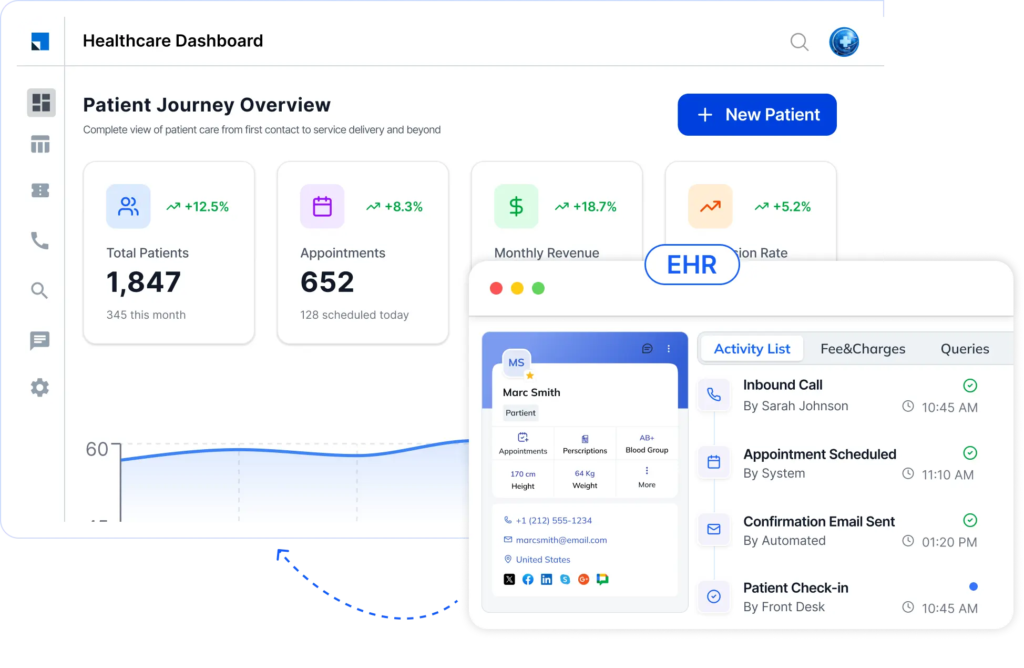
Before switching from GoHighLevel, evaluate whether a CRM can support your practice’s patient acquisition and intake workflows without adding unnecessary complexity or cost. Focus on these five areas:
Check whether the vendor signs a Business Associate Agreement (BAA) and whether it covers the specific products and features you plan to use. Also review safeguards such as encryption, access controls, and audit logs. A BAA is essential when a vendor handles PHI on your behalf, but your practice must also meet its own HIPAA obligations.
Confirm that the CRM connects with your specific EHR and can exchange the information you need. Check whether it supports one-way or two-way sync for patient details, appointments, and inquiry records. Ask about setup costs and ongoing integration support.
Look beyond email and SMS automation. Check whether the CRM can capture inquiries from different channels, assign leads to the right staff, automate follow-ups, track referrals, and report on inquiry-to-appointment conversions.
Compare more than the advertised subscription price. Include HIPAA add-ons, user licenses, implementation, data migration, integrations, and usage-based charges. A low starting price can become considerably higher once these costs are included.
Check which contact details, notes, tags, custom fields, and communication records can be transferred from GoHighLevel. Ask whether automation workflows need to be rebuilt and what support is available during migration and after launch. Test the new CRM with a sample dataset before moving all your records.
Consider a patient who visits your practice’s website to enquire about a dermatology treatment. Your team needs to capture the inquiry, connect the patient with the right coordinator, and help them schedule a consultation. LeadSquared’s healthcare CRM and connected tools support this journey through the following steps.
A prospective patient might call after your clinic closes to ask about a treatment. LeadSquared’s AI voice agent, Invorto, can answer common questions using your practice’s configured knowledge base. It can also collect the caller’s contact details and treatment interest, then create a call transcript and summary for your team to review.
Once an inquiry enters LeadSquared, its Distribution Engine can automatically assign it based on rules your practice defines. You can factor in staff availability and workload when deciding who receives each inquiry. If a team member misses a response deadline, the system can reassign the lead so it does not remain unattended.
Your team can use automated workflows to follow up with prospective patients through supported communication channels. When someone is ready to book, FloStack can direct them to a personalized microsite or booking link. There, they can learn more about your services and schedule an appointment based on the calendar availability configured for your practice.
LeadSquared’s Universal Data Sync (UDS) can connect the CRM with supported EHR and practice management applications. Once the integration is configured, it can synchronize relevant appointment information and updates between the connected systems. Your team can then use CRM reports to track where inquiries come from, monitor response times, and measure how many convert into appointments across your locations.
If you’re evaluating GoHighLevel alternatives because you need more control over patient inquiry management and conversion tracking, LeadSquared’s healthcare CRM is worth exploring.
A demo can help you understand how its healthcare CRM, Invorto, FloStack, and UDS fit into your existing workflows and technology setup.
Book a demo to see how LeadSquared can support your practice’s patient acquisition and intake goals.
Before switching from GoHighLevel, make sure you:
Identify the contacts, custom fields, tags, opportunities, appointment records, and communication histories you need to retain. Check how each record type can be exported.
Document your existing automation triggers and follow-up sequences so your team can rebuild essential workflows.
List connected EHRs, calendars, calling systems, website forms, and communication tools that need to work with the new CRM.
Decide which platform will serve as the source of truth for patient and appointment information.
Test imported records, lead attribution, appointment synchronization, notifications, and user permissions before going live.
Train front-desk staff, intake coordinators, and marketing teams on the new workflows before the transition.
Pay particular attention to data portability. GoHighLevel’s documentation confirms that contact exports do not include automation history, such as past email and SMS logs. Notes longer than 255 characters may also be truncated. Phone conversations, call recordings, and voicemails may require separate exports or downloads. Plan for these gaps before ending access to your existing account.
Yes. Switching CRMs does not automatically mean rebuilding your practice website or changing its domain. You can retain your existing website and booking pages if they are hosted separately and can continue working with your new setup. Before switching, check which forms, tracking scripts, booking links, and integrations need to be updated so patient inquiries still reach the right team.
No. You should not assume that all your data will transfer automatically. GoHighLevel supports contact exports in CSV format, but its documentation states that these exports do not include automation history. Notes longer than 255 characters may also be truncated. Phone number transfers do not automatically move historical conversations, call recordings, or voicemails. Before choosing a GoHighLevel alternative, ask the new provider which records it can import and plan separately for information that needs to be exported or retained.
Usually, yes, if your number is eligible for porting to the new phone service. However, transferring a number does not automatically transfer its call logs, SMS conversations, or messaging registrations. For U.S. practices, check whether A2P 10DLC registration or toll-free verification needs to be completed again. Keep your current phone service active until the transfer is complete and you have tested incoming calls and messages.
Start with a small group of staff and a sample of your existing inquiry records. Test the workflows your team relies on, including inquiry capture, lead assignment, follow-up messages, appointment booking, and reporting. Check that imported records are accurate and that connected applications exchange the required information. LeadSquared, for example, can be evaluated through a demo using your practice’s patient acquisition and intake requirements. A controlled trial helps identify gaps before your entire team moves to the new CRM.
Enter your details and we'll send you a quick confirmation email to verify your address.
 16 min read 19 min read 14 min read


