


- Home

- Learn
- Healthcare
- 4 best Zoho CRM alternatives for healthcare practices
HEALTHCARE
4 best Zoho CRM alternatives for healthcare practices
Contents

 14 min read
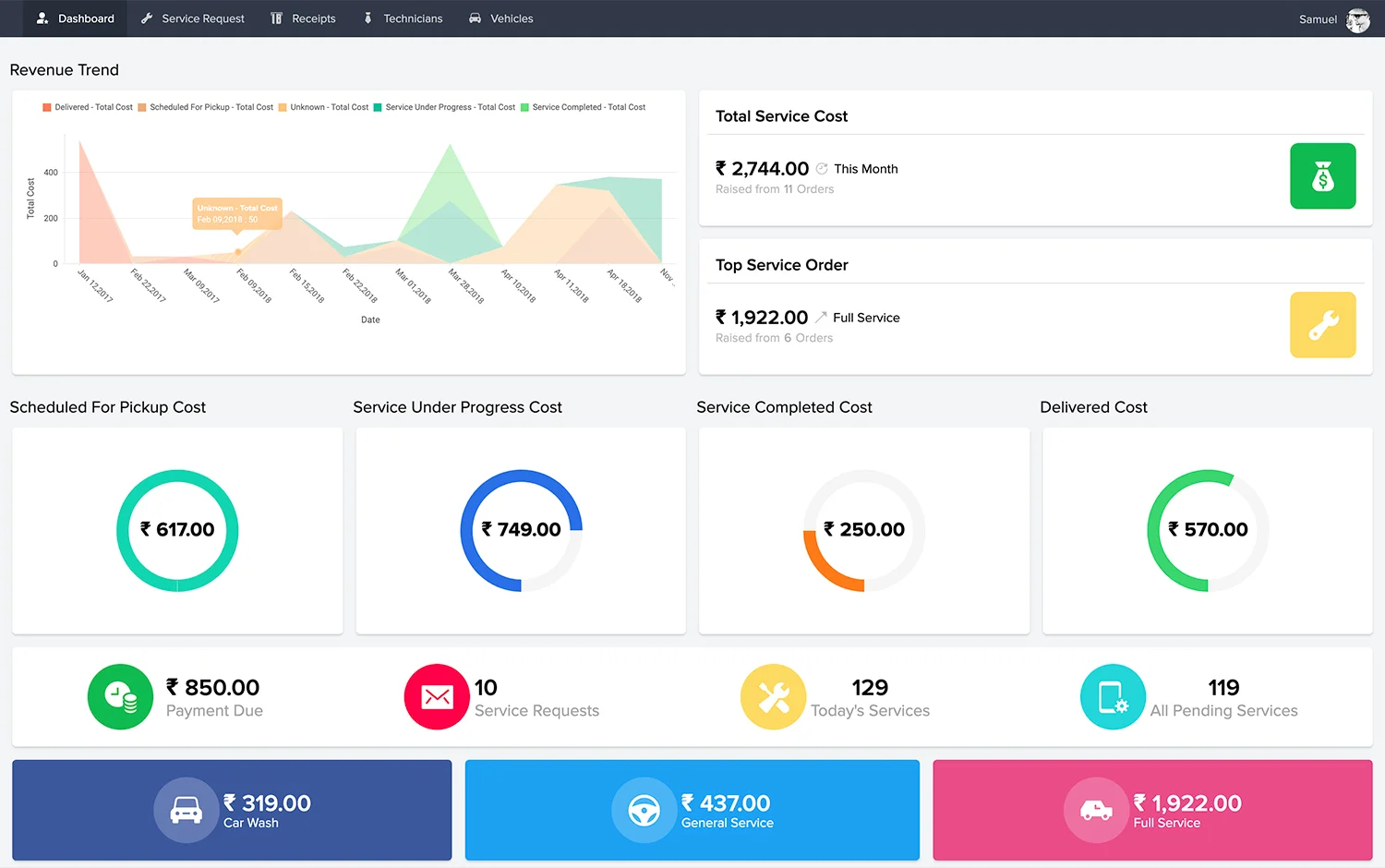


Zoho CRM appeals to healthcare practices with its affordable pricing and customization options. But its standard setup is built around sales workflows with information organized into modules such as Leads, Contacts, Accounts, and Deals.
This works for typical sales processes. A healthcare practice, however, runs a different process:
Zoho does let businesses create custom modules and workflows to accommodate processes like these. But practices must first decide on their own, how to organize this information, and then configure the CRM to track each stage of the patient journey. In other words, they are adapting a general-purpose CRM rather than starting with a healthcare CRM that has patient acquisition built in.
This guide compares 4 best Zoho CRM alternatives for healthcare practices, how they handle each stage of the patient journey, and what to evaluate before switching from Zoho.
Healthcare practices that adapt Zoho’s standard CRM to their patient acquisition processes can encounter challenges in maintaining those customizations, keeping field teams informed, and getting accurate performance data.
Zoho lets practices create custom modules and automate tasks.
However, custom code needs testing and maintenance when processes or configurations change. In one example from LeadSquared’s internal customer account insights, an ABA startup reported that custom code in its Zoho setup broke after relatively small changes. This illustrates how a heavily customized setup can become difficult to maintain.
A Patient Care Coordinator reviewing Zoho CRM on Capterra said the platform could not be linked to other software. The reviewer noted that this was a problem for businesses that rely on multiple applications. G2 reviews also point to difficulties with integration setup, particularly when custom workflows or API configurations are involved.
For healthcare practices, this makes it important to confirm that Zoho can exchange the required patient acquisition data with their EHR or practice management software.
Some users find Zoho CRM so complicated that getting it up and running requires extensive training and ongoing internal support. A reviewer said their team spent considerable time training with Zoho’s launch team but still struggled to use the system fully.
For healthcare practices, this can mean a longer implementation process and more staff time spent learning and managing the CRM.
Some Zoho CRM users find the platform difficult to work with and report that even routine changes can require developer assistance. One reviewer described customer support as hard to work with and said that almost any update to their Zoho setup required a developer.
For healthcare practices without dedicated technical staff, this can make it harder to adjust workflows as their intake and patient engagement needs change.
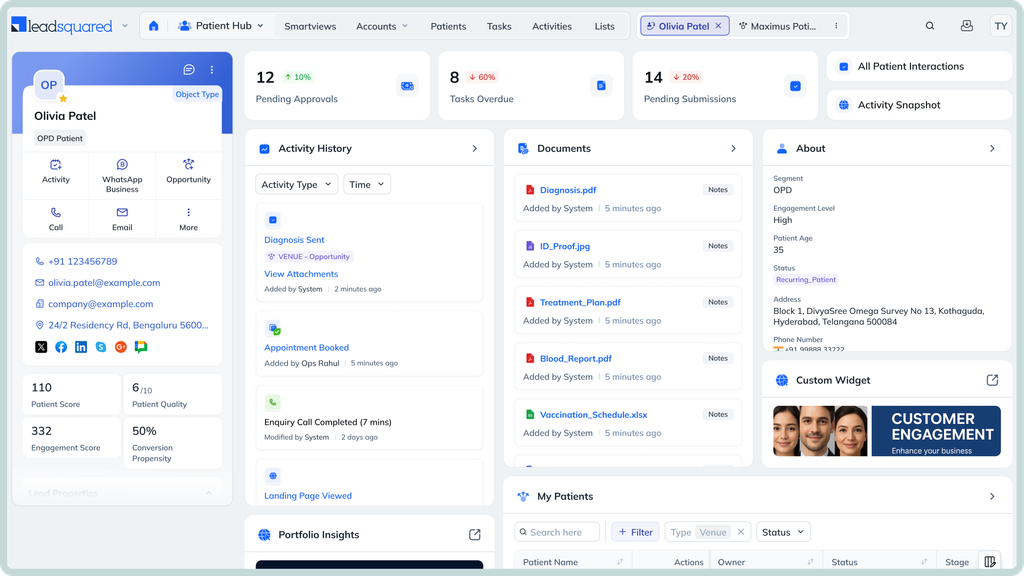
Healthcare organizations managing patient acquisition, intake, and referrals across multiple teams and locations.
LeadSquared offers integrations with EHR/EMR platforms such as Athena, AdvancedMD, ModMed, CentralReach, and SimplePractice. Its Universal Data Sync (UDS) platform also supports configurable data flows between LeadSquared and external systems. This allows organizations to set up inbound and outbound data synchronization based on their requirements.
LeadSquared offers a HIPAA-compliant healthcare CRM with a Business Associate Agreement (BAA) in place. Security measures include data encryption, role-based access controls, and audit trails.
Healthcare CRM pricing is quote-based and not publicly listed as a standard per-user rate. Contact LeadSquared for pricing based on your organization’s requirements.
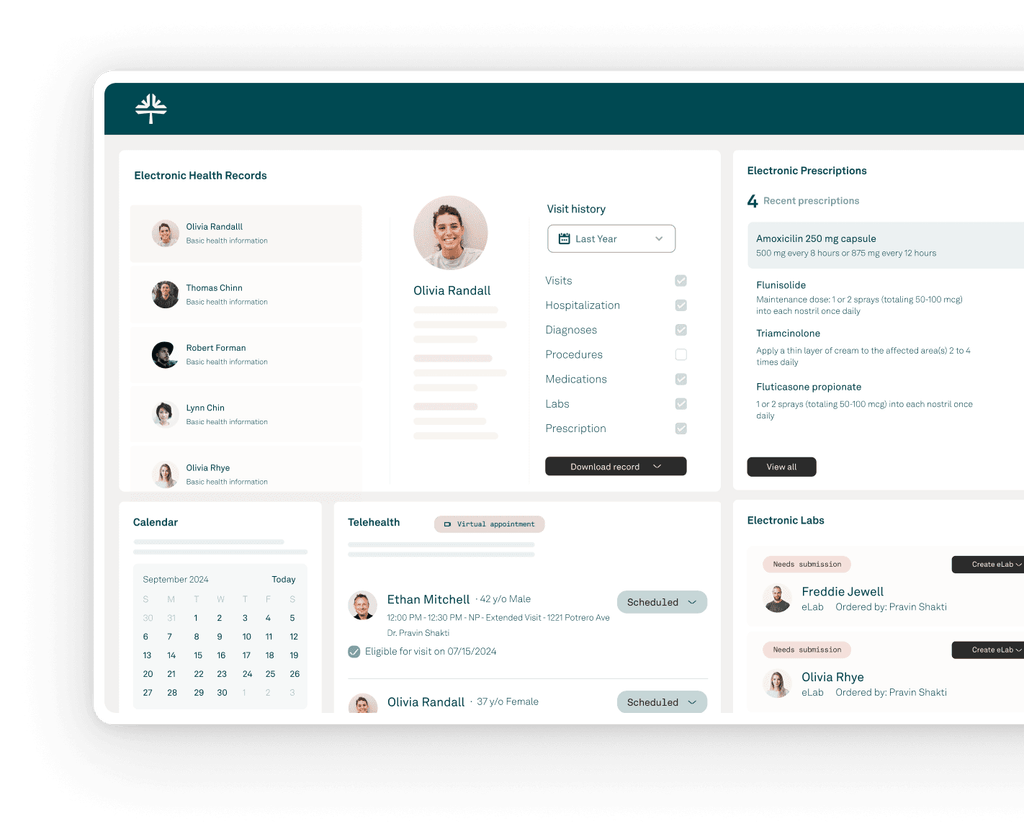
Independent medical practices looking to combine practice management with patient acquisition and engagement.
Tebra’s Patient Experience platform helps practices attract patients and convert online searches into appointments.
Tebra combines front-office workflows with its EHR and practice management tools.
Tebra connects patient experience workflows directly with its EHR. Online scheduling reflects provider availability, while completed digital intake forms sync with patient records.
Tebra provides a BAA as part of its customer agreement. Its security measures include encryption, role-based access controls, and audit logging. Its security program also follows the HITRUST framework and undergoes independent audits.
Tebra offers custom pricing based on provider count, selected products, and implementation requirements. Practices can request a quote for individual solutions or bundled packages.
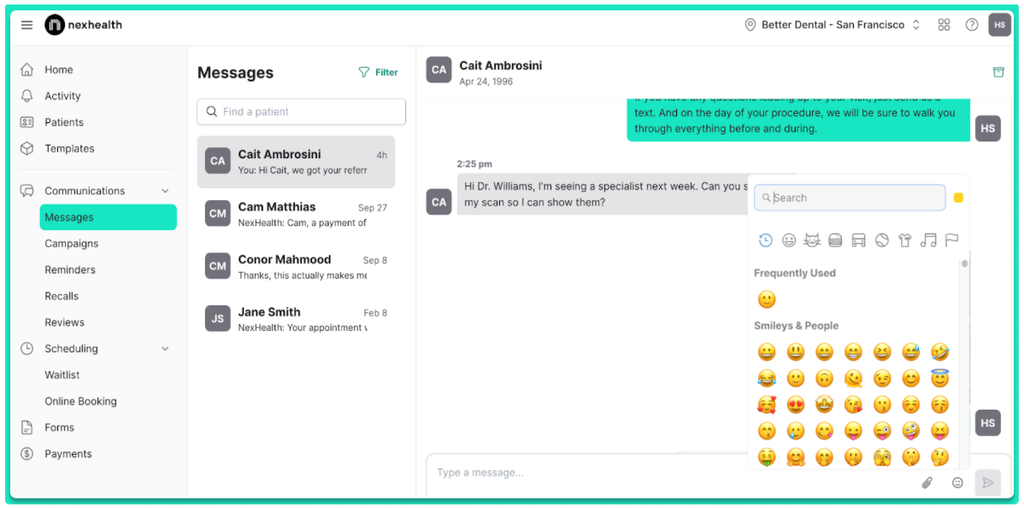
Healthcare practices that need EHR-connected patient engagement and scheduling.
NexHealth helps practices convert online interest into appointments and keep patients engaged between visits.
NexHealth digitizes front-office workflows through:
NexHealth connects with more than 70 EHR and practice management systems through its Synchronizer. Supported platforms include athenahealth, AdvancedMD, eClinicalWorks, Epic, ModMed, NextGen, Practice Fusion, Tebra, Dentrix, and Open Dental. It syncs patient information and appointments while allowing digital intake forms to update patient records. Compatibility depends on the EHR version and deployment.
NexHealth states that it is HIPAA and SOC 2 compliant. Its security measures include encryption at rest and in transit. A Business Associate Agreement (BAA) is included.
NexHealth uses custom pricing based on the products selected and practice requirements. Practices must request a quote rather than compare publicly listed per-user rates.
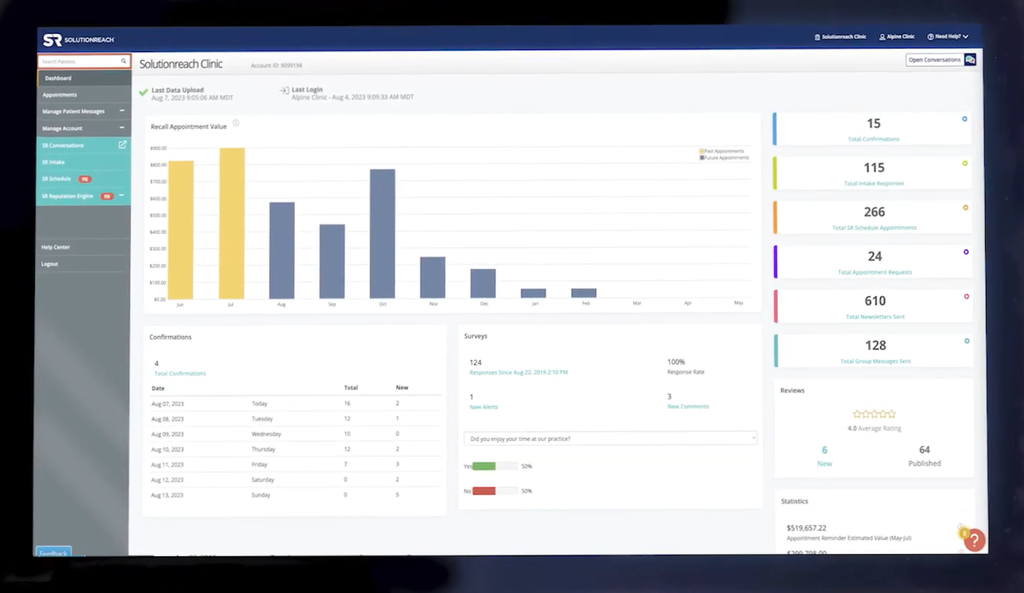
Healthcare practices focused on patient communication, recall, and retention.
Solutionreach helps practices attract patients and maintain regular communication with existing ones.
Solutionreach also supports front-office workflows that reduce manual work for staff.
Solutionreach connects with more than 400 practice management and EHR systems through its SyncAssure integration architecture. The platform supports two-way data sync, including updates to appointments, intake, insurance, and payments. Practices should check the compatibility of their specific system and confirm which data fields and workflows are supported.
Solutionreach identifies itself as a business associate under HIPAA and states that it handles protected health information in accordance with HIPAA requirements.
Let’s say, a multi-location healthcare practice is looking to coordinate its patient inquiries across website, phone lines, and referral network. The following example shows how the platform supports these steps.
When a patient contacts your practice, LeadSquared captures their details from sources such as website forms and phone calls. It also tracks where the inquiry originated, so you can see which channels bring prospective patients to your practice.
The Distribution Engine, LeadSquared’s configurable lead assignment solution, then routes inquiries based on rules such as clinic location, service line, and team availability. This helps ensure each inquiry reaches the right team.
With LeadSquared, your team can respond to inquiries and follow up through email, SMS, WhatsApp, and more channels. For incoming calls, Invorto, LeadSquared’s AI-powered voice solution, can handle initial interactions, answer configured questions, and capture patient inquiry details.
Once a patient is ready to book, your team can share a FloStack booking link. FloStack is LeadSquared’s appointment booking solution. It lets patients view available slots and select a consultation time. UDS (Universal Data Sync), LeadSquared’s configurable integration platform, can also exchange supported appointment information with connected systems such as an EHR.
After the consultation, your team can use automated workflows to send feedback requests or future appointment reminders.
LeadSquared’s healthcare reports also help you track inquiry sources, referral activity, response times, and conversion outcomes. This shows you which channels attract patients and where inquiries stop progressing to take the needed action.
If your practice needs more control over patient acquisition and intake than Zoho currently provides, LeadSquared offers healthcare-focused workflows to help your team manage inquiries, referrals, and patient follow-ups efficiently.
Book a demo to explore how LeadSquared fits your practice workflows and growth goals.
The effort depends on how much data and customization your practice has in Zoho. Before switching, review your patient inquiry records, custom fields, notes, activity history, and existing workflows. Ask the new CRM provider which of these can be migrated and whether the migration can be tested before the final switch. This helps prevent gaps in your records and interruptions to ongoing follow-ups.
Evaluate the CRM using everyday tasks your front-desk and intake teams handle. Ask them to test how easily they can find an inquiry, update its status, review previous interactions, and follow up with a prospective patient. A guided demo is useful, but having the people who will use the system try these tasks gives you a better sense of its learning curve.
Ask whether the provider offers guided implementation, data migration assistance, integration support, and training for different user roles. You should also understand how technical issues are escalated and what response times to expect after going live. This is particularly important if your practice relies on the CRM for daily patient inquiries and follow-ups.
Ask the provider to build reports around actual business questions during the demo. For example, can you see how many inquiries came from each referral source, how many resulted in consultations, and how conversion rates differ across locations? Check whether your team can access these insights through standard reports or needs technical help to configure them.
Test the platform with realistic data and everyday workloads before making a decision. Check how quickly records load, whether updates save reliably, how duplicate inquiries are handled, and whether users can navigate the system without repeated assistance. A trial or pilot with a small team can help reveal practical issues that a sales demo might not show.
Start by identifying what your practice needs to improve with a new CRM. Then compare shortlisted platforms against these criteria:
Can your front-desk and intake teams manage patient inquiries and follow-ups without extensive training?
What will you pay for implementation, customization, integrations, training, and ongoing support in addition to subscription fees?
Does the provider offer a signed Business Associate Agreement (BAA) and appropriate safeguards for handling protected health information (PHI)?
Can the CRM connect with your existing EHR and practice management software and exchange the data your team needs?
Can you track patient acquisition and conversion outcomes without relying on extensive technical support?
Does the provider assist with data migration, implementation, staff training, and technical issues after launch?
Finally, request a demo using scenarios from your actual workflows. Have your staff test common tasks and ask the vendor to explain its onboarding process and data migration plan.
Enter your details and we'll send you a quick confirmation email to verify your address.
 19 min read 13 min read 13 min read


