


- Home

- Learn
- Healthcare
- ChiroTouch-CRM integration: How chiropractic practices automate patient acquisition
HEALTHCARE
ChiroTouch-CRM integration: How chiropractic practices automate patient acquisition
Contents

 12 min read
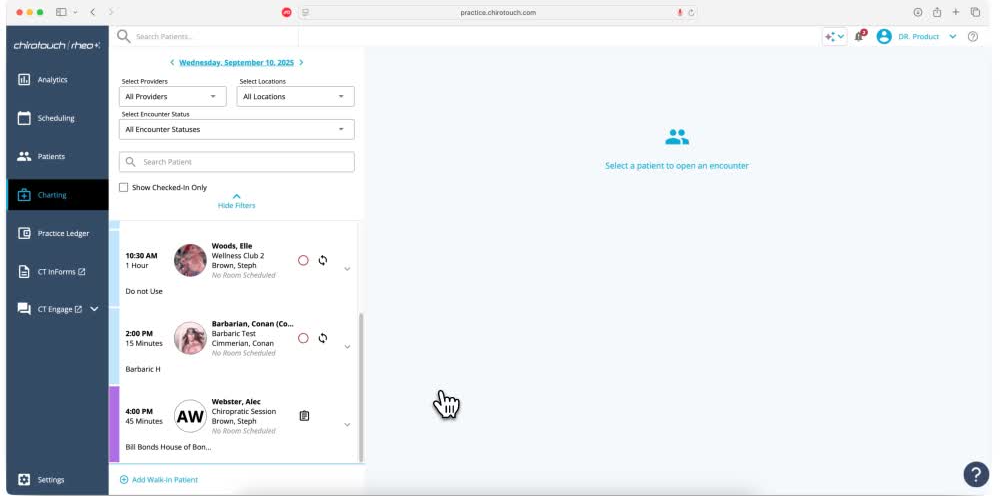


Used by more than 12,500 practices, ChiroTouch’s platform helps chiropractors manage their clinical workflows and daily practice operations.
However, managing a practice is different from growing its patient base. Chiropractors also need to attract prospective patients and turn their interest into booked appointments to grow their business.
This requires prompt responses to calls and online inquiries. Staff must also follow up with people who have not booked and track which referral sources bring in new patients.
A customer relationship management (CRM) system can help practices manage these tasks and track each client inquiry through to booking.
This article explores how a CRM can complement ChiroTouch and help chiropractic practices attract new patients.
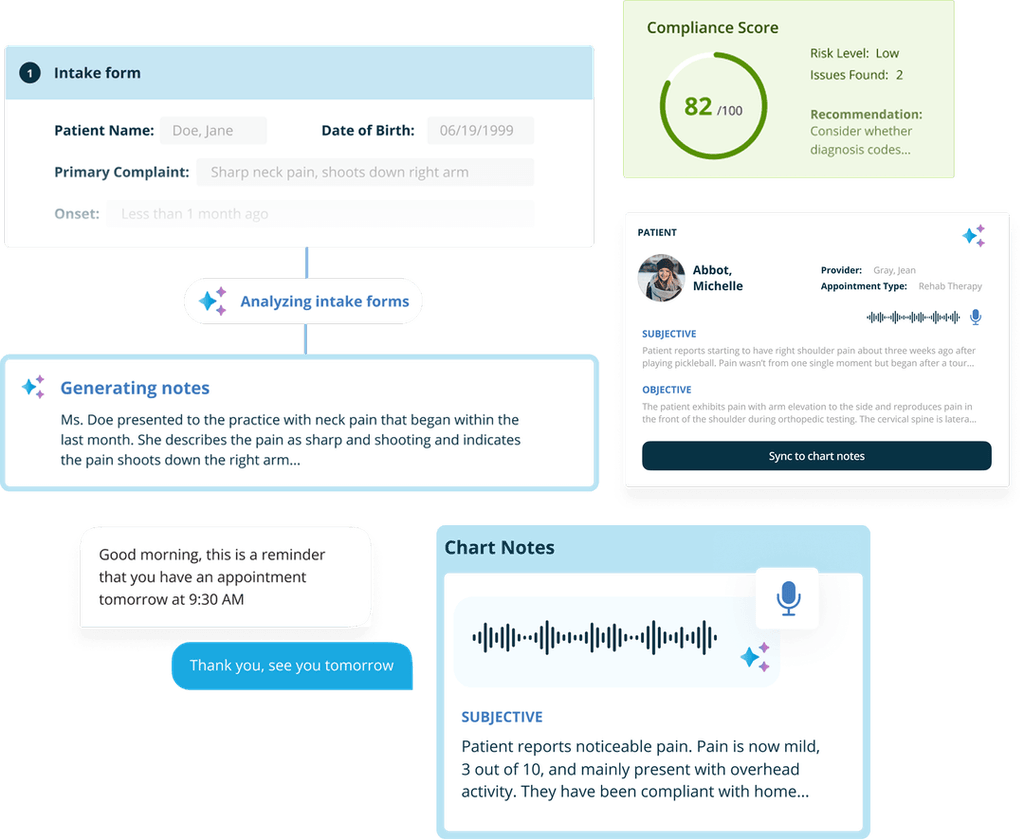
ChiroTouch helps chiropractors manage patient care and the daily work of running a practice. Its EHR and practice management tools include:
Its Scale plan also includes Lead Management.
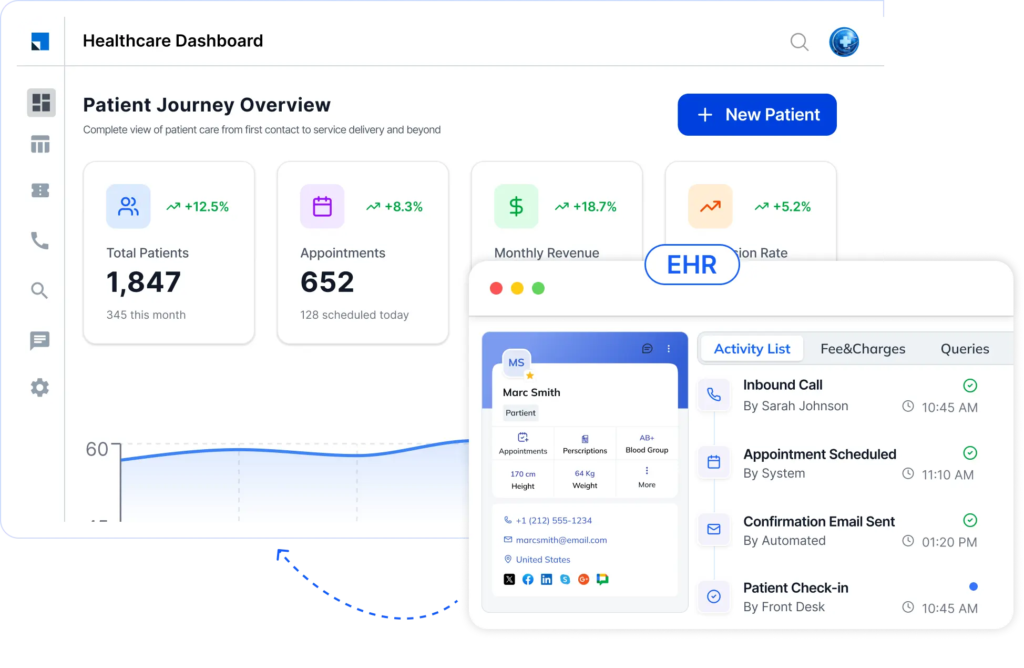
A CRM adds value when a practice needs to:
A patient’s journey starts before their first appointment and can continue long after it. Here is how a CRM and ChiroTouch can support each stage of this journey.
| Patient journey stage | What happens | How the tools help |
| 1. Inquiry | Someone contacts the practice through its website, an ad, a phone call, or a referral. | CRM: Captures inquiries, records their sources, and organizes follow-up. |
| 2. Follow-up and booking | Staff respond to prospective patients and help them schedule their first visit. | CRM and scheduling tools: Tracks contact attempts and booking progress – also managing appointment availability and bookings. |
| 3. New patient exam and care plan | The chiropractor examines the patient, documents findings, and discusses appropriate care. | ChiroTouch: Supports clinical documentation, handling of patient records, and practice workflows. |
| 4. Retention and reactivation | The practice contacts patients when follow-up or another visit is appropriate. | CRM or ChiroTouch engagement tools: Support recall messages and follow-up communication. |
When someone makes a call to your practice regarding the treatment of an ailment or submits an appointment request online, the practice needs to respond or record this information before that person books elsewhere.
A CRM can collect such inquiries from website forms, Google ads, phone calls, and more. It can then assign each inquiry to a staff member, record the history of communication, and show whether the person booked an appointment.
For example, when someone submits a website form, the front desk receives a follow-up task. The CRM records whether staff reached the person and whether an appointment was booked.
Patients injured in car accidents may involve additional administrative work. Staff might need to coordinate with attorneys, respond to records requests, track outstanding bills, and follow up on payment or settlement updates.
A CRM can organize these tasks by case stage, show who is responsible, and flag overdue follow-ups. For example, if an attorney requests treatment records, staff can log the request and track whether the documents have been sent. The CRM supports administrative coordination but does not replace clinical records, legal case management, claims processing, or accounting.
Practices may want to reconnect with patients who have completed a course of care and may be due for another visit. A CRM can segment patients into relevant groups and schedule follow-up messages based on the practice’s policies.
For example, a practice could use a 90-day recall as a starting point for patients approved for follow-up at that interval. The message could invite them to contact the practice if they wish to schedule. Timing should reflect clinical guidance and practice policy, not an arbitrary automated schedule.
Knowing how many inquiries come in is useful. Knowing which sources lead to actual appointments is equally valuable, if not more. A CRM can record whether someone came through a physician, another chiropractor, a directory listing, or a digital campaign.
For instance, a practice could compare how many inquiries from a Google ad and a physician referral resulted in booked appointments and new clients. This helps the team assess which sources are producing results, rather than counting referrals alone.
Patient feedback can help a practice identify service issues and understand the patient experience. A CRM can schedule a satisfaction survey after an appropriate visit or care milestone, then invite patients to share an honest Google review.
For example, after a visit, a patient receives a survey. The practice reviews feedback and sends a review invitation according to its policy. ChiroTouch already supports review requests through CT Engage, so a separate CRM adds value only if it improves broader workflow coordination or reporting. Review invitations should be offered fairly, without screening out patients expected to leave negative feedback.
The exact information exchanged between ChiroTouch and a CRM depends on the connection, the fields each system makes available, and how the integration is configured.
| Data category | What it includes and how it helps |
| Contact details | Names, phone numbers, and email addresses help staff identify the right person and follow up on an inquiry. |
| Appointment information | Appointment dates and booking status can help staff track whether an inquiry led to a scheduled visit and coordinate related communication. |
| Patient or treatment status | Information such as whether a patient is active or has completed a care plan may help identify people for appropriate follow-up, subject to clinical guidance and privacy rules. |
| Lead source and campaign | Details such as a Google ad, directory listing, or physician referral help the practice see which sources generate inquiries and booked appointments. |
| Personal injury (PI) case milestones | Administrative updates, such as a pending records request or a follow-up due date, can help staff coordinate outstanding tasks when the relevant fields are available. |
The information does not all originate in the same system. Lead source and campaign details begin in the CRM, while appointment and clinical information typically begin in ChiroTouch.
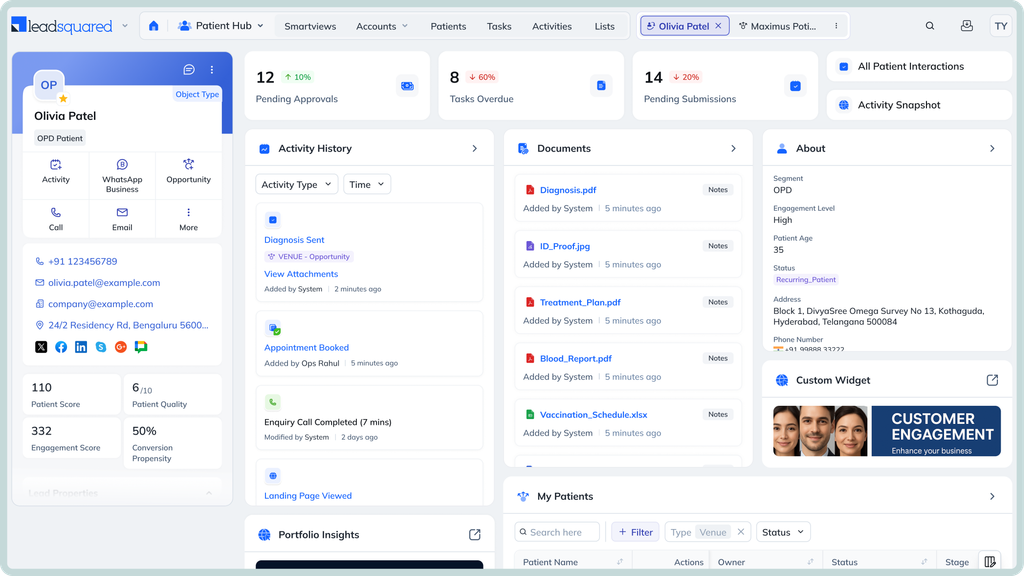
For chiropractic groups with several clinics, a CRM can help standardize patient follow-up without losing sight of each location’s performance.
For example, if a campaign generates inquiries for three clinics, the CRM can direct each inquiry to the right team and help management compare how many become appointments.
Reporting accuracy depends on how locations, inquiry sources, and conversion stages are configured.
LeadSquared can help chiropractic practices organize the work involved in turning prospective patients into booked appointments. Rather than replacing ChiroTouch, it can provide a more structured way to manage inquiries, coordinate follow-ups, and measure patient acquisition.
| What the practice needs | How LeadSquared can help | Example for a ChiroTouch practice |
| Capture inquiries from different sources | Collect leads from connected website forms, advertising campaigns, and other configured sources. Store their contact details and original source. | A patient inquiry from a Google ad enters LeadSquared with its source recorded. |
| Coordinate follow-ups | Assign inquiries to staff and track contact attempts and pipeline stages. | The front desk receives a follow-up task and records whether the person booked an appointment. |
| Measure marketing performance | Use lead-source reports and configured conversion stages to compare inquiries and bookings by source. | The practice compares how many inquiries from physician referrals and online advertising become new patients. |
| Manage specialized workflows | Configure pipelines, fields, and reminders for administrative follow-ups or patient reactivation. | Staff track pending administrative tasks for a personal injury (PI) inquiry or follow up with eligible inactive patients. |
| Compare multiple locations | Organize leads by clinic and configure reports to compare acquisition results across locations. | Management compares inquiry-to-appointment conversion rates at three clinics. |
These workflows can be configured in LeadSquared, but the type of information shared with ChiroTouch depends on the integration.
An application programming interface (API) is a defined way for two software systems to request and exchange information. LeadSquared’s Universal Data Sync (UDS) can map data fields and configure synchronization between connected systems. However, this does not establish which ChiroTouch fields are accessible or whether a specific connection is ready to use.
Before implementation, the integration team needs to establish:
Once these details are established, practices can determine which workflows can operate across both systems and which can run independently in LeadSquared.
Want to see how LeadSquared CRM could support your chiropractic practice’s patient acquisition process?
Book a demo to see LeadSquared in action.
ChiroTouch offers some CRM-like capabilities, including Lead Management in its Scale plan. It also supports patient communication, appointment reminders, recall campaigns, and review requests through its patient engagement tools. A separate CRM may be useful if a practice needs more detailed tracking of prospective patients, referral sources, or inquiry-to-appointment conversions. The decision depends on which ChiroTouch features the practice uses and whether they meet its acquisition and reporting needs.
The best CRM depends on how a practice attracts patients, manages follow-ups, tracks referrals, and reports on results across locations. Practices handling personal injury (PI) cases may also need customized administrative workflows. LeadSquared is an option for practices that prioritize lead management, follow-up automation, and patient acquisition reporting. Before choosing a CRM, assess its integration options and whether it supports the workflows your team needs.
Chiropractors can use a CRM to record how each prospective patient found the practice, such as through a physician referral, another chiropractor, an online directory, or a digital advertisement. The CRM can then connect that source to follow-up activity and appointment outcomes. This helps practices compare which sources generate booked appointments and new patients. Accurate reporting depends on recording the original source and tracking conversion stages consistently.
Integration depends on the specific marketing software, available connectors, API access, and the data each system allows to be exchanged. LeadSquared supports configurable integrations through Universal Data Sync, but this does not confirm a ready-made ChiroTouch connection. Practices should establish which data can be accessed, whether it can move in one or both directions, and what configuration is required before relying on an integration.
Practices can identify patients who have not visited recently and send appropriate recall messages based on their care needs and practice policies. A CRM can help segment these patients, coordinate outreach, and track responses. ChiroTouch already offers automatic patient recall and re-engagement features through its patient engagement tools. A separate CRM is worth considering when the practice needs additional segmentation, follow-up workflows, or reporting across locations.
LeadSquared CRM can help chiropractic practices organize patient inquiries based on relevant details, including whether someone plans to use insurance or pay out of pocket. Staff can use this information to route inquiries and tailor administrative communication to the person’s situation.
For example, a self-pay inquiry might receive information about the practice’s published cash-pay options. An insurance-related inquiry could be assigned to staff who can explain the practice’s coverage and billing process.
LeadSquared supports workflow segmentation and follow-up, but it does not determine insurance eligibility or replace benefits verification, claims processing, or billing. Practices can use these workflows when they help staff respond more effectively, without needing separate campaigns for every payment arrangement.
Choose a CRM based on the gaps in your current ChiroTouch setup.
Evaluate whether a CRM adds capabilities your practice actually needs:
Capture inquiries from relevant channels and track follow-ups through booking.
Attribute inquiries and new patients to referral sources and marketing campaigns.
Track personal injury (PI) cases and administrative follow-ups, if relevant.
Segment patients for appropriate recall and reactivation workflows.
Route inquiries and compare acquisition results across locations, if needed.
Define the integration method, accessible data fields, and direction of data exchange before committing.
Review health-information safeguards, role-based access, audit controls, and whether a business associate agreement (BAA) is available when required.
Enter your details and we'll send you a quick confirmation email to verify your address.
 13 min read 13 min read 12 min read


