


- Home

- Learn
- Healthcare
- Nextech has a built-in CRM: Here’s why specialty practices still need LeadSquared’s CRM
HEALTHCARE
Nextech has a built-in CRM: Here’s why specialty practices still need LeadSquared’s CRM
Contents

 13 min read
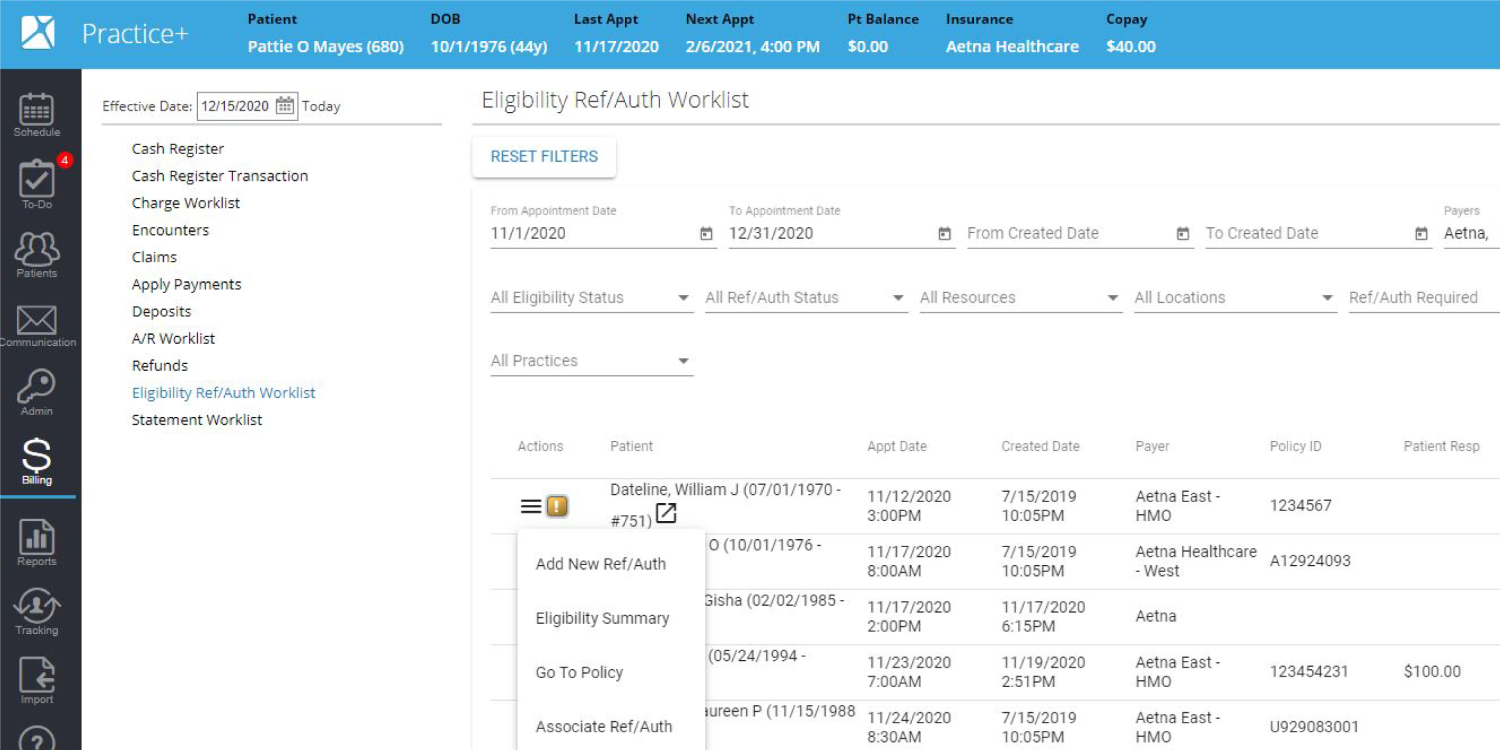


Nextech gives specialty practices a platform built around the demands of clinical care and practice operations.
Its EHR supports specialty-specific documentation and clinical workflows, while its practice-management software is advertised to handle scheduling, intake, and billing.
Nextech’s CRM extends this environment into lead management, patient communication, and marketing automation.
For specialty practices aiming to grow, the next question is how well Nextech CRM’s capabilities support their teams’ needs. Nextech advertises automated follow-ups and tools to track marketing performance, but its public documentation provides limited details about the extent of its configurable lead assignment, prioritization, and reassignment controls.
LeadSquared’s CRM gives practices configurable control over these decisions. With its Distribution Engine, you can assign inquiries based on team workload and staff availability, prioritize distribution through defined rules, and automatically reassign leads when a first-response deadline is missed – making lead handling an organized and detailed process with clear ownership and response targets.
This guide breaks down the differences between Nextech CRM and LeadSquared, helping specialty practices assess which lead management capabilities benefit their need and how integrating LeadSquared with Nextech’s EHR could support their existing workflows.
Nextech CRM supports several parts of patient acquisition and engagement:
These capabilities provide a foundation for managing marketing and patient communication. However, the feature list alone does not show how well Nextech supports a practice’s specific acquisition process.
A specialty practice might receive dozens of inquiries about cosmetic procedures, LASIK, or other treatments. Some people are ready to book a consultation. Others need more information or time to decide. Tracking how many inquiries come in does not tell the practice how many eventually become patients.
A full-funnel patient acquisition process tracks each step from the first inquiry a patient makes to their treatment decision:
This gives the practice a clearer picture of where prospective patients stop progressing.
For instance, if many people inquire about a procedure but few book consultations, the team can investigate its response times and follow-up process to know where they are losing leads. If consultations happen, but few patients proceed with treatment, the practice may need to examine a different part of the journey.
LeadSquared’s CRM supports this process by helping specialty practices:
| Feature | LeadSquared | Nextech CRM |
| Lead management and customization | LeadSquared lets practices customize lead records, capture details relevant to each inquiry, and track prospects through configurable stages. Teams can also use lead scoring to prioritize prospects based on their interest and engagement. | Nextech CRM captures and manages leads, automates follow-ups, and supports specialty-specific marketing campaigns. |
| Lead assignment and response accountability | LeadSquared’s Distribution Engine assigns inquiries using configured rules, including staff workload and availability. It can also reassign leads when a configured first-response deadline is missed, helping practices manage response times across coordinators and locations. | Nextech automates lead follow-ups and captures inquiries around the clock. Its public documentation does not clearly establish whether practices can configure workload-based assignment and automatic reassignment after missed response deadlines. |
| AI-powered call handling | Invorto, LeadSquared’s AI voice agent, can handle configured inbound and outbound calls, answer questions using supplied information, capture prospect details, and create call summaries for follow-up. It can also transfer calls to staff or perform actions through configured integrations. | Nextech CRM offers an AI Receptionist for 24/7 lead capture and automated text responses to missed calls. |
| Lead qualification and personalized routing | FloStack helps qualify inquiries and direct prospects to the next step based on their needs and context. For example, a practice could guide prospects toward relevant procedure information, a booking link, or the appropriate team member instead of sending every inquiry through the same process. Its available workflows depend on configuration. | Nextech supports lead capture, follow-up automation, and nurture campaigns. Its public materials do not clearly establish whether users can configure the same type of rule-based routing to different information pages, booking links, or staff members based on an inquiry’s details. |
| Referral management | LeadSquared supports referral capture through forms, calls, and partner sources. Practices can configure workflows to assign referrals, trigger follow-ups, track referral status, and report on referral sources and conversion. | Nextech’s guidance covers referral-source tracking and measuring which referrals turn into patients. Its newer product announcements also mention referral-related capabilities. However, the available public information does not clearly specify whether Nextech CRM supports configurable referral assignment, automated referral follow-ups, or referral-stage reporting to the same extent as LeadSquared. |
| Lead scoring and prioritization | LeadSquared supports configurable lead scoring and prioritization based on criteria such as a prospect’s suitability, interest, and engagement. This can help teams decide which inquiries need prompt attention. | Nextech supports lead management and marketing analytics. Its public materials do not provide enough detail to establish how extensively users can customize lead-scoring rules or prioritize inquiries using their own criteria. |
| Integration flexibility | Universal Data Sync (UDS) is LeadSquared’s no-code integration platform. It allows teams to configure data flows between applications using triggers, field mapping, and API-based actions. Whether a specific connection is feasible depends on NexTech’s available interfaces and permissions. | Nextech connects its CRM with its own practice-management environment, including patient data and appointment synchronization. |
| Marketing performance and conversion reporting | LeadSquared provides visibility into lead activity, pipeline progress, referral performance, and you can also create configurable reports. Practices can use this information to identify where inquiries stall and assess which sources generate conversions. | Connects marketing campaigns with appointment activity and revenue |
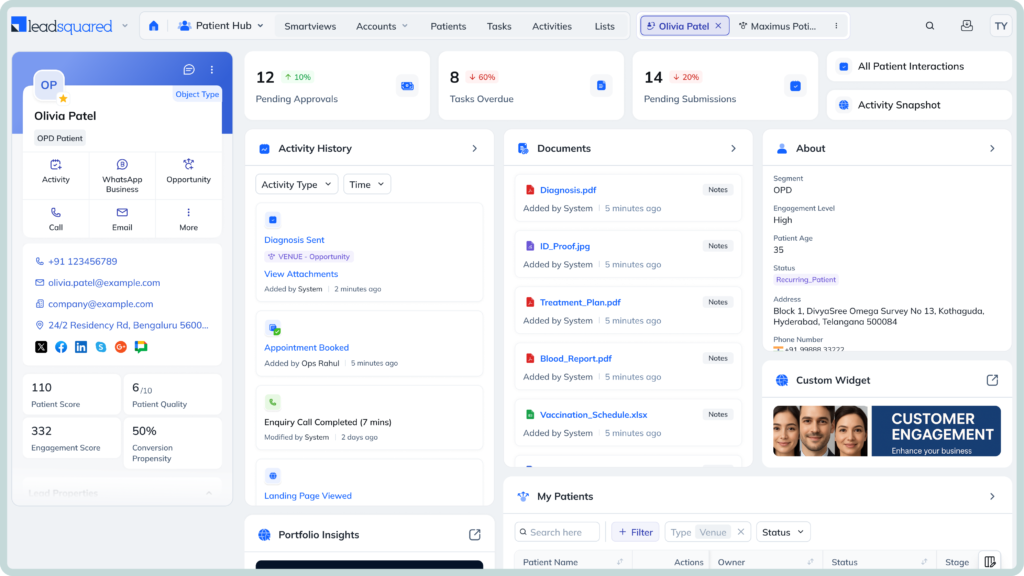
LeadSquared helps your practice manage prospective patients from their first inquiry through consultation and subsequent conversion milestones. The following examples show how you can use its lead capture, automated follow-ups, pipeline tracking, and reporting features across dermatology, plastic surgery, and ophthalmology. Each specialty has a different patient journey, but your team needs to know who has expressed interest, what action is due next, and which marketing efforts are bringing in prospective patients who progress.
Suppose someone submits a form on your website asking about laser resurfacing. LeadSquared captures their inquiry and its source. It can also record their treatment interest from the form fields and assign the lead to a coordinator based on your routing rules. If they have not booked a consultation, you can configure automated follow-ups to encourage them to take the next step.
As your team contacts the prospect and their interest progresses, staff can update the lead’s status to reflect contact, consultation booking, and treatment decisions. Your pipeline and reports then help you compare consultation conversions by treatment interest or marketing source. You can see which channels attract prospective patients who move beyond an initial inquiry.
A prospective patient contacts your practice for rhinoplasty. LeadSquared captures the inquiry, assigns it to the appropriate coordinator, and tracks follow-up activity and consultation status. After the consultation, your team can update the lead stage as the prospect considers surgery. If your process includes a deposit, you can configure a milestone to record when it has been received.
This gives your team a clearer view of where prospective patients stop progressing. Your reports can show which sources generate consultations and which prospects advance to the surgery milestone. LeadSquared tracks these business milestones; it does not process payments or replace your clinical and financial records.
Someone contacts your practice to ask about LASIK or premium intraocular lens (IOL) surgery. LeadSquared captures their inquiry, records their procedure interest through configured fields, and routes it to the appropriate team. You can configure automated follow-ups to help your staff stay in touch while the prospect considers booking a consultation.
As your team interacts with the prospect, staff can update their status when they book a consultation or make a decision. Your reports can then compare how LASIK and premium IOL inquiries progress across marketing sources. This helps you identify which channels generate consultations and which bring in prospective patients who advance toward treatment.
You already have Nextech supporting your specialty practice. The next question is how to make sure the inquiries your marketing generates turn into consultations, without adding more manual work for your team.
That’s where LeadSquared’s CRM can complement your existing setup. Nextech continues to support your clinical and practice-management workflows, while LeadSquared helps your team manage prospective patients and track their progress toward consultations. With a suitable integration, relevant information can also move between the two platforms, connecting your acquisition efforts with appointment activity.
Nextech publishes API and FHIR documentation, and LeadSquared’s Universal Data Sync (UDS) supports configurable API-based integrations. The implementation team would need to establish the appropriate connection, available data fields, and required permissions
If you want to explore how the two platforms could work together in your practice, book a demo of LeadSquared today.
You can see its acquisition workflows in action and discuss the integration options for your existing Nextech setup.
Yes. A specialty practice can use a third-party CRM alongside Nextech if the systems can be connected to support the practice’s workflows. The CRM can manage prospective-patient inquiries and follow-ups while Nextech continues to support the practice’s existing clinical and operational workflows. However, the systems will not automatically share information just because a practice uses both. The practice must establish a supported integration method or manage the relevant information separately.
Choose a CRM that lets your team assign inquiries to the correct location, track follow-ups, and compare reports across your clinics. For example, a dermatology group with three offices should be able to see which office receives an inquiry, who is responsible for contacting the prospective patient, and how many inquiries lead to consultations. Ask vendors to demonstrate these workflows using your planned location structure rather than assuming every CRM supports them out of the box.
Yes. Some CRMs use lead scoring to rank prospective patients according to their recorded activity and engagement. LeadSquared, for example, can assign scores to activities from potential clients such as email clicks and form submissions. A practice can use these scores to identify people who have shown more interest and prioritize follow-up. The scores reflect the criteria configured in the CRM; they do not establish whether someone is medically suitable for a procedure or guarantee that the person will book a consultation.
The total cost depends on the CRM plan, implementation requirements, and any additional integration work. Ask vendors to separate subscription fees from setup, staff training, messaging charges, and ongoing support. If you need Nextech data to appear in the CRM, request a separate estimate for developing and maintaining that connection. Compare the full cost with the staff time and inquiry follow-up processes the CRM is expected to improve.
Ask whether the CRM vendor will sign a business associate agreement (BAA) when required, and request details about how it protects electronic protected health information (ePHI). Important areas include access controls, audit logs, and safeguards for information sent between systems. Also ask how different staff members can access patient information and how permissions are managed. A vendor’s claim of HIPAA compliance alone does not establish that a particular integration or the practice’s overall workflow meets HIPAA requirements. The practice must assess how the connected systems handle protected information and meet its own obligations.
Ask the CRM vendor and Nextech whether they can connect your specific Nextech product to the CRM and what information the connection can share. Nextech publishes API and FHIR documentation, which developers can use to build integrations where the required access and functionality are available. However, this does not mean every third-party CRM already has a working Nextech integration.
LeadSquared’s Universal Data Sync (UDS) supports configurable API-based integrations, but a connection with Nextech would need to be assessed and configured separately. Before choosing a CRM, ask the vendors to explain what information can move between the systems, whether updates flow in one direction or both, and how often the information syncs.
For example, if you want to track how many patient inquiries turn into consultations, ask whether the integration can link CRM inquiry records to the relevant appointment information in Nextech. Also ask what happens when a sync fails and who will resolve integration issues. These details will help you determine whether the proposed connection supports your practice’s actual workflows and what additional development or maintenance it may require.
Enter your details and we'll send you a quick confirmation email to verify your address.
 13 min read 12 min read 12 min read


