





- Home

- Learn
- Healthcare
- CRM to integrate with Practice Fusion for primary care practices: What to know
HEALTHCARE
CRM to integrate with Practice Fusion for primary care practices: What to know
Contents

 11 min read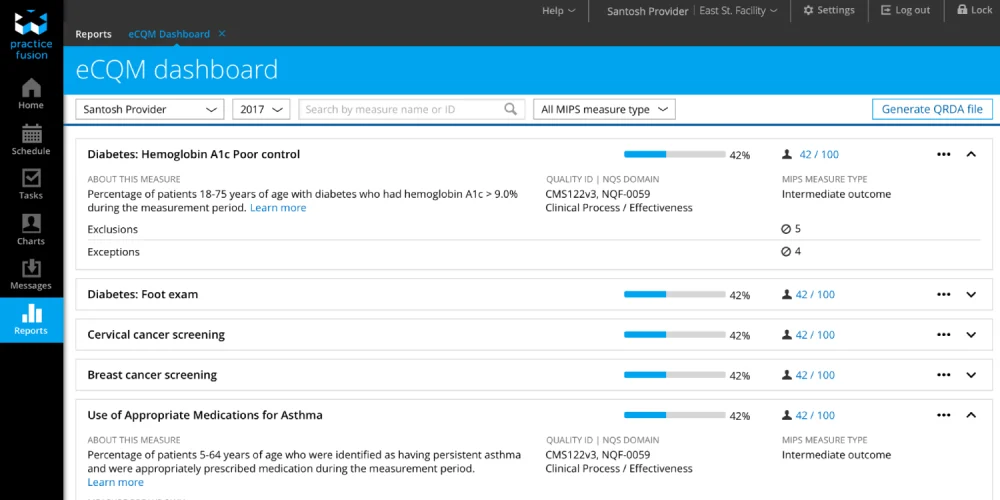


Practice Fusion gives independent primary care practices a cloud-based EHR for managing patient records and everyday clinical work, accessible from any browser.
But growing a practice involves a different set of tasks:
A customer relationship management (CRM) system keeps that work in one place, so fewer prospective patients slip through and every marketing dollar is accounted for.
This guide explores the CRM workflows that complement Practice Fusion and what to consider when choosing a CRM for your primary practice.
Practice Fusion and a CRM support different parts of an independent primary care practice’s work.
Practice Fusion helps manage clinical workflows:
A CRM helps manage patient acquisition and follow-up:
Practice Fusion supports clinical operations. A CRM adds a structured way to manage prospective patients and see which outreach efforts lead to appointments.
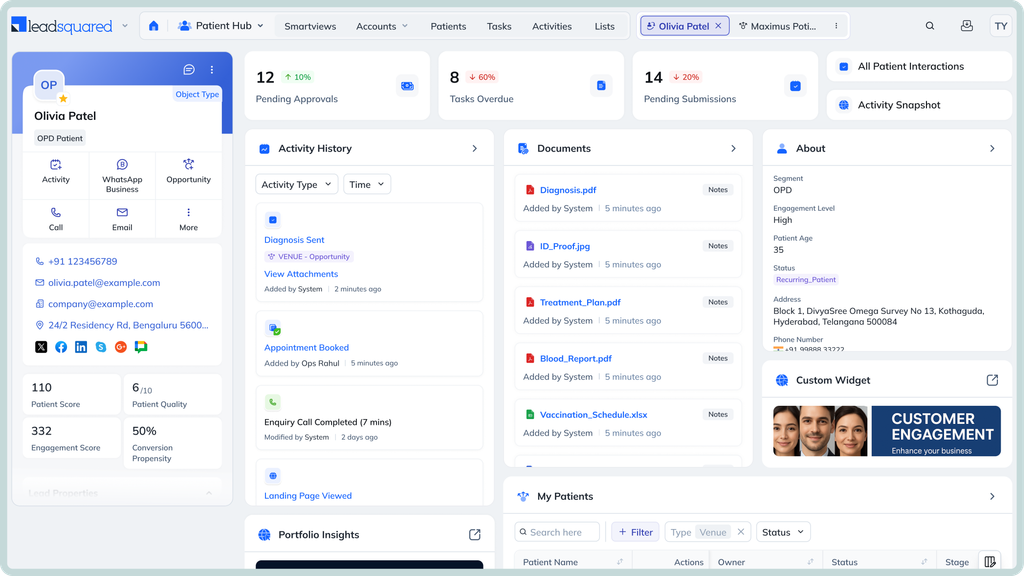
When someone is looking for a new primary care provider, a slow response or a missed follow-up can mean a lost appointment. A CRM helps:
For example, someone submits a website form asking whether the practice accepts new patients. The CRM records the inquiry and prompts the assigned staff member to call. If the person doesn’t book during that conversation, staff can schedule another follow-up instead of relying on memory or an untracked email.
Medicare Part B covers eligible patients’ Annual Wellness Visits (AWVs) once every 12 months, subject to Medicare’s coverage rules. A CRM can help practices reach patients who may be due for a visit and make scheduling easier.
Staff can use approved patient data to create a recall list, then send appointment reminders through supported channels such as email or text messaging. The CRM can record responses and flag patients who haven’t booked, giving staff a clear list for follow-ups.
Patients managing chronic conditions may need regular tests and follow-up visits. A CRM helps practice staff keep track of the communication needed to arrange this care.
For example, the clinical team may identify patients with diabetes who need a foot examination or have an A1C test planned. Staff can use an approved list to send reminders, record calls or messages, and flag patients who haven’t responded or scheduled a visit. This makes it easier to see which follow-ups are still outstanding.
The clinical team determines which patients need outreach and when, based on their care plans. The CRM supports the administrative work by organizing tasks and tracking contact attempts.
Independent practices can use local advertising to reach people looking for a primary care provider nearby. For example, a practice could run an ad campaign aimed at people who have recently moved into the area. Reaching this audience may require an advertising platform or data provider.
When someone responds through the practice website or an advertising form, a CRM can capture their details, record which campaign generated the inquiry, and prompt staff to follow up. From here, staff can then track whether the inquiry leads to a booked appointment.
Over time, comparing inquiries and bookings across campaigns helps the practice understand which local marketing efforts are attracting prospective patients.
Online reviews can influence whether prospective patients consider a practice. A CRM can help staff request feedback after visits and track those requests. If the CRM doesn’t monitor reviews itself, the practice can connect it to a reputation-management platform that collects reviews from sites such as Google and helps staff monitor new feedback.
For example, the practice can send a review request by text or email after an appointment through a supported communication channel. Staff can track which requests were sent and review new feedback through the connected platform. If a review raises a concern, they can direct it to the appropriate team for follow-up.
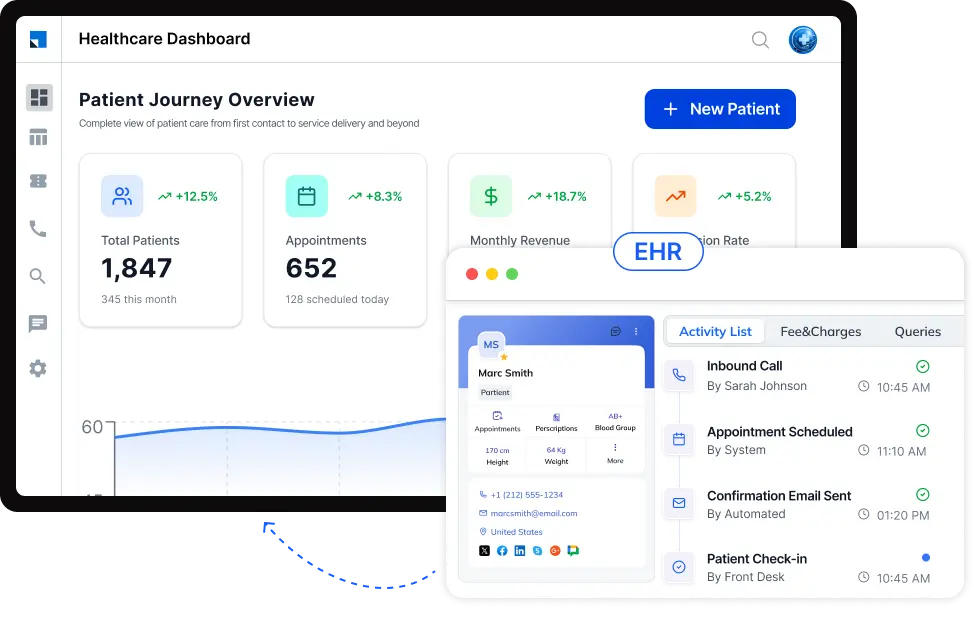
Practice Fusion publishes FHIR R4 API documentation that allows authorized third-party applications to access supported health information, subject to permissions and access requirements.
An API is a way for two software systems to exchange information. FHIR provides a standard structure for that exchange.
Practice Fusion also provides HL7 documentation for specific lab and imaging integrations, including the exchange of lab orders and results. This does not mean every CRM can connect to Practice Fusion through HL7.
For a primary care practice, the key question is whether the chosen CRM can exchange the information needed for its workflows. Before committing, confirm whether a ready-made connector exists, which fields can be shared, whether updates happen automatically, and whether additional setup or custom development is required.
If no ready-made connector is available, the practice should ask both vendors whether a custom connection is feasible. The available APIs and supported data will determine what can be exchanged.
For a small primary care practice, the most affordable CRM isn’t necessarily the one with the lowest advertised price. Before choosing a plan, check:
Ask vendors to estimate the full cost based on your team size, expected message volume, and integration needs. A CRM that looks cheaper on paper may cost more once you account for setup fees, paid integrations, extra user licenses, or charges for patient messages.
It may also lack the automation or reporting features your practice needs, leading to more manual work or an upgrade to a higher-priced plan.
Compare the total cost of running the CRM and how well it addresses your practice’s main needs, rather than choosing based on the subscription price alone.
Before sharing patient information between Practice Fusion and a CRM, a practice should establish what data will move between the systems and who will protect it.
If the CRM vendor creates, receives, maintains, or transmits protected health information (PHI) on the practice’s behalf, it will generally qualify as a business associate under HIPAA.
The practice must have an appropriate business associate agreement (BAA) in place. However, a BAA alone does not ensure compliance. Both parties must meet their applicable HIPAA obligations and implement appropriate safeguards
Ask the CRM vendor how it restricts access through user permissions, protects data with encryption, and records activity in audit logs. Clarify how information moves between the CRM and Practice Fusion, and which party handles security at each step.
Finally, share only the information the workflow requires. For example, following up with a prospective patient may need their contact details and inquiry status, not their full medical history.
Limiting the data transferred reduces unnecessary exposure and helps keep the CRM focused on its intended purpose.
Hypothetical scenario
Let’s say a solo primary care practice has 800 active patients and wants to reach 1,500.
Before increasing its marketing efforts, the practice needs to understand whether it can attract new patients, convert their inquiries into appointments, and accommodate additional demand.
A CRM helps the practice identify where prospective patients drop out of the booking process. If inquiries go unanswered or people don’t schedule after their first contact, the practice can address those gaps before spending more on advertising. It can also track which referral sources lead to completed visits, helping the team focus on sources that produce results.
As demand grows, the practice must assess whether its appointment capacity and staffing can support a larger number of patients.
The CRM helps the practice make these decisions using its own data. It can support a more organized growth process, but reaching 1,500 patients depends on local demand, conversion rates, and the practice’s capacity to provide care.
Getting inquiries from prospective patients is a start.
What matters next is how consistently your team follows up, helps people book appointments, and tracks which referral sources bring in patients.
LeadSquared’s healthcare CRM helps primary care practices organize these activities and understand how their patient acquisition efforts are performing.
If you’re considering LeadSquared alongside Practice Fusion, the next step is to explore how our CRM could fit your workflows.
Book a demo of LeadSquared to see how it could help your team manage inquiries, follow-ups, and referral activities more effectively.
Practice Fusion is primarily an electronic health record (EHR) platform, with clinical, scheduling, and practice-management capabilities. It isn’t a dedicated patient acquisition CRM. A CRM can help organize prospective patient inquiries, follow-up tasks, referral relationships, and marketing performance across channels. Whether you need one depends on how well your current tools handle these activities and whether your team can track inquiries through to booked appointments without extra manual work.
The right CRM depends on your required workflows and the available connection options. Practice Fusion supports FHIR APIs and third-party application connections, but that doesn’t mean every CRM has a ready-made integration. Before choosing a platform, confirm whether a connector exists, which information can be exchanged, and whether updates happen automatically. If not, ask both vendors whether a custom connection is feasible.
Independent primary care practices can attract patients through local search visibility, a clear and useful website, referrals from existing patients and community providers, online reviews, and targeted local marketing. The right mix depends on the practice’s location and patient population. A CRM supports these efforts by helping staff respond to inquiries, track referral sources, and compare which channels generate booked appointments, rather than relying on lead counts alone.
Practice Fusion offers cloud-based EHR capabilities for independent medical practices, including clinical documentation and practice management functions. Whether it remains a good fit as the practice grows depends on its clinical needs, team workflows, and operational requirements. If staff struggle to manage inquiries, referral follow-ups, or marketing activities across separate channels, the practice may benefit from a CRM.
A small primary care practice can start with a professional website, a Google Business Profile, referral tracking, and a process for requesting and monitoring online reviews. If the team receives inquiries from several channels, a CRM can help manage follow-ups and measure which sources lead to appointments. Start with the tools that address your biggest gaps, then expand based on your goals, staff capacity, and budget.
Practice Fusion helps primary care practices manage clinical workflows and communicate with patients. However, it isn’t designed to manage the full patient acquisition process. A CRM offers a dedicated way to manage practice growth. It helps staff follow up with prospective patients and measure which marketing efforts bring in new patients. Practices can also use CRM workflows to remind eligible patients about preventive care visits, among many other features.
Enter your details and we'll send you a quick confirmation email to verify your address.
 20 min read 11 min read 12 min read
