





- Home

- Learn
- Healthcare
- PatientNow-CRM integration: How aesthetic practices automate their growth pipeline
HEALTHCARE
PatientNow-CRM integration: How aesthetic practices automate their growth pipeline
Contents

 11 min read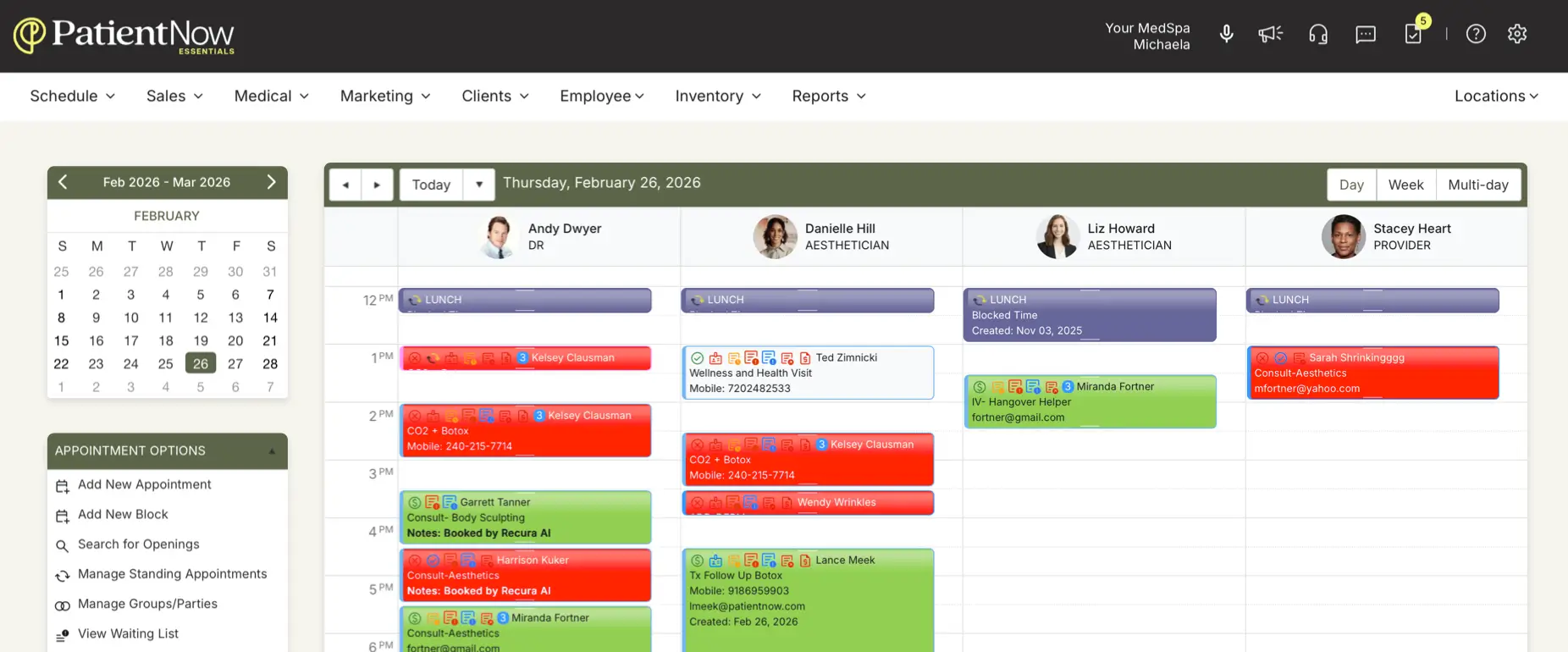


PatientNow already gives aesthetic practices tools to manage leads, marketing, appointments, and patient engagement.
But practices evaluating an additional CRM may have specific requirements around lead routing, follow-up automation, or tracking how marketing efforts translate into consultations.
Connecting PatientNow with another CRM can help address those requirements by extending lead-management workflows and linking supported data across the two platforms. For example, a practice may want more granular control over how inquiries are assigned or a way to connect lead sources with consultation outcomes. The value depends on what the CRM offers and what the integration can exchange.
In this guide, we’ll explore the benefits of PatientNow-CRM integration, what to verify before connecting the systems, and 5 best CRM options to evaluate for your practice.
A PatientNow CRM integration can help practices stay on top of prospective-patient inquiries and reduce the chances of leads being overlooked. It can also reduce repetitive admin work and help teams see which marketing efforts lead to consultations.
Let’s take a closer look at what you can achieve by integrating PatientNow with a CRM.
Sync medical records between PatientNow and your CRM to keep information aligned across both systems. Depending on the integration, updates to patient details, appointments, payments, or memberships can flow automatically across the system instead of requiring staff to enter them twice.
Capture inquiries in the CRM and automatically route them to the appropriate team based on predefined rules. Set up workflows that trigger follow-up messages or tasks when a lead enters the pipeline or reaches a particular stage, helping prevent inquiries from going unattended.
When a prospect books, reschedules, or completes a consultation, supported appointment updates can sync from PatientNow to the CRM. This gives your team a clearer view of each prospect’s progress and can trigger the next follow-up, where the integration supports it.
Use available patient activity data to identify people who may be due for follow-up and organize targeted reactivation campaigns. CRM workflows can automate eligible outreach based on defined criteria, subject to available data and communication permissions.
Bring lead-source and appointment data together in CRM reports to track how inquiries progress toward bookings. When the necessary data is captured and linked, dashboards can show which marketing channels generate leads and which contribute to consultations and conversions.
| CRM | A good fit if you need… | How it supports your practice | HIPAA considerations | Connection with PatientNow |
| LeadSquared | More control over lead management and healthcare intake workflows | Bring inquiries from different channels into one pipeline. Automate follow-ups and track which sources lead to consultations. | LeadSquared offers a HIPAA-compliant healthcare CRM with a BAA. Confirm the requirements for your specific implementation. | Custom integration |
| HighLevel | Marketing automation and lead nurturing | Build follow-up sequences for new inquiries and run campaigns to engage prospective and existing patients. | Verify the applicable HIPAA plan, add-on, and BAA requirements before handling PHI. | Documented integration with PatientNow Pro |
| Aesthetix CRM | CRM workflows designed for aesthetic practices | Coordinate marketing follow-ups and patient reactivation while using supported appointment and patient data from PatientNow. | Aesthetix requires a signed BAA and appropriate configuration for HIPAA-compliant use. | Documented integrations with PatientNow Pro and Essentials |
| HubSpot CRM | Robust marketing tools | Organize contacts by stage and coordinate marketing activities across campaigns. | HIPAA suitability depends on eligible products, configuration, and contractual requirements. Verify before handling PHI. | PatientNow integration not publicly verified |
| Salesforce | Complex workflows and extensive customization | Build tailored lead-management processes and reporting around your practice’s needs. | HIPAA support depends on eligible services, BAA coverage, and configuration. | PatientNow integration not publicly verified |
Not every CRM integration necessarily supports integration with every PatientNow edition. Before proceeding, confirm that the integration works with your specific plan and that your account has the required API access.
Also check whether your edition supports the workflows you need. For example, an integration may handle patient updates but can have limitations when syncing appointment statuses. Confirm these details before committing to an implementation.
If you already use PatientNow, the main additional cost will be the CRM subscription. Depending on the integration, there can be a separate fee to connect the two systems or enable API access.
Before choosing a CRM, ask the provider whether integration is included in the subscription or charged separately, and whether your existing PatientNow account requires any additional access or fees.
An integration described as two-way does not necessarily sync every field in both directions. Some integrations may send appointment and patient updates to the CRM while allowing only specific actions to flow back into PatientNow.
Check which records and fields are supported, which system can update each field, and what triggers a sync. Ask whether updates appear in real time or after a delay, and whether certain appointment statuses or changes are excluded.
These details matter when your team relies on CRM records to decide which prospects need follow-up or whether an appointment has been booked, rescheduled, or cancelled.
Do not assume that an integration automatically identifies duplicate records or resolves sync failures. Check whether it detects duplicate entries, alerts your team when an update fails, and provides a way to resync records that were not transferred successfully. These capabilities depend on the integration and may not be fully documented publicly.
Connecting PatientNow to a CRM may require API credentials, account permissions, field mapping, and testing. Your team should also understand who will monitor the integration and resolve issues after launch.
Confirm which provider is responsible for enabling API access, configuring and testing the connection, investigating sync errors, and managing changes when either platform updates its API. Establishing these responsibilities upfront can help prevent avoidable delays and confusion.
The best CRM depends on what your practice wants to improve, whether that’s converting more inquiries into consultations, identifying which marketing channels bring in new patients, or tracking how leads progress through the acquisition pipeline. You should also consider how well the CRM fits your team’s workflows and connects with the systems you already use.
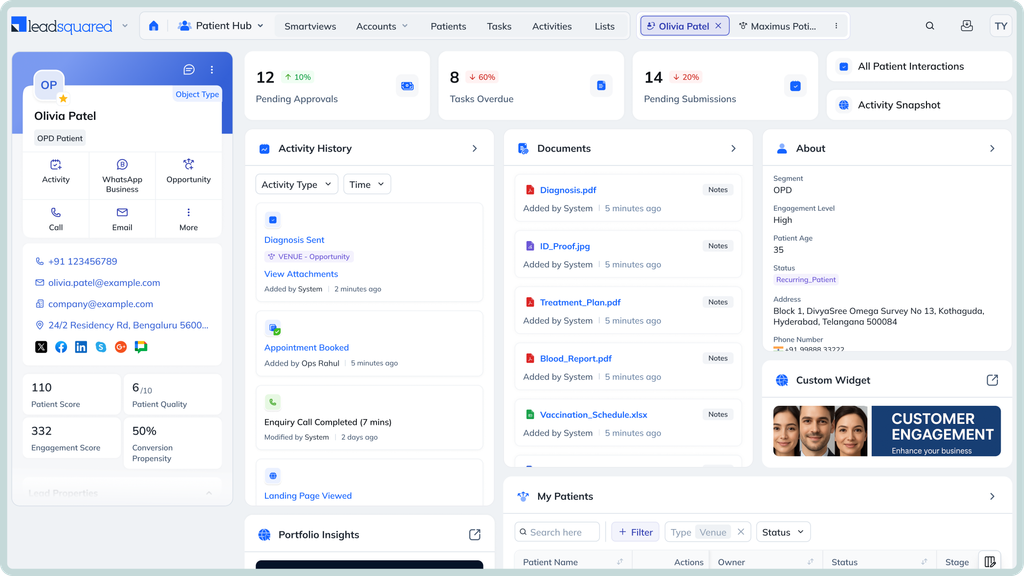
If your practice wants greater control over how it manages prospective patients, LeadSquared is worth considering. Our healthcare CRM helps you bring inquiries from different channels into one pipeline, automate follow-ups, track leads from first contact to consultation, and measure acquisition performance. It can also support workflows across multiple locations and connect with other healthcare systems, depending on your integration requirements.
If you’re seeking to do any of the above through your PatientNow-CRM integration, book a demo of LeadSquared to explore how our healthcare CRM could support your practice.
Before launching an integration, map which system sends each type of communication. For example, PatientNow might handle appointment reminders while your CRM manages follow-ups with prospective patients. Review the triggers in both systems and disable overlapping workflows where necessary. Also test what happens when an appointment is booked, rescheduled, or cancelled to ensure that the same event does not trigger conflicting messages.
You can evaluate both approaches, depending on your goals and the integration’s capabilities. Importing existing leads may help your team continue follow-ups without losing context, while starting with new inquiries can make the initial rollout simpler. Before importing historical records, check whether the integration supports bulk migration, which fields can be transferred, and how existing contacts will be matched. Review communication preferences before including people in marketing campaigns.
Potentially yes. If the CRM supports multi-location workflows and the integration makes the necessary location data available. Before proceeding, check whether leads can be assigned by location, whether staff access can be restricted appropriately, and whether reporting can distinguish inquiries and conversions at each site. Test how the integration handles a patient who interacts with more than one location, rather than assuming that location-level reporting is available by default.
Start by deciding which activities belong in PatientNow and which belong in the CRM. For example, your team might use the CRM to manage prospective-patient follow-ups while continuing to use PatientNow for its supported practice-management and patient-record workflows. Then identify which updates can sync automatically and which still require staff input. The aim is to avoid duplicate work, not to assume that every action can be completed in either system.
Test the workflows your team uses most often with a small group before expanding access. Include a new inquiry, a consultation booking, a rescheduled appointment, a cancelled appointment, and a follow-up triggered by a change in status. Check whether records appear correctly and the expected workflows run. Also verify whether the system flags failed syncs or missing information and notifies the relevant team members. Resolve any issues before expanding the rollout.
Choose a few measurable outcomes before implementation. These could include the time it takes to respond to new inquiries, the percentage of inquiries that become consultations, the number of leads that receive timely follow-up, and the time staff spend updating records. Compare results before and after the integration, using the same measurement periods and definitions. Where possible, segment results by lead source and location to see where the integration is making a difference. Avoid attributing every improvement to the integration alone, since staffing, campaigns, and demand can also affect results.
Define a clear source of truth for each type of information before the integration goes live. For example, PatientNow may remain the primary system for clinical and practice-management records, while the CRM manages prospective-patient pipelines and marketing follow-ups. The exact division depends on your setup and the data the integration supports. Document where staff should make changes and what information should sync, so teams do not rely on conflicting records.
Yes, if your CRM captures lead-source information and can connect it with consultation outcomes through the available integration or reporting setup. You can use this information to compare campaigns, referral sources, and other acquisition channels. Before implementation, check whether source details are preserved as records move through the pipeline and whether appointment or consultation outcomes can be linked to the original inquiry. This helps your team assess campaign performance without assuming that every conversion metric will be available automatically.
This depends on the CRM and the integration method. A CRM may let you assign inquiries based on treatment interest, practice location, lead source, or other criteria. You may also be able to trigger follow-up tasks and communications when a lead’s status changes. Confirm which rules the CRM supports and whether they can use data received from PatientNow. If the integration requires custom development, clarify the setup effort and ongoing maintenance requirements before finalizing the workflow.
Not by default. Compliance depends on how the systems are configured, what information they exchange, and how that information is accessed, stored, and protected. If a CRM vendor handles protected health information on behalf of a covered entity, a business associate agreement may be required. Ask both vendors about their HIPAA safeguards, access controls, audit capabilities, and BAA arrangements. Also verify that the integration itself is configured appropriately for the information being exchanged. A signed BAA alone does not establish that the entire setup meets HIPAA requirements.
Enter your details and we'll send you a quick confirmation email to verify your address.
 12 min read 15 min read 15 min read


 Growing on Campus Cloud? Here’s how to keep admissions from falling behin...
