Powering 250,000 unique experiences (and counting)
Make the Behavioral Health Care Journey Simple
From intake to follow-ups, help patients and families get started without endless
paperwork and other delays.
Appointment scheduling
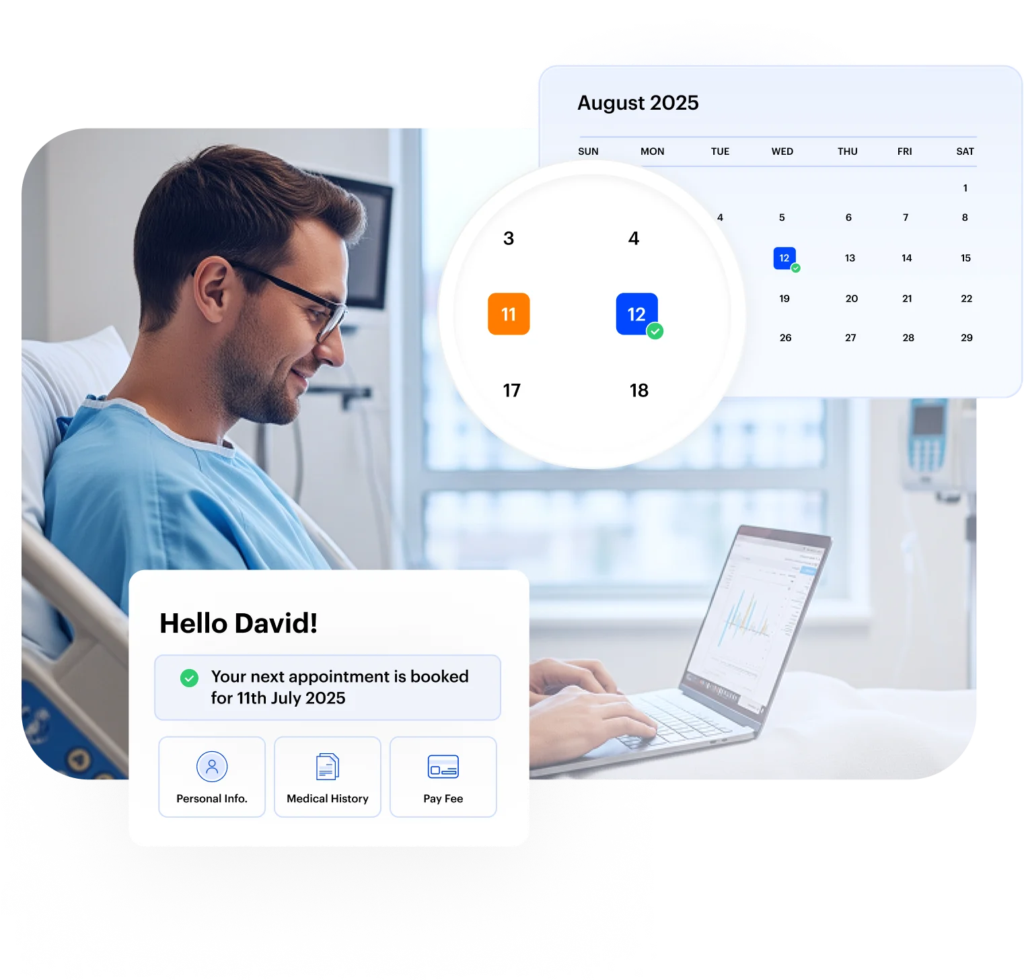
Give patients the flexibility to book appointments while cutting extra work off your staff. With easy scheduling and rescheduling tools, staff can manage appointments in just a few clicks. An automated waitlist ensures no slot goes unfilled, while self-booking portals let patients choose times that work best for them, reducing phone calls and no-shows.
- One-click scheduling and rescheduling tools
- Automated waitlist to fill last-minute cancellations
- Patient-facing self-booking portals for convenience
Patient intake management
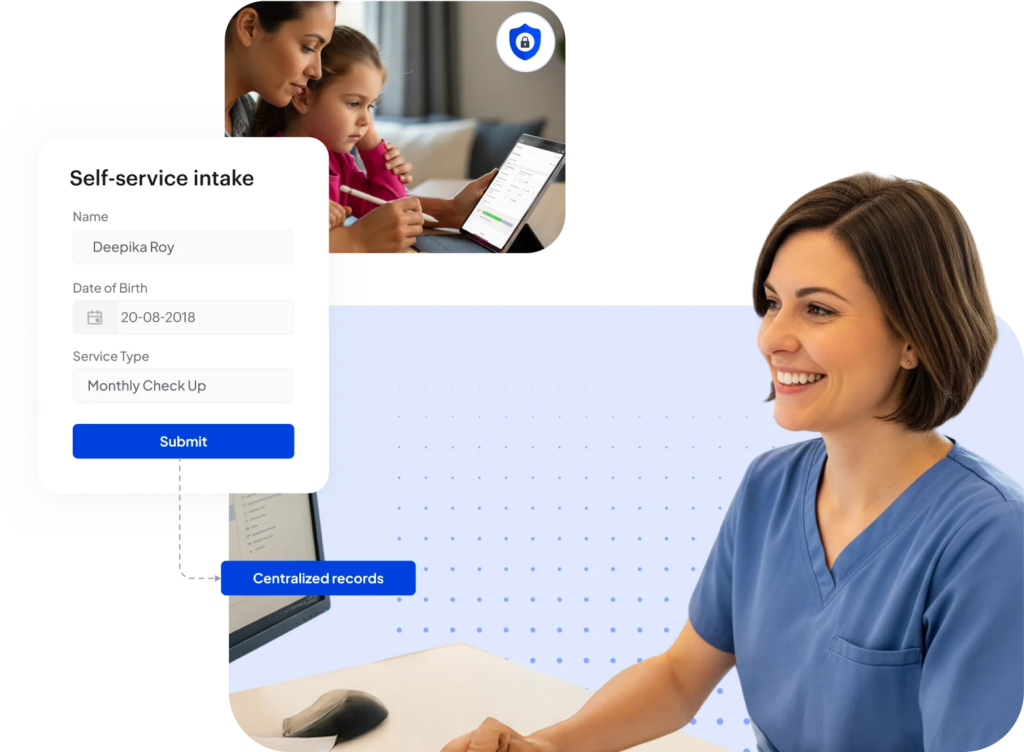
Make the first step simple for both patients and staff. With digital intake forms tailored to your services, you can collect all the information you want upfront, minus the endless paperwork. Our self-service portals also let patients and families complete forms at their convenience to streamline intake.
- Customizable digital intake forms for different service types
- Self-service patient and family portals
- Centralized, secure document collection and onboarding
Communication & patient engagement
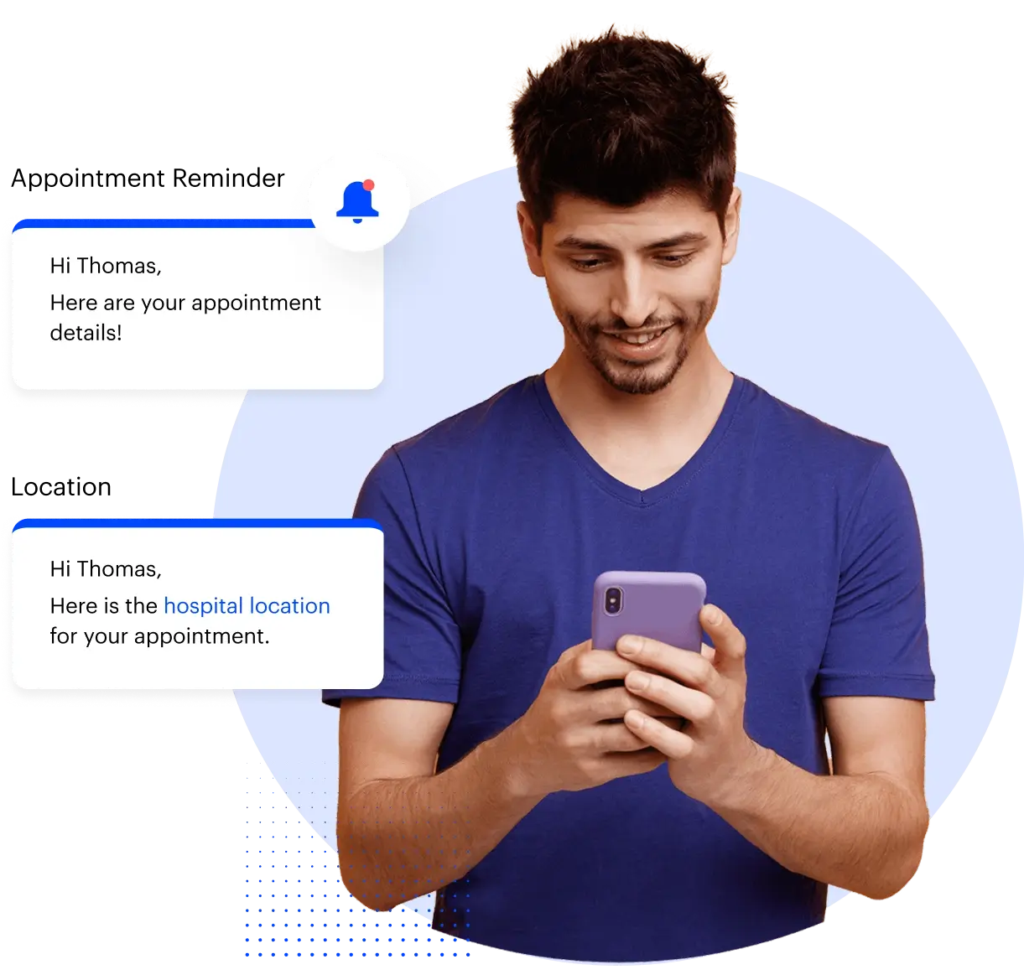
Connect with patients on the channels they use most, be it text messaging, email, WhatsApp, phone, or IVR. Stay in touch at every stage of their care with secure messages, updates, and reminders. With LeadSquared’s communication tools, you can also run personalized campaigns that strengthen relationships with patients and keep them engaged over time.
- Multi-channel outreach across text, email, WhatsApp, phone, and IVR
- Secure messaging and real-time patient notifications
- Personalized campaigns for ongoing patient engagement
Referral management
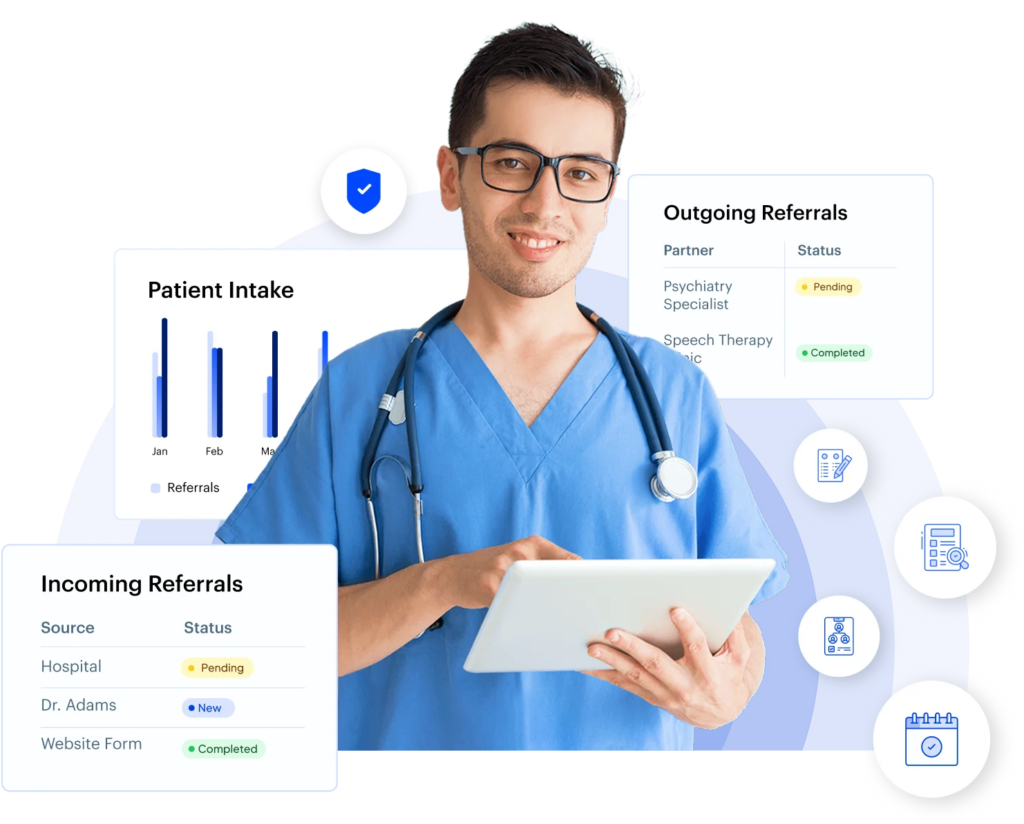
Never lose track of your referrals. With pipeline tracking, you can monitor both incoming and outgoing referrals in real time. Our behavioral health CRM also gives full visibility into where each referral stands, while automated follow-ups keep communication flowing—ensuring no patient slips through the cracks.
- Real-time tracking of incoming and outgoing referrals
- Closed-loop reporting for full referral visibility
- Automated follow-ups to ensure timely conversions
Boost Productivity Across Your Behavioral Health Team
Equip your staff and clinicians with tools that cut admin work and smoothen daily operations
360° patient profile
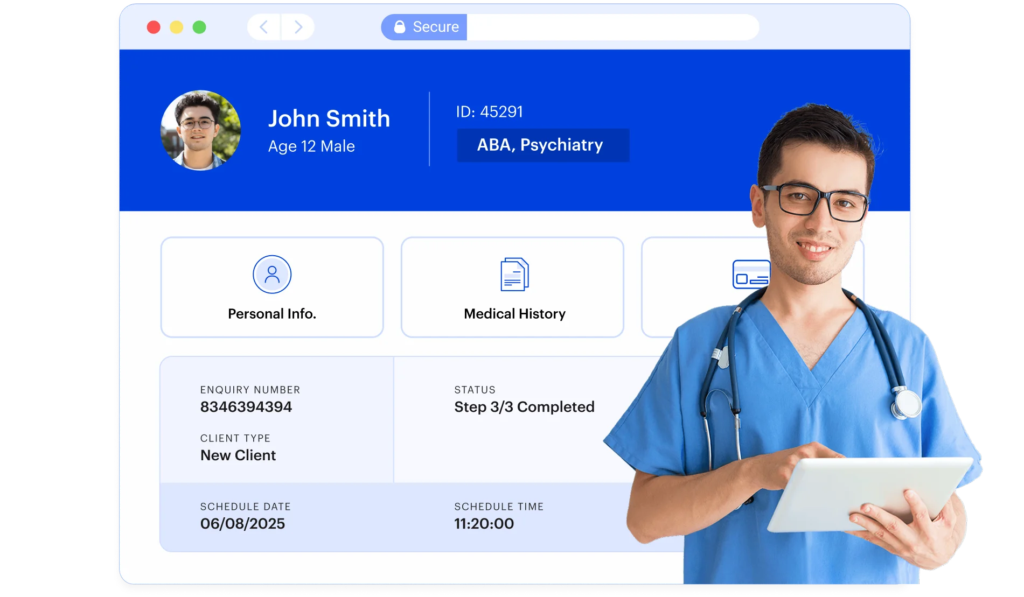
Keep every patient detail at your fingertips. A unified profile brings together demographics, intake information, and history in one place, so nothing gets overlooked. Add notes, documents, and communication logs for complete context, and use service tags to segment patients by type of care; whether it’s ABA, therapy, psychiatry, or beyond.
- Unified patient records with demographics, intake, and history
- Centralized notes, documents, and communication tracking
- Service-based tagging for smarter segmentation and care planning
Calendar view
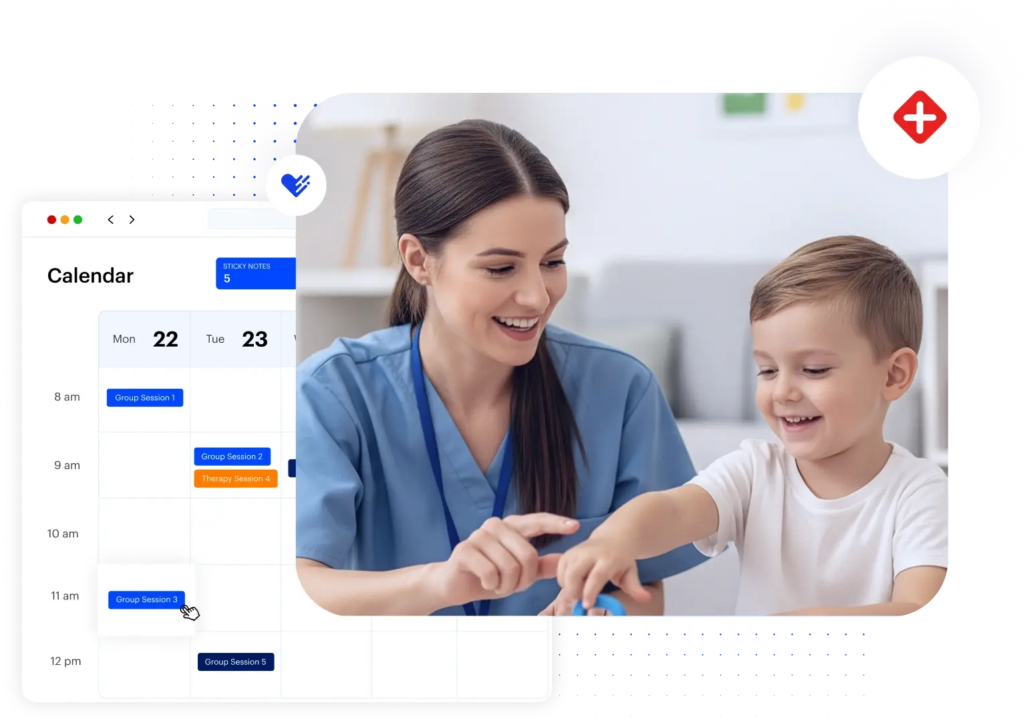
Keep your team’s schedule organized and visible at a glance. A centralized calendar shows all provider appointments in one place, with color-coded entries by service, location, or provider for quick clarity.
Need to make a change? Simply drag and drop to reschedule effortlessly.
- Unified calendar view across all providers and locations
- Color-coded appointments for quick identification
- Drag-and-drop rescheduling for easy adjustments
Workflow automation
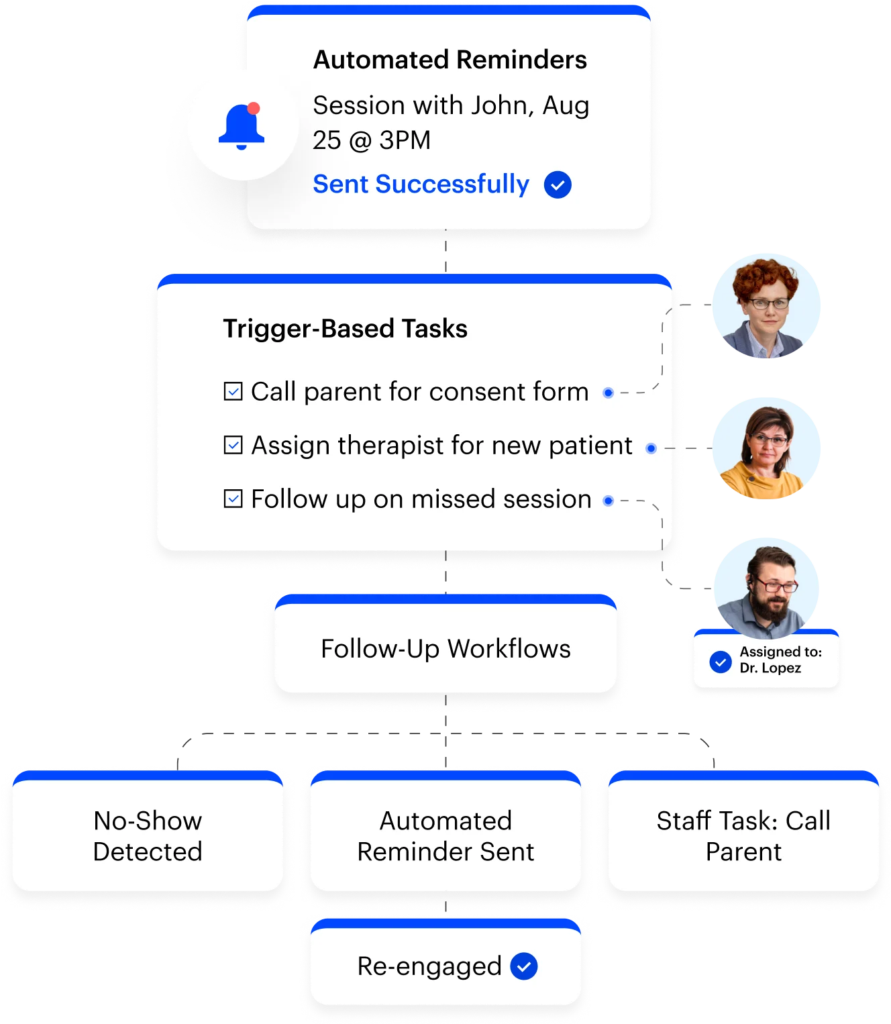
Simplify day-to-day operations with automation that works in the background. Send timely reminders through texts, email, WhatsApp, or IVR to keep your patients engaged. You can also use trigger-based task assignments to ensure staff act on the right steps at the right time, and set up follow-up workflows to manage no-shows, drop-offs, or new patient inquiries.
- Automated reminders across text, email, WhatsApp, and IVR
- Trigger-based task assignments for staff workflows
- Follow-up automation to re-engage patients and reduce drop-offs
Billing & insurance verification
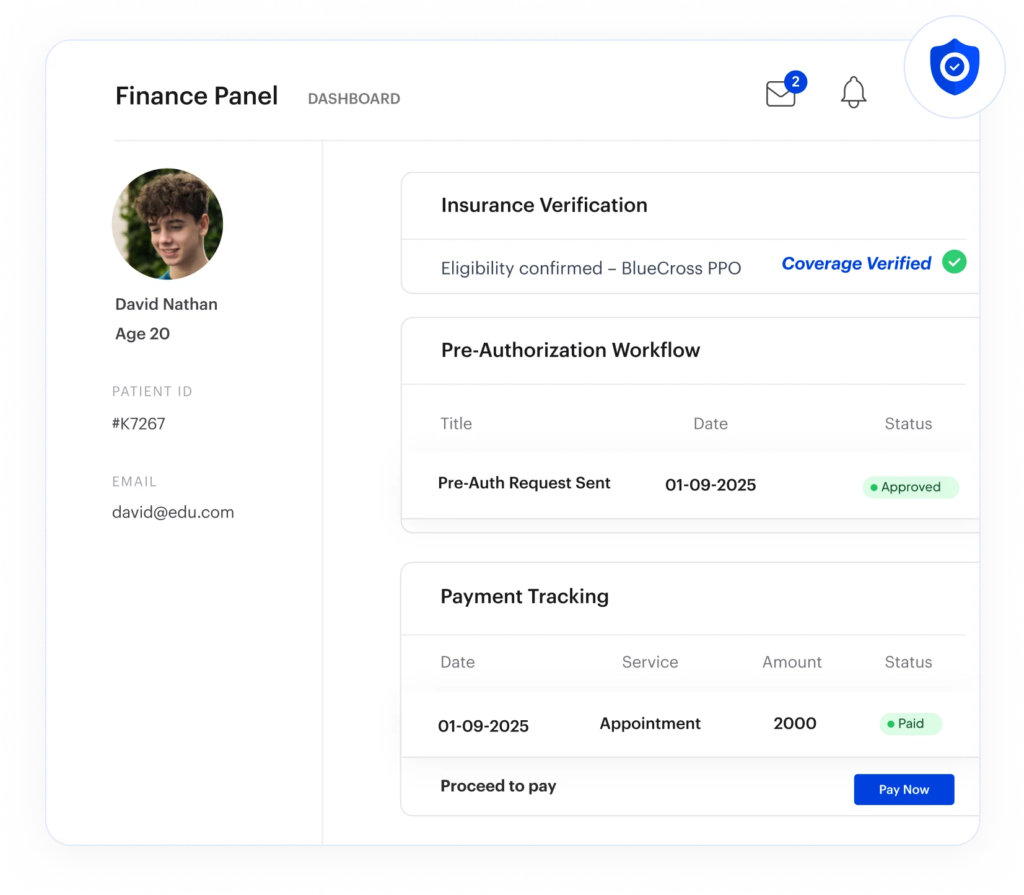
Take the complexity out of payments and insurance. With integrations to billing and insurance verification platforms, you can keep financial workflows connected. Run real- time eligibility checks to confirm coverage before appointments, then streamline pre-authorization and payment tracking to reduce delays and denials.
- Easy integration with billing and claims systems
- Instant insurance eligibility verification
- Pre-authorization workflows and payment tracking
Integration with EMR/EHR & Telehealth
Keep clinical and administrative workflows in sync. With deep integrations to leading EMRs and EHRs, data flows effortlessly between your systems. This allows you to access accurate patient and scheduling information in one place, and support telehealth workflows to deliver care without disruption.
- Integration with major EMR/EHR platforms
- Centralized access to patient and scheduling data
- Built-in support for telehealth workflows
Stay Compliant and Data-Driven in Behavioral Health
Track outcomes, safeguard patient information, and meet HIPAA and industry standards with ease.
Analytics & reporting
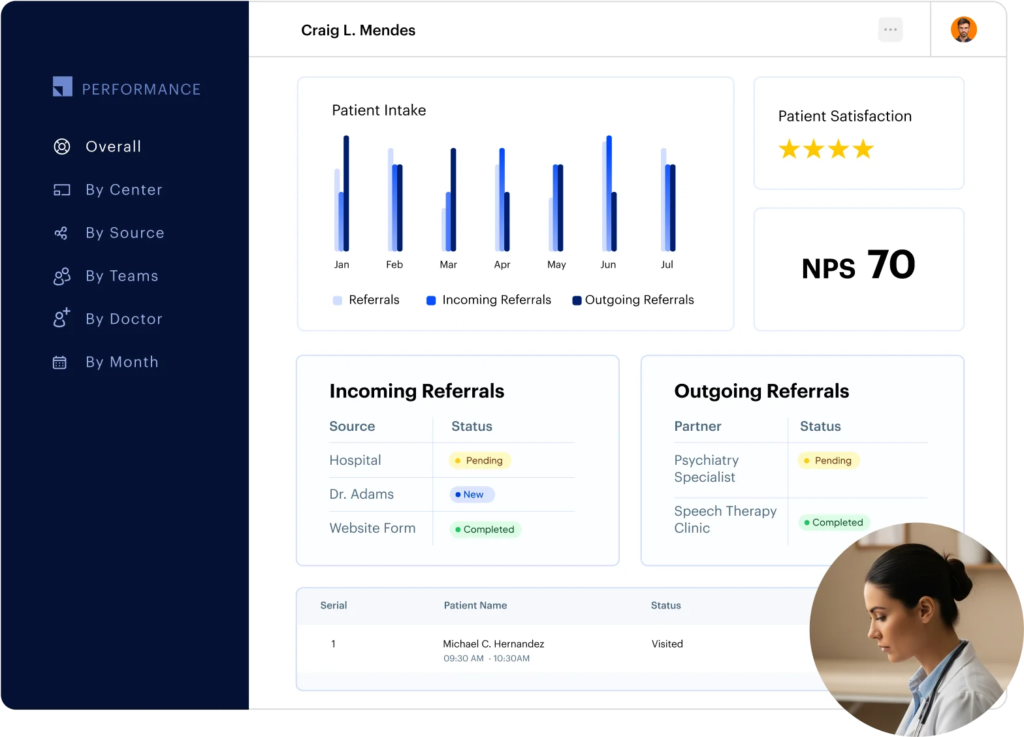
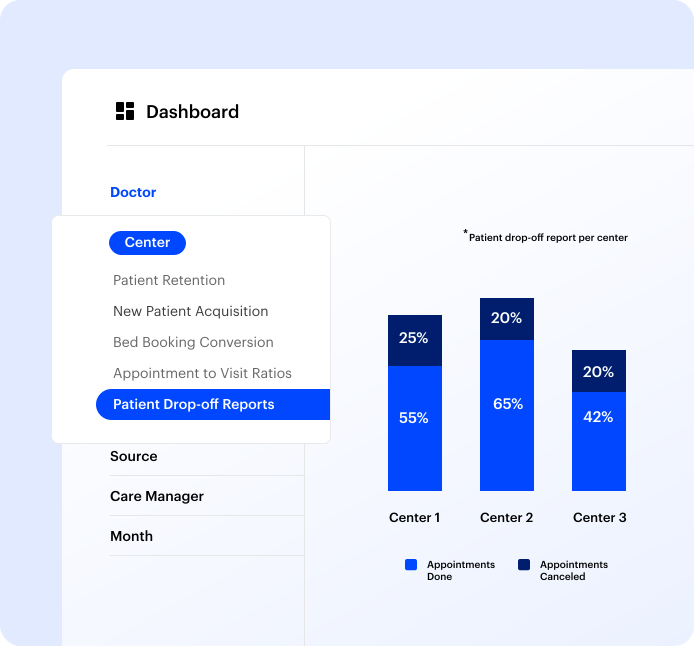
Turn data into insights that drive better decisions. Use prebuilt dashboards to monitor key metrics like intake, referrals, no-shows, and billing at a glance. Build deeper insights with a custom report builder, and track productivity and ROI to measure what’s working—and what needs improvement.
- Ready-to-use dashboards for critical operational metrics
- Flexible custom report builder for deeper analysis
- Productivity and ROI tracking to optimize performance
Security & compliance
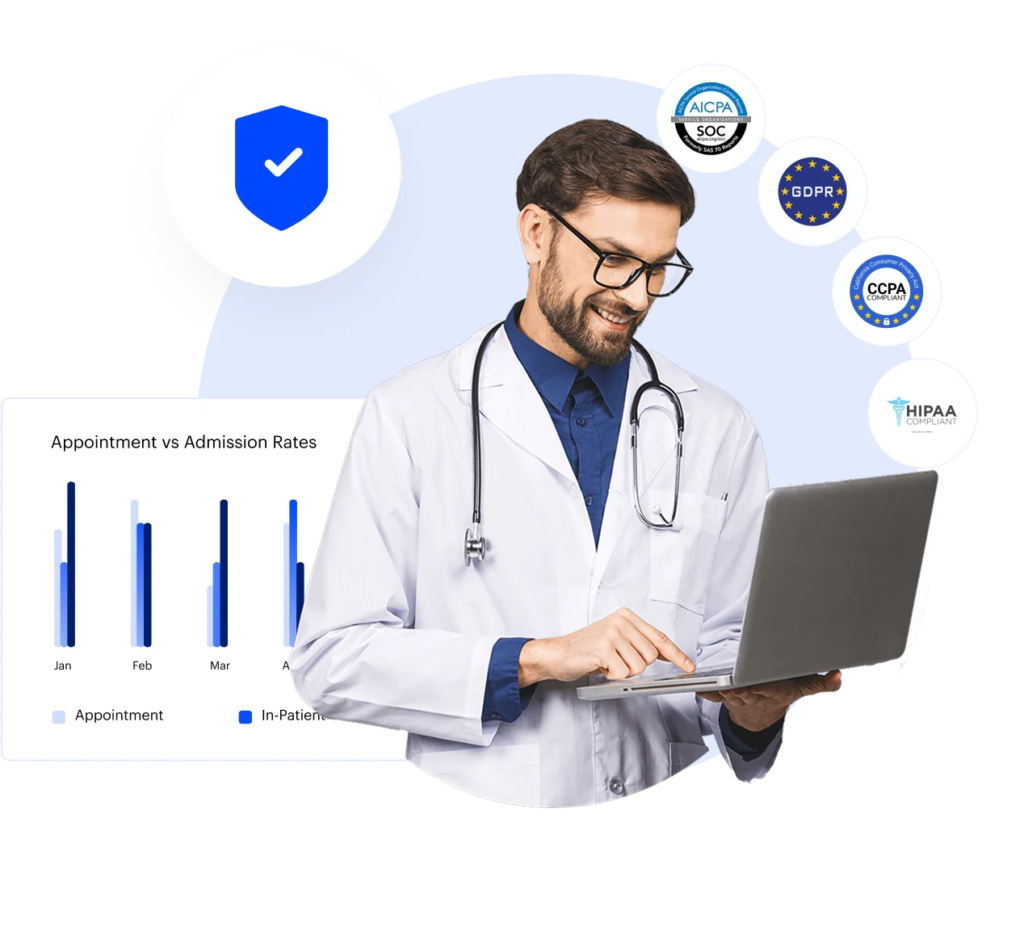
Worry no more about patient data security. LeadSquared ensures HIPAA, GDPR, CCPA, and SOC 1/2 compliance across the platform. All information is safeguarded with end-to-end encryption, and full audit trails provide transparency and secure data storage for peace of mind.
- Compliance with HIPAA, GDPR, CCPA, and SOC 1/2
- End-to-end encryption for all patient data
- Complete audit trails and secure data storage
Success stories, straight from
our customers
Reports & Analytics
Turn scheduling data into actionable insights.
Track key metrics like session attendance, cancellations, therapist utilization, and appointment trends with our ABA Scheduling software. Use customizable reports to monitor clinic performance, spot scheduling gaps, and make data-backed decisions. With real-time dashboards, you can stay proactive, not reactive.
FAQs
What is behavioral health CRM software and how does it differ from a regular CRM?
Behavioral health CRM software is a specialized tool built for mental health clinics, therapy practices, developmental services, and other behavioral health providers. Unlike general-purpose CRMs, which are primarily designed to manage sales leads and marketing workflows, a behavioral CRM is tailored to the unique needs of healthcare providers.
It goes beyond contact management to include features like:
- Patient intake and onboarding: Customizable forms, digital submissions, and self-service portals for patients and families.
- Referral management: Tracking both incoming and outgoing referrals, automated follow-ups, and reporting to ensure no patient is lost in the system.
- Appointment scheduling and calendar management: Coordinating provider schedules, handling waitlists, and integrating with telehealth platforms.
- Workflow automation: Automated reminders, task assignments for staff, and follow-up workflows to streamline clinical and administrative processes.
- Secure communication: HIPAA-compliant messaging and notifications to keep patient information safe.
By combining these features in a single platform, behavioral health CRM software allows care teams to manage both clinical and administrative workflows efficiently, improve patient engagement, and maintain compliance with healthcare regulations such as HIPAA, GDPR, and other regional privacy standards.
In short, while a standard CRM helps businesses manage leads and customers, a behavioral CRM is specifically built to support the operational, clinical, and patient engagement needs of behavioral health organizations.
What are the best behavioral health software options for clinics and providers?
The best behavioral health software typically includes features like patient intake, referral management, appointment scheduling, billing integration, telehealth support, and analytics. Leading options often come from vendors who specialize in healthcare, ensuring compliance with HIPAA and other data privacy regulations.
Who are the top behavioral health software companies and vendors?
Top behavioral health software vendors often specialize in software tailored for mental health and developmental services. Some well-known companies include LeadSquared and CentralReach. These vendors focus on features like patient engagement, automated workflows, referral management, and HIPAA-compliant communication, making them ideal choices for clinics looking for an all-in-one solution.
How can behavioral health software help with billing and insurance?
A behavioral health CRM software makes it easy to process claims, verify eligibility and track payments. A good behavioral health CRM integrates with insurance providers and billing platforms to automate tasks such as claim submissions, pre-authorizations, and tracking reimbursements. This speeds up revenue cycles and ensures accurate documentation for audits or regulatory requirements.
What features should I look for in a behavioral health CRM?
When evaluating behavioral health CRM software, look for:
- Secure, HIPAA-compliant patient data management
- Customizable intake forms and referral management
- Appointment scheduling and calendar integration
- Workflow automation for reminders and follow-ups
- Reporting and analytics for productivity and ROI
- Telehealth integration and omni-channel communication
Can a behavioral CRM integrate with EHR systems?
Yes, most modern behavioral CRM platforms like LeadSquared can integrate with electronic health record (EHR) systems. This allows bi-directional data flow between clinical records and administrative workflows.
How does behavioral health software improve patient engagement?
Behavioral health software enhances engagement through automated communication, personalized follow-ups, and multi-channel outreach. Secure messaging, appointment reminders, and self-service portals keep patients informed and involved in their care. Behavioral CRMs also allow providers to segment patients by service type, history, or care plan, enabling targeted engagement campaigns that improve adherence and outcomes.
How to track lead-to-patient conversion rates and marketing ROI in a behavioral health CRM?
Tracking lead-to-patient conversion starts with capturing every step a lead takes, from first contact to becoming an active patient. In a behavioral health CRM, each lead should include the source—like a digital ad, referral, email, or phone inquiry—and be tracked through intake, eligibility verification, authorization, and appointment scheduling.
Make sure your CRM collects key fields such as referral source, campaign name, location, payer, and demographics. Use required fields and standard lists to ensure consistent data, which is essential for accurate reporting. Define stages that represent the intake funnel, for example: inquiry received, initial contact, forms completed, insurance verified, assessment scheduled, and patient onboarded. Timestamps at each stage let you measure conversion rates and identify drop-offs.
Dashboards help visualize metrics like total leads, conversion rates per source, and average time per stage. Filters for location, payer, or age group allow comparisons across sites and campaigns. For marketing ROI, compare converted patients to the campaign cost. For instance, if a $2,000 digital ad campaign generated 50 leads and 20 became patients, you can calculate cost per patient and ROI for that source.
Automation improves both accuracy and speed. You can trigger scoring, task assignments, or alerts when a lead reaches a key stage. Alerts for stalled leads help intake teams act before opportunities are lost. Behavioral health CRMs like LeadSquared also tie marketing campaigns directly to lead records, enabling insights into which campaigns consistently generate high-quality, converting leads.
Finally, regular review of funnel performance helps refine intake processes and marketing spend. With complete intake data, clear funnel stages, automated follow-ups, and tied marketing metrics, your CRM can provide reliable insights into both lead-to-patient conversion rates and marketing ROI.
How can behavioral health clinics track therapist utilization, session volume, and client retention?
The best way for behavioral health clinics to track therapist utilization, session volume, and client retention is by using a mix of automated tools, organized data systems, and consistent reporting. Most clinics start with a practice management system or CRM that logs therapist schedules, session bookings, cancellations, and patient histories. This makes it easier to calculate therapist utilization (by comparing available working hours against booked sessions) and see how efficiently each therapist’s time is used.
An appointment scheduling software, like LeadSquared, also helps by tracking no-shows and cancellations, which affect both utilization and session volume. To monitor session volume, clinics can generate weekly or monthly reports showing the total number of sessions completed, average sessions per client, and how many new versus returning clients were seen.
For client retention, data from the CRM or EHR can show how long clients stay in therapy and how frequently they return. Many systems (like LeadSquared) allow you to tag clients by start date and number of visits, helping identify patterns or drop-off points. Clinics can also track retention through satisfaction surveys or automated follow-ups after missed sessions. When all this data is pulled together in dashboards or reports, practices can gain clear visibility into all the useful metrics they need.
What makes a CRM suitable for mental and behavioral health practices?
A CRM suitable for mental and behavioral health practices must address both administrative and clinical needs. This includes HIPAA-compliant data management, workflow automation for intake and referrals, appointment scheduling, telehealth integration, and analytics. It should also support multi-location practices, offer mobile accessibility, and integrate with billing and EHR systems to streamline the entire patient journey.
Are there behavioral health software solutions for small clinics or solo providers?
Yes. Many behavioral health software solutions scale from solo practices to multi-location clinics. Platforms like LeadSquared offer modular features, so small clinics can start with core functions like scheduling, patient intake, and billing, and then expand to include workflow automation, telehealth, and advanced reporting as their practice grows.
How do I choose the best behavioral health software for my organization?
To choose the best behavioral health software:
- Identify your practice’s workflow needs (intake, referrals, billing, telehealth).
- Ensure the platform is HIPAA-compliant and supports secure patient communication.
- Check integration capabilities with existing EHR or billing systems.
- Evaluate user experience for both staff and patients.
- Compare vendors and request demos to see the software in action.
Choosing a behavioral health CRM that combines administrative efficiency with clinical support ensures better patient outcomes and smoother operations.
Can LeadSquared’s behavioral health CRM help improve patient follow-ups and reduce no-shows?
Yes. LeadSquared’s behavioral health CRM software allows you to automate appointment reminders, follow-up workflows, and multi-channel outreach via SMS, email, WhatsApp, or IVR. These automated workflows ensure patients stay engaged and reduce missed appointments, improving overall clinic efficiency and patient outcomes.
Does LeadSquared support billing and insurance management for behavioral health practices?
LeadSquared integrates with billing and claims platforms to simplify insurance verification, pre-authorizations, and payment tracking. By connecting patient data with financial workflows, LeadSquared helps behavioral health providers streamline revenue cycles while maintaining compliance and accuracy.
How does LeadSquared help with managing referrals in behavioral health?
LeadSquared provides real-time referral tracking, reporting, and automated follow-ups to ensure no patient is lost in the process. Clinics can monitor both incoming and outgoing referrals seamlessly, improving collaboration with partner providers and increasing referral conversion rates.
Is LeadSquared suitable for multi-location behavioral health clinics?
Absolutely. LeadSquared’s behavioral CRM is built to scale, offering centralized patient profiles, unified calendars, and workflow automation across multiple locations.
What are the best tools to capture leads from social media and website traffic in behavioral health?
The key is using tools that make it easy to collect information, let you respond quickly, and track engagement.
- Web forms and landing pages: Simple, easy-to-complete web forms on your website or dedicated landing pages are highly effective. Ask only for essential information, such as name, email, or phone number, to reduce friction. Behavioral health practices can also include options to indicate the type of services they’re interested in, helping staff prioritize follow-ups.
- Chatbots and live chat: Chat tools allow website visitors to ask questions or book appointments instantly. Automated chatbots can capture lead information 24/7, while live chat provides a human touch for more complex inquiries.
- Social media lead forms: Platforms like Facebook, Instagram, and LinkedIn offer lead capture forms directly within the platform. These forms pre-fill information from the user’s profile, making it faster for them to submit and easier for practices to follow up.
- CRM integration: Once leads are captured, a behavioral health CRM like LeadSquared, can centralize information, track engagement, and automate follow-ups. This ensures no inquiry is missed and helps practices provide timely, personalized responses while maintaining patient privacy.
- Analytics and tracking tools: Tools like Google Analytics, LeadSquared’s behavioral health CRM, and social media insights allow you to see which campaigns drive traffic and lead submissions. Understanding where leads come from helps optimize messaging and outreach.
- Email and retargeting tools: Follow up with leads using automated email sequences or targeted ads to keep your practice top-of-mind. This increases the chance that inquiries convert to appointments.
How can behavioral healthcare practices create real-time dashboards for referral, intake, and engagement data?
To create real-time dashboards for metrics like referral and patient intake, the key is to integrate all data sources into a centralized system like a CRM or patient management platform that automatically pulls and updates information from different touchpoints.
Start by identifying the metrics you want to monitor. For referrals, this could include the number of new referrals, top referral sources, and conversion rates from referral to intake. For patient intake, track form submissions, pending verifications, and appointment completions. For patient engagement, measure attendance rates, follow-ups, and ongoing patient interactions.
Once the metrics are clear, connect your data sources (such as website forms, call logs, EHRs, and CRM entries) into one dashboard tool. Many systems (including platforms like LeadSquared) allow healthcare teams to create custom dashboards that update in real time, displaying live data through graphs, charts, or lists.
Visualizing data helps teams identify gaps faster — for instance, spotting delays in intake processing or drops in patient engagement. Dashboards can also be filtered by time frame, location, or staff member to pinpoint performance trends.
How can a group practice in behavioral health benchmark performance across providers?
The process of benchmarking performance begins with defining key performance indicators (KPIs) that matter most for your practice. Common KPIs include appointment volume, patient satisfaction, lead-to-patient conversion rates, session completion rates, client retention, and revenue per provider. Once KPIs are defined, data should be collected systematically from your scheduling, EHR, or CRM system.
Using a centralized dashboard, practices can display metrics for all providers and compare performance side by side. For example, you can see which providers have the highest appointment fill rates, which maintain the strongest patient retention, or which generate the most referrals. It’s important to normalize data where possible (for instance, adjusting for provider hours or patient case mix) to ensure comparisons are fair.
Regular review meetings help interpret the data and highlight opportunities for improvement. Tools like behavioral health CRMs can simplify the process by pulling provider-level metrics and generating visual reports.
How to resolve API limitations in PracticeQ for blocked-time scheduling?
Working with blocked time (provider availability windows, vacation, or administrative blocks) in PracticeQ via API can be tricky because not all blocked-time workflows are fully exposed through its endpoints. Here’s how to tackle those limitations step by step.
Understand the gap
PracticeQ supports blocking time directly in the calendar UI (via Bookings → Block Time) and shows those blocks graphically in the calendar. However, the API documentation doesn’t clearly expose “block-time” endpoints or allow full control of blocked slots via API—only appointment creation, updates, and webhooks are documented.
Because of this, if your scheduling flow relies on API control of provider availability blocks (for example when your CRM or intake system sets blocks automatically), you may run into issues where those blocks aren’t enforced or visible via API.
Workarounds and solutions
Use workaround fields or custom fields
If there’s no dedicated block-time API, consider using custom statuses, tags, or “non-bookable” services that simulate blocked time. For example, create a service called “Blocked Time: Admin” and schedule it via API—this mimics blocking the slot. Then you can build logic around it in your CRM or middleware.
Hybrid scheduling controls
Let the user UI or calendar tool still manage blocks but rely on webhooks or the appointments API to detect if a blocked slot was booked incorrectly. If the API response shows a booking in a blocked slot, trigger a workflow that either moves the appointment or alerts staff. This ensures you catch violations even if you cannot prevent them fully via API.
Request enhanced API access
PracticeQ mentions API rate limits and the ability to upgrade thresholds. While not explicitly about blocking availability, having a higher rate limit gives you more room for polling availability and blocks to keep your system in sync. Ask PracticeQ support if more advanced endpoints for blocked time are in roadmap or can be exposed for your account.
Middleware logic layer
Place an integration layer between your CRM and PracticeQ. Your CRM sends block time information to middleware, middleware tracks it, and only books via PracticeQ when availability is confirmed. This gives you control and avoids relying entirely on PracticeQ’s UI/API gaps.
Because PracticeQ’s API does not clearly expose every blocked-time endpoint, the best approach is to build around the limitation (use workaround services, hybrid monitoring, or a middleware layer).
What are the best reporting tools for behavioral health practices?
Behavioral health practices need clear visibility into how patients move through intake, scheduling, and care. Good reporting tools make it easy to track performance without spending hours on spreadsheets.
The best tools help clinics monitor key metrics such as lead-to-patient conversions, no-show rates, therapist utilization, referral source effectiveness, and revenue trends. They let you build dashboards, apply filters for payers or locations, and view data in real time to identify where improvements are needed.
Some popular options include:
- LeadSquared – A healthcare CRM that includes built-in dashboards and reporting features. It tracks conversion rates, intake speed, patient engagement, and communication logs. Reports can be customized, scheduled, and filtered by provider, location, or payer.
- Tableau or Microsoft Power BI – These tools are great for practices that want deep analytics. They can pull data from multiple systems like your EHR, CRM, and billing software to create advanced visual dashboards.
- WellSky Analytics and Bamboo Health Analytics – Designed specifically for healthcare, these focus on operational performance, care coordination, and clinical outcomes tracking.
When choosing a reporting tool, make sure it:
- Connects easily with your existing systems (EHR, CRM, billing).
- Provides dashboards that show the full patient journey from inquiry to discharge.
- Is easy for non-technical staff to use and interpret.
- Complies with HIPAA and maintains audit logs for data access.
For most behavioral health organizations, a system like LeadSquared would be a great choice of reporting tool. It keeps all referral, intake, and communication data in one place and generates real-time reports on team performance and patient engagement without extra setup.
What are the best HIPAA-compliant project management tools for behavioral health practices?
ClickUp is one of the most popular options. Under its Enterprise plan, it offers HIPAA compliance along with customizable dashboards, access controls, and encrypted data storage. Behavioral health teams can use ClickUp to assign tasks, set timelines, and track care coordination projects, all in one place.
Priority Matrix is another strong choice. It’s built with healthcare use cases in mind and supports HIPAA compliance through Business Associate Agreements (BAAs). The platform lets care teams assign responsibilities, share files securely, and visualize progress through structured matrices or timelines. For practices that manage multiple therapists or locations, this tool can be helpful.
OneDesk combines project management and client support. It allows teams to manage projects, track progress with Gantt charts, and communicate securely while maintaining HIPAA compliance. It’s a good fit for practices that want both client service management and internal project tracking in one platform.
While LeadSquared isn’t a traditional project management tool, it supports task and workflow management within its healthcare CRM platform. It lets behavioral health teams automate processes like patient intake, lead capture, and follow-up reminders and track assigned tasks across staff. It also integrates with dedicated project management tools like ClickUp, creating a connected system for both clinical and operational workflows.
How can I automate follow-ups, reminders, and manual tasks in a behavioral health practice?
To automate follow-ups, reminders, and manual tasks for your behavioral health practice; you can do the following
Map out your repetitive tasks
Identify tasks you do manually a lot: appointment scheduling, sending reminders, intake forms, sending post-session resources, documenting notes. Recognizing those is the first step.
Use trigger-based workflows
Set up systems, so an action automatically causes another. For example: once a session is booked → send a confirmation + 24 h reminder; once a session ends → send a follow-up survey or resource.
Automate reminders and follow-ups
Use secure channels (SMS, email, portal) to send reminders ahead of appointments, check-in messages after a session, or periodic follow-ups for care plans. IT tools can pick the best timing and channel.
Integrate your systems
Make sure your scheduling software, CRM, EHR/intake forms, and communication tools all talk to each other. So, when one thing happens (new intake, missed appointment), the other systems update automatically.
Keep the human touch & compliance in mind
Even though you automate, ensure messages feel relevant, don’t over-automate so clients feel ignored, and make sure data handling complies with privacy laws (HIPAA, etc.).
Track, monitor and refine
Use analytics tools: how many no-shows dropped? How many follow-ups completed? Which reminders worked best? This helps you tweak your workflows.
Use tools built for behavioral health
Choose platforms that recognise the specific needs of a behavioral health practice: intake forms, session notes, multi-channel communications, secure storage and workflows. A healthcare-oriented CRM, like LeadSquared, can help tie everything together smoothly.

How to automate intake workflows for behavioral health practices?
Start by digitizing your intake forms so patients can complete them online before their appointment. The responses can flow directly into your CRM or EHR, creating or updating the patient record without manual data entry.
Next, use automation rules to assign tasks. For example, once a form is submitted, the system can notify the intake coordinator, schedule an eligibility check, or send the patient a confirmation message with next steps. If insurance information is missing, the system can automatically request it through email or text.
You can also set up automatic reminders for both staff and patients. For instance, reminders can go out if a form hasn’t been completed, if authorization is about to expire, or if an assessment is due. This helps keep the process on track without constant monitoring.
To keep everything organized, track each patient’s progress in a centralized dashboard. It should show where each case stands—from referral to scheduling to evaluation—so your team can quickly spot delays or bottlenecks.
Platforms like LeadSquared help you here. They let you capture data from web forms, sync it to patient records, assign tasks, and trigger notifications based on pre-set rules. This ensures every intake step happens smoothly.
What are the solutions for consolidating data from multiple platforms into a single dashboard?
Behavioral health clinics often use several systems (EHRs, CRMs, billing tools, and communication platforms) to manage operations. The challenge is that each system holds valuable data but in isolation. A consolidated dashboard brings everything together so leaders can track metrics like referrals, conversions, billing status, and staff productivity in one place.
The first step is to identify your key data sources. For most clinics, this includes patient intake data from the CRM, session and outcome data from the EHR, claim and payment data from billing software, and communication logs from phone or messaging tools. Once you know where the data lives, you can connect these systems using APIs, native integrations, or data connectors such as Zapier, Make, or Power Automate.
If your organization needs deeper visibility, a data warehouse or analytics tool—like Google BigQuery, Snowflake, or Power BI—can pull in data from all sources and standardize it. From there, dashboards can be built to show KPIs in real time. This might include new leads by referral source, average intake completion time, authorization status, or revenue by location. Tools like Tableau, Looker Studio, or LeadSquared’s reporting module make it easy to visualize and filter these metrics by date range, payer, or therapist.
For smaller setups, many CRMs (including LeadSquared) already include built-in dashboards that can connect to external data feeds. This allows practices to view lead and patient data alongside financial or operational reports without needing a full data warehouse.
When building any unified dashboard, ensure that only de-identified or minimum necessary data flows between systems unless a Business Associate Agreement (BAA) is in place. Set access controls by role so staff only see what’s relevant to them.
A single, consolidated dashboard not only simplifies reporting but also helps clinics make faster, data-driven decisions—without juggling multiple logins or spreadsheets.
How to eliminate manual data entry in behavioral health operations?
Manual data entry is one of the biggest drains on time and accuracy in behavioral health operations. Eliminating it starts with integrating the systems your teams already use—intake, scheduling, billing, and EHR—so information flows automatically instead of being retyped.
Start by mapping where duplicate data entry happens most often: intake forms, insurance verification, progress notes, or billing exports. Each of these points can usually be automated. For example, digital intake forms can feed directly into your CRM or practice management software, creating or updating patient records instantly. Instead of staff re-entering names, addresses, or payer details, the data flows in real time once a form is submitted.
Next, connect your CRM with tools that handle key operational steps. Integrations with clearinghouses or insurance verification platforms can pull eligibility data and authorization details automatically. Appointment scheduling tools can sync directly with calendars and patient profiles, removing the need to manually confirm bookings or send reminders.
APIs and automation platforms like Zapier or native workflow builders can bridge any remaining gaps. They let you move data between systems—for example, from your CRM to your EHR or billing software—without exporting spreadsheets or copying values by hand. Automation rules can also trigger next steps, such as assigning an intake coordinator or generating a billing task when a patient’s status changes.
Within behavioral health CRMs like LeadSquared, automations can capture referrals from web forms or payer portals, populate intake fields, update patient stages, and even route cases to the right team based on location or insurance type.
By reducing manual entry, clinics gain more than just efficiency—they reduce errors, improve compliance, and give staff time to focus on patient care instead of paperwork. Over time, automated workflows build consistency and scalability into daily operations, allowing your behavioral health organization to grow without adding administrative burden.