





- Home

- Learn
- Healthcare
- 5 Best Healthcare CRMs to integrate with Oracle Health EHR (formerly Cerner)
HEALTHCARE
5 Best Healthcare CRMs to integrate with Oracle Health EHR (formerly Cerner)
Contents

 17 min read


If your organization runs on Cerner (Oracle Health EHR), you already have a powerful system at the center of your operations. It keeps patient records organized, supports scheduling and registration, and helps manage billing and claims across departments.
But here’s something many healthcare teams discover after implementing an EHR: not every part of the patient journey can be tracked inside the clinical system.
Patients may first reach out through your website, a call center, or a referral from another provider. Marketing teams may run campaigns to attract new patients. Staff may need to follow up on appointment requests, send reminders, or collect intake forms before a visit.
These kinds of interactions happen before and after care delivery, and they’re often difficult to manage directly inside an EHR.
That’s why many Cerner-based organizations add a healthcare CRM alongside their existing system. A CRM helps manage patient interactions across the entire journey—capturing inquiries, tracking referrals, and automating communication—while syncing important information back into Cerner.
When these systems work together, hospitals gain better visibility into patient engagement and can improve operational workflows that ultimately influence scheduling efficiency, billing accuracy, and claims processing.
In this guide, we’ll walk through how healthcare CRM integrations work with Cerner and highlight some platforms commonly used by healthcare providers.
Hospitals receive patient inquiries from many sources—websites, digital campaigns, call centers, and referral networks. While Cerner manages patient records after registration, it isn’t designed to track or manage large volumes of incoming inquiries.
A healthcare CRM helps teams capture these inquiries, assign follow-ups, and guide potential patients toward scheduling an appointment.
Referrals from physicians and partner clinics are a major source of new patients, particularly for specialty services. Without a centralized system, it can be difficult to track which providers are sending patients and whether those referrals lead to completed visits.
CRMs help hospitals monitor referring physicians, track referral conversion rates, and understand the revenue generated from referral networks.
Hospitals often need to send reminders, instructions, and follow-ups to patients before and after visits. A CRM can automate these communications, ensuring patients receive timely updates about appointments and preparation steps.
Incomplete patient information can create problems later in the process, such as delays in insurance verification or errors in billing. Healthcare CRMs help collect structured intake data—such as demographics and insurance details—before the patient is fully registered in the EHR, helping downstream workflows like billing and claims run more smoothly.
When a healthcare CRM is integrated with Cerner, the two systems begin sharing specific pieces of patient information,so different teams can work from the same data. The CRM adds on top of Cerner’s capabilities way to manage patient engagement workflows that happen before and after clinical care.
In most integrations, the CRM exchanges data such as:
This allows front-office teams, marketing teams, and care coordinators to interact with patients while ensuring that important information eventually flows into the EHR.
Healthcare systems typically rely on established interoperability standards to connect software platforms.
One common method is APIs (Application Programming Interfaces), which allows one system to securely request or update data in another.
In healthcare environments, these connections often follow standards such as HL7 (Health Level Seven), a long-standing messaging format used to exchange clinical and administrative data between healthcare systems. More modern integrations may use FHIR (Fast Healthcare Interoperability Resources), a newer standard designed to make healthcare data easier to access through web-based APIs.
Some organizations also use integration middleware, a specialized platform that sits between systems and helps translate, route, and manage data exchanges.
In practice, the setup works like this: the CRM manages patient inquiries, communication, and engagement workflows, while Cerner continues to handle clinical care and billing operations. Together, the two systems create a more connected and efficient healthcare operations environment.
| Healthcare CRM | Primary Focus | Best For | Cerner Integration Approach |
| LeadSquared | Healthcare CRM for patient acquisition, intake automation, and engagement workflows | Hospitals and specialty practices that want to manage the full patient journey from inquiry to follow-up | API-based integration |
| Salesforce Health Cloud | Enterprise healthcare CRM for care coordination and patient engagement | Large health systems that need advanced analytics, call-center workflows, and customizable engagement programs | API-based or custom integration |
| Innovaccer CRM | Healthcare CRM and consumer engagement platform built on a healthcare data platform | Health systems focused on consumer engagement, population health, and unified patient data | Native healthcare integration and APIs |
| Phreesia | Patient intake and access platform for scheduling, registration, and check-in automation | Hospitals and multi-site practices that want to digitize patient intake and front-desk workflows | Native EHR integration |
| PatientTrak | Patient engagement and workflow automation platform | Hospitals seeking appointment reminders, patient tracking, surveys, and reputation management tools | Native integration with Cerner |
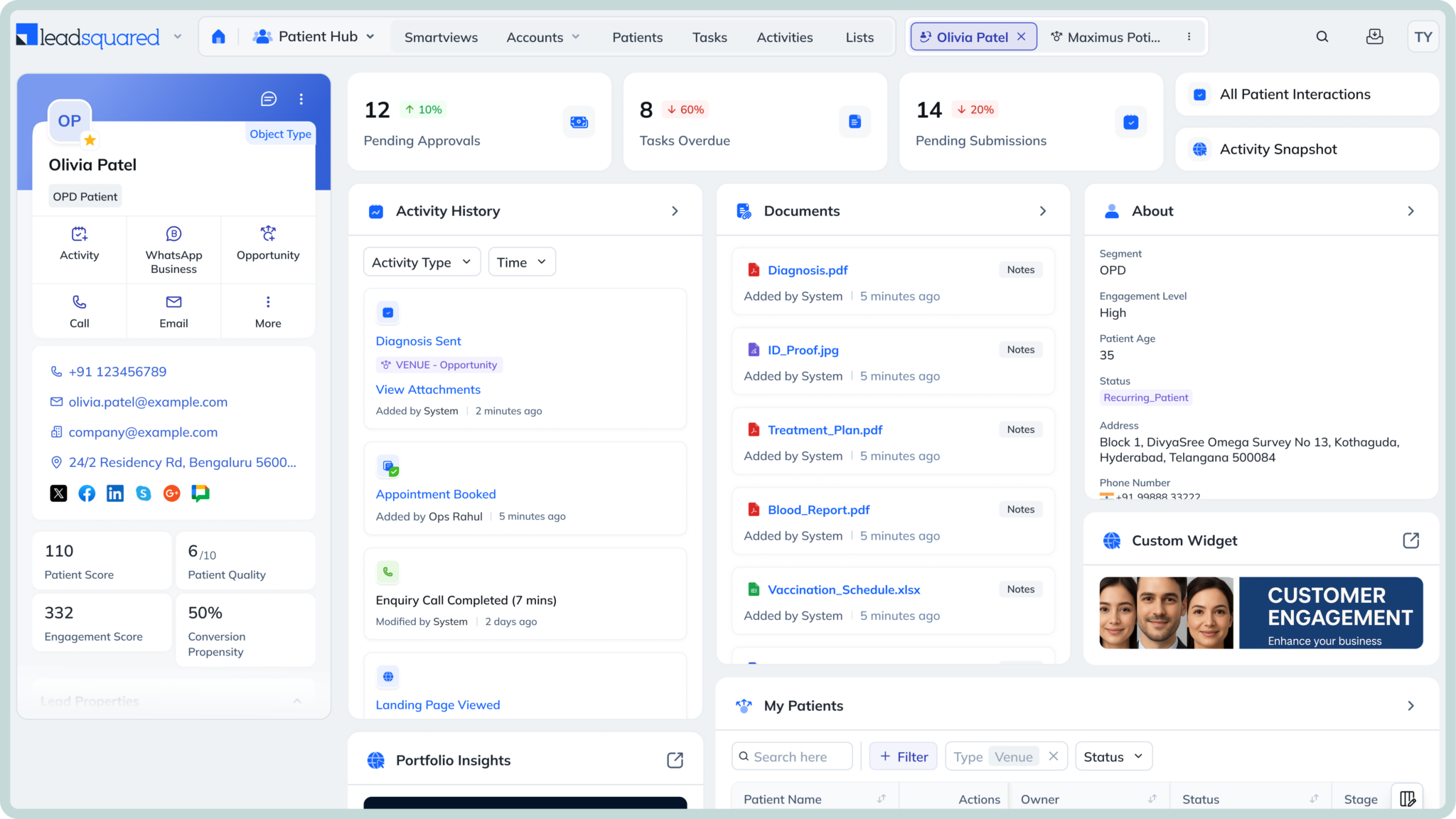
LeadSquared is a healthcare-focused CRM built to help hospitals and clinics manage patient acquisition, intake, and engagement workflows in one place. It captures inquiries from sources like websites, ads, call centers, and referrals, then helps teams convert those inquiries into appointments through structured follow-ups and automation. The platform also supports multi-channel communication—including SMS, email, and phone—so care teams can stay connected with patients throughout their journey. With built-in tools for referral tracking, digital intake, and workflow automation, LeadSquared helps healthcare organizations streamline the path from first inquiry to scheduled visit.
LeadSquared typically integrates with systems like Cerner through API-based integrations or middleware connectors that allow patient and appointment information to sync between the CRM and the EHR.
This enables healthcare teams to manage patient communication, intake workflows, and engagement campaigns within the CRM while keeping clinical documentation and billing inside the EHR.
LeadSquared is best for hospitals, specialty clinics, and multi-site healthcare organizations that want a purpose-built CRM to manage patient acquisition, intake, and engagement workflows while integrating with an EHR like Cerner.
Pro – $60 per user / month
Super – $100 per user / month
Enterprise – Custom pricing based on organization size, integrations, and support needs
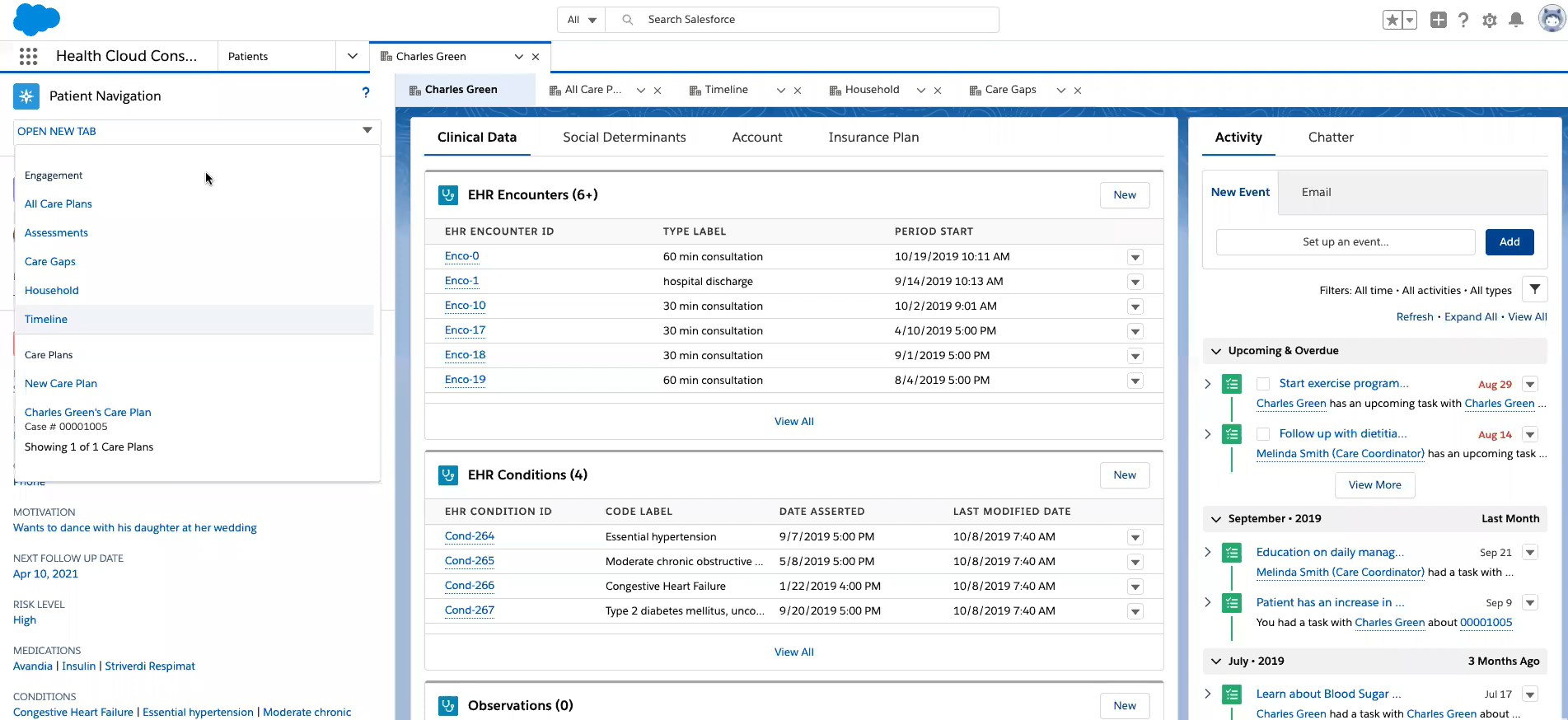
Salesforce Health Cloud is an enterprise healthcare CRM built on the broader Salesforce platform. It helps hospitals and health systems manage patient engagement, care coordination, and outreach workflows in one system. The platform creates a unified patient profile by combining clinical data from EHRs with communication and operational information. Care teams can use it to track interactions, coordinate across departments, and run engagement programs at scale.
Health Cloud typically integrates with Cerner through API-based or custom integrations that allow patient demographics, appointment data, and engagement activities to sync between the CRM and the EHR. This allows healthcare teams to manage communication and engagement workflows in the CRM while Cerner continues to handle clinical documentation and billing.
Large health systems and multi-site healthcare organizations that need an enterprise CRM platform for patient engagement, care coordination, and advanced analytics alongside Cerner.
Enterprise edition – around $350 per user/month (billed annually)
Unlimited edition – around $525 per user/month (billed annually)
Agentforce editions – around $750 per user/month depending on features and configuration
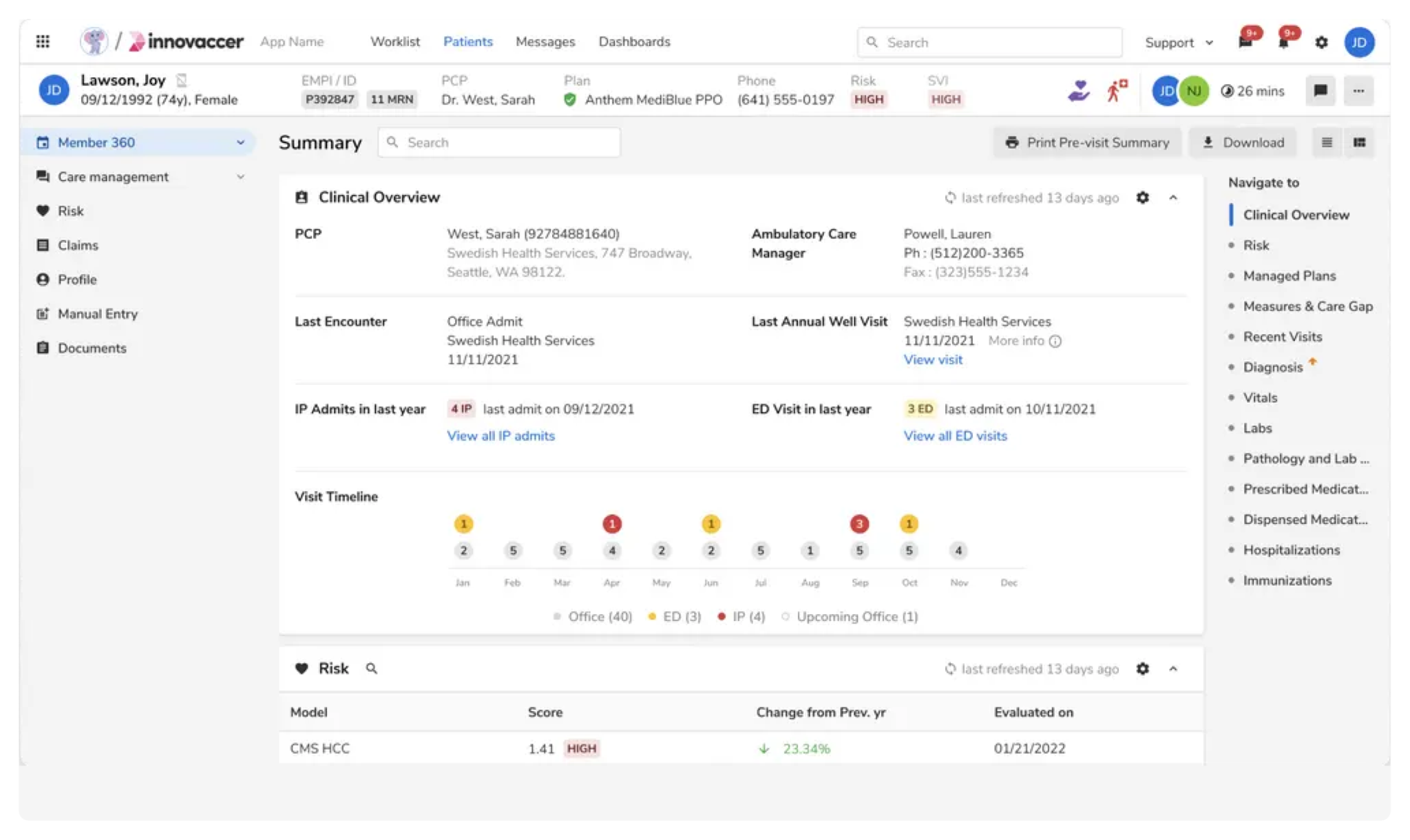
Innovaccer offers a healthcare CRM built on top of its broader healthcare data platform.
Healthcare organizations use it to manage patient outreach, engagement campaigns, and referral relationships using data from across the care ecosystem. Because of its strong data integration capabilities, Innovaccer is often used by health systems that want to combine patient engagement with population health analytics.
Innovaccer connects with systems like Cerner through API-based or custom integrations that allow patient demographics, engagement data, and operational information to sync between the CRM and the EHR. This allows organizations to run patient outreach and engagement workflows in the CRM while clinical records remain managed in the EHR.
Large health systems and provider networks that want to combine patient engagement with CRM capabilities with a unified healthcare data platform and advanced analytics.
Custom pricing based on organization size, modules deployed, and integration requirements.
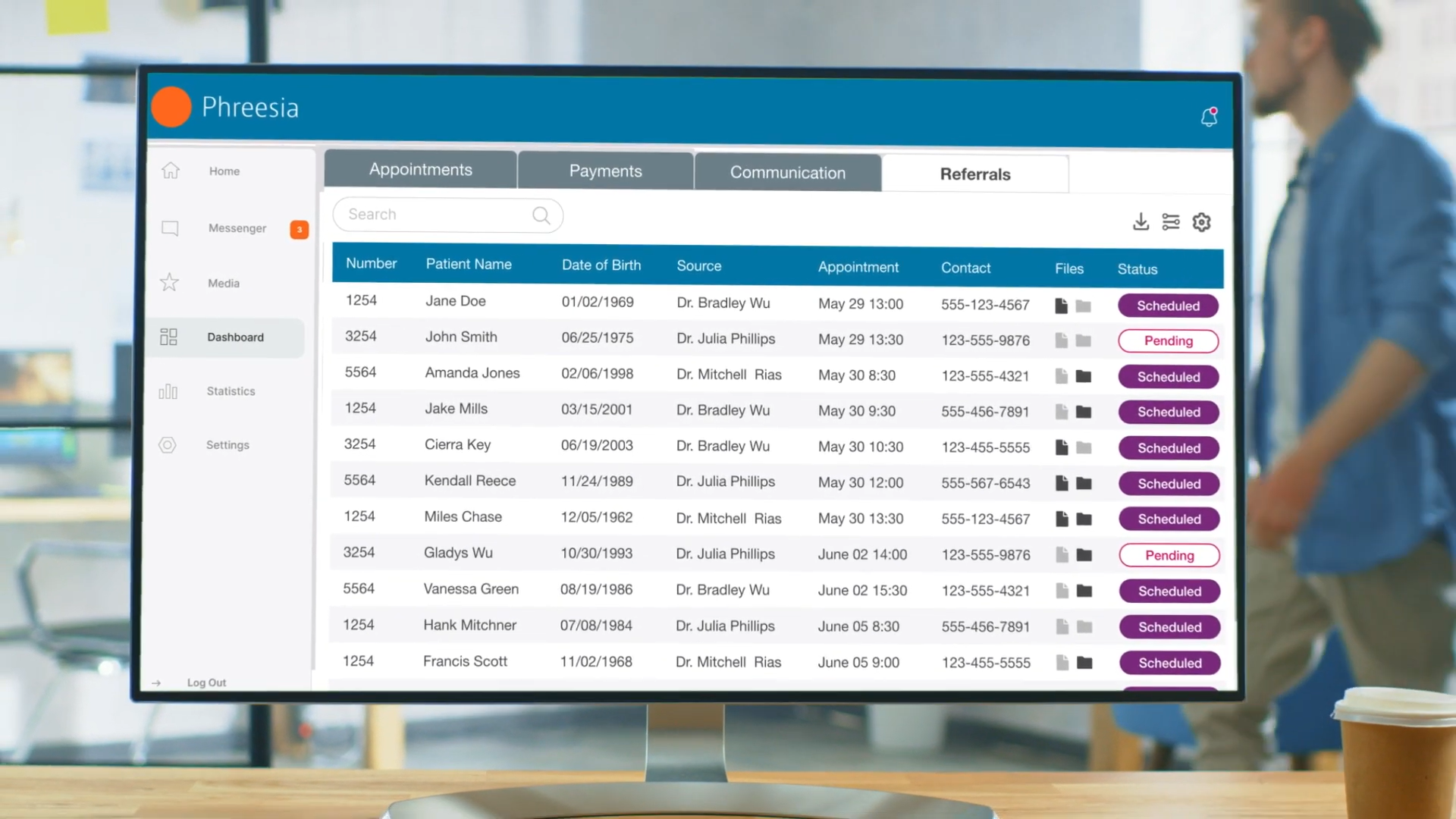
Phreesia is a patient intake and engagement platform widely used by healthcare providers to automate front-desk and patient access workflows. It allows patients to complete registration forms, verify insurance, sign consent documents, and pay copays digitally before or during their visit. The platform also supports appointment scheduling, automated reminders, patient messaging, and satisfaction surveys. By digitizing these tasks, Phreesia helps reduce paperwork, shorten check-in times, and improve patient experience across clinics and hospitals.
Phreesia connects with EHR systems like Cerner through API-based or custom integrations. These integrations allow patient intake data, demographics, insurance information, and appointment details collected through Phreesia to sync automatically with the EHR, reducing manual data entry for front-desk staff.
Healthcare practices and health systems that want to digitize patient intake, reduce administrative workload at the front desk, and improve patient access workflows alongside their EHR.
Custom pricing based on organization size, patient volume, and deployment scope.
PatientTrak is a patient engagement and workflow management platform designed to improve how healthcare organizations communicate with patients and manage visit flow. It focuses on operational areas such as appointment reminders, digital intake, patient arrivals, and real-time tracking of patient movement through the clinic. By improving communication and visibility across the patient visit cycle, PatientTrak helps reduce wait times and streamline front-office operations.
PatientTrak integrates with systems like Cerner through API-based or HL7 integrations. This allows appointment information, patient demographics, and workflow updates to synchronize between the EHR and the engagement platform, so communication and visit-flow tools can operate using real-time clinical scheduling data.
Healthcare organizations that want to improve patient engagement, automate appointment communication, and gain better visibility into patient flow and wait times within clinics or hospitals.
Custom pricing based on organization size, deployment scope, and selected modules.
For healthcare organizations using Cerner, adding a healthcare CRM can help close several operational gaps that EHR systems are not designed to handle. While Cerner manages clinical records and core patient data, a CRM helps teams organize patient inquiries, manage referral relationships, automate communication, and streamline intake workflows before a patient is fully registered in the EHR.
The tools covered in this guide address different parts of the patient engagement process. Platforms like Salesforce Health Cloud and Innovaccer focus on data integration, analytics, and large-scale engagement programs for health systems. Meanwhile, solutions such as Phreesia and PatientTrak concentrate on operational areas like digital intake, appointment communication, and front-desk workflow automation.
Ultimately, the right choice depends on what a healthcare organization wants to improve—whether that’s managing incoming patient inquiries, automating communication, tracking referrals, or simplifying intake processes. For organizations looking for a purpose-built healthcare CRM that focuses on managing the full patient journey—from first inquiry through appointments and ongoing engagement—platforms like LeadSquared are designed specifically to support these workflows alongside Cerner.
If you’d like to see how this would look like in action, feel free to book a quick demo of LeadSquared’s healthcare CRM.
Yes, while a CRM won’t replace a dedicated billing or revenue cycle system, it can help reduce claim denials indirectly. By capturing more accurate patient data (demographics, insurance details, referral information) early in the journey and ensuring it flows cleanly into Cerner, CRMs help reduce errors that later cause denials. Better communication and eligibility verification workflows can also streamline pre-billing checks, which in turn reduces rework and improves clean claim rates.
Common types of data that can sync between a CRM and Cerner include:
patient demographics and contact details
appointment schedules
referral source data
intake form responses
communication history
When structured correctly, these fields help make billing and claims workflows smoother because Cerner receives cleaner, more complete information without manual re‑entry.
CRMs typically don’t automate eligibility checks or prior authorizations on their own. However, when integrated with systems that do support those workflows — such as revenue cycle automation platforms or AI‑powered RCM tools — automatic triggers can start eligibility verification based on CRM events (like completed intake forms). Providers like Cerner partner with AI tools to automate eligibility checks and denial management, and a CRM can help feed accurate data into those processes.
A few common technical challenges include:
data compatibility between CRM formats and Cerner’s structured records
mapping fields such as insurance details or financial data accurately
requiring middleware or custom connectors to bridge system gaps
supporting standards like HL7 or FHIR for real-time interoperability
Because EHR and CRM systems often use different data structures, integration can take thoughtful planning and technical work to make sure everything stays synchronized and compliant.
Yes, CRM systems excel at patient communication workflows. When integrated with Cerner, they can send automated reminders about upcoming bills, outstanding balances, or payment options based on financial data pulled from the EHR. This improves patient satisfaction and reduces the workload on billing teams by automating message delivery across channels like email, SMS, or portal alerts without manual intervention
Choosing the right healthcare CRM to integrate with Cerner requires evaluating how well the platform fits both your technical environment and operational workflows.
First, review the CRM’s integration capabilities. A reliable integration should support Cerner APIs and healthcare interoperability standards such as FHIR and HL7. These standards help ensure patient data, appointment details, and communication records can sync correctly between systems without requiring extensive manual work.
Next, assess healthcare-specific features. Unlike generic CRMs, healthcare-focused platforms should support workflows such as referral tracking, patient journey automation, and digital intake management. These capabilities help care teams manage patient interactions before and after clinical visits while keeping the EHR focused on medical records.
Organizations should also consider scalability. A CRM that works well for a single clinic may not meet the needs of multi-location hospitals or rapidly growing healthcare networks. It’s important to choose a platform that can handle increasing patient volumes, larger teams, and more complex workflows over time.
Finally, evaluate analytics and reporting capabilities. The right CRM should provide visibility into metrics such as patient acquisition sources, referral performance, appointment conversions, and marketing ROI. These insights help healthcare organizations understand which outreach efforts are working and where improvements can be made across the patient journey.
 15 min read 18 min read 17 min read


