





HIPAA-Compliant ABA Practice Management Software
Built to match the demands of modern ABA practices. Automate client intake, manage waitlists, simplify billing, and more, from one intuitive system.





Built to match the demands of modern ABA practices. Automate client intake, manage waitlists, simplify billing, and more, from one intuitive system.

LeadSquared’s implementation has transformed our operations completely, surpassing all other platforms we’ve used at Tandem.





Administrative burden is one of the most pressing challenges facing ABA providers in the US. Clinicians and administrative staff lose an average of 15.6 hours per week to administrative tasks, time that could be spent supporting clients and families.
For ABA practices managing complex, long-term care journeys across multiple locations, those inefficiencies compound quickly.
Without a purpose-built ABA management platform, practices commonly experience:




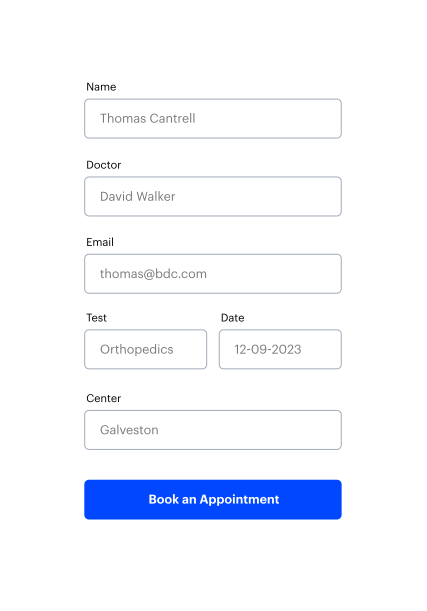
The intake process is often the first real interaction families have with your clinic. With LeadSquared, your team can respond to new inquiries faster and collect accurate information up front.
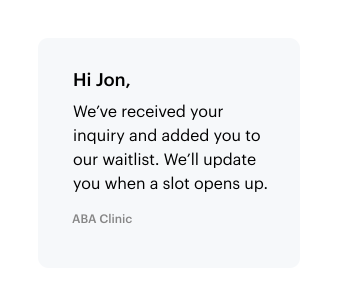
Just because a family is on the waitlist doesn’t mean communication should pause. Stay connected with your clients with LeadSquared to build trust and reduce drop-off.


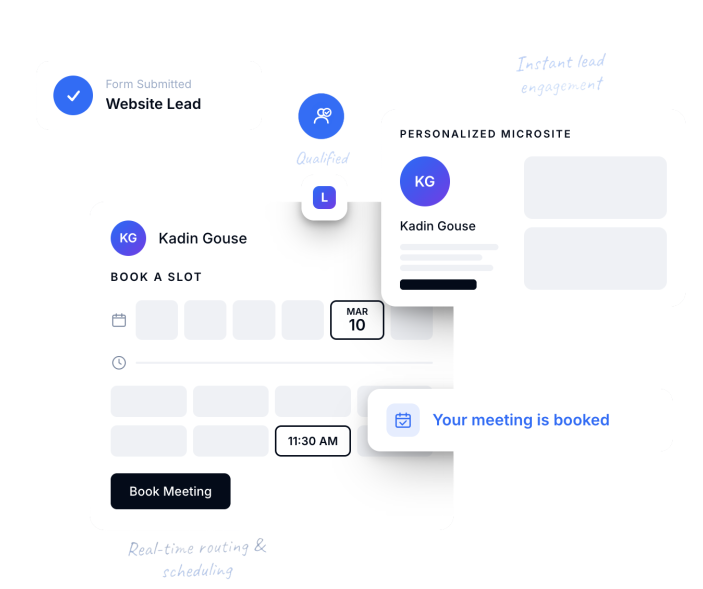
The moment a family submits a web inquiry, FloStack delivers relevant program information instantly. Families can self-schedule intake consultations in real time, receive immediate confirmations, and get clear next steps almost instantly.
Tracking supervision hours and keeping documentation organized shouldn’t slow your team down. With everything built into one platform, LeadSquared helps you stay compliant, prepared, and focused on care.
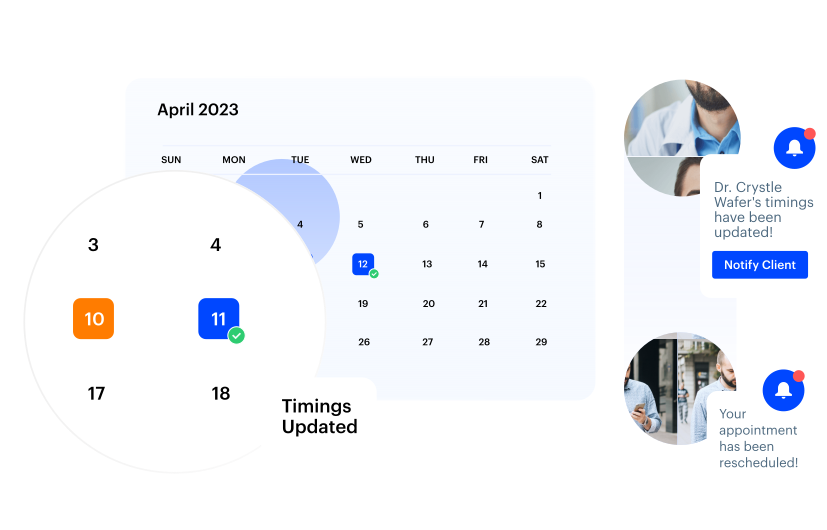

Build and manage structured referral programs with physician liaisons, school counselors, and community organizations. Automated follow-up cadences ensure no referral goes cold.
When a family submits a web inquiry, FloStack redirects them immediately to a personalized experience portal. Families can schedule intake consultations, access program information, and communicate with a coordinator before a staff member manually reviews the lead.
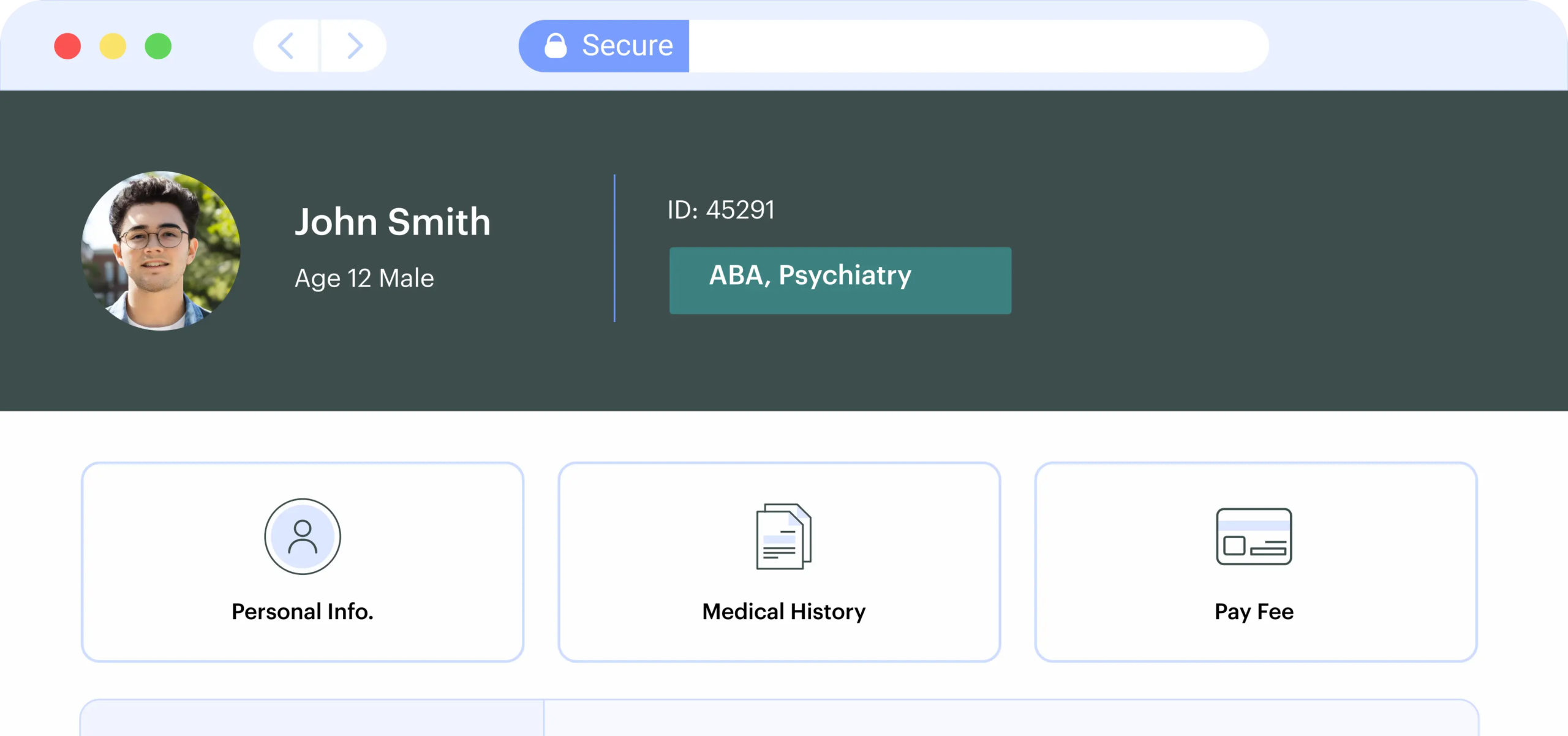
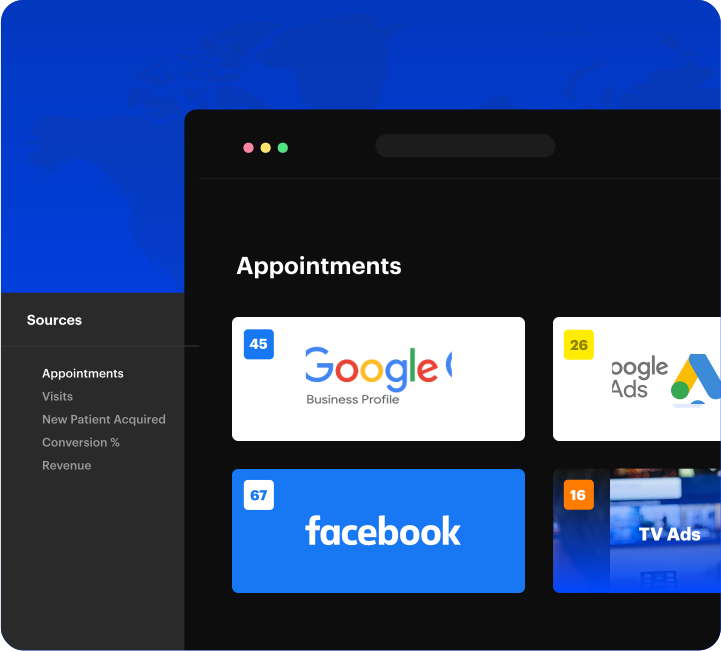
Run email, SMS, Google Ads, and Facebook/Instagram campaigns from a single platform. Track marketing attribution and ROI to identify which campaigns, channels, and referral sources convert to enrolled patients, and reallocate budget accordingly.
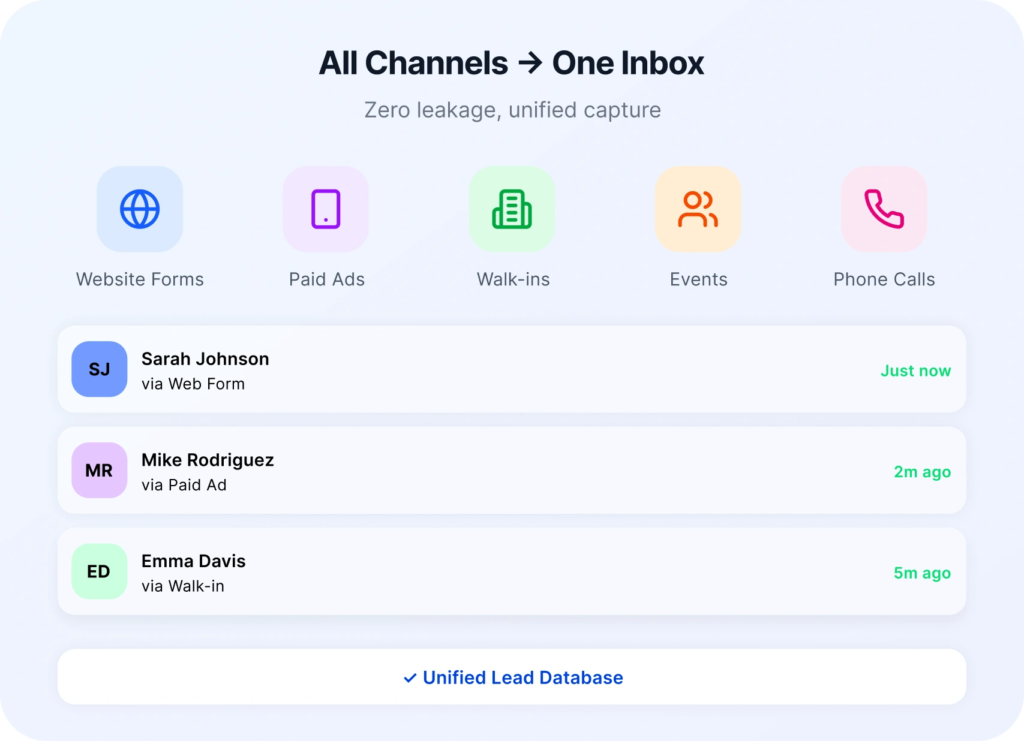
Every client inquiry is captured, scored, and routed to the right intake coordinator the moment it arrives. Automated first-response sequences engage families instantly, giving your ABA practice the response-time advantage. You can also configure client qualification rules based on your clinic’s specific criteria. Clients are automatically screened and matched according to their diagnosis, preferred location, or insurance details.
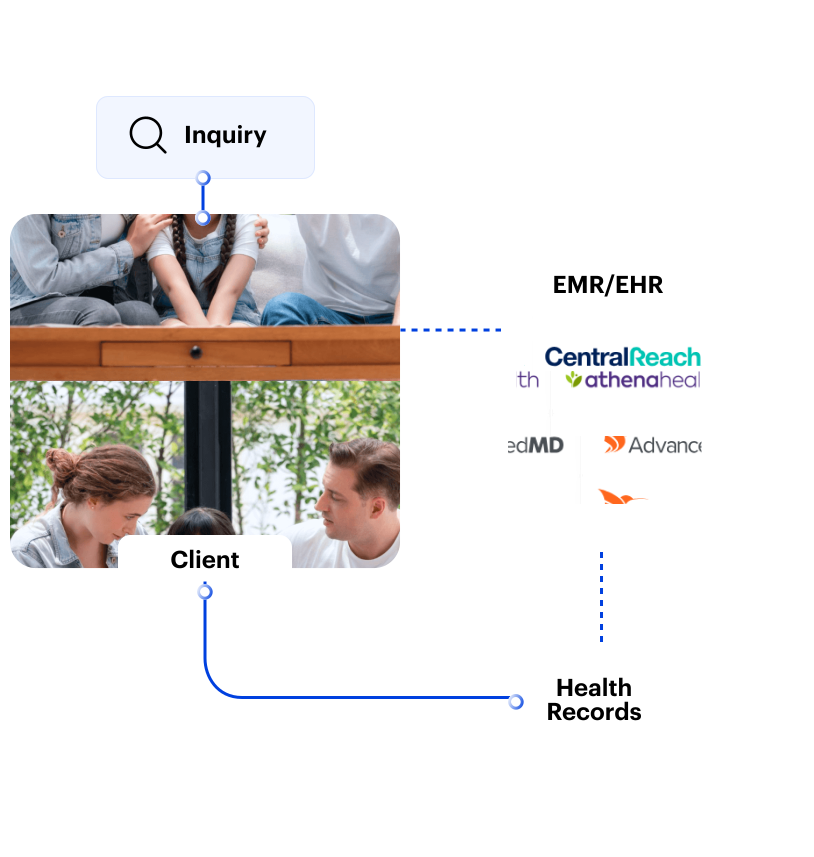
LeadSquared connects your patient management data with your EHR, scheduling, billing, and communication tools. No more manual data entry that leads to patient context loss.
LeadSquared streamlines the administrative workflows that support billing by helping teams manage referrals, authorizations, intake, and client communication in one place. Through integrations with platforms like CentralReach and insurance verification partners, providers can reduce manual work, improve data accuracy, and ensure clients are ready for a seamless transition into clinical and billing workflows.

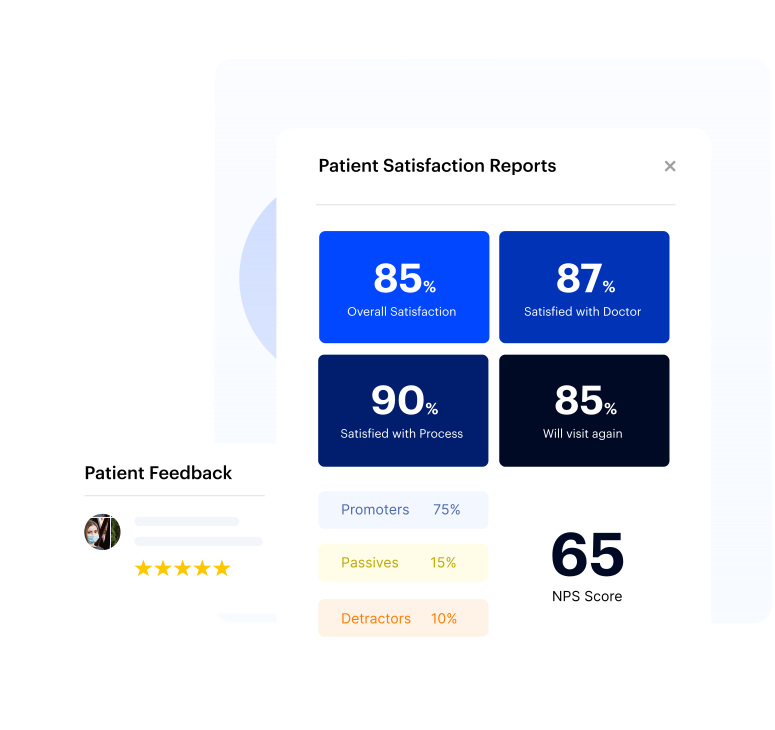
Track important metrics with our reporting and analytics tool. Get a clear view of how each client is doing, without needing to run reports by hand.
Most CRMs were built for B2B sales teams. Forcing them to manage the complexity of ABA patient intake, insurance authorizations, and long-term care coordination requires expensive customization that rarely delivers the outcome-based visibility ABA operations teams actually need.
LeadSquared makes a difference with a purpose-built ABA management platform, and here’s how:
| | LeadSquared | Generic CRM |
| Healthcare-native design | ✅ Built for ABA patient journeys | ❌ Repurposed from B2B sales |
| HIPAA compliance | ✅ Foundation-level, not an add-on | ⚠️ Requires costly add-ons |
| CentralReach integration | ✅ Confirmed, bidirectional | ❌ Custom dev required |
| ABA intake automation | ✅ No-code, out-of-the-box | ❌ Heavy configuration needed |
| Waitlist & authorization tracking | ✅ Built-in workflows | ❌ Manual workarounds |
| In-house implementation | ✅ Extended partner model | ❌ Outsourced consultants |
| Multi-location support | ✅ Native, center-level reporting | ⚠️ Limited without add-ons |
| Implementation cost | ✅ Lower than enterprise vendors | ❌ High licensing + consulting fees |
A men’s health and fertility practice streamlined patient engagement with automation, achieving 7× revenue growth without growing its team


LeadSquared is configured for your practice structure, not generically adapted. Providers who rely on LeadSquared’s ABA practice management software include:
Your ABA practice management software should match the way you work. We tailor the platform to fit your unique workflows. Setup, training, and ongoing support are all part of the service.



What is ABA practice management software and who needs it?
ABA practice management software (sometimes called ABA clinic software or applied behavior analysis practice management software) brings together schedules, billing, documentation, data collection, and compliance safeguards into one system. Solo providers may appreciate the simplicity and cost savings, while growing clinics benefit from scalability and automation. LeadSquared is built to support both small and larger practices without unnecessary complexity.
How does LeadSquared differ from Salesforce or HubSpot for ABA practices?
Salesforce and HubSpot are built for B2B sales pipelines and require extensive (and costly) customization to manage ABA-specific workflows.
LeadSquared’s ABA practice management software includes these capabilities out of the box, with in-house implementation support, HIPAA compliance as the foundation, and AI-driven automation designed specifically for behavioral health patient journeys.
Is ABA practice management software suitable for clinics of different sizes?
Not every platform is designed for all types of clinics. Some work well for solo providers who need simple, easy-to-use tools. Others are better suited for larger organizations with multiple locations and more complex workflows.
LeadSquared’s ABA practice management software is built to support clinics at different stages. Smaller practices can use it to manage intake, scheduling, and documentation without dealing with extra complexity. As your team grows, the same system can help coordinate staff, automate everyday tasks, and improve visibility across the clinic. For larger organizations, LeadSquared includes features like multi-location support, role-based permissions, detailed reporting, and integrations with tools like Salesforce or Athenahealth.
The key is to choose a platform that fits your current needs and can grow with your practice over time.
How does ABA practice management software support privacy and compliance?
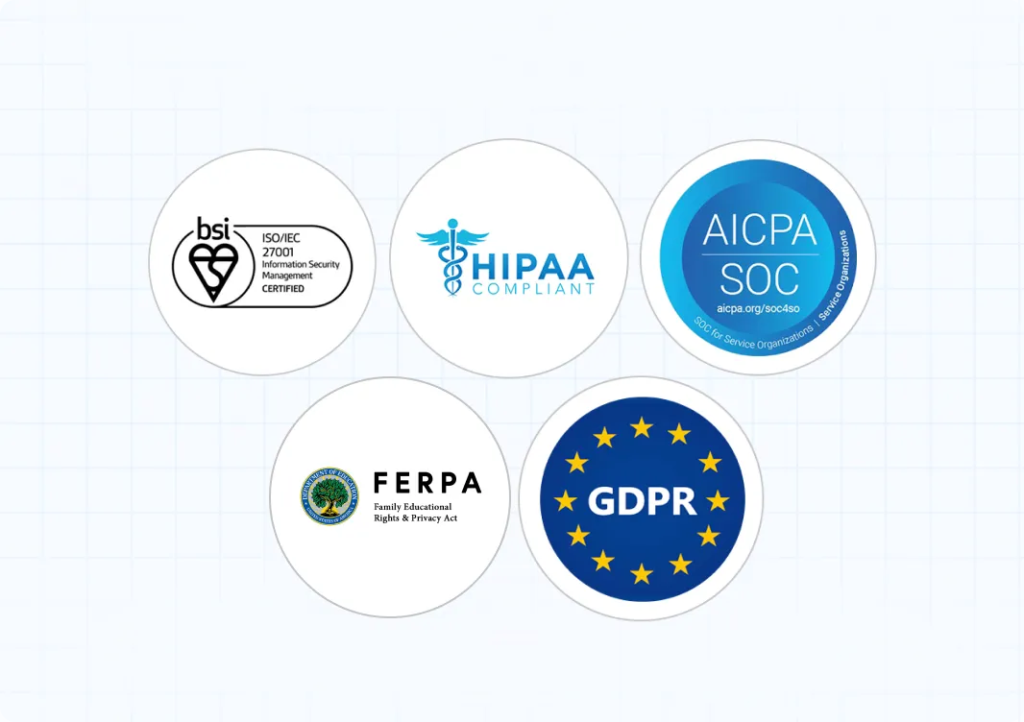
ABA software, including platforms like LeadSquared, is designed to help clinics meet privacy and compliance standards like HIPAA. It includes tools that keep client information secure and organized, whether you’re working in the clinic or out in the field.
Role-based access controls make sure that only the right people can view or update records. Every action is logged automatically, creating a clear record of who did what and when. All client data is encrypted and stored securely, with built-in protections to reduce the risk of errors or breaches.
Clinics can also share updates with families through secure, permission-based portals, making it easier to stay connected without compromising privacy. These features help reduce risk and simplify compliance, so teams can focus more on care and less on managing regulations.
What ongoing support and resources will be available for ABA clinics?
Many platforms and organizations offer ongoing education and support tailored to the needs of ABA professionals.
You can find regular live webinars and expert-led sessions that focus on topics like reducing compassion fatigue, building client independence, and improving day-to-day workflows.
There are also management workshops led by trusted names in the space, including the Association for Behavior Analysis International (ABAI) and Autism Speaks. These workshops provide actionable strategies you can apply to your practice.
For more flexible learning, curated resource libraries offer checklists, articles, and guides from sources like the Behavior Analyst Certification Board (BACB) and The Council of Autism Service Providers (CASP). These materials are great for staff training or reference.
Clinicians can also join peer communities, such as the ABA Subreddit or LinkedIn groups, where they can exchange ideas and get support from others facing similar problems.
How do you implement a new CRM for an ABA clinic?
Rolling out a new CRM in an ABA clinic starts with an alignment between your clinical and administrative teams. The goal is to make the switch without disrupting day-to-day care.
Here’s a simple framework to follow:
By taking a phased approach and choosing a CRM designed to meet the needs of ABA care, you’ll set your team up for smoother operations and better client outcomes.
What is the best CRM for ABA clinics?
The best CRM for an ABA clinic depends on the size of your practice, your workflow complexity, and how much integration or automation you need. At a minimum, a good ABA-focused CRM should help you manage client intake, scheduling, documentation, supervision tracking, and billing—all while staying HIPAA-compliant.
Many ABA clinics look for features like:
CRMs/practice management software like LeadSquared, CentralReach, AlohaABA, and Theralytics are good choices that offer varying levels of support for ABA workflows.
LeadSquared, for example, combines CRM capabilities with intake automation, waitlist management, and integrated communication, which works for both small clinics and large multi-site providers.
How to utilize AI in an ABA CRM for lead scoring and chatbot functions?
AI can support ABA intake in two key areas: prioritizing leads and handling early-stage conversations. With the newest capabilities, you can now use native AI-driven scoring alongside an AI-powered chatbot to capture, engage, and qualify families more efficiently.
AI lead scoring and prioritization
LeadSquared’s ABA CRM now includes AI Conversion Propensity, which predicts the likelihood of a lead converting based on historical win data and lead attributes. This means you can identify hot or warm leads automatically, without manually building complex scoring rules. The system can also:
These AI scores and insights can still work alongside traditional rules-based scoring. For example, you might continue to factor in distance to clinic or service fit, then let the AI model refine prioritization based on patterns your team might miss.
AI chatbot for ABA intake
LeadSquared also offers an AI-powered chatbot, which can:
Why both matter together
AI scoring ensures your coordinators focus on families most likely to start services, while the chatbot ensures every lead gets a timely, accurate, and personalized first touch — even when your team is unavailable. Combined, they reduce manual triage, prevent lost opportunities, and speed up the path from inquiry to scheduled assessment.
Can a CRM replace Podio for ABA patient intake tracking?
Yes, an ABA-focused CRM or practice management platform like LeadSquared can replace Podio for intake tracking, as long as it offers the same flexibility for managing stages, tasks, and communication. Podio is known for being highly customizable, but it is not built specifically for ABA workflows. A specialized system can give you the same control while also streamlining the process for your team.
In a platform like LeadSquared, you can create custom intake pipelines that mirror your exact process, from the first inquiry through assessment, authorization, and therapy start. Each stage can have automated actions, such as sending reminders to families, assigning tasks to coordinators, or triggering eligibility checks. This means you do not need to manually move cases forward or track updates in separate spreadsheets.
You can also log all patient interactions—calls, emails, text messages—directly in the patient’s record. This gives intake teams and clinical staff a single view of where each case stands without switching between apps. Filters and dashboards make it easy to see how many patients are in each stage, which cases are stuck, and where follow-up is needed.
Unlike a general project management tool, an ABA-specific CRM can also integrate with EHR features, billing workflows, and insurance verification tools. This keeps intake connected to the rest of your operations, reducing the risk of delays or lost information.
For clinics managing multiple coordinators or locations, role-based access controls ensure each team only sees the patients they are responsible for, while leadership can still view performance across the board. Over time, reports on stage duration, conversion rates, and bottlenecks help refine the process and improve efficiency.
The main advantage of switching from Podio to a dedicated ABA CRM is that you keep the customization you are used to but gain built-in tools designed for patient intake, compliance, and ongoing case management.
How to automate authorization tracking for ABA patients?
Keeping track of insurance authorizations is one of those tasks that can easily lead to errors if handled manually. Missed renewal dates or expired authorizations can lead to denied claims, service interruptions, and a lot of extra admin work. Automating the process helps clinics stay precise in the efforts without constant manual checks.
In an ABA practice management platform like LeadSquared, you can store authorization details for each patient, including start and end dates, number of approved hours, and remaining balance. From there, you can set up automated alerts based on specific triggers, such as when an authorization is within 30 days of expiring or when approved hours drop below a set threshold.
These alerts can go to the right person at the right time, whether that is the billing team, the clinician, or the intake coordinator. You can also set reminders to generate new authorization requests or follow up with payors before deadlines.
Some clinics create custom fields to track different types of authorizations, such as assessment and ongoing therapy, and then link them to workflows. This ensures that renewal tasks, patient notifications, and document uploads all happen in sequence without staff having to track every step manually.
Dashboards make it easy to see the status of all active authorizations in one place, across patients and locations. You can filter by expiration date, payer, or provider to focus on the cases that need immediate action. This not only keeps the process organized but also gives leadership a clear view of potential billing risks.
How to track patient journey from first contact to services in an ABA clinic?
In ABA clinics, a patient’s journey usually involves many handoffs (from referral to insurance checks, to assessments, and finally, to treatment). Without a clear system, it’s easy for steps to get missed or delayed. So, you must set up a process that makes every stage visible and helps staff know what needs to happen next.
The first step is defining your stages. Keep them simple and reflective of how your clinic works. For example: Referral received, Contacted, Documents submitted, Insurance verified, Assessment scheduled, Assessment completed, Authorization approved, and Treatment started. These stages give you a shared language for where each patient stands.
Next, capture the fields that matter most. Alongside the stage, record dates (like referral, assessment, and treatment start), payer information, approved hours, and authorization expiry. Requiring these fields ensures your reports are meaningful and automation can run reliably.
Once stages and fields are in place, store them in one system. A healthcare CRM or ABA practice management software works well because it can hold documents, tasks, call notes, emails, and stage changes within the patient record.
Automation then helps move things forward. For example, when insurance documents are uploaded and verified, the system can automatically advance the record to “Insurance verified” and create the next task. When authorization arrives, it can move the patient to “Authorization approved” and notify scheduling. Automating these transitions reduces manual work and keeps the funnel moving.
Ownership is just as important. Each patient record should have a clear owner, with backup assignments if it sits too long in one stage. Alerts or SLAs also help make sure families don’t get stuck.
To handle exceptions, build in a review process. If OCR or data capture is uncertain, send the record to a verification queue where staff can confirm values against the original file.
With everything in place, dashboards can provide a clear view of your funnel: how many patients are at each stage and where delays happen most often. Adding filters by payer, location, or age group helps managers spot patterns and act quickly.
A few core metrics to track are: conversion rate from referral to treatment, average time in each stage, drop-off rates, and authorization turnaround times. Reviewing these regularly with your intake team will keep the process efficient.
Finally, communication. Automated reminders, updates, and confirmations help families stay updated. Some clinics also give families a self-service option to check their status, which adds transparency and reassurance.
How does ABA data collection software simplify therapy sessions?
A good ABA data collection system lets therapists log behaviors, goals, triggers, and session details directly during therapy—on desktop, tablet, or smartphone—even if they’re offline. Platforms produce visual dashboards, charts, and progress summaries without manual exporting or graphing. This removes the burden of post-session documentation and provides quick insight into client progress.
Can ABA billing software streamline insurance claims and payments?
Yes. From ABA billing software to full revenue cycle management within ABA practice management systems, clinics can submit claims directly, verify coverage ahead of time, post payments, reconcile accounts, and follow up on denials—all within the same platform. LeadSquared, as well as well-known tools like CentralReach and TherapyNotes, offer different levels of these features to suit diverse clinic needs.
Which features make for the best ABA software?
The best ABA software combines intuitive ABA data collection apps, billing support, scheduling, compliance controls, and reporting tools—all in one place. Key capabilities include:
Is there free ABA data collection software or apps available?
Some providers offer free or low-cost ABA data collection apps focused on core tracking, usually for individual clinicians or small practices. However, full ABA practice management software typically requires a paid plan to access billing, reporting, scheduling, and compliance features. If you’re looking for a standalone ABA data collection system, make sure you’re ready for possible future costs when adding layers like billing and invoicing.
How can ABA clinics reduce the administrative burden on their staff?
Admin tasks like scheduling, documentation, billing, and coordination can take up a large chunk of time in an ABA clinic. To reduce this workload, it’s important to automate wherever possible and streamline the rest.
Modern ABA scheduling software like LeadSquared help by centralizing day-to-day operations. For example, you can automate client intake, use pre-built templates for session notes, and trigger billing workflows right from completed documentation. Smart scheduling tools reduce the back-and-forth of finding open slots, and real-time dashboards eliminate the need to pull manual reports.
Solutions like LeadSquared combine multiple functions like CRM, billing, communication, and reporting in one place. That means a smoother experience for staff.
How can we efficiently manage referrals from funding sources in ABA?
Managing referrals from funding sources like insurance providers, Medicaid, or regional centers can be much smoother with a structured process in place. It helps to use an ABA practice management system, like LeadSquared, that allows your team to track and organize referrals.
Start by setting up a clear workflow for how these referrals are received, reviewed, and followed up. Assign specific staff to handle incoming referrals and use the practice management software to log each one with important details like funding source, service type, referral date, and next steps.
With tools like automated task assignments, reminders, and status updates, you can ensure no referral gets lost. Using built-in templates and document storage also helps streamline the response process, making it easy to send forms, gather information, and stay on top of deadlines.
What are the solutions for parsing information from insurance documents and emails using AI in ABA?
In ABA, insurance paperwork and payer emails often slow down intake and billing because staff must manually read through them and type the details into your system. AI-powered document parsing speeds this up by automatically pulling the important information for you.
For documents, an AI tool can scan PDFs or images—like insurance cards, benefit summaries, authorization letters, or Explanation of Benefits (EOBs)—and identify the key fields you need. This might include the member ID, plan name, group number, ABA coverage details, authorized hours, CPT coverage, and payer contact info. Some tools even tell you how confident they are in each value they capture and highlight where they found it, making review much quicker.
For emails, AI can read and categorize incoming messages from payers, so they go to the right person or workflow immediately. It can also pull out the key points—like whether the email is about eligibility, missing information, an authorization decision, or claim status—and save attachments in the right place. This keeps everything tied to the correct patient record and prevents duplicate entries when multiple replies come in.
There are different types of tools available, from general-purpose document AI platforms to healthcare-specific parsers. The right choice depends on how many documents you process, how varied they are, and what your HIPAA compliance requirements are. Many clinics start with a simple template-based system for their most common payers, then expand to more flexible AI models as their needs grow.
To get the most out of AI parsing, you’ll need to set it up with your process in mind. Decide which fields you need for intake and billing, link them to your system, and set rules for which fields are required. Create a process for reviewing anything the AI is unsure about. Keep security top of mind by removing unnecessary PHI, encrypting all data, and ensuring your vendor will sign a BAA.
Once it’s running, you can automate the next steps. For example, if the parser sees that pre-authorization is required, it can automatically create a task for your team. If authorized hours are running low or an approval is close to expiring, it can trigger reminders or start a renewal process. Dashboards can show you how quickly documents are processed and where delays happen.
LeadSquared doesn’t perform full AI parsing of documents or emails by itself, but it can be part of this setup. It supports Optical Character Recognition (OCR) for scanning physical documents, as well as barcode and QR code reading. With OCR enabled through a third-party integration, you can scan insurance cards or other paperwork, capture the details directly into patient records, and store the source file for reference. Combined with LeadSquared’s automation, you can instantly assign follow-up tasks, update records, or trigger reminders—keeping your intake and billing workflows in one connected system.
How to automate insurance verification for ABA patients (e.g., integrating with tools like Health Harbor)?
Insurance verification can be one of the most time-consuming steps in the ABA intake process. Calling payors, confirming coverage, and documenting the details often slows down the timeline for starting services. Automating this step not only saves staff time but also reduces the chance of missed information or errors.
With a system like LeadSquared, you can integrate directly with several insurance verification tools such as Health Harbor. When a new patient inquiry comes in, the system can automatically send their details to the verification service. Once the check is complete, the verified information can flow back into the patient record without anyone needing to retype it.
You can also set up workflows that trigger based on verification results. For example, if coverage is confirmed, the intake coordinator could be assigned a task to move forward with scheduling. If coverage is denied or limited, the system could route the case to a billing specialist to discuss payment options with the family.
All verification data, such as policy numbers, effective dates, and coverage notes, can be stored in custom fields for quick reference. This eliminates the need to dig through email threads or handwritten notes when questions come up later.
Automating insurance verification also makes it easier to track metrics. You can report on average verification times, approval rates by payer, or the number of cases that stall due to coverage issues. Over time, this data can help refine your intake strategy and spot bottlenecks before they impact patient onboarding.
Solutions for collecting insurance documentation and diagnosis reports digitally for ABA patients?
You can use an ABA practice management software to make it easy for families to send documents, and for staff to verify and attach those files to the right patient record. Do both, and intake moves faster. Here’s how you can do it.
You can start with simple upload options for patients. Offer a secure web form, a mobile-friendly upload page, and an option to send a single-use upload link by text or email.
Collect a few key fields with each upload. Ask the family to identify document type (insurance card, authorization, diagnostic report), patient name, date of birth, payer name, and date of service. Those small pieces of metadata let the system attach the file to the correct record automatically.
Provide clear instructions and an example checklist. Tell families to send the front and back of the insurance card, include policy and group numbers, and upload the cover letter or authorization page for approvals. Show acceptable file types and size limits so uploads succeed the first time.
Automate routing of these documents with the CRM so they land with the right team. Route insurance cards to billing, authorizations to the authorization queue, and diagnosis reports to clinical intake. Create exception queues for items that need human review. That keeps staff focused only on files that require action.
You can also use OCR, barcode, or QR capture to reduce typing. CRMs like LeadSquared offer barcode and QR capture and also link with OCR tools to make scanning documents easier.
OCR can pull member IDs, policy numbers, and dates from photos or PDFs. Barcode and QR scanning capture encoded data instantly when present. Require a quick verification step for any low-confidence OCR result so errors are caught before they flow into billing or authorizations.
Keep a short, visual QC step for staff. Show the original image next to the extracted fields and let the reviewer confirm or edit values with one click. Critical items such as payer name, member ID, and authorized hours, require verification before advancing the intake stage.
Next, you can tie parsing to workflows. When a parsed document shows pre-authorization is needed, automatically create an authorization task. If authorized hours are low or an expiration date is near, you can trigger reminders to billing. If a diagnosis report is missing, send the family an automated reminder with the upload link.
You must store and secure documents correctly. Use encrypted uploads and encrypted storage, maintain an audit log of access, and require BAAs from any vendor that touches PHI. Keep a clear retention policy and a version history so you know which document is current.
Name and organize files consistently. Tag each file with type, date, and source. Keep one active version on the patient record and clearly mark older versions. That prevents confusion when multiple uploads arrive for the same authorization or card.
Integrate where it saves time. You can send parsed fields to your billing or EHR system, so staff do not re-enter data. Hook parsed fields into your insurance verification tool so checks can start automatically.
You can also provide fallback options for families who cannot upload their documents. Allow secure faxing, in-clinic scanning, or a phone-assisted upload where staff guide the process. Make sure staff enter these records the same way so your reporting stays consistent.
How much does ABA practice management software cost for US providers?
LeadSquared’s pricing is structured to deliver enterprise-grade capability at a lower total cost than Salesforce or legacy healthcare CRM platforms. Pricing varies based on practice size, number of locations, and required integrations. Contact the LeadSquared team for a custom quote tailored to your practice’s needs.
Can we customize the platform for our specific intake and care coordination workflows?
Yes. LeadSquared is fully configurable. You can customize intake stages, field definitions, pipeline views, qualification rules, automation triggers, and dashboards to match your practice’s unique processes.
Can LeadSquared support our multi-location ABA network?
Absolutely. LeadSquared is natively configured for multi-location operations. Center- and network-level reporting provide both location managers and organizational leaders with the visibility they need.
Role-based access controls, territory management, and configurable dashboards ensure each location’s team sees what’s relevant to them.
How quickly can our ABA practice implement the platform?
LeadSquared’s in-house implementation team works directly with your practice to configure the platform to your existing workflows.
Most ABA practices are fully operational significantly faster than with enterprise CRM alternatives. Because the implementation team is in-house, there’s no knowledge gap between the people who built the platform and the people deploying it for your team.


