





- Home

- Learn
- Healthcare
- 5 best healthcare CRM to integrate with DrChrono to streamline lab workflows
HEALTHCARE
5 best healthcare CRM to integrate with DrChrono to streamline lab workflows
Contents

 15 min read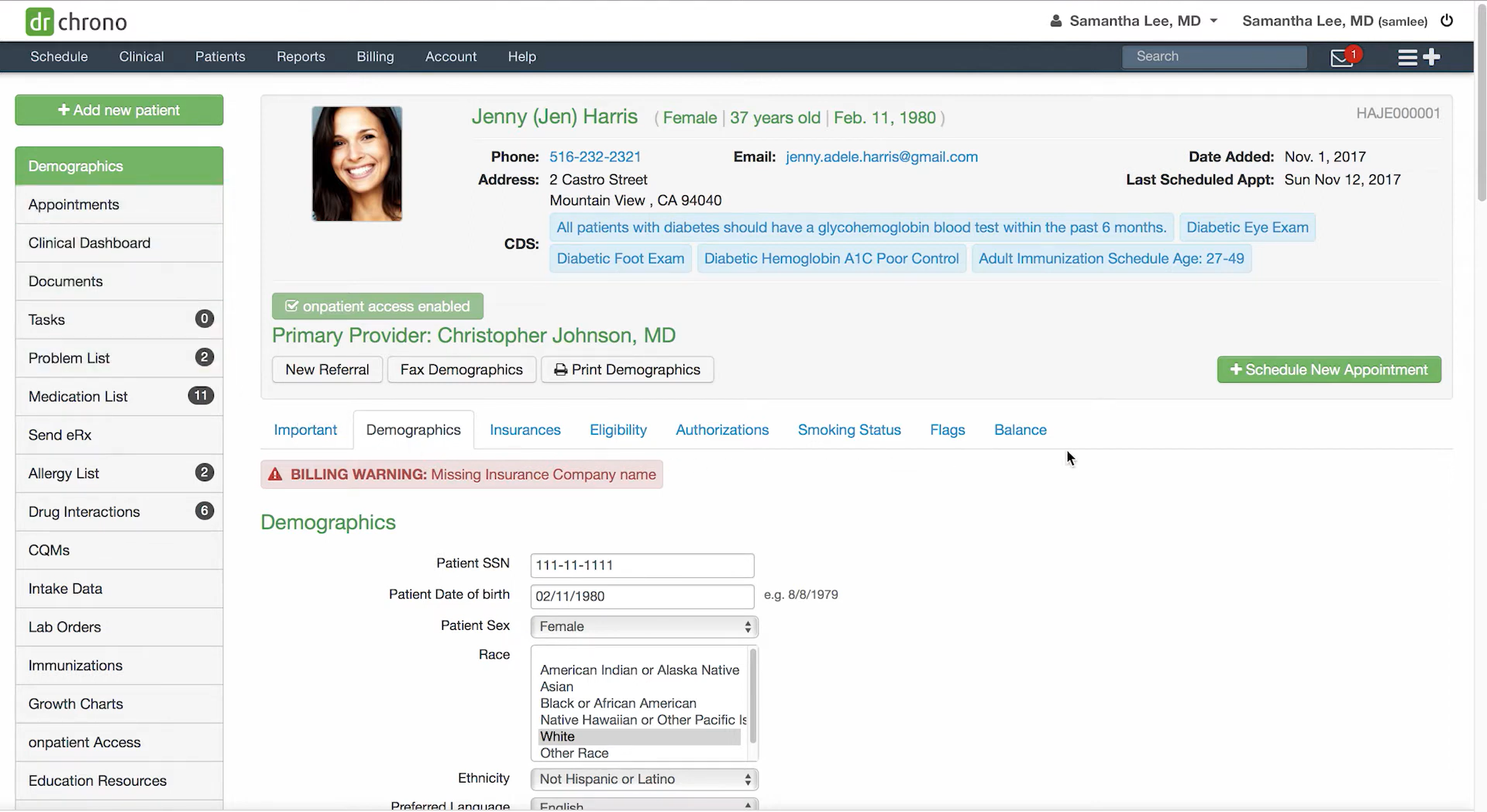


If your practice already uses DrChrono EHR, you probably rely on it for many core clinical workflows. The platform helps providers manage patient charts, schedule appointments, send prescriptions, and place diagnostic orders such as laboratory tests directly from the patient record.
Systems like DrChrono are designed to keep clinical information organized in one place. When a provider documents a visit, orders a test, or reviews results, those records become part of the patient’s medical history inside the EHR.
However, running a healthcare practice involves more than maintaining clinical records. Many day-to-day activities revolve around communicating with patients and coordinating what happens before and after care is delivered.
For example, staff may need to remind patients about upcoming appointments, send preparation instructions before lab tests or procedures, follow up after visits, or encourage patients to complete recommended care.
These types of engagement workflows often extend beyond the core functions of an EHR.
This is where healthcare CRM platforms can help. When integrated with DrChrono, a CRM can automate patient communication, organize outreach workflows, and help practices manage the many interactions that happen throughout the patient journey.
In this guide, we’ll explore how healthcare CRM integration with DrChrono works and look at five of the best healthcare CRM platforms that can integrate with DrChrono to streamline patient communication and operational workflows.
When people talk about integrating a healthcare CRM with DrChrono EHR, they are referring to connecting two systems so they can share information automatically and support the same workflows.
In most clinics, the EHR remains the system where clinical information is stored and managed. The CRM works alongside it, using selected data to automate communication and operational processes.
In simple terms, integration means linking the CRM with DrChrono so both systems can exchange information securely.
DrChrono continues to act as the clinical system of record. This is where providers manage patient charts, appointments, prescriptions, lab orders, and diagnostic results.
The healthcare CRM, on the other hand, uses specific data points from the EHR to trigger communication workflows.
For example, if a provider orders a laboratory test in DrChrono, the CRM can automatically respond to that event. It may send preparation instructions, remind the patient to complete the test, or follow up if the test has not been completed within a certain timeframe.
Because these actions are triggered automatically, staff no longer need to manually track each step of the process. The integration helps ensure that important patient communications happen consistently.
Below are some of the most common areas where CRM integration can make a meaningful difference.
Laboratory testing often involves several steps after the initial order is placed. Patients may need instructions before the test, reminders to complete it, and follow-up once results become available.
When a lab test is recorded in DrChrono, a CRM integration can automatically support the process by:
Automating these steps helps practices ensure that important diagnostic workflows continue smoothly without requiring constant manual tracking.
Healthcare CRM platforms can also help practices manage communication around appointments.
Once connected to DrChrono scheduling data, a CRM can automatically send:
These automated messages help reduce missed appointments and keep provider schedules running more efficiently.
CRM integrations can simplify the process of preparing patients for their visits. For example, clinics may send digital intake forms, request document uploads, or share preparation instructions before an appointment.
This allows patients to complete administrative steps ahead of time, which can reduce wait times and streamline front-desk operations.
Patient communication does not end when a visit is completed. A CRM can help practices stay connected with patients afterward by automatically sending follow-up messages, care reminders, or satisfaction surveys.
These workflows help clinics maintain consistent communication with patients and support ongoing care coordination beyond the initial appointment.
Here are a few key factors practices should evaluate before choosing a healthcare CRM to integrate with DrChrono.
The most important consideration is whether the CRM can integrate reliably with your EHR system. A good healthcare CRM should be able to synchronize patient information, appointments, and key clinical events, so workflows can trigger automatically. This type of interoperability prevents duplicate data entry and ensures that patient communication stays aligned with what is happening in the EHR.
A strong healthcare CRM should support automated patient communication across multiple channels such as SMS, email, and messaging portals. Automation can trigger appointment reminders, follow-up messages, and preventive care reminders based on events recorded in the EHR. These tools help practices stay connected with patients without increasing staff workload.
Because healthcare organizations handle sensitive patient data, security should always be a top priority. Look for CRM platforms that support HIPAA-compliant infrastructure, encryption, role-based access controls, and audit logs to protect patient information and maintain regulatory compliance.
Finally, reporting tools can help practices understand patient engagement, appointment trends, and communication performance. Analytics dashboards allow healthcare teams to track operational metrics and make data-driven improvements to patient workflows over time.
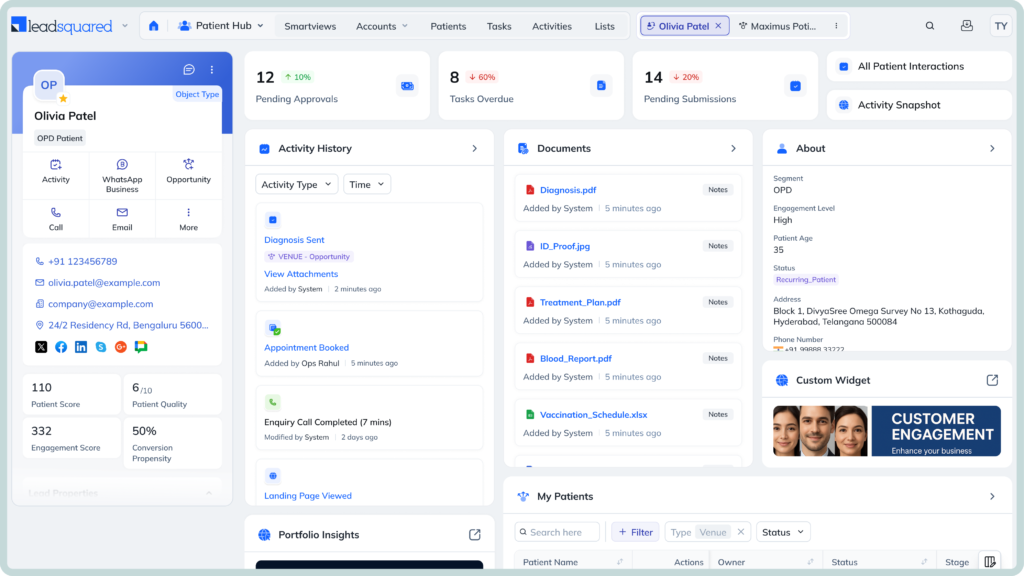
LeadSquared is a purpose-built healthcare CRM designed to help clinics, hospitals, and specialty practices manage the entire patient journey—from the first inquiry to appointments, follow-ups, and long-term engagement. Instead of focusing on clinical records like an EHR, the platform focuses on patient engagement, intake workflows, and operational coordination around patient care.
When integrated with an EHR system such as DrChrono, LeadSquared can use patient and appointment data from the EHR to trigger automated workflows inside the CRM. For example, when a lab test is ordered or a visit is scheduled, the CRM can automatically send preparation instructions, reminders, or follow-up messages to patients.
• Purpose-built healthcare CRM designed for patient acquisition, intake, and engagement workflows.
• Supports multi-channel patient communication including SMS, email, calls, and messaging platforms.
• Automates workflows such as appointment reminders, intake coordination, and follow-up communication.
• Provides digital intake forms and document collection to streamline patient onboarding.
• Offers analytics and reporting to track patient journeys, engagement metrics, and operational performance.
• Supports integration with EHR systems such as DrChrono through APIs, allowing patient records, appointments, and engagement data to sync between the CRM and EHR.
• Pricing may become higher for larger teams or when additional integrations and communication channels are required.
• Because LeadSquared includes advanced automation and workflow capabilities, teams may need proper training to fully understand and use all features effectively.
• Pro – around $60 per user/month
• Super – around $100 per user/month
• Enterprise – custom pricing based on organization size, integrations, and support requirements.
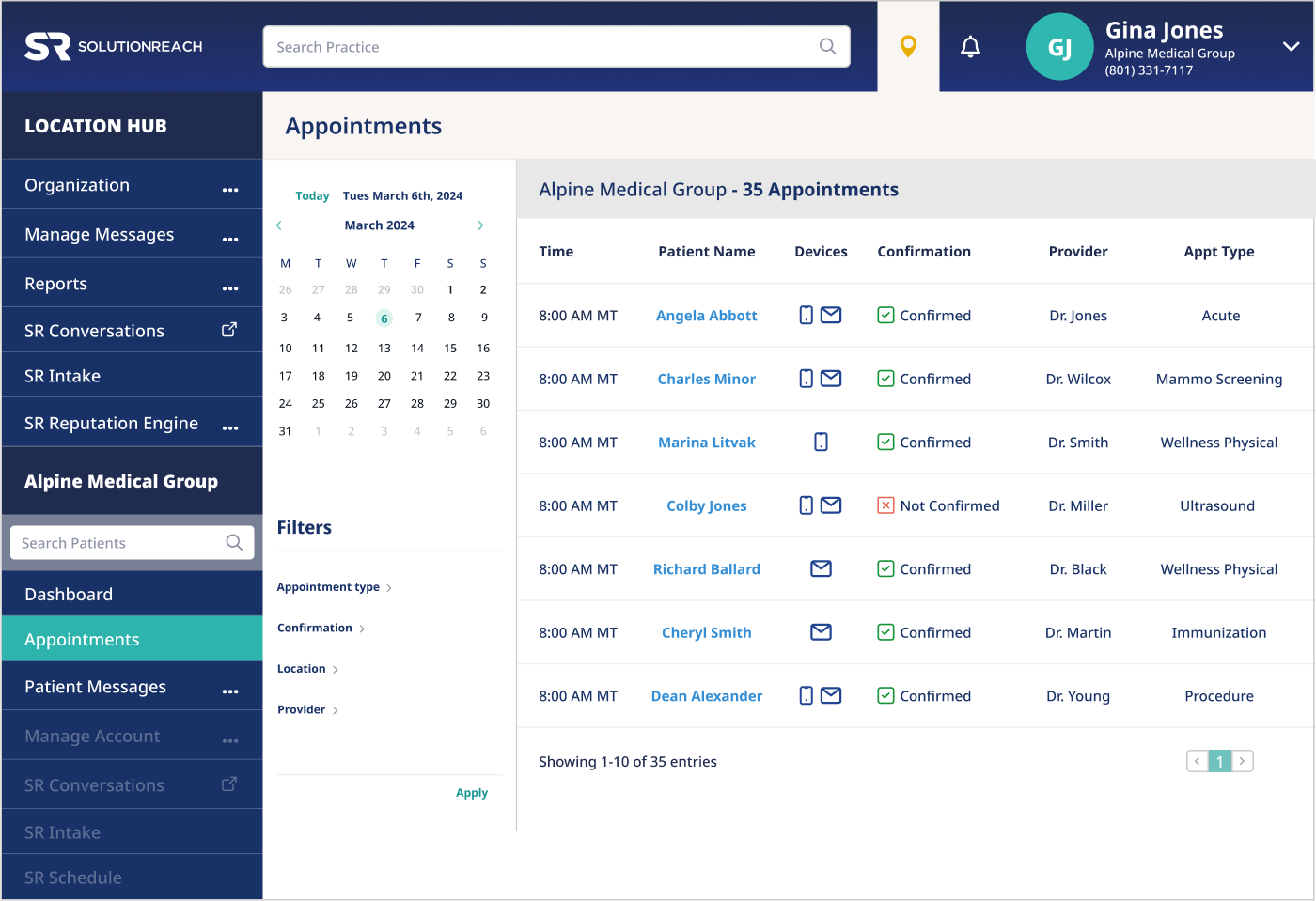
Solutionreach is one of the longest-running patient engagement platforms in healthcare, helping practices manage communication with patients across the entire care journey. Originally built to simplify patient messaging and appointment reminders, the platform has evolved into a comprehensive engagement system that supports scheduling coordination, recalls, surveys, reputation management, and two-way texting with patients.
What makes Solutionreach notable is its focus on automating patient communication at scale. The platform integrates with DrChrono EHR, allowing it to automatically use appointment and patient data from the system to trigger reminders, follow-ups, and outreach campaigns.
• Designed specifically for healthcare patient engagement and communication workflows.
• Integrates with DrChrono, allowing appointment and patient data to sync automatically between platforms.
• Automates appointment reminders, recalls, and follow-up messaging through SMS, email, or voice notifications.
• Includes online scheduling, digital intake forms, and patient surveys to streamline front-office operations.
• Provides two-way texting and centralized communication tools for real-time patient interaction.
• Focuses primarily on patient communication and engagement, so it may not offer the full workflow automation capabilities of a comprehensive healthcare CRM.
• Pricing is not publicly listed and typically requires contacting the vendor for a customized quote.
• Essentials – basic patient communication tools such as reminders and scheduling.
• Plus – includes digital intake, surveys, and reputation management.
• Enterprise – advanced capabilities for multi-location healthcare organizations.
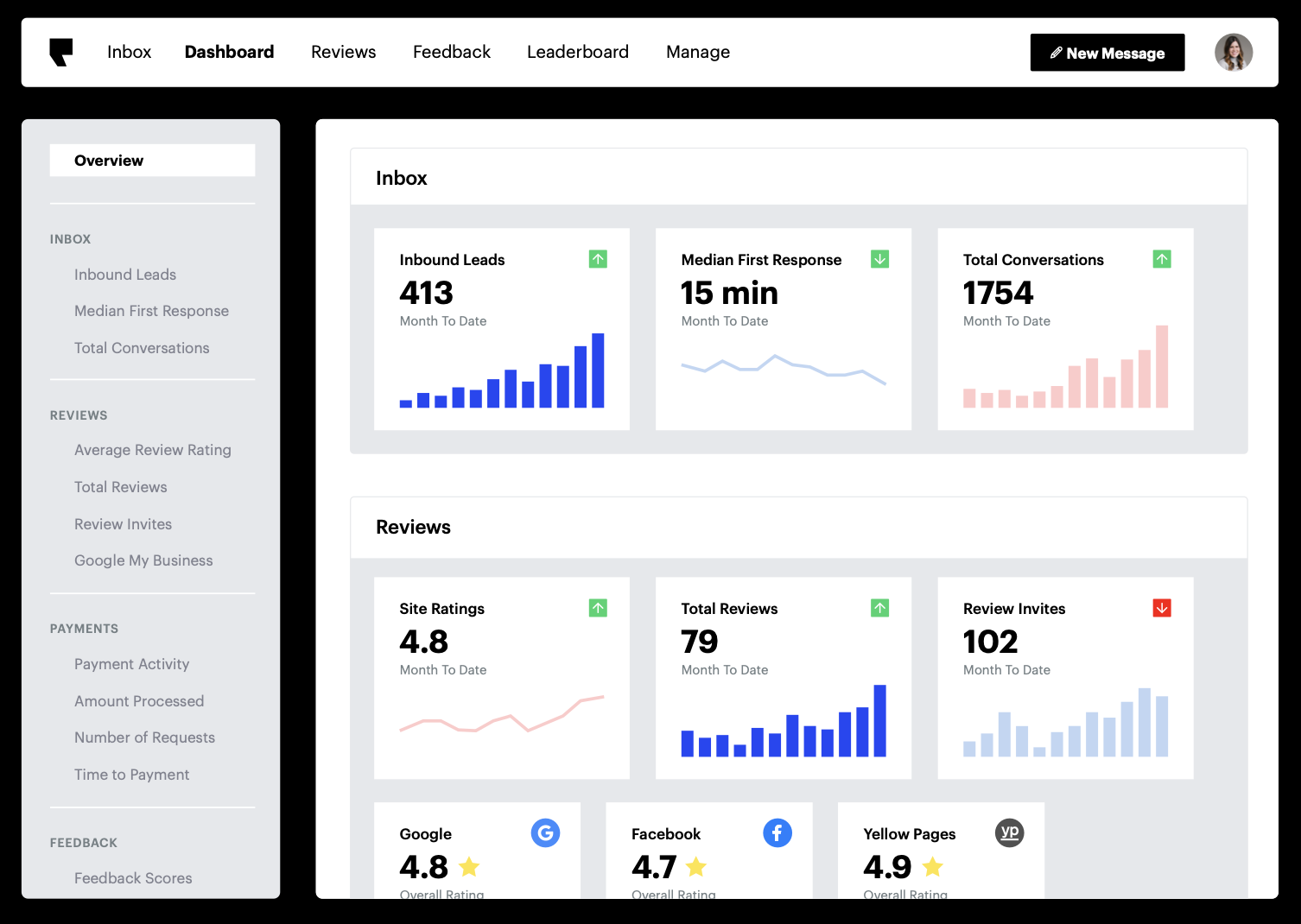
Podium is best known as a business messaging and reputation management platform, rather than a traditional healthcare CRM. The platform became popular among service-based businesses because it centralizes conversations from text messages, website chat, social media, and review platforms into a single inbox.
For healthcare practices, this messaging-first approach can be useful because many patients prefer texting over phone calls. Podium allows clinics to communicate with patients through SMS, request online reviews after visits, and respond to inquiries from different channels without switching between multiple communication tools.
Podium works alongside an EHR such as DrChrono to support patient communication workflows around appointments and care coordination.
Pros
• Centralizes patient communication across SMS, website chat, calls, and social messaging into one inbox.
• Helps healthcare practices collect and manage online reviews automatically after patient visits.
• Includes automated messaging and appointment reminder workflows through text messaging.
• HIPAA-compliant messaging capabilities when configured appropriately for healthcare use.
Cons
• Primarily designed for messaging and reputation management rather than full healthcare CRM functionality.
• Integration with healthcare systems may require middleware or additional configuration depending on the practice’s software stack.
Pricing
• Core messaging and communication tools available through subscription plans.
• Pricing is typically custom-quoted based on organization size and feature requirements.
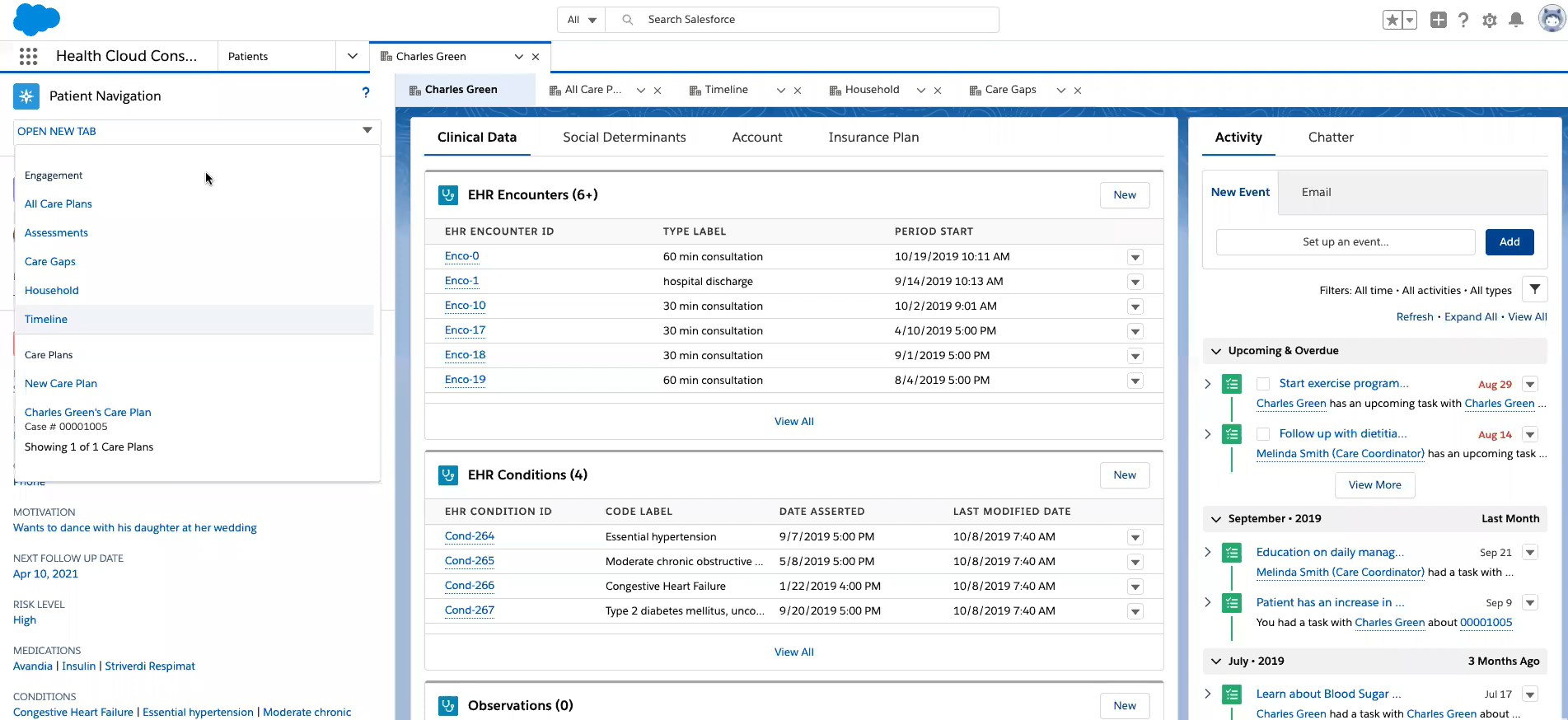
Built on the broader Salesforce ecosystem, Salesforce Health Cloud is designed to give healthcare organizations a unified view of patients, care teams, and engagement history across multiple systems.
The platform is often used by larger healthcare organizations that want to bring together information from many sources, including EHR systems, insurance systems, and patient engagement tools.
When integrated with DrChrono, the platform can sync information such as patient demographics, appointment data, and care updates from the EHR into the CRM.
• Designed specifically for healthcare organizations and built on the Salesforce CRM ecosystem.
• Integrates with EHR systems using healthcare interoperability standards such as FHIR APIs, enabling secure data exchange between clinical systems and the CRM.
• Provides a unified patient profile that combines clinical, demographic, and engagement data in one view.
• Includes advanced analytics, dashboards, and AI tools to identify care trends and improve patient outcomes.
• Supports care coordination workflows that allow multiple providers and teams to collaborate around patient care.
• Implementation often requires customization and technical expertise because the platform is highly configurable.
• Pricing can be significantly higher than many standalone patient engagement or healthcare CRM tools.
• Enterprise — about $350 per user/month (billed annually)
• Unlimited — about $525 per user/month
• Agentforce editions — about $750 per user/month depending on advanced AI and analytics features.

Updox is a healthcare communication and collaboration platform designed to help clinics manage patient messaging, document exchange, and care coordination in one place. One of the reasons Updox is widely used in healthcare is its ability to replace many traditional communication tools—such as fax machines, phone reminders, and paper forms—with secure digital workflows.
When integrated with DrChrono, Updox can connect communication and document workflows directly to the EHR. For example, staff can send secure text messages to patients, manage inbound and outbound faxes, share documents, and coordinate internal tasks while keeping patient information linked to the medical record. The platform is available in the DrChrono App Directory, allowing practices to add tools such as secure messaging, digital fax, reminders, and video communication to their existing EHR workflows.
• Available in the DrChrono App Directory, enabling integration with the EHR to support communication and document workflows.
• Provides HIPAA-compliant secure texting, allowing providers to communicate with patients without exposing protected health information.
• Includes digital fax (eFax) capabilities that allow practices to send and receive documents directly from their EHR instead of using traditional fax machines.
• Supports multiple patient engagement tools such as reminders, broadcast messaging, patient portals, and telehealth visits.
• Centralizes communication in a single inbox, helping teams manage tasks, documents, and patient interactions more efficiently.
• Focuses mainly on communication and document workflows rather than full CRM-level automation.
• Practices may need to combine it with other systems if they want advanced analytics, marketing automation, or complex workflow management.
• Pricing is typically custom-quoted based on the modules selected, such as secure texting, eFax, patient engagement tools, or telehealth capabilities.
If your practice already uses DrChrono, you’re already managing patient records, appointments, lab orders, and clinical workflows in one place. Adding a healthcare CRM takes it a step further by turning this information into actionable communication and automated workflows, helping patients stay on track and easing your staff’s daily workload.
Each CRM we discussed brings its own practical benefits. SolutionReach is strong at multi-channel outreach, making sure patients receive reminders and instructions where they notice them. Podium helps centralize conversations and manage feedback efficiently. Salesforce Health Cloud provides analytics and care coordination tools for larger practices with complex workflows. Updox simplifies secure messaging and lab document management to keep communication compliant and organized. LeadSquared combines workflow automation, patient engagement, and lab follow-ups in one platform, making it easy to connect DrChrono data to operational tasks if you want a more integrated approach.
Choosing the right CRM depends on your practice’s priorities—whether that’s patient engagement, secure communication, analytics, or workflow automation. If you want to explore how a platform like LeadSquared can integrate with DrChrono and support lab workflows and patient communication, you can book a demo to see it in action.
Yes. DrChrono provides an open API and integration framework that allows third-party tools to connect with the platform. These integrations allow external systems such as CRMs, patient engagement tools, and automation platforms to access operational data like appointments or patient information and trigger workflows based on those events.
This makes it possible for healthcare CRMs to automate communication, follow-ups, and engagement workflows without replacing the EHR.
Healthcare CRM integrations must comply with healthcare data protection regulations such as HIPAA. Many patient communication platforms connected to DrChrono use encrypted messaging and secure data handling to ensure patient information is protected.
Secure communication tools can also log message histories and timestamps, which helps practices maintain audit trails for compliance and documentation purposes.
Yes. Some integrations allow practices to collect patient information through digital forms before the appointment. The submitted information can automatically sync with DrChrono, reducing manual data entry and minimizing errors.
This helps practices shorten check-in times and allows providers to review patient details before the visit begins.
Not always. Some integrations are available through partner marketplaces or integration platforms that allow practices to connect tools with minimal technical setup. However, organizations that need more advanced workflows or custom automation may choose API-based integrations that require developer configuration.
The best option depends on how much customization a practice needs.
Yes. Many patient engagement platforms connected to DrChrono rely on automated texting, messaging, and email reminders. These channels allow patients to confirm appointments, receive instructions, or ask questions quickly.
Because messages are easier for patients to respond to than phone calls, practices often see a significant reduction in manual call volume after adopting automated messaging systems.
 18 min read 17 min read 15 min read


 Strategic enrollment management: A complete guide for higher education inst...