





EDUCATION
Naviance + CRM integration: How colleges enroll students from Naviance-connected high schools
Contents

 13 min read


Thousands of high schools across the United States use Naviance as their college planning platform. That means a significant share of every incoming freshman class at any four-year institution — liberal arts college, regional university, or flagship research school — has spent months using Naviance to research programs, build college lists, and track applications.
For admissions teams, that’s both an opportunity and a challenge. Naviance surfaces student interest. What happens next depends entirely on your enrollment CRM.
This guide explains how a Naviance college enrollment CRM helps institutions build that pipeline (high school to college pipeline CRM) — from the moment a student adds your school to their list, through admissions counselor visits, college fairs, and the enrollment decision.
Naviance is a college and career readiness platform built for high schools — purchased and administered by the high school and used by students and guidance counselors.
It was originally developed by Hobsons, which PowerSchool acquired in 2021. Today, Naviance sits within the PowerSchool ecosystem, implemented in 35% of US high schools as of mid-2025, though it continues to operate under its own brand and remains the dominant college planning tool in US high schools.
Naviance is not a college-facing platform by design. Students use it to:
According to PowerSchool’s 2025 Naviance Student Survey, 75% of students now rank themselves as the most influential voice in their postsecondary decisions — up from 63% the previous year. For colleges, that means the Naviance research phase is where preferences are forming, and where early visibility matters most.
The distinction matters: Naviance belongs to the high school. Colleges are at the receiving end of what students do within it. When a junior or senior adds your institution to their Naviance college list, that’s an early-stage signal of interest — often logged months before an application is submitted. Colleges that recognize and act on that signal consistently have a meaningful recruitment advantage.
Naviance does have a college-facing component. Through Naviance eDocs, colleges receive transcripts, school reports, and counselor recommendations submitted by students at Naviance-connected high schools. Some colleges can also access basic prospect data — records of students who have added their institution to their Naviance college list — through specific Naviance programs or through their Common App integration.
But Naviance eDocs is a document routing and application processing tool, not a recruitment CRM.
It does not:
Colleges that rely solely on Naviance’s college-side tools are managing document intake — not running a recruitment operation. That’s the gap a dedicated Naviance college enrollment CRM fills.
Understanding how Naviance data actually reaches colleges helps clarify what a CRM needs to handle.
Students build their college list. A junior or senior adds your college to their Naviance list while researching schools. This is a passive signal — the student has expressed interest but taken no direct action with your institution.
Prospect data reaches colleges through specific channels. Colleges don’t automatically receive Naviance prospect records. Access typically comes through one of two paths: Enrollment in a Naviance prospect data program (which colleges opt into separately), or through the Common App, which Naviance integrates with and which carries school-level data when a student submits an application. The data available — name, high school, basic academic profile — is a starting point, not a full picture.
Colleges must then nurture those prospects. Receiving a prospect record is not the same as recruiting a student. Once a student’s information reaches your team, you need a structured workflow to move them from “interested” to “applied” to “enrolled”.
That’s where a Naviance college enrollment CRM becomes essential.
This is the core problem that a high school to college pipeline CRM for Naviance addresses.
Naviance is a college planning and document management platform. Even its college-facing tools — eDocs, prospect data access — are built around processing, not recruiting. It does not track whether your admissions counselor called a prospect last Tuesday, or whether a student opened your financial aid email, or which high school in Ohio is consistently sending you enrolled students year after year.
Without a dedicated higher education CRM, prospect records typically land in a spreadsheet, a generic email list, or an SIS that wasn’t designed for prospective-student outreach. The result is slow, inconsistent follow-ups — and lost enrollments.
What admissions teams need is a connected recruitment workflow that runs from the first Naviance prospect record through orientation day. Importing a file is the easy part.
Note: This article is published by an enrollment technology provider. Institutions should evaluate multiple vendors before making procurement decisions.
A Naviance-compatible enrollment CRM should be able to ingest prospect data — whether delivered as a periodic export from a Naviance program or pulled through a Common App connection — and automatically create or update student records in your pipeline. This means it can:
The goal is to eliminate the lag between “prospect data arrives” and “admissions counselor begins outreach.”
Not all high schools that use Naviance send equal numbers of students to any given college. Some send five enrolled students a year; others send fifty. An enrollment CRM for Naviance institutions should let your team track exactly which Naviance-using high schools are most productive for your pipeline — and invest your admissions counselors’ time accordingly.
This means maintaining contact records for students and high school guidance counselors alike: Who they are, when your reps last visited, what materials were shared, and which of their students are currently in your pipeline.
Over a recruitment cycle, that data tells you whether to add a school to your travel itinerary, whether to invite the high school counselor to a virtual information session, and whether a relationship is warm enough to ask for a direct referral. This is one of the more underleveraged student recruitment strategies in higher education — treating the high school counselor as a long-term partner, not just a document processor.
Admissions counselors spend each recruitment cycle on the road — attending dozens of college fairs and visiting high schools across their territories. At each fair, students scan a badge or fill out a form/card. Those contacts are supposed to receive a follow-up. In practice, without automation, they often don’t — or the follow-up arrives a week later when the student has already moved on.
In practice, post-fair follow-up is one of the most commonly missed windows in the recruitment cycle — students move on quickly, and manual processes rarely keep pace.
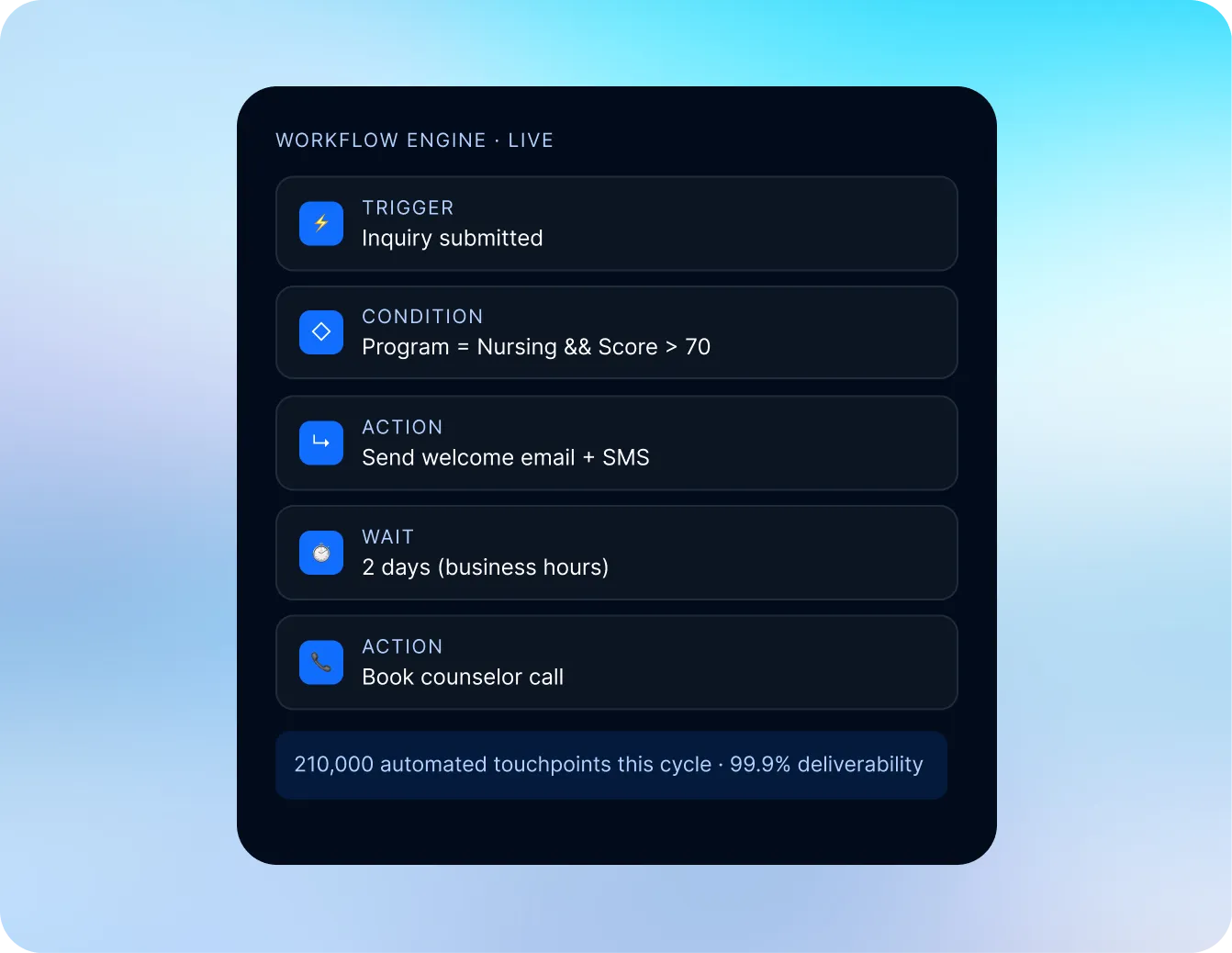
A CRM software addresses this by connecting badge scan or form submission data directly to an automated sequence: A text message and personalized email the next morning, a calendar invite for a virtual tour two days later, and an admissions counselor call queued for day five if the student hasn’t engaged.
Naviance’s scattergram feature shows students where previous graduates from their school were admitted — mapping GPA and test scores against outcomes at specific colleges. For admissions teams, that same logic applies in reverse: Students in your prospect pool whose academic profiles fall within your historical acceptance range are your highest-probability targets and deserve priority outreach.
A CRM with dynamic list-building lets you segment your prospect pool by GPA band, test score range, and intended major. Students who closely fit your profile get high-touch outreach sequences, while students on the margins receive different messaging. This ensures that neither group falls through the cracks.
When an admissions rep visits a Naviance-using high school, that visit should trigger a coordinated sequence: A same-day email to all students from that school currently in your pipeline, a follow-up text a few days later, and a task for the rep to log notes from their conversation with the guidance counselor.
Without student recruitment software built for this kind of automation, those post-visit touchpoints depend entirely on individual admissions counselor discipline. With automation, they happen consistently regardless of how packed the travel calendar is.
Naviance CRM integration for higher education is not a plug-and-play API connection — it’s a structured data handoff through one of a few established channels:
Prospect data export. Colleges enrolled in Naviance’s prospect programs can receive periodic data files of students who have added them to their college lists. A Naviance compatible enrollment CRM ingests these exports, maps them to your existing contact schema, and triggers intake workflows automatically.
Common App integration. Because Naviance is deeply integrated with the Common App, applicant data submitted through Common App carries Naviance school records with it. LeadSquared connects natively with Common App — alongside SIS and LMS platforms — so applicant data flows directly into the enrollment pipeline without manual imports.
Counselors get a unified view of each student’s journey — from first expression of interest through application submission — all within a single platform.
In either case, the connection is a data handoff, not a live sync. Your CRM’s job is to act on that data faster and more consistently than a manual process ever could — and to keep enriching each student’s record as they move through your funnel.
In December 2024, a credential-based breach of PowerSchool’s systems exposed personal data for tens of millions of students and educators, including Naviance users; a class-action settlement received preliminary court approval in early 2026. Institutions evaluating any Naviance data connection should ensure their CRM partner holds independent security certifications not contingent on PowerSchool’s infrastructure.
To illustrate how these workflows connect in practice, consider a liberal arts college with an enrollment target of 450 students per year. Their recruitment geography spans 22 states. Of the high schools their admitted students come from, roughly 500 use Naviance.
Without a Naviance– compatible enrollment CRM, their admissions team of six counselors is managing prospect data from 500 schools in spreadsheets, following up on college fair badge scans manually, and losing track of high school counselor relationships between recruiting cycles.
With LeadSquared’s enrollment CRM:
The result: A recruitment operation that handles more prospects, with more consistency than a manual process allows.
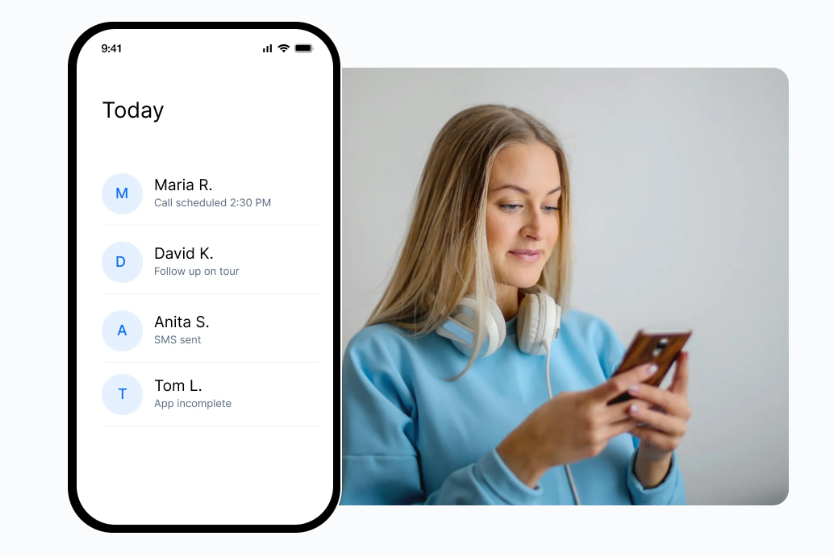
Naviance connects thousands of high schools to the college search process. But the data that flows from that ecosystem is only as valuable as the system your admissions team uses to act on it.
LeadSquared’s enrollment CRM connects natively with the Common App, SIS, and LMS platforms your institution already runs — so Naviance-sourced prospect data, application records, and student information flow into a single pipeline from day one. Admissions teams use it to run structured, high-volume recruitment while keeping the personal outreach that moves prospects to enrolled students.
See high school counselor relationship tracking, Common App integration, and college fair automation in action.
Colleges recruit Naviance-using students through a combination of prospect data access, college fair presence, high school counselor relationships, and direct outreach. Where colleges are enrolled in Naviance’s prospect programs or connected through the Common App, they can receive records of students who have shown interest. The most effective admissions teams pair that data with a dedicated Naviance college enrollment CRM to automate follow-up and track each student through the funnel.
Yes, though the connection is a structured data handoff rather than a native integration. Naviance CRM integration for higher education typically works through periodic prospect data exports or through a Common App connection — both of which a modern enrollment CRM can ingest and act on automatically.
LeadSquared’s native Common App integration means applicant data from Naviance-connected schools flows directly into your enrollment pipeline without manual processing.
Institutions should evaluate Naviance integrations with the same scrutiny applied to any student data connection. In December 2024, a credential-based breach of PowerSchool’s systems resulted in the exposure of student and educator records across the PowerSchool ecosystem, including Naviance. Before establishing a Naviance data connection, admissions and IT teams should confirm PowerSchool’s current security posture and breach remediation status, review which data fields are included in any prospect exports and apply data minimization practices, verify that their CRM partner holds independent certifications — SOC 2 Type II at minimum — and understand how student data is handled, stored, and deleted within the CRM once a recruitment cycle closes. FERPA obligations apply to prospect data received through Naviance programs regardless of which platform houses it.
The best enrollment CRM for Naviance institutions is one built specifically for higher education admissions — with prospect import capabilities, high school counselor tracking, automated follow-up sequences, and native integrations with the Common App, SIS, and LMS platforms your institution already uses. Generic CRMs designed for B2B sales don’t map well to the enrollment funnel. Look for a platform that handles the full pipeline from first prospect record through enrollment deposit. Consider booking a demo with LeadSquared.
Admissions counselors manage high school visit follow-ups most effectively through CRM automation: When an admissions counselor logs a school visit, the CRM triggers a sequence of emails and texts to all students from that school currently in the prospect pipeline. This removes the dependency on individual admissions counselor memory and ensures consistent follow-up across a travel calendar that may include dozens of school visits per cycle.
Colleges can use a CRM with dynamic segmentation tools to filter their prospect pool by GPA band, test score range, intended major, and geographic region. Students whose profiles match the college’s historical acceptance range are assigned to high-touch outreach sequences. This approach mirrors the logic behind Naviance’s scattergram feature — applied from the college’s side of the enrollment equation.
Enter your details and we'll send you a quick confirmation email to verify your address.
 11 min read 10 min read 12 min read



 CampusCafe + CRM integration: Automating student acquisition for career ...
