





- Home

- Learn
- Healthcare
- 5 Best healthcare CRM to integrate with athenaOne
HEALTHCARE
5 Best healthcare CRM to integrate with athenaOne
Contents

 15 min read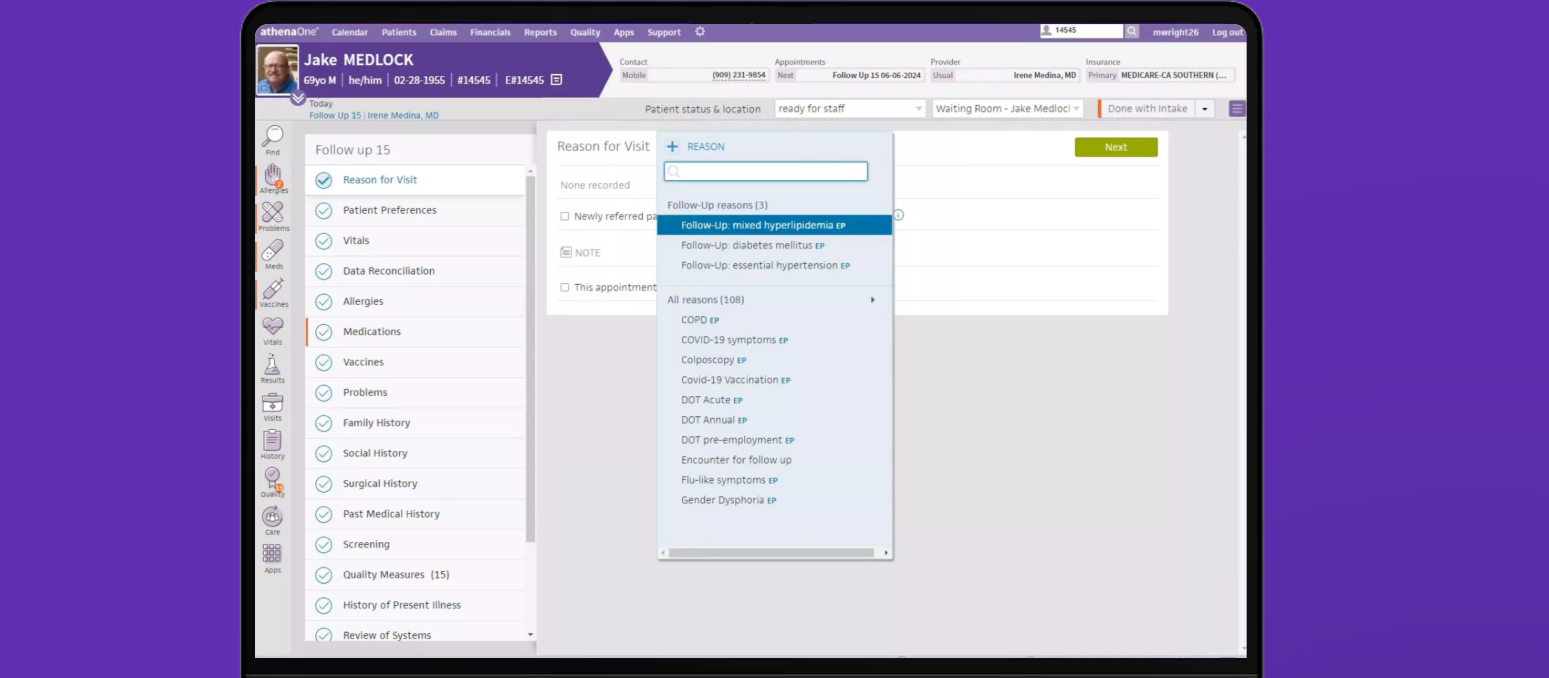


Healthcare delivery today runs on software as much as it runs on clinical expertise. From scheduling appointments to handling patient records, modern practices rely on digital tools to keep their operations moving smoothly.
And, one of the most widely used solutions is athenaOne, a cloud-based platform that brings electronic health records, practice management, and revenue cycle functions into a single working environment.
AthenaOne is designed to handle the clinical and administrative core of a practice, along with many routine communication needs. Some organizations, however, choose to pair it with a healthcare CRM, or Customer Relationship Management system for healthcare, when they want more advanced interaction tracking and outreach workflows beyond the medical record.
A CRM can help practices track and manage patient interactions over time. It offers a way to capture your communication history with the patient, engagement touchpoints with them, and relationship context that sits outside tools like EHR.
To bring a healthcare CRM together with athenaOne means to share the data unique to each of these tools with each other. Consequently, clinical activity and patient engagement workflows become more closely aligned, and teams gain better operational visibility without relying on disconnected tools.
This article explains how athena-CRM integrations work, what capabilities to evaluate, and the best healthcare CRM platforms that can integrate with athenaOne.
When choosing a healthcare CRM to connect with athenaOne, the goal is not just to move data between systems. The integration should make everyday work easier for staff and keep patient communication accurate and timely.
The CRM should support near real-time, bi-directional sync. If an appointment is rescheduled or contact information changes in athenaOne, the update should appear in the CRM automatically. This reduces manual entry and prevents outdated outreach.
Look for a CRM that brings key details into one screen, including appointments, interaction history, and communication logs. Teams should not need to jump across tools to understand what is happening with a patient.
Strong CRMs support email, SMS, and task-based outreach. Messages and reminders should be trigger-based, not fully manual.
Follow-ups, referral tracking, and internal task assignments should run through simple automation rules. This saves time and reduces missed steps.
Since patient data is involved, the CRM must support HIPAA requirements and secure data handling practices.
Look for built-in reports and dashboards that show trends such as appointment conversions, follow-up completion, referral sources, and outreach performance. These insights help practices spot drop-offs in the patient journey and improve how they manage scheduling, engagement, and intake over time.
Some CRMs offer native, prebuilt connectors for athenaOne, while others connect through APIs or middleware platforms. Native connectors are usually faster to deploy, while API-based integrations allow for deeper customization. The right choice depends on how complex your workflows are and how much control you want over the data exchange.
At the core of most CRM integrations are APIs, which are defined ways for different software to talk to each other. Athenahealth publishes APIs, including FHIR-compliant REST APIs, that let third-party applications read and write data in athenaOne in a secure, standards-based way. This means a CRM can pull patient information, update contact details, or trigger actions based on changes in athenaOne, and vice versa. The platform also supports other clinical data interfaces such as HL7.
athenahealth operates a Marketplace where certified partner solutions are listed. These are third-party applications — including some CRMs or workflow tools — that are already integrated with athenaOne. Using a Marketplace partner can reduce the time and effort required to connect systems because most of the integration logic is already built and tested.
Some organizations use middleware platforms to connect athenaOne with a CRM without deep custom development. These tools act as intermediaries: they map data fields between systems, automate data flows, and provide visual or rule-based interfaces so teams can build and modify integrations without writing code.
| Integration approach | How it works | Setup effort | Customization | Typical cost | Best suited for |
| Native marketplace connector | You install a prebuilt connector from the athenahealth Marketplace that already knows how to exchange data | Low | Moderate | Medium | Standard CRM and patient engagement workflows |
| API + middleware platform | You connect athenaOne and the CRM using APIs through a no-code or low-code integration tool | Moderate | High | Medium to high | Multi-step workflows and cross-system automation |
| Custom development | Developers build a direct integration using athena APIs and custom logic | High | Very high | High | Specialized or highly tailored operational needs |
LeadSquared is a fully HIPAA-compliant healthcare CRM designed to support patient acquisition, intake, and engagement workflows alongside EHR systems such as athenaOne.
It gives practices a structured way to manage their patient inquiries and coordinate follow-ups outside the clinical record. With it, healthcare teams can capture patient requests from all forms of sources such as calls, ads, web forms, and more, and bring them into one working queue. From here on, teams can then assign owners, log interactions, and trigger next steps using defined workflow rules. This creates consistency in how outreach and intake are handled across departments.
LeadSquared supports athenahealth integrations through APIs and connector frameworks so users can bring patient and appointment data into CRM-driven processes where needed.
• HIPAA-compliant and designed specifically for healthcare workflows.
• Prebuilt integrations with EHR/EMR tools including athenahealth, Epic, DrChrono, and others.
• Centralized patient view with appointment tracking, scheduling, reminders, and multichannel communication (email, SMS, portal).
• Workflow automation for tasks like follow-ups, referrals, patient intake and more.
• Reporting and analytics to monitor trends like acquisition sources and operational performance.
• Mobile CRM support for field staff and task management on the go.
• Implementation may require setup and onboarding time depending on existing workflows and integrations.
• Some advanced integrations (like bidirectional EHR sync) may need custom configuration or additional connectors.
Pro – $60 per user/ month
Super – $100 per user/ month
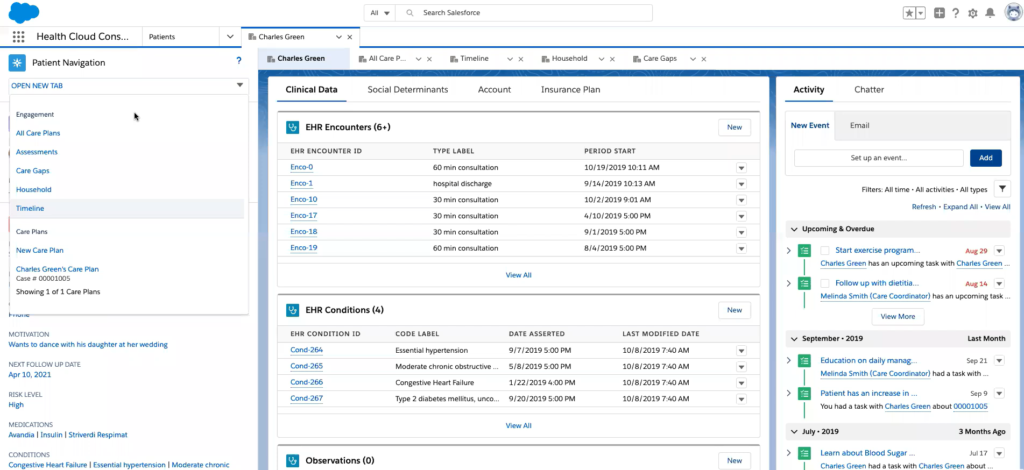
Salesforce Health Cloud takes the core CRM capabilities Salesforce is known for and shapes them specifically for healthcare and life sciences. Instead of treating all interactions the same, it connects clinical data, operational information, and patient interactions in one unified platform. This lets teams work from a more complete picture of each patient’s care journey, helping with tasks like scheduling, care coordination, referrals, and patient engagement. The platform is designed to integrate with electronic health records and other data systems using standards like FHIR, so teams can work from current clinical data in their engagement workflows. Health Cloud is built with healthcare-centric workflows, data models, and security standards in mind.
• Provides a consolidated patient profile combining clinical and non-clinical data
• Designed to improve care coordination and team collaboration
• Built-in support for patient engagement and communication workflows
• Integrates with major EHR systems and supports FHIR-based interoperability
• High security and compliance standards including HIPAA
• Scalable from provider groups to large health systems
• Implementation and configuration can be complex and require technical expertise
• Higher cost compared to many standalone CRM options
• Enterprise edition, around $350 per user per month (billed annually)
• Unlimited edition, around $525 per user per month (billed annually)
• Agentforce-enhanced editions around $750 per user per month (billed annually)
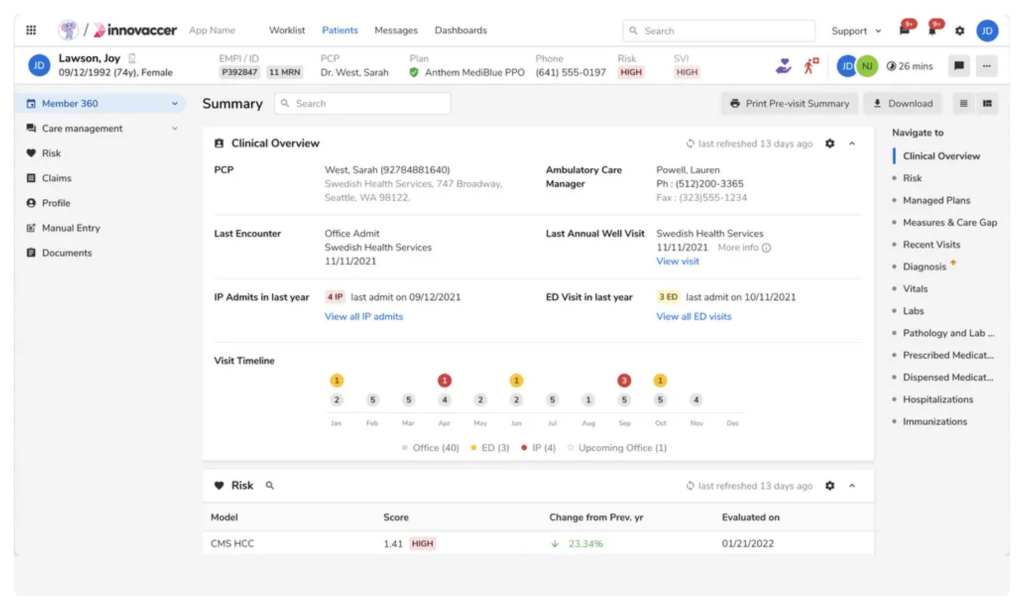
Innovaccer’s healthcare CRM is part of a broader healthcare intelligence platform that brings patient data from different systems into one consolidated profile that teams can work from.
Instead of treating communications and engagement as isolated tasks, it brings clinical, demographic, and interaction data together so care teams and operations staff can act with a fuller picture of each person’s journey. This approach blends traditional CRM functions with analytics and care coordination insights, helping practices connect outreach, scheduling, and follow-up workflows with clinical context.
Because Innovaccer’s CRM is designed for healthcare data first, it aligns engagement with care pathways and outcomes. It also integrates through athenahealth’s Marketplace, enabling bidirectional data exchange and enhanced workflows with athenaOne data.
• Built on a unified healthcare data platform that brings clinical and interaction data together
• Supports integration with athenaOne and other major EHRs for coordinated workflows
• Helps personalize outreach and care communication based on real patient context
• Can surface analytics and insights that inform engagement and operational decisions
• Extensible with features like AI-powered assistants and predictive models (via the broader platform)
• Because it’s part of a larger intelligence platform, it may feel more complex than standalone CRMs for small practices
• Pricing and implementation details vary by organization and are typically custom and enterprise-oriented
• Custom enterprise subscription pricing (varies with modules and scale)
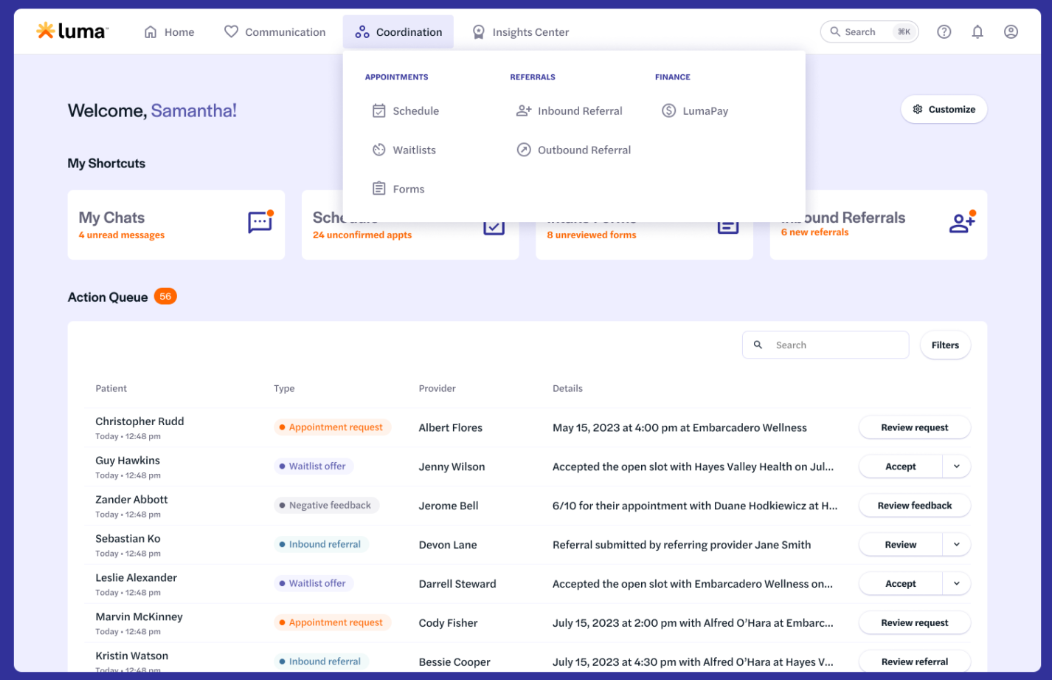
Luma Health focuses on improving patient access and communication throughout the care journey. More than a simple scheduling tool, it helps practices reduce administrative burden by making it easier for patients to communicate with care teams and for staff to coordinate those interactions.
The platform is designed to work with many major EHRs, including athenaOne, through integration that brings appointment and patient context into messaging and workflow tools.
• Makes patient communication more interactive and accessible across text, email, and secure chat
• Offers self-scheduling and waitlist management to reduce call volume
• Automates reminders and follow-ups based on real scheduling data
• Mobile intake forms reduce manual data entry at check-in
• Secure messaging built for HIPAA compliance
• Works with many EHRs including athenahealth for synchronized workflows
• Wide feature set may require some configuration and training to make workflows efficient
• Pricing is typically based on custom plans rather than fixed tiers, which can make upfront comparison harder
Custom pricing.
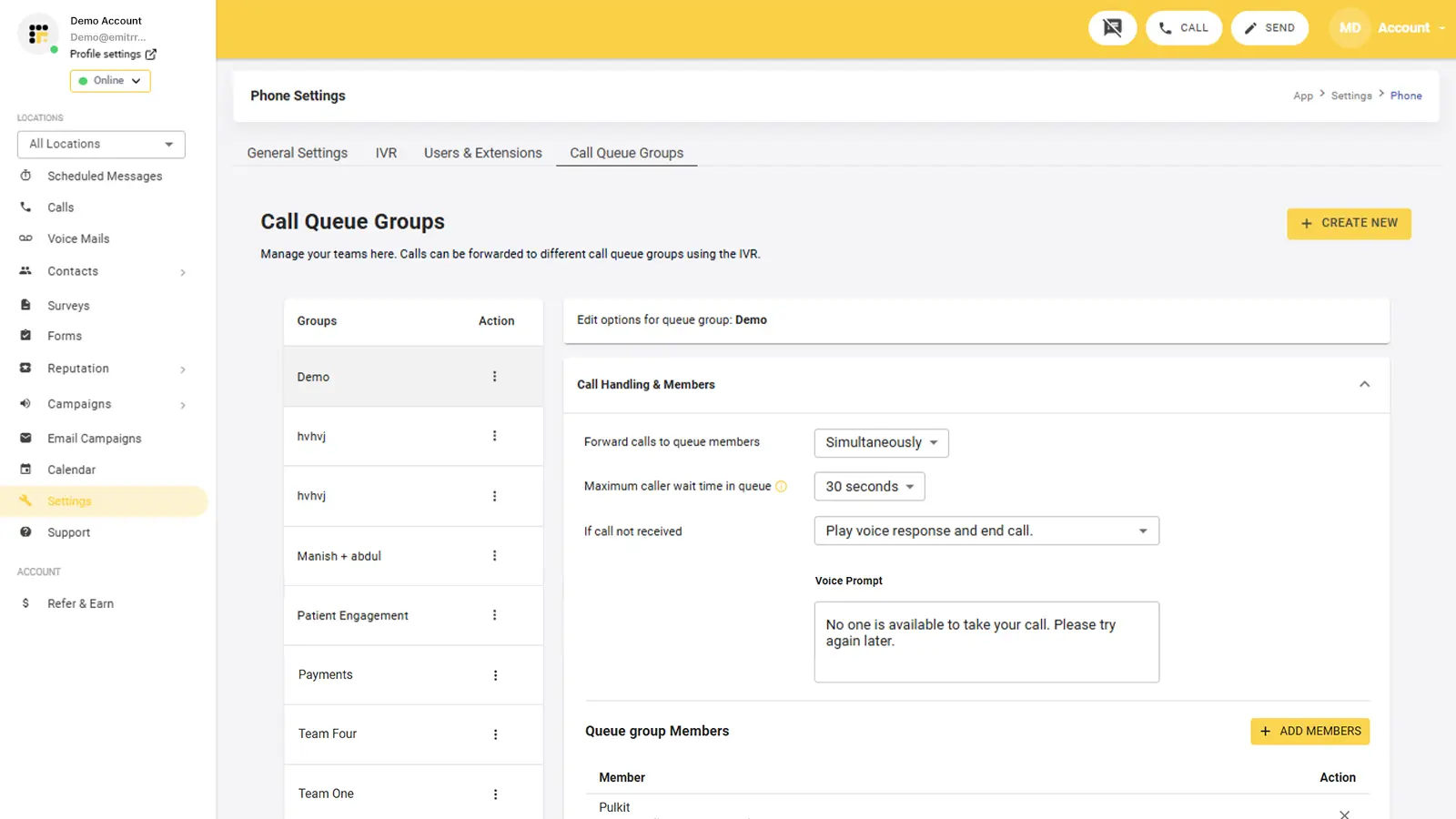
Emitrr focuses on the day-to-day communication load inside medical practices, especially high volumes of patient calls, texts, and reminders. It gives front-desk and support teams a shared workspace where they can handle conversations, respond to inquiries, and manage follow-ups without switching between separate phone and messaging tools.
Practice administrators can set up workflow rules inside this platform to automatically send appointment reminders or follow-up messages when specific events occur, such as a booking or a missed visit.
Emitrr integrates with EHR and practice management systems, including athenaOne, so scheduling and patient interaction data can support communication workflows.
• Centralizes patient communication across calls, texts, and messages in one inbox.
• Automates reminders, follow-ups, and basic workflows based on defined rules.
• HIPAA-compliant secure messaging and communication tools.
• Supports integrations with many EHR, EMR, and practice management systems.
• AI-assisted features for call handling and message responses.
• Scales from solo clinics to multi-location practices.
• Some advanced features may require configuration for specific workflows.
• Pricing and advanced integration options may require a consultation rather than fixed tiers.
Emitrr offers modular plans. Pricing depends on the package and message volumes.
Choosing a CRM to integrate with athenaOne is really about workflow fit, not feature count. The right platform should match how your practice handles intake, communication, and coordination today, while giving you room to improve those processes over time.
Start with the basics. Look at your practice size, patient volume, and outreach needs. Decide whether you mainly want better communication, stronger intake management, deeper analytics, or end-to-end journey tracking. From there, consider your budget and your technical comfort level, since integration approaches range from ready-made marketplace connectors to API and middleware setups.
Different tools serve different priorities. Platforms like Salesforce Health Cloud and Innovaccer lean toward large, data-driven organizations. Luma Health and Emitrr focus heavily on communication. LeadSquared’s healthcare CRM emphasizes structured intake, workflow automation, and patient lifecycle management for all sizes of healthcare organizations.
There is no one-size-fits-all answer here. A good outcome depends more on planning than product choice.
Seeing is believing: a brief LeadSquared demo can help practices visualize how a healthcare CRM can streamline workflows and keep patient engagement aligned with athenaOne data.
If you’re interested, feel free to book a quick demo today!
To an extent, yes. athenaOne includes built-in patient communication, scheduling, reminders, and referral coordination tools. For many practices, these cover basic engagement needs. A separate healthcare CRM becomes useful when teams want deeper intake tracking, multi-channel outreach, marketing attribution, or structured patient lifecycle workflows beyond the clinical record.
It depends on how the integration is built. Native marketplace connectors and API-based integrations can support near real-time updates. Middleware-based setups may sync on a schedule, such as every few minutes or hours. Practices should confirm sync frequency during evaluation, especially for appointment and contact data.
Not always. If you use a marketplace-listed connector or a CRM with a prebuilt athenaOne integration, technical effort is usually lower. Middleware platforms also reduce coding needs. Custom API integrations, however, typically require developer support and testing.
It can be, but compliance depends on the CRM and the integration setup. The CRM vendor should offer HIPAA-compliant infrastructure and sign a Business Associate Agreement. Data handling, access controls, and message channels also need to be configured correctly by the practice.
Common shared data includes patient demographics, appointment details, provider assignments, referral status, and visit events. Some integrations also sync communication history or intake data. Clinical notes are usually more restricted and shared selectively.
Timelines vary by approach. Marketplace or prebuilt integrations can go live in weeks. Middleware projects often take a few weeks to a couple of months. Fully custom integrations can take longer depending on workflow complexity and testing needs.
Usually yes, but in a good way if planned well. Staff often move from manual reminders and scattered inboxes to structured queues and automated triggers. Training and workflow mapping are important to make the transition smooth.
Yes. Smaller practices often benefit from reduced manual work, better follow-up tracking, and automated reminders. They typically choose lighter-weight CRMs or prebuilt integrations rather than large enterprise platforms.
Integrating a healthcare CRM with athenaOne connects your clinical system with your patient communication workflows, so both tools share key updates. AthenaOne continues to store medical and scheduling data, while the CRM manages outreach, follow-ups, and interaction tracking.
Because the two systems sync, staff can send messages based on actual events recorded in athenaOne, such as a new appointment booking, a cancelled visit, or a referral created. For example, when an appointment is scheduled in athenaOne, the CRM can automatically place that patient into a reminder or pre-visit instruction workflow instead of staff having to remember to reach out manually.
Automatic data sharing also reduces repeated data entry. When contact details or appointment times change, those updates can appear in both systems, which lowers error risk and saves staff time.
Shared visibility across teams improves handoffs between scheduling, intake, and follow-up roles. Combined reporting also helps practices identify patterns like missed visits or delayed follow-ups.
For patients, communication becomes more consistent and better timed, with fewer gaps and fewer repeated questions.
 14 min read 15 min read 14 min read



 AI agents in admissions: Why chatbots are yesterday’s news (and what’s...