





EDUCATION
CampusLogin CRM integration: Why career schools add LeadSquared alongside it
Contents

 11 min read


CampusLogin has spent over two decades building a name for itself among post-secondary and career schools across the US and Canada, bundling SIS and CRM into a single system built specifically for career-focused institutions. It is built and owned by Great Exposure Inc., a Toronto-based education marketing and software company.
That bundling is also where the tension starts. As inquiry volume grows and marketing spend spreads across more channels, admissions teams start asking a fair question: was the CRM module built into their SIS designed for recruitment at scale, or designed to cover a requirement?
The short version: CampusLogin’s built-in CRM handles inquiry tracking and basic pipeline management well, and it’s a perfectly workable starting point for schools with lighter inquiry volume. But for schools running active digital marketing across Google Ads, Meta, and organic search, the two-system model tends to produce deeper automation, cleaner attribution, and better counselor visibility than a bundled module was built to deliver.
A CampusLogin CRM integration career school setup splits the work: CampusLogin stays the system of record for enrolled students, while a dedicated CRM runs the inquiry-to-enrollment journey.
This is the model a growing number of career colleges and post-secondary schools across Ontario and the US are adopting: CampusLogin for compliance and student records, LeadSquared for recruitment marketing and enrollment CRM.
Below, we’ll walk through what CampusLogin SIS handles well, where its built-in CRM tends to hit a ceiling, and how a LeadSquared CampusLogin integration works in practice. That includes how the division of labor lines up with the compliance requirements Ontario’s Ministry of Colleges, Universities, Research Excellence and Security (MCURES) places on registered career colleges.
CampusLogin is built by Great Exposure Inc., a Toronto-based education marketing and software company that has focused exclusively on the post-secondary sector since 1998, putting it at more than 25 years in the career college space. The platform combines a CRM and SIS into a single cloud system covering recruitment, admissions, student records, and finance, and it’s a familiar name among career colleges across Canada and the US, with particular strength among MCU-regulated schools in Ontario.
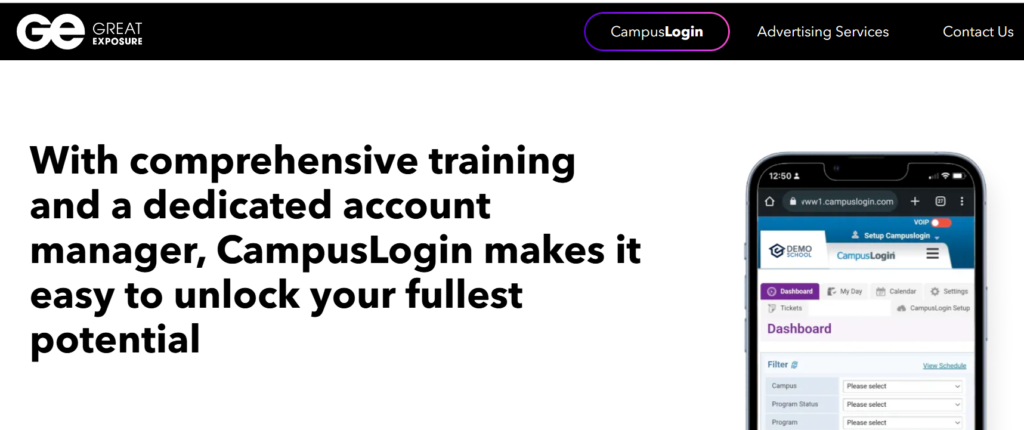
CampusLogin earns its place in a career college’s tech stack by covering the operational and regulatory backbone of running a school:
Once a student has applied or enrolled, this is a strong feature set. CampusLogin SIS enrollment CRM workflows are at their best on the record-keeping side of that line. The built-in CRM module, in particular, handles lead capture, vendor tracking, and cost-per-lead reporting — which is more than most SIS platforms offer out of the box.
Disclosure: This page is published by an enrollment technology provider that offers one of the products discussed. Descriptions of CampusLogin below are based on the vendor’s publicly available documentation.
The built-in CRM module is designed to be good enough for most schools most of the time. The gap tends to show up once a school’s marketing and admissions operation grows past a certain point: more inquiry volume, more channels, more counselors, more pressure to prove marketing ROI.
Common friction points include:
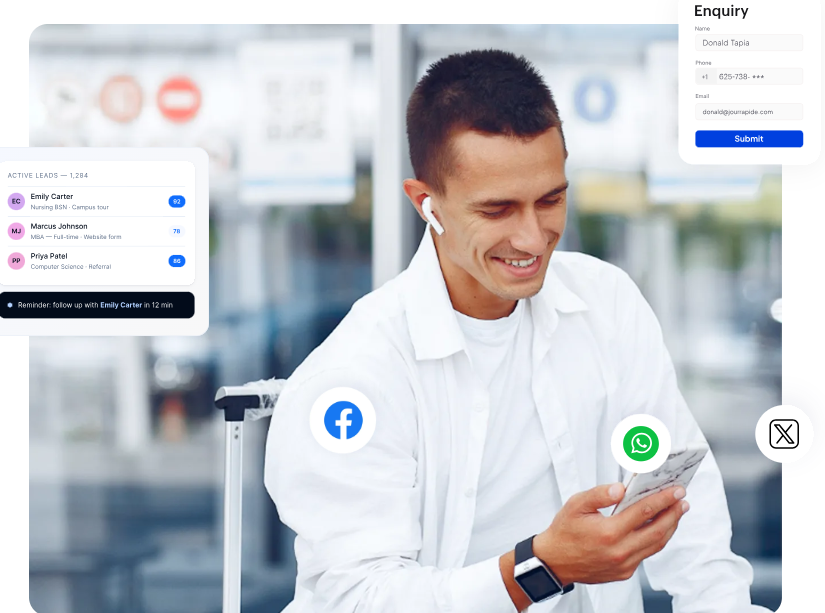
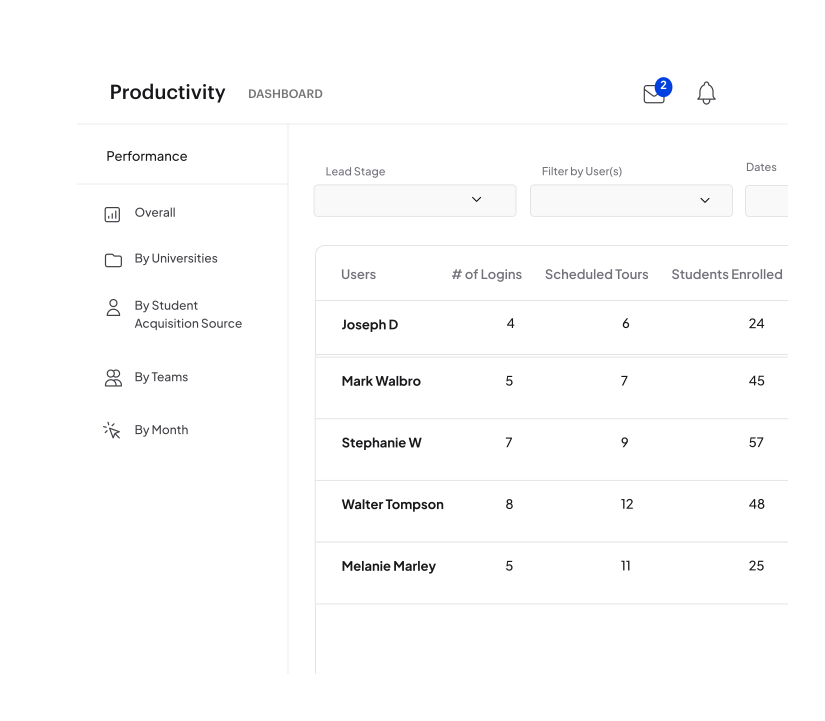
The model is straightforward: keep CampusLogin and put a specialized enrollment CRM in front of it.
Here is how the division of labor works in practice. A career college CRM CampusLogin setup splits along one line: before enrollment, and after it.
1. LeadSquared owns the inquiry stage of the enrollment funnel. From the moment a prospective student fills out a form, calls, or engages with an ad, LeadSquared captures the inquiry, scores it, routes it to the right counselor, and runs automated multi-channel follow-up (email, SMS, and voice sequences) until the prospect is ready to apply.
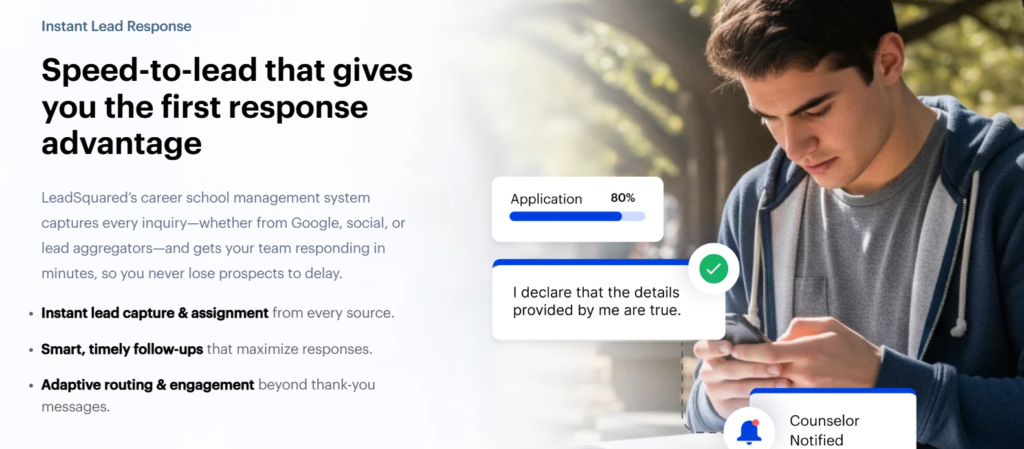
Scheduling and lead engagement — booking a campus tour, an info session, or a callback with an admissions counselor — runs through FloStack, LeadSquared’s scheduling and lead engagement layer available as an add-on, so prospects can self-book the next step without waiting on a counselor to reach them first.
2. CampusLogin remains the system of record at enrollment. Once a student commits, their record (application data, contact history, and program selection) moves into CampusLogin SIS, where it becomes part of the official student file used for academic records, attendance, and financial aid. How that transfer is configured is set up during implementation.
3. One record, not two. Configured properly, the transfer runs without admissions staff re-keying student data between systems, and counselors work from a single view of each prospect rather than two disconnected ones.
This split is the core of CampusLogin SIS admissions automation. The top of the funnel runs on marketing-grade automation and admission software built for recruitment. The bottom of the funnel, including everything that has to satisfy academic and regulatory recordkeeping, stays where CampusLogin already handles it well.
Worth being concrete, because “it syncs” covers a lot of ground. LeadSquared connects to third-party student systems through its APIs and Universal Data Sync, with data flowing in real time or on a schedule depending on how the connection is configured. The integration is scoped and built per school against CampusLogin’s available interfaces, and what it covers depends on which fields you need moving and in which direction.
That makes a few questions worth settling early with both vendors: which fields are in scope, whether records move one way at enrollment or both ways throughout, how often the sync runs, and what happens when the same prospect exists in both systems.
Given CampusLogin’s footprint among Ontario career colleges, it’s worth being specific about how this division of labor lines up with provincial requirements.
Career colleges in Ontario are regulated under the Ontario Career Colleges Act, 2005 — renamed from the Private Career Colleges Act, 2005 effective 1 January 2024 — and administered by the Ministry of Colleges, Universities, Research Excellence and Security. Vocational programs require approval from the Superintendent of Career Colleges, and registration is renewed annually.
In an Ontario career college CRM model, the obligations that flow from that framework stay inside CampusLogin: program registration, student contracts, tuition refund policy documentation, and Training Completion Assurance Fund records. That is where the official student and financial records already live, and there is no reason to move them.
LeadSquared operates purely as the front-end recruitment and enrollment layer and isn’t a system of record for MCURES compliance purposes.
On the data security side, LeadSquared supports FERPA and GLBA-aligned workflows for institutions subject to US statutes, and undergoes independent SOC 2 Type II examination. Data residency and processing arrangements are confirmed as part of contracting.
If you’re weighing whether to add a dedicated enrollment CRM alongside CampusLogin, three questions will settle it faster than a feature comparison.
Answer no to all three and the built-in module is doing its job. Answer yes to two or more, and the constraint is the module, not the team.
Most schools weighing a CampusLogin CRM integration career school decision have already settled on CampusLogin staying. The open question is whether the admissions team needs more capability in front of it.
It’s worth seeing what the two systems look like working together.
See how a LeadSquared and CampusLogin integration could fit your enrollment funnel.
Yes — CampusLogin includes a built-in CRM module for lead and pipeline management as part of its broader SIS platform. It covers inquiry tracking, vendor management, and basic automated follow-up, which works well for schools with lower inquiry volume or simpler marketing needs.
Any CRM that can exchange records with CampusLogin over its API can work alongside it. In practice, the question is less about technical compatibility than about where the handoff sits. Schools pairing CampusLogin with a dedicated enrollment CRM like LeadSquared typically set the handoff at the point of enrollment: inquiry through applicant activity lives in the CRM, and the student record moves into CampusLogin once the student commits. Confirm with both vendors which fields are in scope and whether the sync runs one way or both before you scope the project.
CampusLogin is a combined CRM and SIS built for the full student lifecycle, with particular strength in academic records, attendance, financial aid, and Ontario career college compliance. LeadSquared is a dedicated enrollment CRM built specifically for the marketing and admissions funnel, with tools like Lumen for driving AI-powered lead scoring and prioritization, and FloStack handling scheduling and lead engagement across the pre-enrollment journey. Many schools use both: LeadSquared for recruitment, CampusLogin for everything after enrollment.
There is no single answer, and the honest version is that many schools do not need a second system. A useful test: if you are fielding fewer than roughly 100 inquiries a month across one or two channels, and your counselors can work every one of them within a day, the best CRM for CampusLogin schools is the module you already own. The case for adding a dedicated layer strengthens when inquiries outpace counselor capacity, when spend is split across three or more channels, or when you cannot attribute enrolled students back to source. Schools running coordinated paid, social, and organic campaigns with higher inquiry volume typically benefit from a dedicated CRM layer like LeadSquared integrated alongside CampusLogin.
Registered career colleges in Ontario use a mix. Enrollment software Ontario career colleges rely on generally has to cover two distinct jobs: recordkeeping that satisfies the Ontario Career Colleges Act, 2005, and recruitment marketing. Some platforms, CampusLogin among them, bundle both. Others specialize, which is why a number of schools run an SIS for records alongside a dedicated recruitment CRM for the admissions funnel. Which combination fits depends on school size, inquiry volume, and how much recruitment is run digitally.
Enter your details and we'll send you a quick confirmation email to verify your address.
 11 min read 11 min read 11 min read


 CRM for WellSky: Automating referrals and intake for home health agencies
