

EDUCATION
Personalized enrollment microsites: Landing pages built for every student inquiry
Contents

 20 min read



Most enrollment funnels have a blind spot, and it sits right after the inquiry form.
The ad worked, the student clicked, and they handed over their name and number. What they get back is a thank-you page promising that someone will be in touch.
That gap is where personalized landing pages earn their keep. Instead of a dead end, every student lands on a page made for them: their assigned advisor’s face and welcome video, details on the exact program they asked about, and a button to book a tour or call right now.
LeadSquared calls these pages personalized enrollment microsites, delivered through FloStack. This guide covers why the post-inquiry wait costs you students, what goes on a microsite, how it connects to your CRM, and how the main options for building one compare, from small career schools to large, multi-campus systems.
In most admissions offices, the moment of highest interest is also the moment of least contact. The student has just told you they’re interested. Then the school goes quiet.
LeadSquared’s US education team hears the same problems on calls with career colleges, including nursing and cosmetology schools, and with graduate schools.
Students get too little, too late. The thank-you page says “a representative will contact you shortly.” The student has no name, no face, no program details, and nothing to do next. They wait passively, or they start looking at other schools.
Speed decides who wins. Students rarely inquire at one school. RNL research on graduate and online recruitment found that nearly 80% of graduate students will likely or definitely enroll in the program that responds first, and nearly half expect a personalized reply within 24 hours. A callback the next afternoon is often too slow.
Generic messages don’t land. Students want to feel seen. A form-letter email about “our many exciting programs” tells them they’re one name on a list. Program details, an advisor’s name, and a clear next step tell them someone read their inquiry.
Counselors burn hours on phone tag. Reps call, leave voicemails, text, and call again just to set a time to talk. Every round trip is time not spent with students who are ready.
Off-hours inquiries go cold overnight. Many students research after work or after the kids are asleep. If nothing useful happens until the office opens, that interest fades.
Marketing pays for leads that never get worked. In one of LeadSquared’s webinars, “What’s Your Marketing ROI?” (April 2025), Gary Thorup, VP of Operations at MDT Marketing, offered a simple example. If a lead costs $150 and only one in ten leads goes on to start classes, you’ve paid for nine leads that went nowhere. The post-inquiry experience is where much of that money leaks.
None of this is a people problem. It’s a handoff problem. The student is ready to act, and there’s nowhere for them to go.
A personalized enrollment microsite is a small web page created for one inquiry, the moment they submit a form. Think of it as the student’s own front door to your school. Most personalized landing pages stop at swapping in a first name. A microsite goes further: it’s built around who the student is, what they asked about, and who will help them.
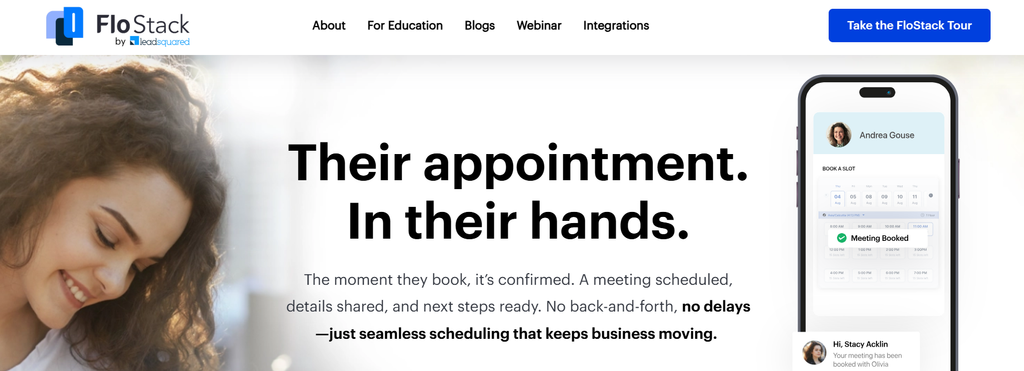
Here’s what a typical microsite holds.
A short video from a real advisor builds trust quickly. The student sees who they’ll talk to and hears what happens next, before anyone picks up the phone.
Video can work at two levels. The advisor’s welcome video is recorded once and shown to every student assigned to them. For schools that want to go further, LeadSquared also integrates with MDT Marketing’s personalized video service (an MDT account is required).
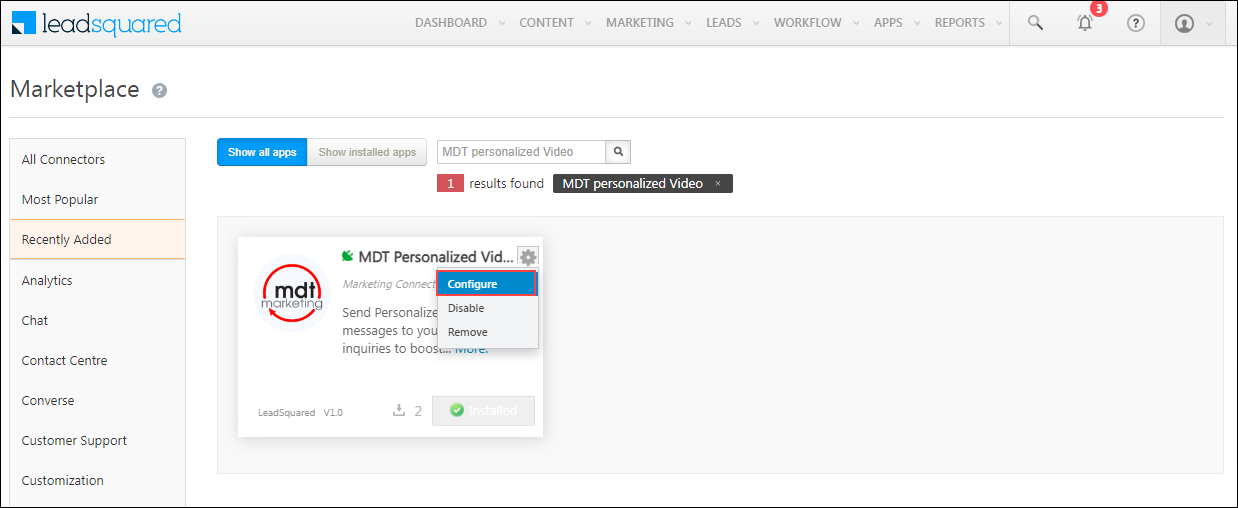
It creates a video for each new lead and adds the link to the lead record, so it can go out in the email and text follow-ups that carry the microsite link. One enrollment leader on our webinar panel credited video nurturing with lifting conversions while keeping retention steady.
The point is simple. A real face and a clear next step turn a passive inquiry into an active one.
The microsite is the part students see. The value comes from what runs behind it: routing rules, calendars, and a two-way sync with your CRM.
Here’s the flow in LeadSquared.
A microsite that lives outside your CRM is just another island. If a student books a tour there, the counselor may not know until the student shows up, and marketing has no way to tie that booking back to the ad that brought them in.
That’s where the Universal Data Sync (UDS) connector comes in. UDS is LeadSquared’s no-code integration layer. It runs real-time and scheduled syncs between LeadSquared and almost any outside system, and the FloStack actions come pre-configured, so setup is mostly authentication and field mapping.
The same layer pulls in inquiries from calls, SMS, WhatsApp, chat, paid social, lead vendors, and review platforms, so every inquiry lands in one record and can receive a microsite link.
The result: every inquiry lands in one record, gets routed by the same rules, and can receive a microsite link, whichever door the student walked through.
Microsites pair well with LeadSquared’s AI tools. For inquiries outside business hours, FloStack serves the microsite while Invorto Voice AI (add-on) can qualify and follow up with the student directly. By morning, your counselors see who booked, who asked for a callback, and who still needs a nudge.
These are the questions that come up most on our calls with schools evaluating microsites.
Yes. You build a microsite per program, campus, or audience in the FloStack Microsite Builder. Rule Board conditions then decide which microsite each lead sees, based on attributes like program interest, location, and lead source. A nursing inquiry sees nursing content. A beauty school inquiry sees beauty school content.
The link goes out by email right after the inquiry and is saved on the lead record in LeadSquared. That means a counselor can text or email the link again whenever it helps, like after a missed call. You can also set up automatic reminders that include the link, such as a text the day before an interview.
Your admissions or marketing admins do, without a developer. The builder uses templates, uploads, carousels, and call-to-action buttons. Counselors manage their own profile, welcome video, and calendar availability. LeadSquared’s onboarding team helps set up the first templates and rules.
Yes. Workspace settings cover your logo, brand colors, and student-facing text. If you need the pages served from your own domain, raise it in your demo so the team can confirm setup for your account.
You can build separate microsites for each language and use Rule Board conditions, such as a preferred-language field, to show the right one. Pricing depends on your package, so confirm language needs with your account team up front.
You can give students a personal post-inquiry page in several ways. Some platforms include it; others need you to build it from parts. Here’s how the most common routes stack up for US schools.
This comparison was written by an enrollment technology provider whose product appears in it. Competitor pricing and features come from each vendor’s public pages and third-party review sites as of November 2026. Check current terms with each vendor.
| Option | Best for | How the personal page is delivered | Closes the loop to revenue? |
| LeadSquared + FloStack | Career schools through multi-campus and enterprise institutions | Native microsites, routing, and booking, synced to the CRM | Yes, from ad spend to starts |
| Slate by Technolutions | Four-year and graduate admissions offices with dedicated Slate staff | Applicant portals you configure | Strong funnel reporting; ad-spend ROI takes extra work |
| Agentforce Education (formerly Salesforce Education Cloud) | Large universities standardizing on Salesforce with in-house admins | Custom-built pages and portals | Possible, with significant configuration |
| HubSpot | Smaller schools or continuing-ed teams already on HubSpot | Smart content on landing pages (Professional tier) | Marketing attribution; enrollment data must be piped in |
| DIY stack (scheduler + video tool + CRM) | Pilots and single-program schools | Separate booking pages and video links | Rarely |
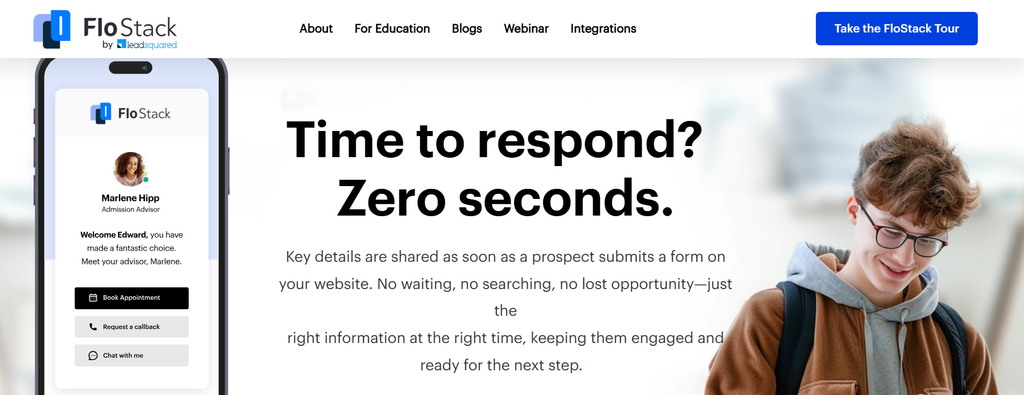
Best for: Schools where speed to lead decides enrollments and volume is high. That starts with career schools: cosmetology and beauty, nursing and allied health, trade and CDL, and massage therapy programs. It works just as well for online and graduate programs and for community colleges. It’s equally built for scale. Multi-campus groups and large universities use the same higher education CRM with custom workflows, roles, and reporting.
It also connects to the systems schools already run, including Slate, Common App, and EAB Navigate, plus live integrations with student information systems from Ellucian Banner, Ellucian Colleague, and Anthology Student to career-school favorites like FAME, Diamond, and Orbund. Student information systems connect through APIs, so enrolled-student records move into your SIS once a student enrolls.
Inquiry channels: Website forms feed FloStack directly. Through UDS and native connectors, LeadSquared also captures calls, SMS, WhatsApp, chat, paid social and search, lead vendors, and review platforms into one record, so any inquiry can get a microsite link.
Does it close the loop to revenue? Yes. Lead source stays on every record from inquiry to start, and when a student enrolls, that record syncs into your SIS so enrollment data stays tied to where the student came from. You can bring Facebook and Google Ads spend into LeadSquared’s analytics to compare cost per lead, application, and start by channel. Lead stages can flow back to ad platforms, so they bid for likely starts, not just form fills. StrataTech Education Group worked with LeadSquared and Level Agency on a predictive lead-scoring model built on two years of LeadSquared data. Sending those scores to Google Ads as offline conversions cut cost per enrollment by 24% and lifted lead-to-enrollment conversion by 72%.
Security: SOC 2 Type II certified and ISO 27001 audited; with role-based access, audit logs, and encryption in transit and at rest. FERPA-aligned workflows. Details are in the security section below.
Pricing model: Published annual plans scale by enrollment range and users. The Pro plan starts at $15,000 a year for up to 10 users. FloStack and the UDS connector are add-ons to your plan, so ask for a bundled quote.
Watch-outs: As of November 2026, FloStack’s own intake is currently website forms; other channels route through LeadSquared and UDS, so plan that mapping during onboarding.
What reviewers say: LeadSquared Sales CRM holds a 4.5 out of 5 on G2 (as of November 2026). A higher-ed director of marketing on Capterra wrote “..their team had built a beautiful system to meet our Admissions Teams’ needs”.
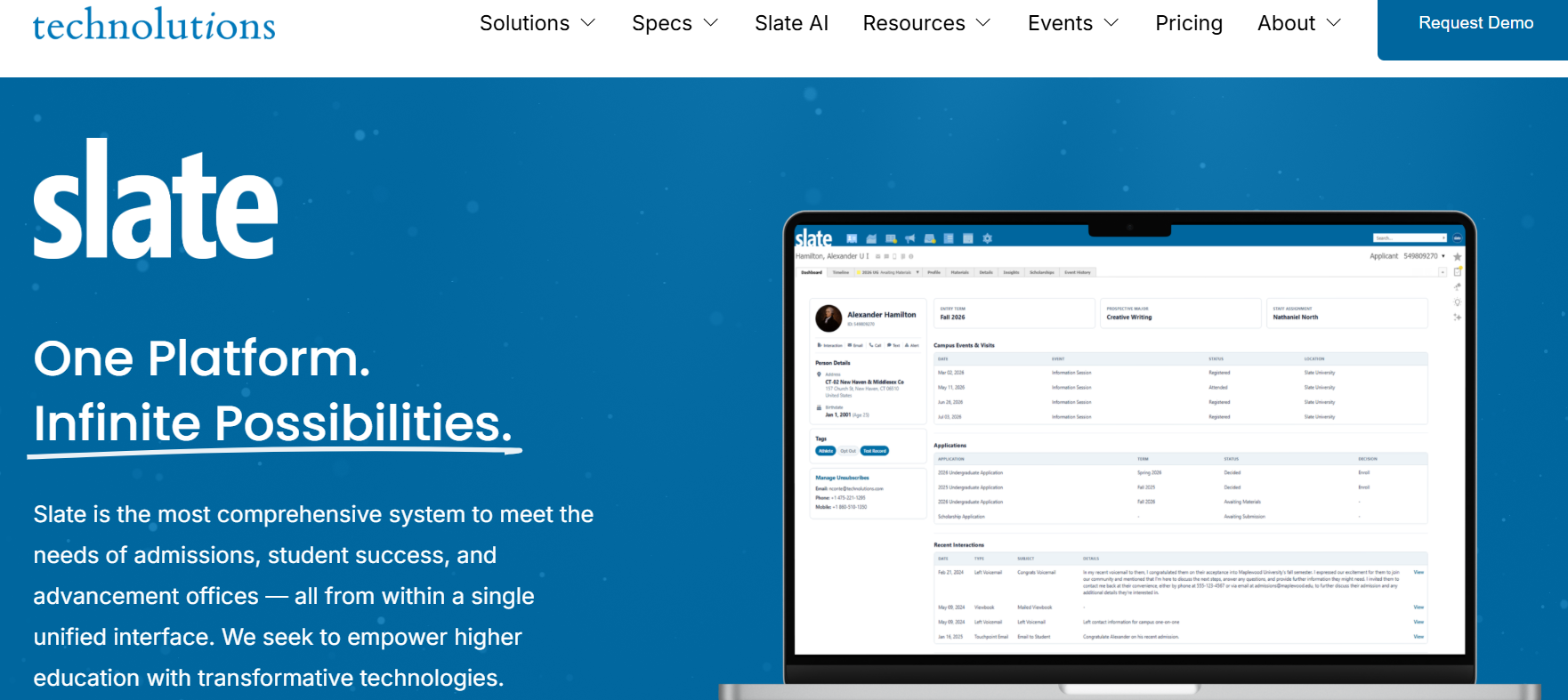
Best for: Selective four-year colleges and graduate schools with a dedicated team of Slate administrators. It’s deeply rooted in traditional admissions: applications, reading, and decisions.
Inquiry channels: Forms, email, SMS, and events are native. Other sources usually arrive through imports or integrations your team builds.
Does it close the loop to revenue? Funnel and yield reporting is strong. Tying paid-media spend to enrolled students usually means extra queries or a separate BI layer.
Security: Widely used by US institutions. Ask for current audit reports and FERPA documentation during review.
Pricing model: An all-inclusive annual license. G2 users rate its cost at the top of the scale and report around five months to implement.
Watch-outs: Personalized pages mean configuring portals, and reviewers say portal branding and UX customization take technical effort. Getting the most from it often requires SQL skills.
What reviewers say: Slate holds a 4.4 out of 5 on G2. One G2 reviewer wrote that it has a bit of a learning curve, and an administrator on Capterra said they had to learn coding and SQL to get full value.
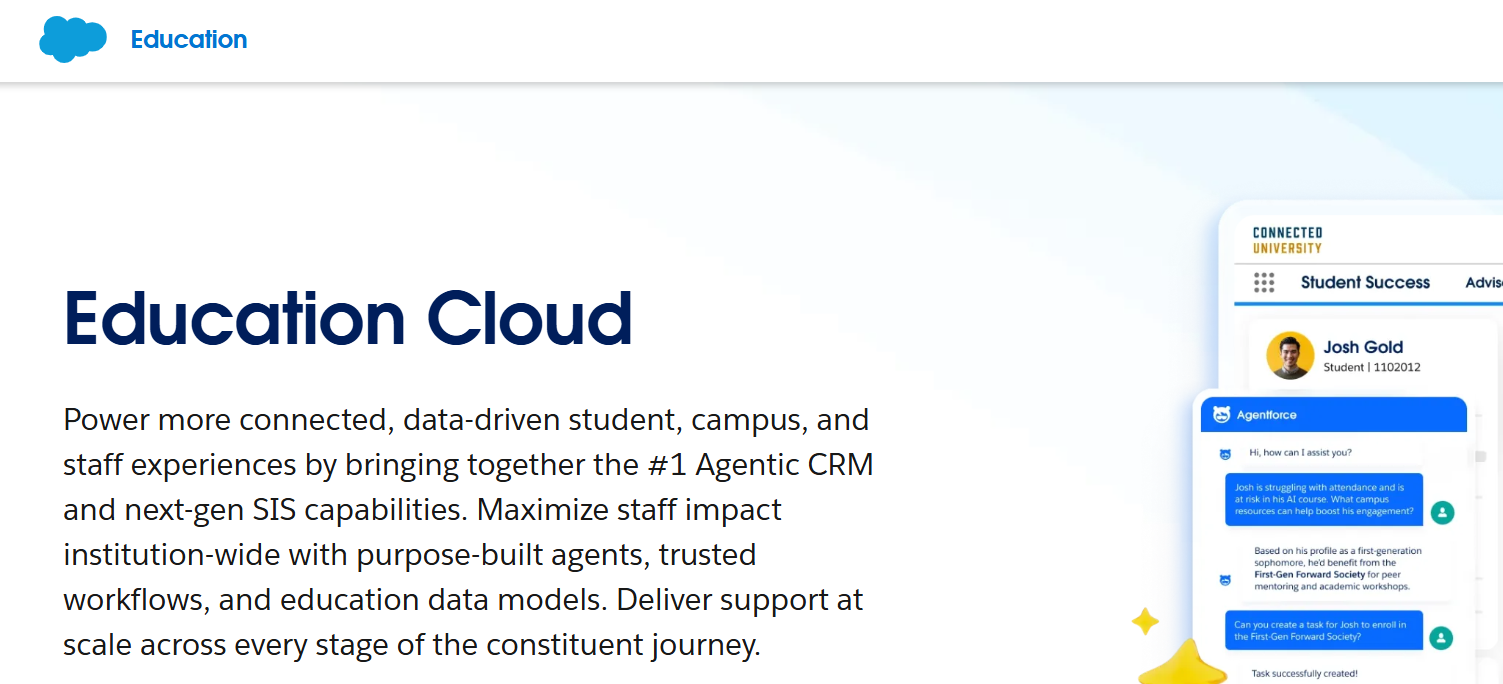
Best for: Large universities that want one Salesforce platform across admissions, advising, and advancement, and have in-house Salesforce admins or a partner on retainer.
Inquiry channels: Very broad, through Salesforce products and AppExchange apps, but each channel is something you buy and configure.
Does it close the loop to revenue? It can, once marketing, admissions, and SIS data are modeled and connected. That work usually falls to your Salesforce admins or an implementation partner.
Security: Enterprise-grade platform security. FERPA-aligned access rules are configured by your team or partner.
Pricing model: Per-user licenses billed annually, from $87 per user per month (Enterprise) to $375 for the Agentforce 1 editions. Implementation partner fees are separate and not published.
Watch-outs: A personal post-inquiry page is a custom build. Reviewers note that over-customization and complex permissions raise long-term admin costs.
What reviewers say: It holds a 4.2 out of 5 on G2. A TrustRadius reviewer said that hiring implementation services is a must, and a GetApp reviewer described an enormous learning curve.
Recommended reading: Salesforce Education Cloud Alternatives For Admissions
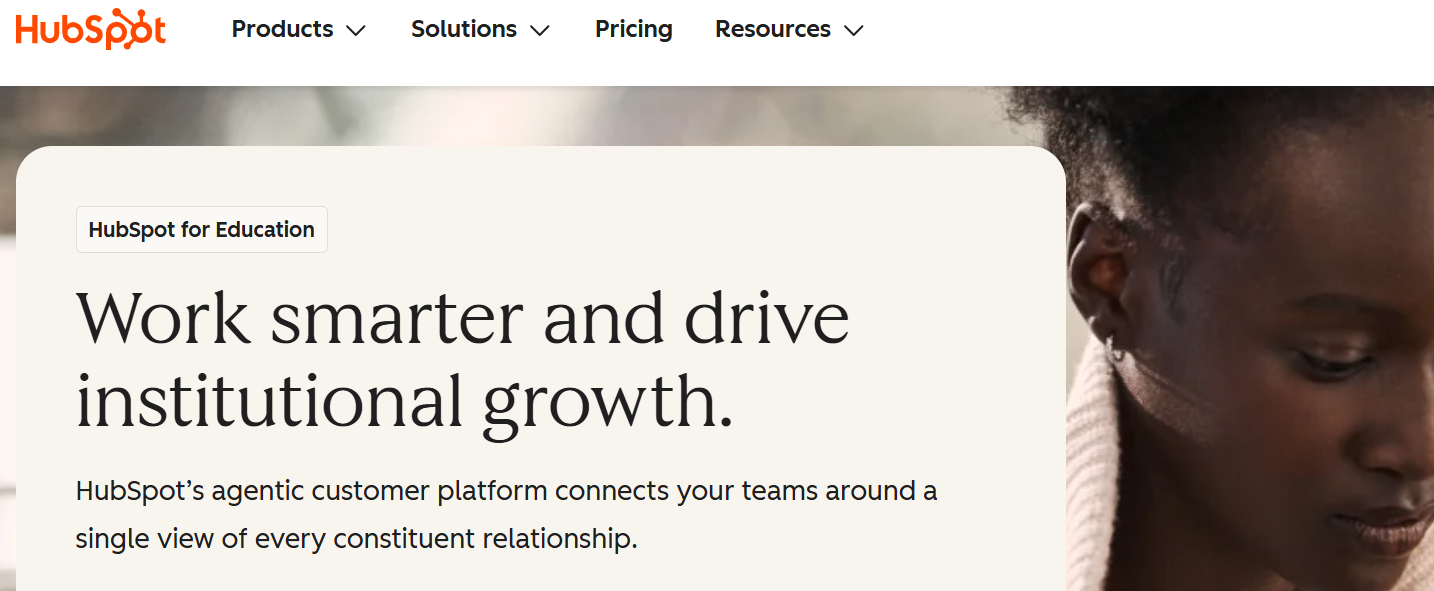
Best for: Smaller schools, bootcamps, or continuing-education teams already using HubSpot for marketing.
Inquiry channels: Forms, chat, email, social, and ads are native. SMS and calling typically need add-ons or integrations.
Does it close the loop to revenue? Marketing attribution is solid on higher tiers. But applications, starts, and enrollments live in your SIS, so you’ll need to pipe that data in.
Security: A general-purpose platform. Review its data processing terms against your FERPA and state privacy obligations.
Pricing model: Tiered by seats and marketing contacts. Smart content for personalization sits in the Professional tier, which starts at roughly $900 a month with three seats.
Watch-outs: It isn’t built for admissions. Counselor assignment by program and campus has to be built with workflows; it isn’t an admissions-specific feature. Costs also rise with your contact count, which adds up fast at inquiry-heavy schools.
What reviewers say: Multiple G2 reviewers point to the large pricing gap between HubSpot’s entry-level Starter plan and its Professional plan as a limitation for growing teams. That matters here because smart content, the feature that personalizes landing pages, is only available from Professional up.
Recommended reading: HubSpot For Education: Limits & The LeadSquared Alternative
Best for: Testing the idea with one program before committing.
Inquiry channels: Only what you wire to it, usually a single web form.
Does it close the loop to revenue? Rarely. Booking and video data sit in separate tools unless you build and maintain the integrations.
Security: Every tool is another vendor to review and another place student data lives.
Pricing model: Low entry cost, with per-seat fees for each tool.
Watch-outs: No routing by program or campus, generic booking pages, and no single view of the student. If you’re weighing tools like Microsoft Bookings, see this guide to Microsoft Bookings alternatives.
What reviewers say: Reviews vary by tool. Most scheduling apps score well for ease of use but weren’t designed for admissions routing or CRM write-back.
A microsite shows a student’s name, program, and advisor on a web page, so security questions are fair. Here’s what to know.
Where FERPA applies. FERPA protects the education records of students in attendance. According to AACRAO, records on applicants generally aren’t education records, but they become subject to FERPA once that applicant enrolls and the records are kept. Since inquiry data follows the student into enrollment, the safest approach is to protect it from day one. The U.S. Department of Education’s Student Privacy Policy Office is the official source for guidance.
How LeadSquared protects the data. LeadSquared is SOC 2 Type II certified and ISO 27001 audited (by BSI). Role-based access means counselors only see the leads they own. Audit logs record who accessed what. Student data is encrypted in transit and at rest, US data hosting is available, and security documentation is available on request. The platform supports institutions in meeting their FERPA obligations and TCPA compliance, and it’s the same foundation behind LeadSquared’s student engagement platform for enrolled students.
What to check on any microsite tool:
The fewer separate tools touching student data, the easier these answers get.
“LeadSquared is up all day; it’s our compass that keeps me on task with things… I don’t know how we’d operate without it. It keeps us organized, informed, and our enrollment slots filled. Anyone with access sees real-time lead status and history. It’s top-notch.”
– Thomas Newman, Admissions Representative, West Coast Training
Read the full story here.
Browse more education customer stories or see how LeadSquared supports the full education lifecycle.
The minutes after a student hits submit are the best chance you’ll get. Most schools spend them on a thank-you page and a promise to call.
Personalized landing pages change that, but only if they’re tied to the rest of your enrollment engine. The microsite has to know which program the student wants and which counselor owns them. It has to sync every booking and callback to the CRM, and connect what happens next to the dollars that brought the student in.
That’s the gap LeadSquared and FloStack are built to close. A 10-person career school and a multi-campus university system both get the same thing: every inquiry routed, answered, and tracked from first click to first day of class.
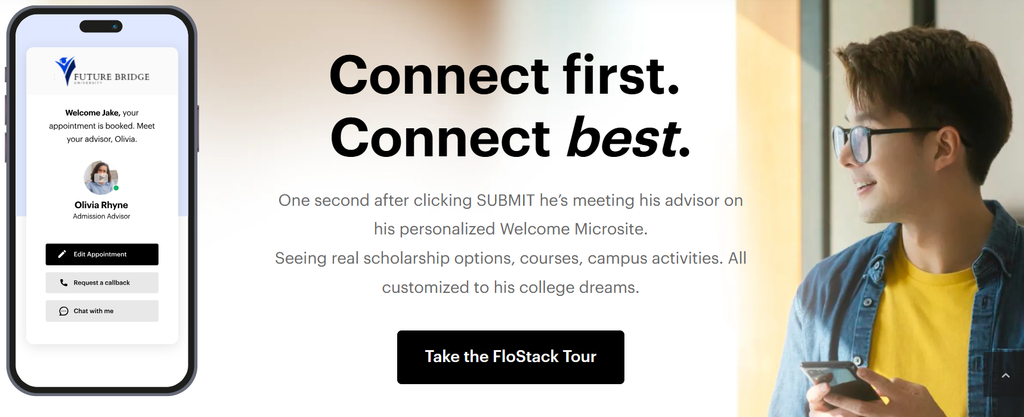
See a personalized microsite built for your school
It’s a web page created for one prospective student right after they inquire. It shows their assigned advisor, content for the program they chose, and options to book a meeting, request a callback, or chat.
A thank-you page confirms the form went through. A microsite gives the student a person to talk to and a next step to take, so they don’t wait passively for a call.
No. They handle the busywork of first contact and scheduling so counselors spend their time in real conversations with students who are ready.
Yes. Students can book, request a callback, or chat at any hour. In LeadSquared, Invorto Voice AI can also follow up with after-hours inquiries.
Yes. Each counselor can add a welcome video to their profile, which appears on their students’ microsites. LeadSquared also integrates with MDT Marketing to generate a video for each new lead.
Timelines depend on how many programs, campuses, and counselors you have. Most LeadSquared customers go live in weeks, not months, with help from the in-house onboarding team.
Not quite. A microsite covers the moments right after inquiry. A student engagement platform covers the full journey, from inquiry through application and enrollment, and your SIS takes over as the system of record once the student enrolls. FloStack microsites run inside LeadSquared’s platform, so both share one student record.
Yes, for most of the SIS platforms US schools use. LeadSquared has live integrations with Anthology Student, Ellucian Banner, Ellucian Colleague, Jenzabar Sonis, Populi, FAME Advantage, FAME Freedom, Diamond, and Orbund.
LeadSquared runs the pre-enrollment journey, and your SIS stays the system of record once a student enrolls. Depending on the SIS, the sync can create and update student records, applications, enrollments, activities and documents, by API or flat file. LeadSquared also connects with Slate, Common App and EAB Navigate, and the UDS connector handles other sources without code.
FloStack is an add-on that works inside your LeadSquared CRM, and pricing depends on your package.
Enter your details and we'll send you a quick confirmation email to verify your address.
 26 min read 21 min read 18 min read


