





EDUCATION
Salesforce Education Cloud alternatives for admissions teams
Contents

 22 min read


Salesforce Education Cloud (now Agentforce Education) is built to run a campus from recruitment to alumni relations. But many admissions teams only need the recruitment and admissions tools. They end up paying for capabilities they don’t use and waiting on admins for even small changes.
The setup burden shows up in reviews. In a recent TrustRadius review, a higher education user noted that so little comes ready out of the box that even adding an application on the learner portal or setting up recruitment territories, takes considerable time.
If that sounds familiar, it may be time to look at Salesforce Education Cloud alternatives. The short answer: if you need one platform for the whole campus, including advising and alumni relations, Salesforce is built for that. If your focus is admissions, especially high-volume, phone-led enrollment, LeadSquared is built for that. Below, we compare Salesforce with three alternatives designed for admissions (LeadSquared, Slate, and Element451) so you don’t have to take our word for it.
For each one, you’ll see:
Security and compliance get their own section.
A note on sources: pricing and features come from each company’s public materials as of October 2026 and can change. This article is published by the company behind one of the platforms it compares.
For many admissions teams, the issue with Salesforce is scope. Admissions uses a fraction of the platform, and the cost of running the rest keeps growing. Salesforce works well as a campus-wide system, but admissions is different: it moves faster than most departments and when a campaign changes or a new program launches, the team needs updates made in days, not weeks in admin sprints. That’s why some institutions run admissions on a dedicated CRM (like LeadSquared), either on its own or connected to Salesforce.
Here’s where admissions teams feel the strain:
Salesforce is built to be customized, and customization needs people. Every program launch, and every change to an intake form, routing rule, or report, tends to land on an admin’s desk. Smaller schools feel this strain the most: when the admins are busy, counselors must work around the system instead of in it.
Education Cloud is designed for the full learner lifecycle. Salesforce’s own pricing page lists recruitment and admissions, academic operations, student success, and advancement and alumni relations as included areas. If your team only runs admissions, much of that sits unused.
The per-user prices on the Education Cloud pricing page are nonprofit rates. Salesforce sends for-profit institutions to a separate commercial pricing guide. That matters for many career colleges and trade schools. Nonprofits pay a list price of $87 per user per month for the Core edition, and for-profit institutions pay $350. Both are billed annually.
Admissions at a career college runs on the phone. In Salesforce, the contact center features sit in the top “Max” editions, and voice and digital engagement tools are listed as extra purchases. On lower editions, calling typically means an add-on or a third-party integration your team has to set up and pay for.
In its Education Cloud pricing FAQ, Salesforce says that where a built-in integration doesn’t exist, schools can buy MuleSoft licenses, hire an integration partner, or use marketplace apps. Any of those adds time, cost, and another system to maintain.
National Student Clearinghouse data shows there are now 752,000 enrollments in undergraduate certificate programs at community colleges, up 28.3% since fall 2021 (fall 2025 data). Career colleges and trade schools compete for many of the same students, and when more schools chase them, a CRM that slows your follow-up costs you enrollments.
If you only have a minute, this table shows where each platform fits. Choose LeadSquared if admissions is your focus and speed of follow-up drives your enrollments. Slate and Element451 suit narrower cases, explained below. The sections below go deeper on each one.
| Platform | Best for | Calls and texts | SIS connection | Pricing model | Biggest watch-out |
| Salesforce (Education Cloud) | Large institutions with in-house admins that want one platform for the whole student lifecycle | Contact center in Max editions; otherwise, add-ons or partners | Built-in where available; otherwise MuleSoft, partners, or marketplace apps | Per user, per month, billed annually; nonprofit and commercial rates differ | Admin load and total cost for admissions-only use |
| LeadSquared | Admissions teams at career schools, graduate and online programs, and large universities that want admissions on its own platform, with high inquiry volume | Telephony integrations with calling, logging, and recording; SMS connectors; voice AI available as an add-on | Connectors plus Universal Data Sync (UDS) for real-time or scheduled syncs | Subscription quote by plan, users, and add-ons | Custom sources need IT input; UDS and telephony are paid |
| Slate by Technolutions | Application-driven undergraduate and graduate admissions | Built in (Slate Voice and SMS), paid through usage credits | Bi-directional feeds the school builds with web services, files, or API | Flat annual license by submitted applications | Built around applications, not phone-led inquiry funnels |
| Element451 | Colleges consolidating marketing, admissions, and student success with AI agents | Agents across chat, email, SMS, and voice | Managed integrations for Ellucian Banner and Colleague | Annual institutional contract plus usage credits for some AI features | Usage credits make AI costs harder to predict |
Before comparing alternatives, it helps to be clear on what you have today. Salesforce has renamed Education Cloud to Agentforce Education, though the old name still appears in its pricing pages and documentation.
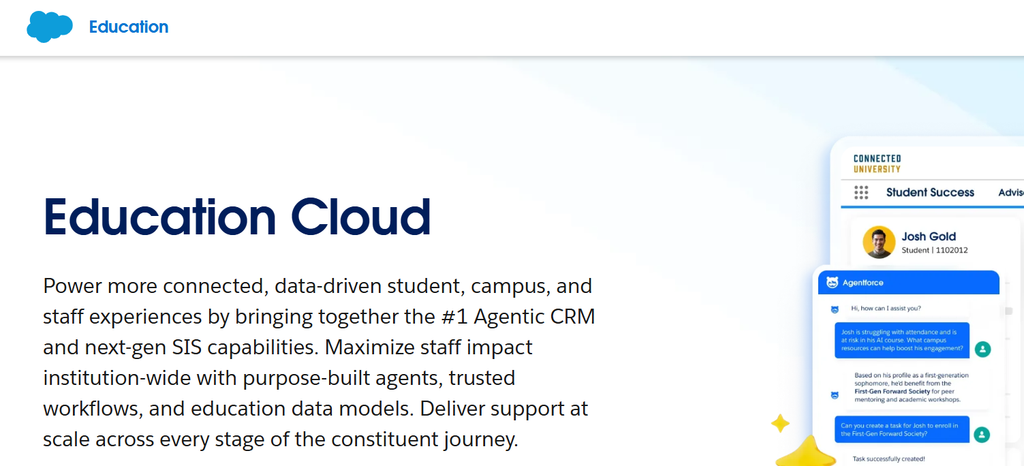
Best for:
Inquiry channels: Web forms and email are standard. Contact center features are included in the Max editions, while voice and digital engagement tools are sold as extras on other editions. Confirm which chat and social messaging channels your edition includes before you assume they’re covered.
SIS integration: Salesforce has been adding student information system capabilities of its own. For an external SIS, Salesforce points schools to built-in integrations where they exist, and otherwise to MuleSoft, integration partners, or marketplace apps. In practice, data, direction, and sync frequency depend on what your team or partner builds.
Does it close the loop to revenue? It can. Reporting and dashboards are good, and analytics tools are bundled into the newer editions. But tying a lead source to an enrolled student and tuition depends on how your campaigns and fields are configured, and on enrollment data flowing back from your SIS. Someone has to build and maintain that.
Pricing model: Per user, per month, on an annual contract. Nonprofit list prices range from $87 to $363 across editions, and for-profit list prices range from $350 to $725.
Watch-outs:
LeadSquared is an admissions and enrollment CRM built for schools that live on speed and volume: lots of inquiries, many sources, and counselors who work the phones. See how LeadSquared’s higher education CRM is set up for colleges.
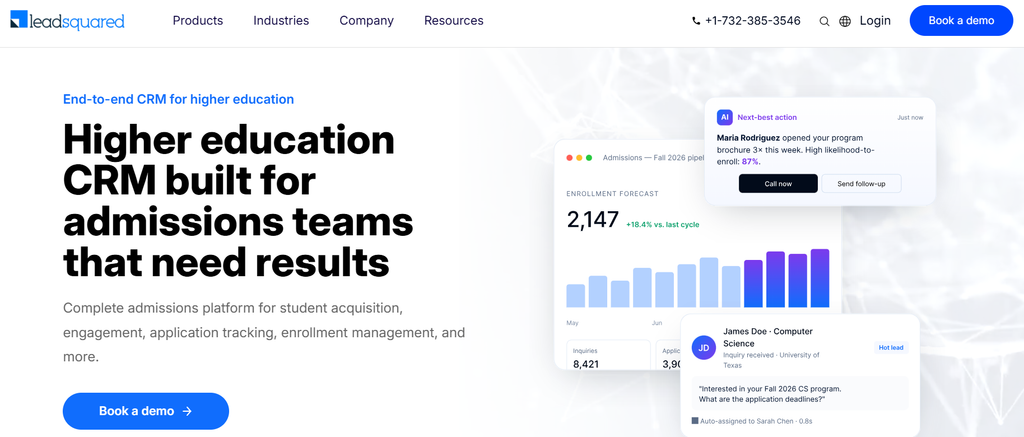
Best for:
Inquiry channels: Native connectors capture inquiries from common sources such as Meta (Facebook) Lead Ads, Instagram Ads, and LinkedIn Lead Gen Forms. Calls run through telephony integrations with calling, logging, and recording, and SMS runs through SMS connectors. For everything else, there’s Universal Data Sync, or UDS.
UDS is worth understanding, because it’s how LeadSquared handles the long tail of inquiry sources most schools struggle with. It lets you connect almost any source that has an API or webhook:
In plain terms, a lead vendor, a chat tool, an events platform, a scheduling tool, or a review site with an API can all feed one clean lead record per prospective student, tagged by source.
AI agents built for admissions: LeadSquared offers AI agents built for education admissions. Two of them do much of the day-to-day lifting:
Other agents, handle specific jobs. Sherlock checks intake data for errors, Quill turns plain-language questions into reports, and RevGuard flags enrolled students at risk of dropping out.
Lincoln Tech, a multi-campus career education group, is deploying LeadSquared’s AI agents across its enrollment operations, with human oversight kept in place for key admissions decisions.
SIS integration: Data typically flows two ways. Inquiries and applicants move from LeadSquared to the SIS, and the SIS sends enrollment status back to LeadSquared, so counselors and marketers see who actually enrolled. Depending on the SIS, this runs as a ready connector or through scheduled or real-time syncs built on UDS and the API. LeadSquared also integrates with Salesforce, which matters if you’re keeping parts of Salesforce.
Does it close the loop to revenue? Yes, when enrollment data comes back from your SIS. Because every lead carries its source from the first touch, you can report on enrolled students by channel, campaign, and vendor, then compare that against what you spend. Configurable Lead Score and Engagement Score settings help counselors focus on the prospective students most likely to move forward.
Pricing model: A subscription quote based on plan, number of users, and add-ons. UDS itself is a paid feature. See education CRM pricing for how plans are structured.
Watch-outs:
Slate is a long-standing admissions platform in US higher education, especially at four-year colleges. It’s built around the application: collecting it, reading it, deciding on it, and moving admitted students to enrollment.
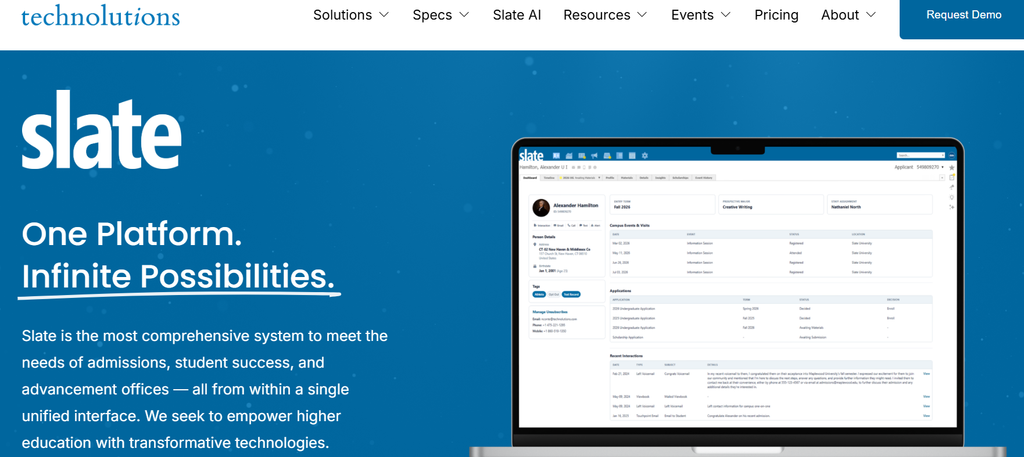
Best for:
It’s a weaker fit for phone-led, high-volume inquiry funnels with rolling starts, where speed of first contact matters more than application review.
Inquiry channels: Web forms, email, and SMS are built in. Calling is native too, through Slate Voice, which lets staff place calls from a record, use call lists, and receive voicemail with transcripts. Ask Technolutions how calls and texts are billed for your volume.
SIS integration: Slate lists bi-directional integrations with Banner, Colleague, and other systems, plus homegrown and mainframe systems and middleware such as Axiom and iData. Schools typically build these themselves using scheduled web services, batched file transfers, or the API. So the data, direction, and timing are what your team designs, often on a schedule rather than in real time.
Does it close the loop to revenue? Partly. Slate has strong source tracking and funnel reporting through enrollment. Connecting that to ad spend or tuition usually means bringing in data from other systems, and some Slate partners sell marketing analytics that do this.
Pricing model: A flat annual license based on submitted applications per year. Tiers start at $30,000 for fewer than 1,500 applications and $50,000 for 1,500 to 7,500. Technolutions says most clients pay $50,000 a year and that it has never raised license prices. There are no per-user fees.
Watch-outs:
Element451 is a higher education CRM sold in two parts: Element, the full CRM, and Bolt, a set of AI agents. Bolt can also be bought on its own and run on top of a school’s existing systems.
Best for:
It’s a weaker fit for schools on a career-college SIS outside the Ellucian family, or for teams that want simple, fixed pricing with no usage meter.
Inquiry channels: Forms, email, and SMS campaigns are core features. Element451 positions its Bolt agents as handling questions across chat, email, SMS, and voice.
SIS integration: For Banner, Element451 offers a managed integration that it builds and maintains. It runs both ways through Ellucian’s Ethos API: applicant data goes to Banner, and changes in Banner flow back, with a sync delay of one to five minutes. A similar managed integration exists for Colleague. For other systems, ask exactly how data will move and who maintains it.
Does it close the loop to revenue? Partly. Element451 includes analytics on the funnel and, with an SIS connection, sees who enrolled. If you want cost per enrolled student by channel, confirm whether your ad spend and tuition data can be brought in.
Pricing model: An annual institutional contract. Third-party pricing trackers report that plans now start at $20,000 a year. On top of that, some premium AI features run on usage-based credits with caps you can monitor. Ask for a written quote that shows the contract fee and usage credits as separate lines.
Watch-outs:
TargetX (Liaison). TargetX is a higher education CRM that runs on top of Salesforce. That makes it a familiar choice for Salesforce schools, but it doesn’t remove the Salesforce layer: you still license and maintain Salesforce underneath. If you’re weighing it, see our breakdown of TargetX alternatives.
Anthology Reach. Reach is built on Microsoft Dynamics 365. In Anthology’s Chapter 11 process, the court approved the sale of its lifecycle engagement business, including Reach, to Encoura. If you’re evaluating Reach, ask the new owner about roadmap, support, and contract terms before you commit.
All four platforms take security seriously. The real differences are in what each one documents publicly and what you’ll need to request during procurement.
For US admissions teams, the rules that come up most are FERPA for student records, the GLBA Safeguards Rule for schools that take part in federal student aid, and TCPA for calling and texting consent.
| Platform | What it states publicly | What to request |
| Salesforce (Education Cloud) | SOC 2 compliant; higher editions include Security Center, Data Detect, Backup & Recover, and a full sandbox | Compliance reports for your edition |
| LeadSquared | SOC 2 Type II and ISO 27001:2022 certified; data encrypted at rest (AES-256) and in transit; role-based access and IP whitelisting; supports FERPA obligations and the GLBA Safeguards Rule; TCPA-compliant messaging; supports audit logs and US-based data hosting | SOC 2 report and FERPA documentation, available to verified procurement contacts |
| Slate | Encryption at rest and in transit, single sign-on, multi-factor authentication, field-level permissions, PCI DSS compliance, and a private database per institution | Third-party audit reports and your data-hosting region |
| Element451 | SOC 2 Type II audited security program and encryption in transit and at rest; publishes guidance on GLBA | SOC 2 report and its data use terms for AI features |
One tip: compliance is shared. A FERPA-ready CRM still depends on how your team sets user roles, consent capture, and data retention.
This is the question we hear most. It depends on how big your team is and how much of the platform you’ll really use.
If you’re a university that already runs Salesforce across several departments, keep it for the campus. Admissions can still run on LeadSquared, synced both ways, so counselors get a faster system without IT rebuilding anything. If you’re a single-campus or regional school where admissions is the main user, the math often looks different. Here’s where the gap usually shows up:
If admissions is what you need to fix, look at a CRM built for admissions before adding another Salesforce add-on. LeadSquared is a full admissions and enrollment CRM in its own right, and switching doesn’t have to happen overnight.
Move at your own pace. LeadSquared offers a two-way Salesforce integration that syncs leads and activities, including custom objects tracked as activities. You can move admissions over in phases, or keep Salesforce for other departments while admissions runs fully on LeadSquared. Before you commit, map which system owns each field, such as lead owner, stage, and program, so the two don’t overwrite each other.
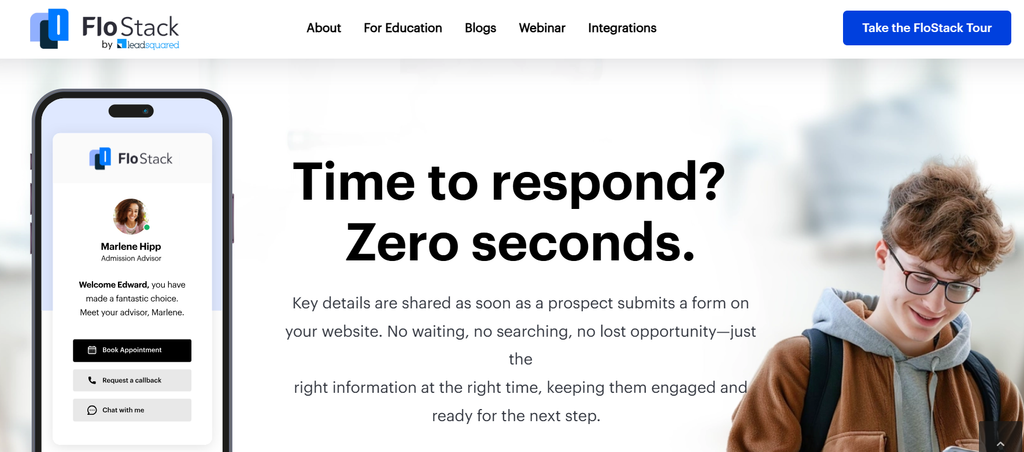
Where FloStack fits. FloStack is an add-on scheduling and lead engagement product from LeadSquared. It handles things like booking campus tours and advising calls, rules for who gets which meeting, and simple microsites. It supplements a CRM rather than replacing a full student portal, and it can connect to other systems through Universal Data Sync (UDS).
Where Invorto fits. Invorto Voice AI Co-Pilot, available as an add-on, answers calls when your team can’t. It handles routine questions, reminders, and follow-up calls at any hour.
Cost of connecting. Integration cost depends on how much data moves, how often it syncs, and whether your SIS has a ready connector or needs a UDS or API build. Ask for it as a separate line in your quote.
When you compare Salesforce alternatives, the demo will always look smooth. These questions show what daily life will really be like:
Salesforce Education Cloud is a strong platform, but you pay for all of it whether admissions uses it or not. If your team needs two admins to keep it running, uses only the admissions slice, or relies on add-ons for calling, it’s worth checking what a focused alternative would cost.
Slate fits application-driven offices that like predictable flat pricing. Element451 suits Ellucian schools that want AI agents across the funnel. LeadSquared is built for high-volume, phone-led admissions, with every inquiry source feeding one clean record and enrolled students traced back to the channel that found them.
The fastest way to know which way to go is to put real numbers side by side.
Get a Salesforce vs LeadSquared cost comparison built on your users, lead volume, and integrations.
It depends on your admissions model. LeadSquared suits high-volume, phone-led admissions at career colleges, trade schools, and graduate or online programs, with education-specific AI agents that reply to new inquiries in under a minute and flag stalled ones before students move on. Slate suits application-driven undergraduate and graduate offices. Element451 suits Ellucian schools that want AI agents across marketing, admissions, and student success.
Salesforce lists nonprofit prices of $87 to $363 per user per month, billed annually. For-profit institutions are quoted from a commercial guide, where list prices run from $350 to $725 per user per month. Add-ons, implementation, and integrations are extra.
For schools where admissions is the main user, LeadSquared lets admissions teams change routing rules, forms, and automations themselves, and a side-by-side quote shows how the costs compare. Large institutions that use Salesforce across many departments should weigh migration effort, and LeadSquared’s two-way Salesforce integration lets them move in phases.
A supplement. FloStack is an add-on from LeadSquared that handles scheduling and lead engagement, such as booking tours and advising calls. It doesn’t replace a full applicant or student portal.
The Salesforce integration syncs leads both ways, so owner data can come across. You can also let LeadSquared handle assignment instead. Decide which system owns the lead owner field during setup so the two don’t conflict.
It depends on your plan, how much data moves, and how often it syncs. Ask for it as a separate line in your quote so you can compare total cost fairly.
Yes. LeadSquared is FERPA, SOC 2 Type II, GLBA and TCPA compliant. FERPA compliance is shared: your institution still controls user roles, consent capture, and data retention. Documentation is available to verified procurement contacts.
Enter your details and we'll send you a quick confirmation email to verify your address.
 16 min read 11 min read 11 min read


