





HIPAA-compliant Patient Scheduling Software
For a schedule that holds steady through the pace of a busy day.
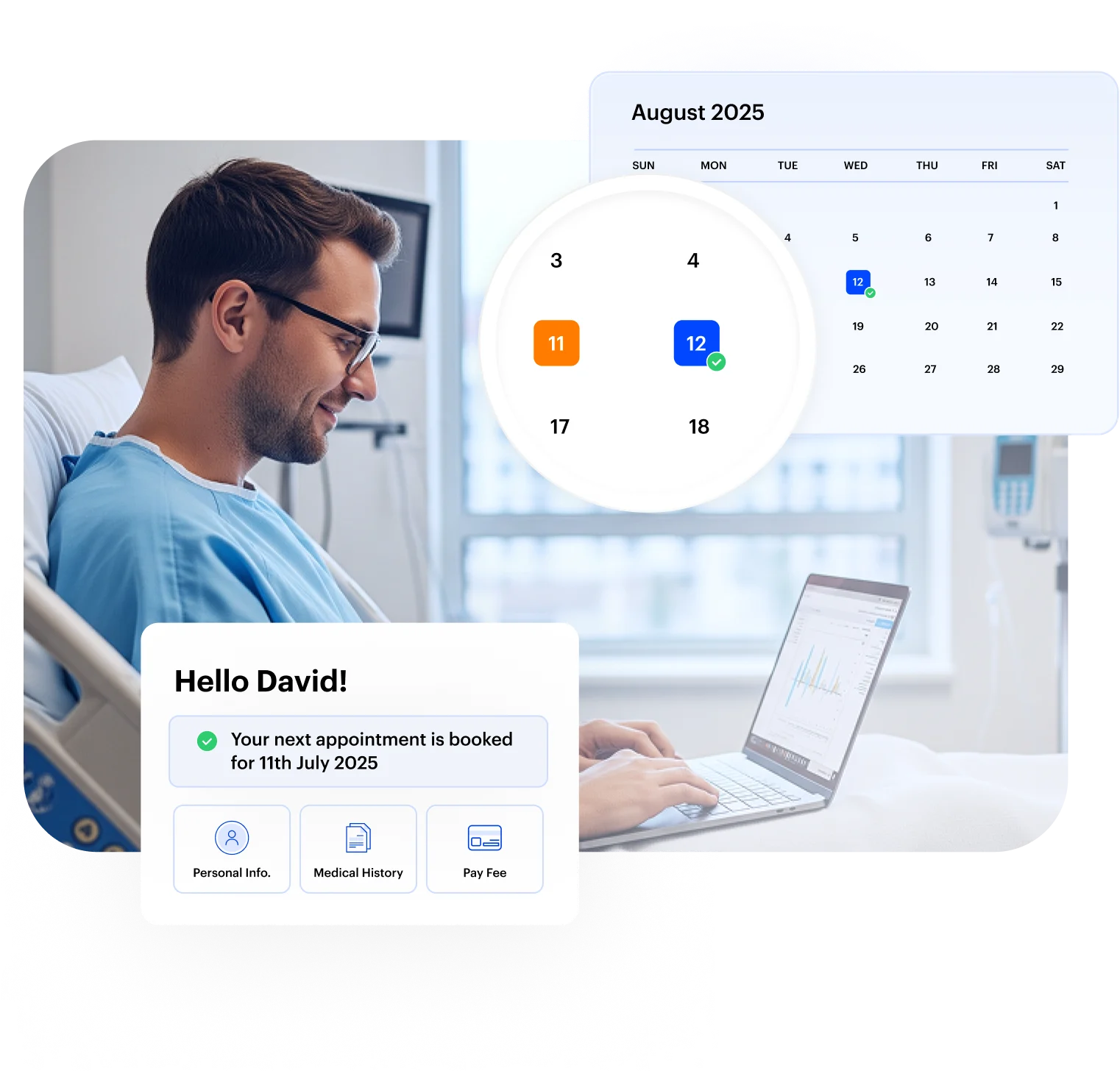

Challenges US healthcare teams face without dedicated patient scheduling software
Administrative inefficiency in healthcare scheduling is not a minor inconvenience; it has measurable financial consequences.
Healthcare systems lose billions of dollars each year to preventable administrative inefficiencies, with up to $265B in recoverable costs driven by manual workflows and fragmented systems.
Missed appointments and slow, disconnected scheduling processes continue to drain capacity and revenue across outpatient care.
- Manual intake processes that create front-desk bottlenecks and slow the patient experience
- Fragmented communication between scheduling, clinical, and administrative teams
- Missed inquiries and cancellations that leave appointment slots unfilled
- Compliance risks from unsecured patient data and inconsistent PHI handling
- Limited visibility into provider availability, room utilization, and scheduling gaps
- Delayed speed-to-lead that allows high-intent patients to book elsewhere before your team responds
What US healthcare teams achieve with LeadSquared’s patient scheduling software
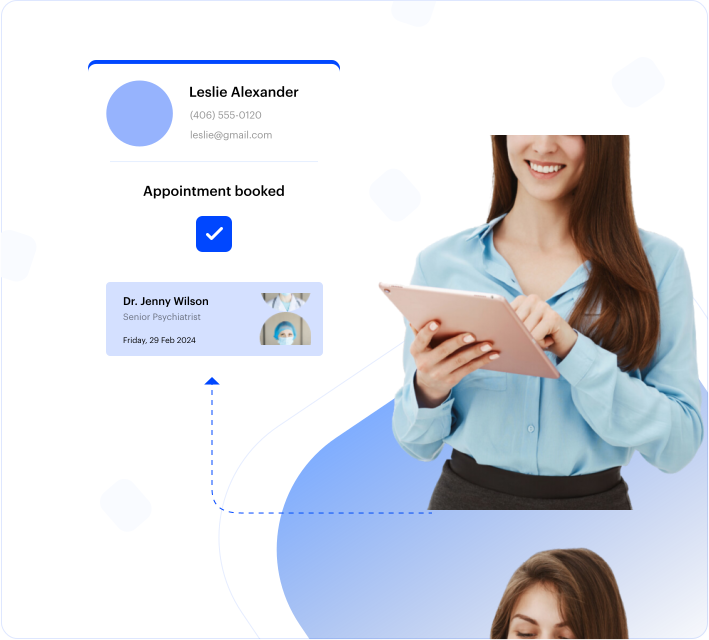
Manual Scheduling? Not anymore.
Why manually wrestle with schedules when our system can set it straight for you? Automated patient scheduling cuts down on busywork and makes booking feel effortless, for both your practice and your patients.
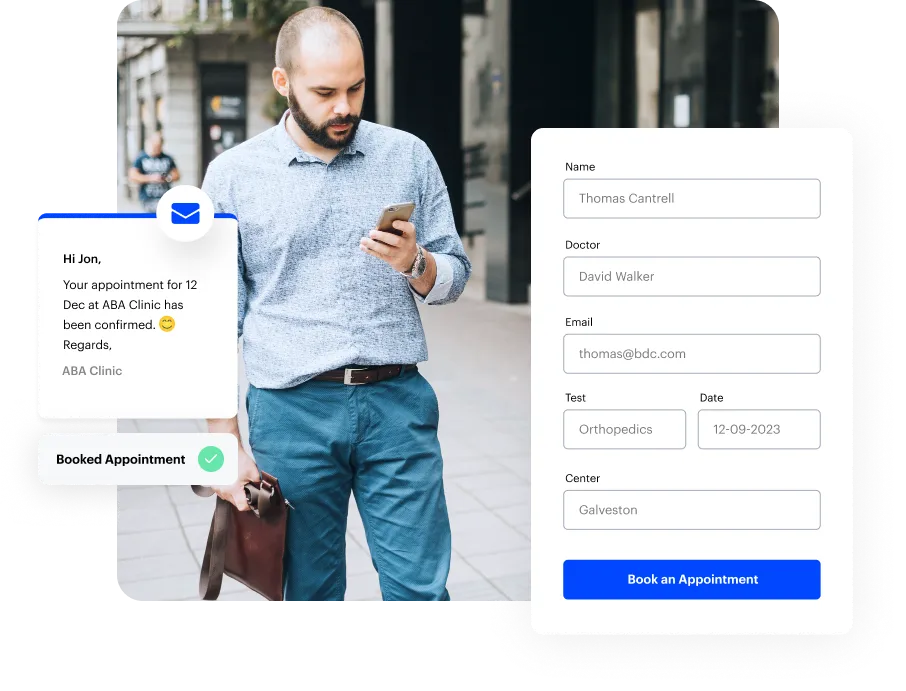
Let patients book appointments at their convenience
Give patients a faster, more convenient scheduling experience with instant responses and automated communication. FloStack helps patients move from appointment request to confirmation with real-time updates, confirmed appointment details, and clear next steps. Behind the scenes, your scheduling team gains real-time visibility into patient engagement, making it easy to identify confirmed appointments, follow up when needed, and keep schedules running smoothly.
Streamline patient intake before the visit
Paper forms and physical check‑ins slow everything down.
LeadSquared’s patient scheduling software lets you collect intake information online (from basic demographics and contact info to medical history and consent forms) as part of the booking flow. When patients complete their forms online, the information flows directly into your connected systems, reducing duplicate entry and eliminating manual transcription errors.

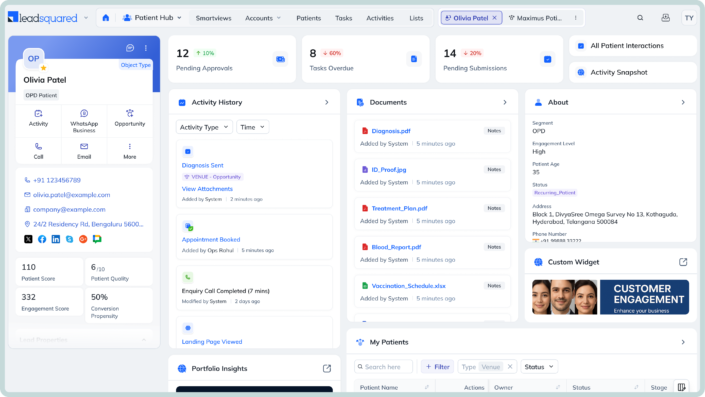
Manage doctors and schedules with ease
Healthcare scheduling goes beyond booking slots. It involves matching provider time, room availability, and equipment, often across multiple people. When handled manually, this can slow things down and create gaps or overlaps.
Manage everything from one place with up-to-date visibility. Keep schedules aligned automatically, connect resources to appointments, and ensure multi-provider visits are booked only when all requirements are met.
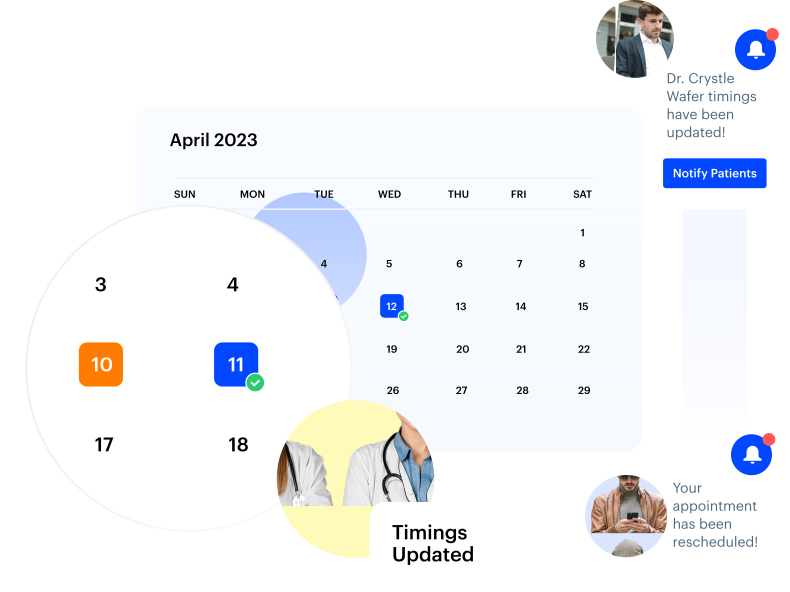
Stay organized with Calendar View
Get a complete view of your schedule without switching between screens or lists. See how appointments are spread across providers and make updates directly where you’re already working.
Fill cancellations instantly with smart waitlists
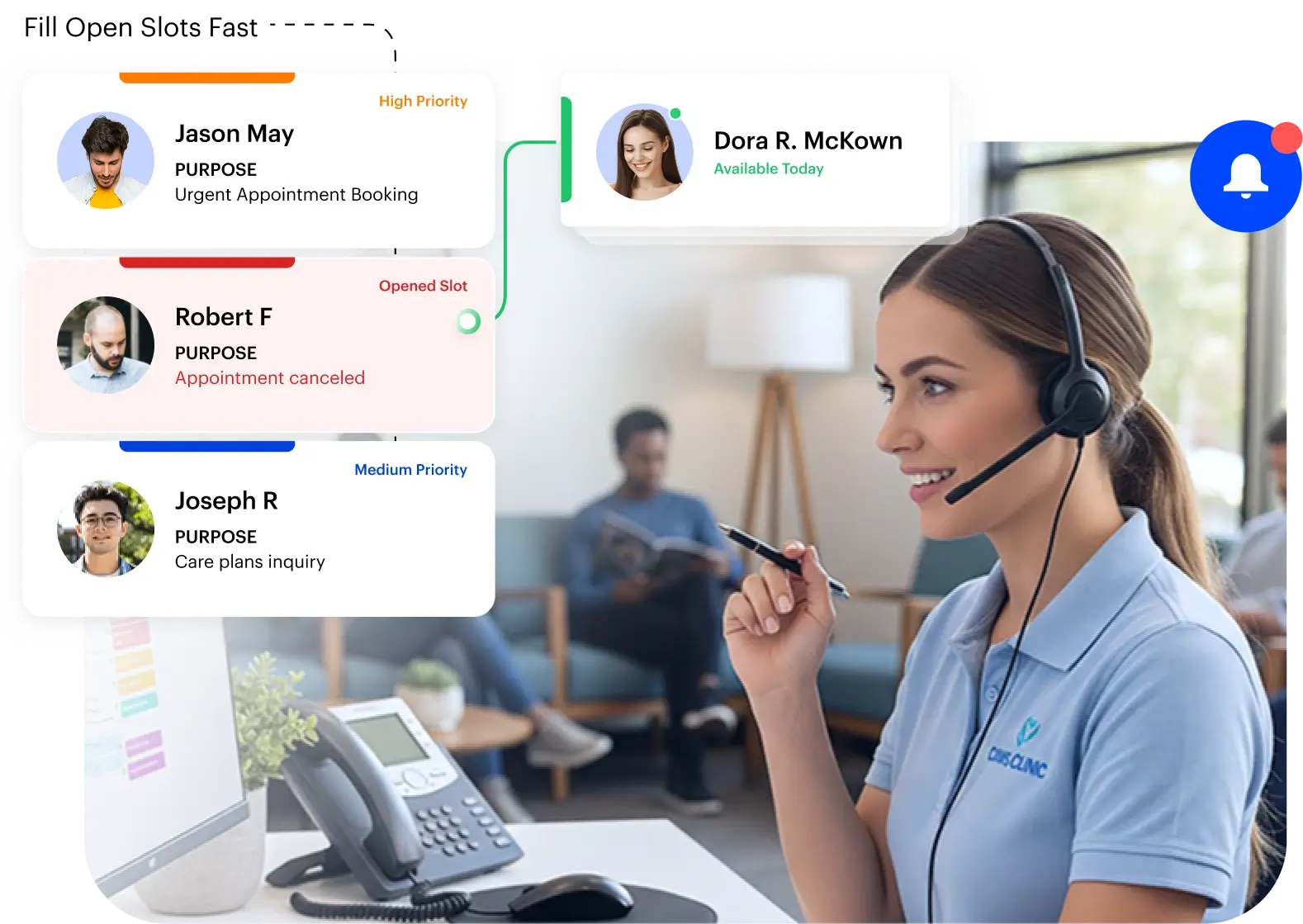
Missed opportunities from last‑minute cancellations are a common challenge in healthcare scheduling. When a patient cancels an appointment, that slot can go unused, leaving gaps in the provider’s day and causing lost revenue for the practice. Traditional approaches — like having staff manually monitor cancellations and call patients to fill them — take time and often miss quicker opportunities.
LeadSquared’s waitlist management tools automate this process.
Connect with your patients at every step of care
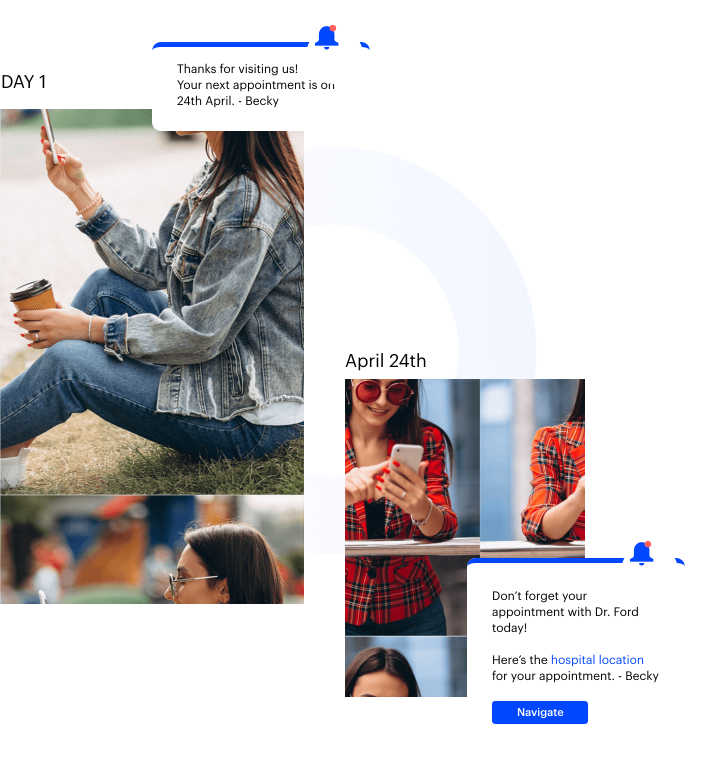
Effective communication is a core part of patient experience and clinical operations. Our scheduling software’s patient engagement capabilities go beyond basic reminders.
Reduce patient no‑shows with automated reminders
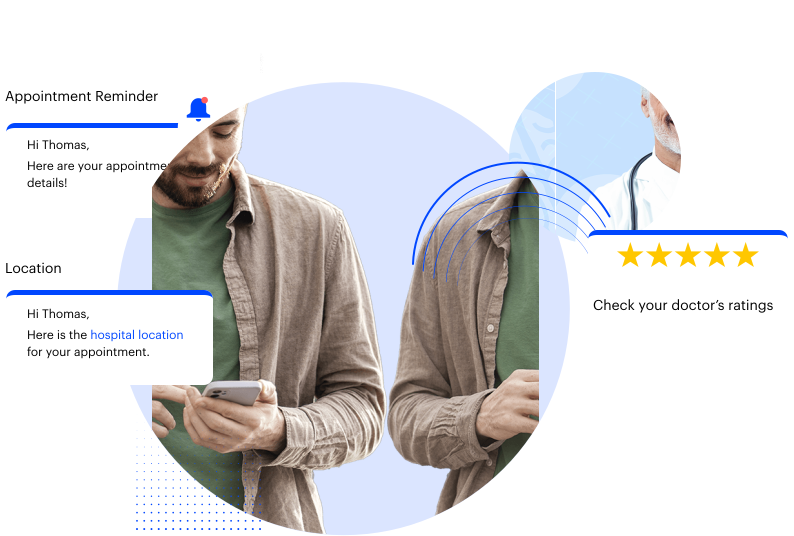
Missed appointments are a persistent challenge for healthcare practices. Without reminders, no‑show rates typically range from about 15% to 30% or more, which leads to wasted time and revenue loss.
LeadSquared’s automated reminder capabilities help you reach patients through the channels they use most, and make it easy for them to confirm, cancel, or reschedule. By automating outreach, you save your team hours of manual calls, and patients get timely notifications that help them keep or adjust their appointments.
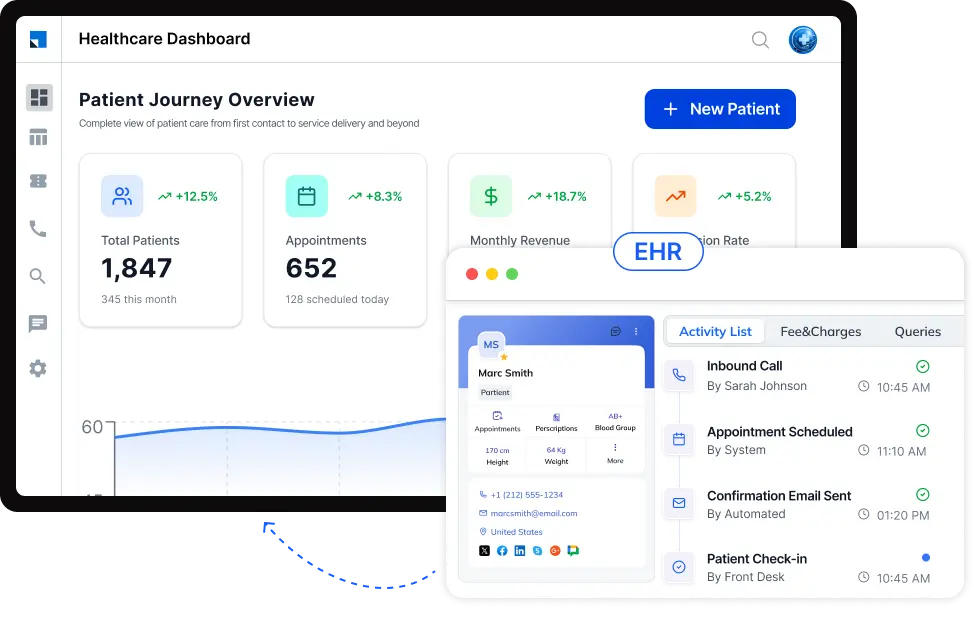
Integrate our scheduling software with your EHR
In U.S. healthcare settings, patient scheduling doesn’t happen in isolation — it’s part of a larger clinical workflow that lives in Electronic Health Record (EHR) systems providers already use every day. Connecting LeadSquared to your practice’s EHR ensures information flows where it’s needed without manual work.
Faster insurance verification and pre‑visit payments
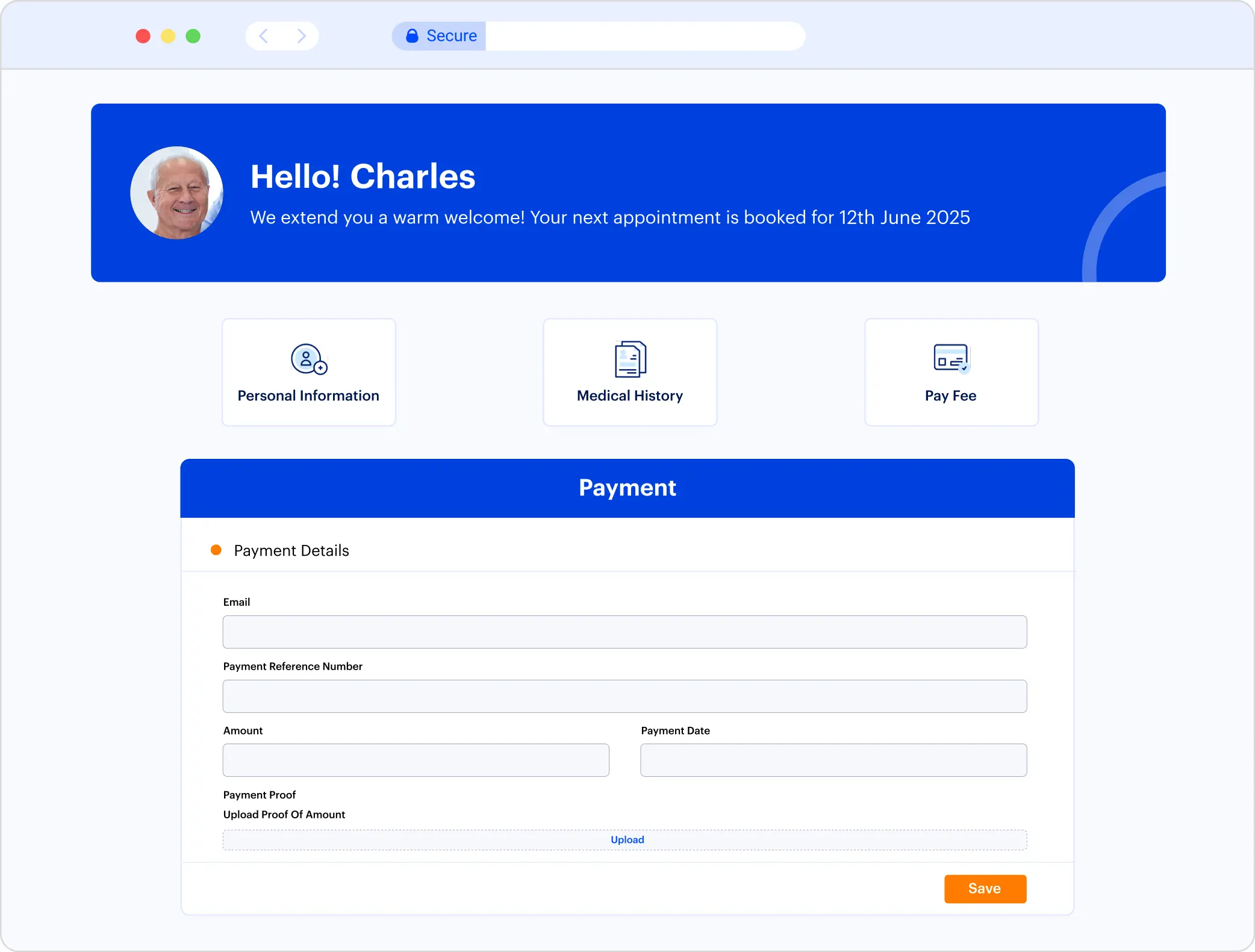
LeadSquared integrates with insurance verification and billing tools, so your scheduling and intake information flows smoothly into these systems. Once our scheduling software captures insurance details, connected tools can verify coverage and support pre‑visit payment collection before the appointment.
Works with the systems you already use
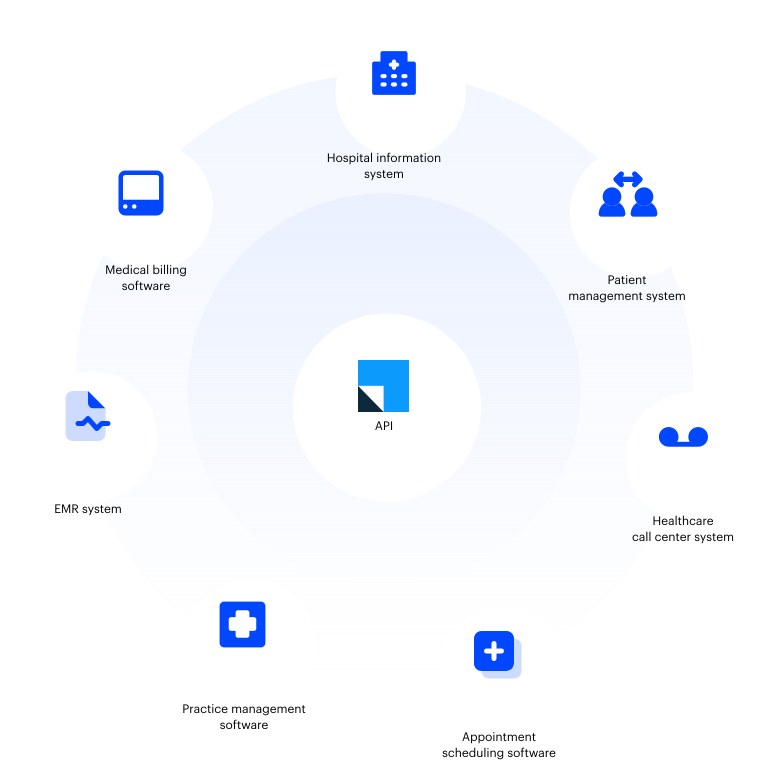
LeadSquared’s patient scheduling software is built with connectivity in mind. Beyond EHRs and billing and insurance verification software, it also integrates with other tools your practice depends on.
Multi-provider & multi-location scheduling
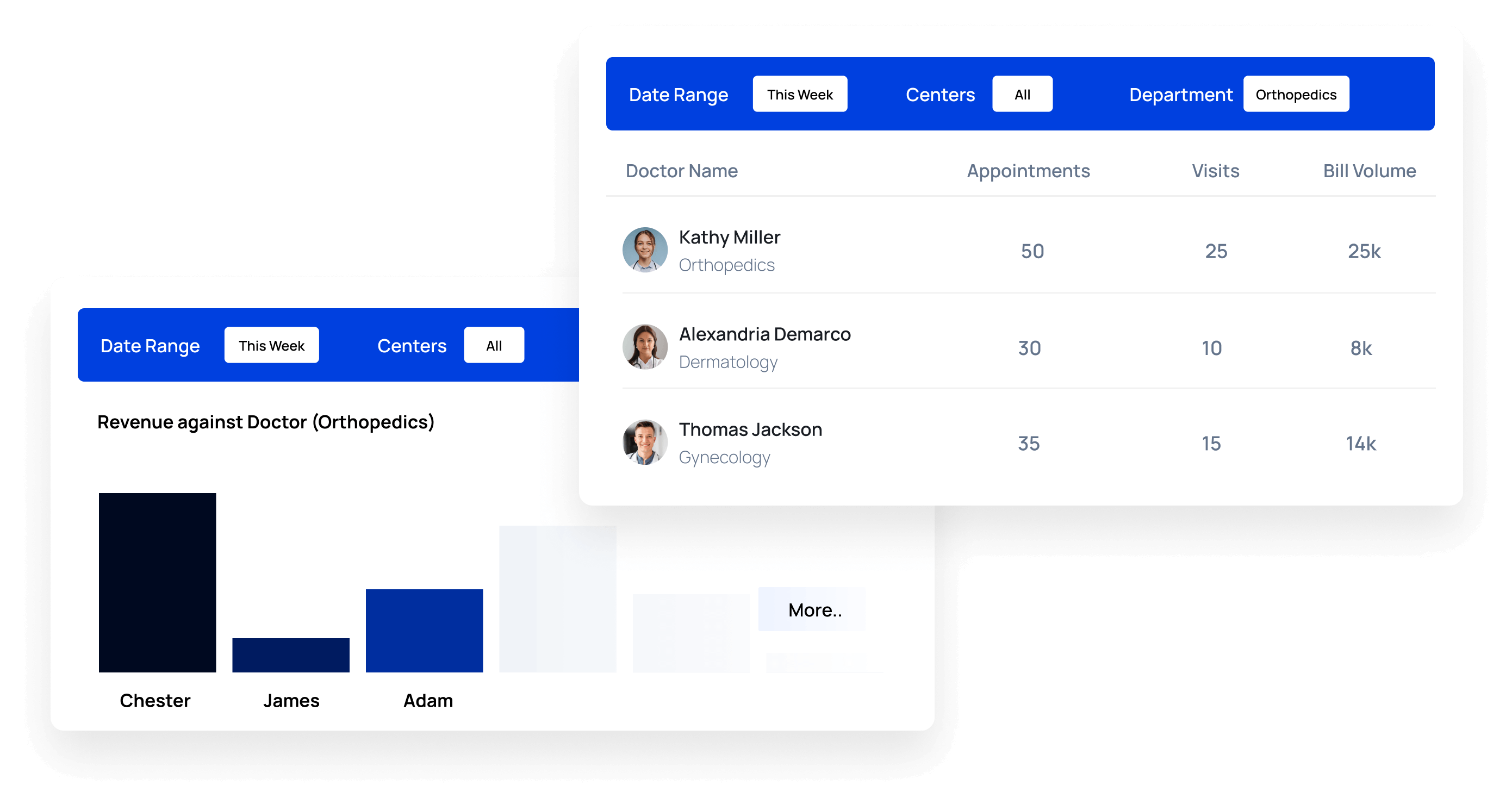
Manage complex scheduling across providers, specialties, rooms, and locations from a single platform. Gain complete visibility into availability and capacity, making it easier to coordinate appointments, optimize resources, and keep schedules running efficiently.
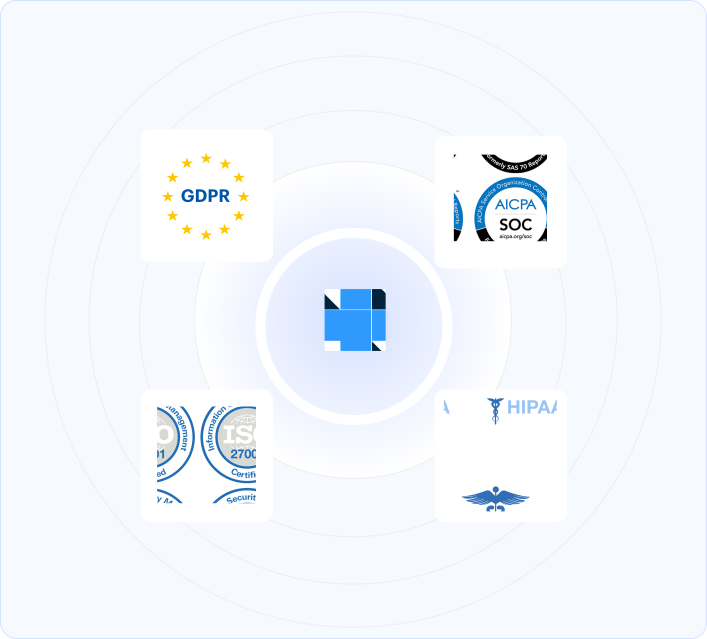
HIPAA-Compliant By Design
Custom Reports That Give You Clarity
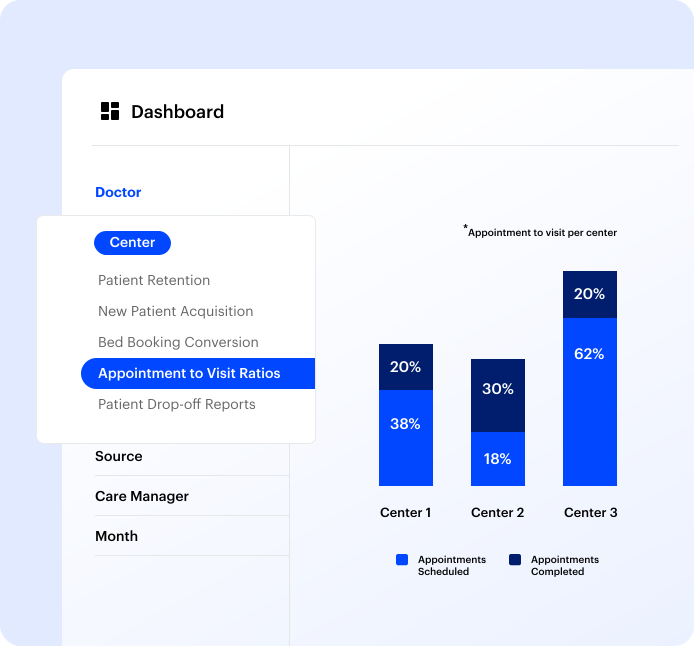
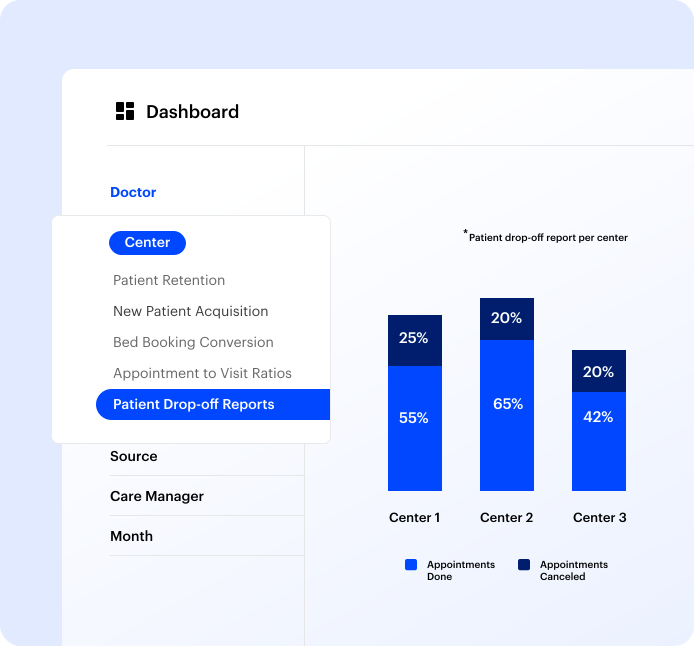
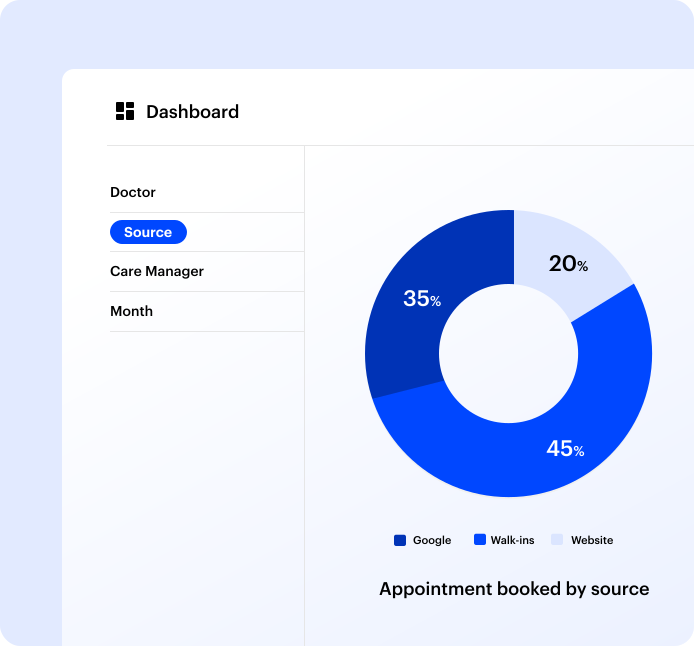
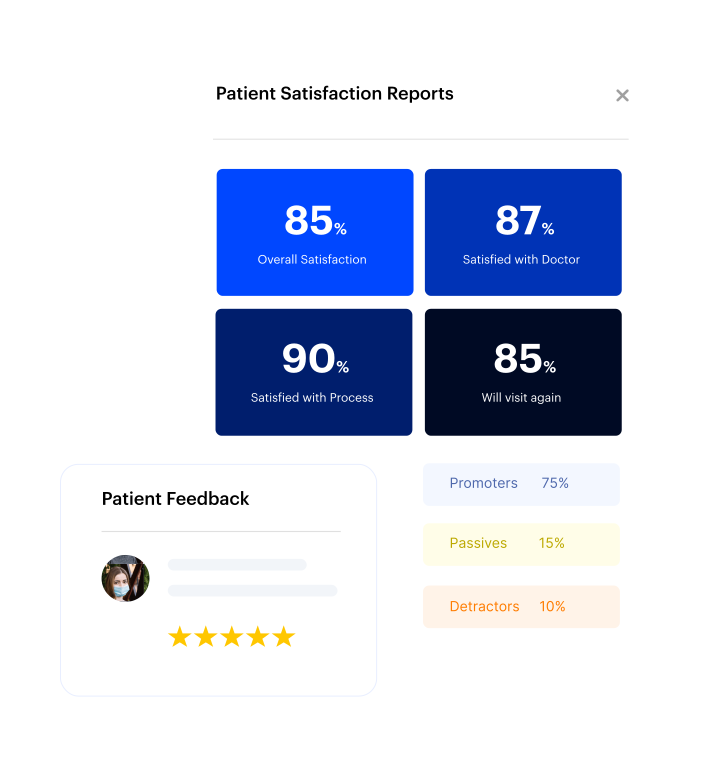
Easily build reports that show the numbers that matter most to your practice. See performance in real time and act before small issues become big ones. With LeadSquared, you can monitor appointment volume, no-show rates, provider utilization, scheduling efficiency, and patient acquisition performance through customizable dashboards and real-time reporting.
Fits the full spectrum of US healthcare providers
LeadSquared’s patient appointment scheduling system is configured for your specialty. The platform actively supports scheduling workflows across:
- ABA therapy and autism services
- Behavioral and mental health providers
- Rehabilitation and pain management centers
- Specialty clinics, including fertility, bariatric, wound care, and vision
- Plastic surgery and aesthetic medicine practices
- Home health agencies
- Wellness and weight management programs
- Hospitals, multi-location health systems, and MedTech companies

Why US healthcare teams choose LeadSquared over generic scheduling systems
| LeadSquared | Generic CRM | |
| Healthcare-specific workflows | ✅ Built for patient journeys, intake workflows, and clinical coordination | ❌ Designed for general appointment booking; healthcare is a secondary use case |
| HIPAA compliance | ✅ Core architecture — built in from day one | ⚠️ Compliance features vary; may require separate configuration or cost |
| AI capabilities | ✅ Invorto AI, FloStack, chatbot, predictive scoring, and smart routing — native to the platform | ❌ AI features typically may require additional paid modules or third-party integrations |
| EHR/EMR integration | ✅ Bidirectional sync with CentralReach, Athena, AdvancedMD, and more | ❌ Limited native integration; often requires custom development |
| Multi-location support | ✅ Territory management, center-level configuration, and role-based dashboards | ⚠️ Limited multi-location functionality without significant customization |
| Implementation model | ✅ In-house team works as your extended implementation partner | ❌ Typically relies on outsourced consultants at additional cost |
| Total cost of ownership | ✅ Enterprise-grade capability without the Salesforce price tag or complexity | ⚠️ High licensing and implementation costs for comparable functionality |
How LeadSquared‘s automation fueled Posterity Health’s growth
LeadSquared helped Posterity Health streamline patient engagement, eliminate manual outreach, and grow revenue 7× without growing the team.

- Increased operational productivity through automation
- Reduced manual administrative effort and follow-up work
- Better visibility into patient engagement and performance metrics

Schedule a Demo with our Experts

Patient Scheduling Software FAQs
How long does it take to implement patient scheduling software?
Implementation timelines vary depending on the size of your organization and the systems you use. For most practices, a scheduling solution can be set up within a few weeks, including configuration, integrations, and staff training. Larger health systems with multiple locations or complex workflows may take longer, especially when integrating with EHRs and other tools. A well-structured rollout ensures minimal disruption to daily operations.
Will switching to a new scheduling system disrupt our current operations?
Modern scheduling systems are designed to work alongside your existing tools and workflows. With proper onboarding and phased rollout, most practices transition without major disruptions. Many organizations start with a single department or location before expanding, which helps teams adapt gradually while maintaining continuity of care.
Can patient scheduling software be customized for different specialties?
Yes, scheduling requirements vary widely across specialties, and most modern systems support this. You can configure appointment types, durations, provider availability, and resource requirements based on the needs of each specialty. This ensures that scheduling reflects how care is actually delivered, whether it involves consultations, procedures, or follow-ups.
How does patient scheduling software handle high appointment volumes?
Many scheduling systems, like LeadSquared, are built to manage large volumes of bookings without overloading staff. Features like real-time availability, automated confirmations, and centralized calendars help distribute demand efficiently. This allows practices to handle peak periods without delays, while maintaining accuracy across schedules.
What happens if a patient books the wrong type of appointment in the scheduling software?
Many scheduling systems include rules and validations to guide patients toward the correct appointment type. If an incorrect booking is made, staff can easily review, adjust, or reassign the appointment. Clear appointment categories and structured booking flows reduce the chances of errors in the first place.
Can scheduling software support both in-person and virtual appointments?
Yes, most modern scheduling systems support both types of visits within the same workflow. Patients can choose between in-person and virtual appointments based on availability, and the system can route them accordingly. This ensures a consistent experience regardless of how care is delivered.
How do we ensure staff adoption of a new patient scheduling software?
Adoption improves when the system is intuitive and aligns with existing workflows. Training sessions, clear processes, and a gradual rollout across teams help staff become comfortable with the system. When scheduling reduces manual work and simplifies daily tasks, teams are more likely to embrace it quickly.
How does patient scheduling software scale as our organization grows?
A good patient scheduling software should support growth without requiring major changes to your processes. As your organization expands, you can add providers, locations, and services while managing everything within the same system. This ensures consistency in scheduling practices and avoids the need to switch tools as you scale.
Can multiple staff members manage the same appointment calendar?
Yes. Patient scheduling software allows multiple users, such as front desk staff, nurses, or call center agents, to view and manage calendars. Access can be controlled so that each team member sees only what they need.
How does patient scheduling software improve staff productivity?
Staff productivity improves when everyday tasks don’t require constant attention. Scheduling software manages bookings, reminders, and patient intake in the background. Teams get instant visibility into calendars, so they don’t waste time tracking down updates. With fewer interruptions, the focus shifts back to patients and the quality of service they receive.
What communication options are available within patient scheduling software?
Most platforms support communication through texts, email, and sometimes WhatsApp. These channels can be used for appointment confirmations, reminders, follow-ups, and payment links. Templates are usually available in patient scheduling systems like LeadSquared, so staff do not have to draft messages from scratch.
How does LeadSquared differ from Salesforce or HubSpot for patient appointment scheduling?
Salesforce and HubSpot are built for B2B sales pipelines and require substantial customization to support healthcare scheduling workflows.
LeadSquared is purpose-built for patient journeys, with native features for appointment automation, waitlist management, EHR integration, intake workflows, and HIPAA-compliant data handling.
How does the patient appointment scheduling software handle high appointment volumes?
LeadSquared is built to scale with your organization. Whether your practice manages hundreds of appointments daily or coordinates scheduling across dozens of locations and providers, the platform’s automation, calendar management, and real-time visibility tools maintain accuracy and efficiency at every volume level.
Multi-location configuration and role-based access ensure that high-volume operations remain organized without creating data or access conflicts across teams.
Is LeadSquared’s patient appointment scheduling system fully HIPAA compliant?
Absolutely. HIPAA compliance is built into the platform’s core architecture, not added as an optional layer.
LeadSquared includes data encryption in transit and at rest, granular role-based access controls, audit trails for all patient data interactions, and secure PHI handling across multi-location, multi-role operations.


