

- Home

- Learn
- Healthcare
- CRM to Integrate with PointClickCare for Senior Care and Long-Term Care Admissions
HEALTHCARE
CRM to Integrate with PointClickCare for Senior Care and Long-Term Care Admissions
Contents

 12 min read
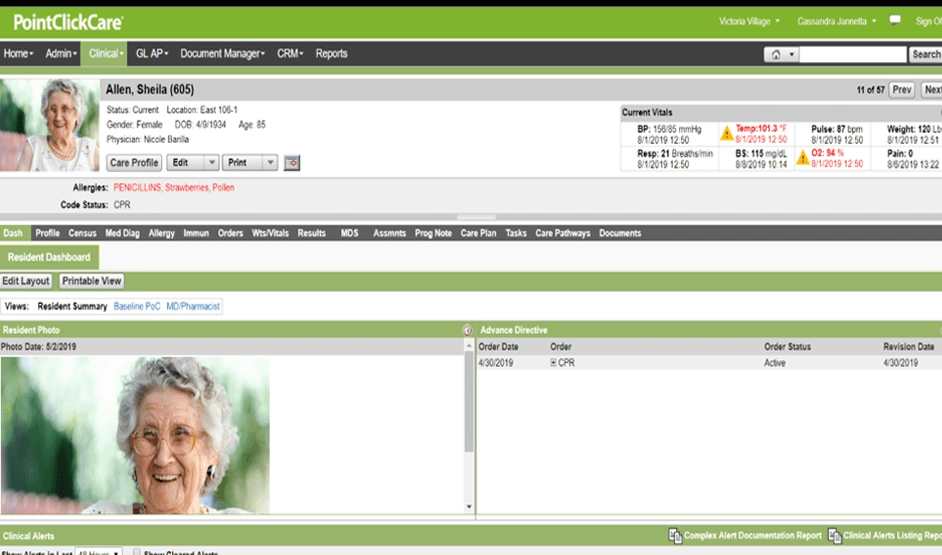


PointClickCare helps senior care and long-term care organizations manage clinical and operational workflows, including resident care and admissions.
However, bringing new residents into a facility also requires timely communication with hospitals, referral partners, and prospective residents’ families.
For instance, when a hospital refers a patient to a skilled nursing facility, the facility’s admissions team needs to respond promptly to the hospital’s discharge planner. If the team takes too long to assess the referral or communicate the next steps, the discharge planner may refer the patient to another facility that can respond sooner. Families considering a facility also need timely answers about care options, availability, and the admission process.
Senior care providers therefore need a reliable way to manage hospital referrals, maintain communication with referral partners, and guide families through the admissions process.
A customer relationship management (CRM) software helps organize these pre-admission activities. For organizations using PointClickCare, this guide explores how a CRM can support admissions and outreach workflows and compares CRM options for senior care and long-term care providers.
PointClickCare helps senior care and long-term care organizations manage resident care and admissions-related workflows. Its tools support several key activities:
Hospital discharge planners are important referral partners for skilled nursing facilities. When a hospital is considering several facilities for a patient, a delayed response can cost a facility the admission opportunity.
Research on skilled nursing referrals has found that slow referral responses can affect both admission opportunities and future referrals negatively.
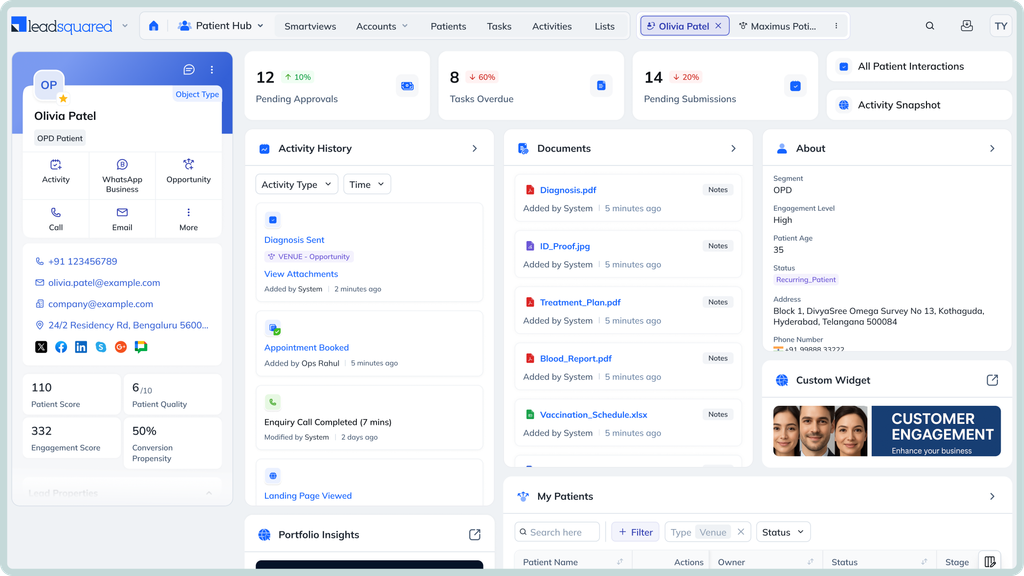
A CRM helps admissions teams assign each referral to someone the moment it arrives and track which ones still need a response. If review and admission stages are tracked in the CRM, staff can follow every referral through to admission. This makes it easier to spot delays in handling referrals.
A family might speak with one staff member before a tour and another afterward. If neither has the full conversation history, the family may have to repeat their questions or wait for someone to find the information they need.
A CRM gives staff a shared record of those interactions. After a tour, for instance, the admissions coordinator can record the family’s concerns and schedule a follow-up. Whoever speaks with them next can pick up where the previous conversation ended.
Referral volume alone does not show which sources help a facility fill available beds most effectively. Managers also need to know how many referrals lead to admissions and which sources consistently send prospects who meet the facility’s care requirements.
A CRM helps teams record where referrals come from and track how prospects progress through admissions. Managers can compare how many referrals each hospital sends and how many of those referrals result in admissions. They can then spend more time building relationships with hospitals that regularly refer suitable patients or investigate why referrals from a particular hospital keep stalling.
For facilities managing several locations, referral activity can become difficult to oversee when each facility tracks its own prospects differently. A shared CRM dashboard can give managers a consistent view of pending referrals and follow-up responsibilities across sites.
This helps them spot backlogs and direct attention where it is needed.
After a resident moves into a facility, their family may still have questions about the move, required documents, or whom to contact about administrative matters. Staff may also need to follow up on paperwork that remains incomplete.
A CRM can help assign these tasks to the right staff member and track whether they have been completed. For example, if a family needs to submit a missing document, the assigned staff member can receive a reminder and record the follow-up. This helps the administrative team close outstanding tasks without confusing them with clinical care, which remains the responsibility of the care team.
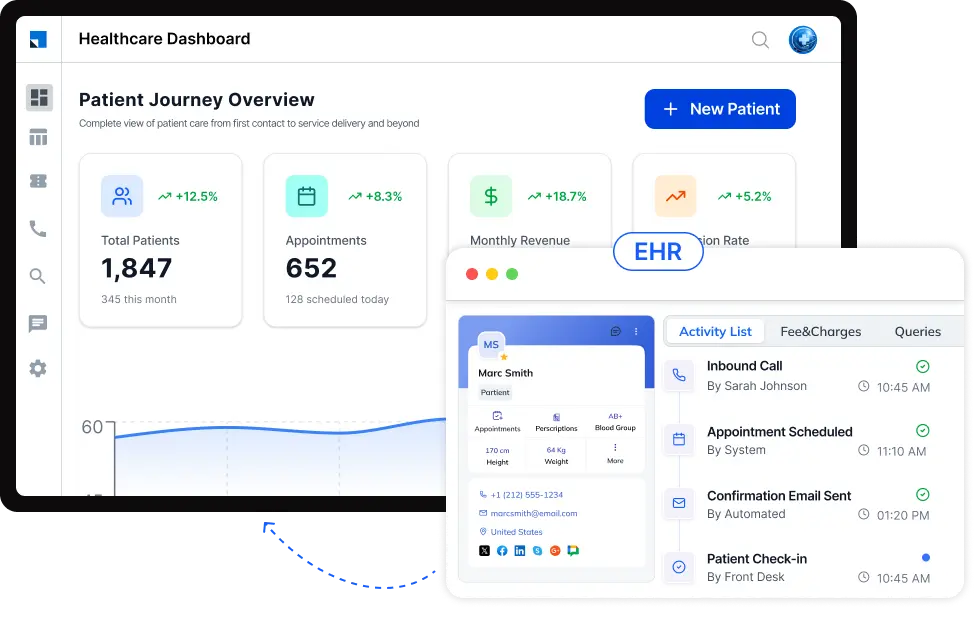
A CRM can help teams turn admissions priorities into repeatable workflows. Examples include:
Track each referral from the hospital discharge planner’s initial contact through admissions review and the decision to accept or decline the referral. Assign an admissions coordinator to follow up when patient information is missing or a decision is pending.
Schedule reminders after a family enquires about a community or visits for a tour. If the family needs time to discuss care options, the CRM can prompt the admissions coordinator to call again on the agreed date.
When a bed becomes available, help admissions staff identify pending referrals that match the facility’s care requirements.
Track which hospitals send referrals and how those referrals progress. Admissions managers can use this information to prioritize outreach, such as arranging a check-in with a discharge planning team whose referrals have regularly resulted in admissions.
When a new resident moves in, automatically assign staff to follow up on outstanding paperwork or make sure the family knows whom to contact about administrative questions. The CRM can track these tasks and remind staff when action is due.
The workflows available depend on the CRM’s configuration and the data that can be exchanged with PointClickCare through an approved integration.
When comparing CRMs, focus on whether the software can support your admissions process and work with your existing PointClickCare setup.
| CRM | Best suited for | Relevant capabilities | PointClickCare compatibility | Key consideration |
| LeadSquared | Senior living operators and skilled nursing providers managing inquiries across multiple channels and locations. | Lead capture, automated follow-ups, referral tracking, configurable admissions pipelines, and inquiry-source reporting. LeadSquared’s Universal Data Sync (UDS) supports configurable data flows between connected systems. | LeadSquared can be connected to PointClickCare through a custom integration. The team would need to confirm which data can be accessed through PointClickCare’s approved integration methods. Universal Data Sync (UDS) may support this setup. | Confirm the required data flows, available fields, development efforts, and integration costs. |
| Aline CRM | Senior care providers looking for a CRM built around senior living and skilled nursing admissions, with prospect management and referral tracking tailored to these care settings. | Prospect tracking, automated follow-ups, marketing-source tracking, and admissions reporting. | Documented bidirectional integration for skilled nursing referral workflows, subject to approval and setup. | Confirm integration fees and which records and updates are supported for your facility. |
| WelcomeHome | Senior living operators looking to connect prospect engagement and move-in tracking, with reporting that links marketing campaigns to move-ins. | Prospect management, communication workflows, automated follow-ups, occupancy reporting, and campaign-to-move-in attribution on the Enhanced plan. | Documented integration transfers prospect details to PointClickCare and receives admission, discharge, and transfer updates. | The initial prospect transfer has limitations. Complete the required details before syncing. |
| Microsoft Dynamics 365 with DBSync | Senior care organizations that want to manage admissions alongside sales and account management in a configurable, general-purpose CRM. | Customizable pipelines, automated workflows, referral tracking, and configurable dashboards and reports. | Third-party connector available through DBSync; supported data flows depend on connector capabilities and configuration. | Budget for implementation, field mapping, and ongoing integration management. |
Before connecting A CRM to PointClickCare, confirm how the two systems can exchange information.
PointClickCare provides approved methods for external applications to access its data, but having an API does not guarantee that the specific records a facility needs will be available.
Before implementation, confirm:
If a CRM handles protected health information (PHI) on a facility’s behalf, the vendor will generally qualify as a business associate. HIPAA requires a business associate agreement (BAA) when that relationship applies. The agreement sets out how the vendor may use and disclose PHI and its responsibilities for protecting it. See HHS guidance
A signed BAA does not, by itself, ensure HIPAA compliance; the parties must also put appropriate safeguards in place.
Consider a skilled nursing group with three facilities and 15 hospital referral contacts. Each facility manages incoming referrals, but managers struggle to see which referrals are awaiting a response or how referral activity differs across locations.
For example, one facility may respond to hospital referrals promptly while another has several inquiries waiting for review.
A CRM such as LeadSquared could give the group a shared view of referral activity. Each referral could be assigned to an admissions coordinator, with its current stage, next action, and due date recorded.
Staff could also log conversations with hospital contacts to maintain a history of the relationship. Managers could compare referral outcomes and response times across all three facilities to identify delayed follow-ups and decide which hospital relationships need more attention. This gives them a clearer basis for coordinating referral work and setting follow-up priorities.
A referral can be a strong starting point for practice growth, but timely responses and consistent follow-ups help turn that opportunity into an admission.
If you’re looking to strengthen your admissions process alongside PointClickCare, LeadSquared CRM can help.
Our HIPAA-compliant healthcare CRM helps senior care organizations manage these activities through structured referral pipelines and reporting on admissions progress across your different facilities.
Want to see how this could work for your practice?
Book a demo to discuss your senior care or long-term care facility’s needs and see whether LeadSquared is a good fit for your team.
Yes. PointClickCare offers a CRM for senior living communities to manage inquiries, track prospective residents and monitor occupancy. It also offers Referral Advisor, a separate solution built into its EHR for skilled nursing facilities. Referral Advisor helps admissions teams review hospital referrals, assess whether patients are a suitable fit, and make informed admission decisions.
Skilled nursing facilities often receive referrals from hospital discharge planners who coordinate patients’ transitions to post-acute care. The facility’s admissions team reviews the patient’s care needs, insurance coverage, and bed availability to determine whether the facility can meet those needs. If the facility accepts the referral, the team coordinates the admission with the patient or their family. Tracking referrals from receipt through the admission decision helps staff respond promptly and follow up on pending cases.
Senior living facilities use different CRMs depending on their needs. Purpose-built options support workflows such as resident inquiries, family follow-ups, tours, and move-ins. General-purpose healthcare CRMs can offer more flexibility for managing referral partners, outreach, and reporting across multiple locations. The right choice depends on the facility type, existing software, and which tasks the team needs help managing.
Skilled nursing facilities (SNFs) can use a healthcare CRM, such as LeadSquared, to track which hospitals send prospective residents their way. For example, an admissions manager can compare how many referrals came from each hospital and how many resulted in admissions. This helps the team understand which hospital relationships bring in residents and where building stronger referral partnerships could support future admissions.
In long-term care, a facility’s census is the number of residents currently living there. Census management software helps staff track occupied beds, available beds, and changes such as new admissions and discharges. For example, if a 100-bed nursing home has 92 residents, its current occupancy is 92%. This software helps managers plan for available capacity, while a CRM focuses on managing inquiries and referrals that may lead to future admissions.
PointClickCare supports core admissions and census workflows, including referral management, admission tracking, and occupancy reporting. However, providers may need additional capabilities to coordinate marketing outreach and manage ongoing relationships with referral partners. A CRM such as LeadSquared can help admissions teams maintain regular contact with hospital discharge planners, schedule follow-ups, and assess which outreach efforts generate inquiries that progress to admission. This can help providers strengthen referral relationships and improve how they attract prospective residents across locations. The need for a separate CRM depends on the workflows and reporting capabilities already available to the organization.
Enter your details and we'll send you a quick confirmation email to verify your address.
 19 min read 14 min read 13 min read


