EDUCATION
CRM for EMPOWER SIS colleges: How to turn more inquiries into enrolled students
Contents

 11 min read


If your college runs on EMPOWER, your recruiting and admissions, student records, registration, financial aid, and billing are probably in good hands. The harder part for many small admissions teams is speed. Someone fills out an inquiry form at 11 p.m., calls during lunch, or asks a question on your website chat, and then waits. Maybe they hear back the next day. Maybe they don’t hear back at all.
That’s where a CRM for EMPOWER SIS colleges earns its place: it handles the fast, personal, multichannel engagement that turns interest into applications, while EMPOWER stays the reliable system of record behind it.
This guide walks through the everyday admissions challenges small colleges face, what to look for in a CRM, and how different processes work when your CRM and EMPOWER share data.
EMPOWER is a full student information system built for higher education. It covers recruitment and admissions, records and registration, financial aid, degree audit, student billing, and more, all in one platform. For many small and mid-sized colleges, that all-in-one design is exactly why they chose it.
But admissions processes have changed. Prospective students increasingly expect quicker replies. They move between your website, email, text, phone calls, and social ads, often in the same week, while they comparing you with several other schools .
If you already use EMPOWER’s recruiting and admissions module, the practical question is which tasks should stay there and which ones should move to the CRM. A common split is to keep application processing and records in EMPOWER and use the CRM for first response, nurture, scheduling, and source tracking. Your team decides the exact split during implementation.
EMPOWER’s strength is a single, integrated record that follows a student from inquiry through application, registration, aid, and billing. A higher education CRM adds depth at the top of the enrollment funnel: instant multichannel response, automated nurture that reacts to what each student does, and reporting that ties every enrolled student back to the campaign that brought them in. Many colleges get the best results by using both, each for what it does best.
A prospect submits a form and gets an auto-generated “thanks for your interest” email. Then nothing happens for a day or two, because the counselor is buried in callbacks, campus tours, and application reviews. By the time someone reaches out, the student may have already talked to other schools that called them back first.
Speed matters in admissions. When students are comparing several schools, the one that starts a real conversation first has an advantage.
Some inquiries come through the website. Others come from college fairs, paid ads, phone calls, walk-ins, or referrals from current students. Each channel ends up in a different spreadsheet, inbox, or notepad. Counselors waste time hunting for information, and some leads simply slip through the cracks.
When your recruiting tools and your SIS don’t talk to each other, someone has to re-key applicant details by hand. That’s slow, and it invites errors: misspelled names, wrong program codes, and duplicate records. These small mistakes create bigger problems later in financial aid and registration.
Leadership asks a simple question: “Why are our applications down this term?” Nobody can answer it with confidence. Are students dropping off after the first call? After starting an application? While waiting on financial aid paperwork? Without a clear view of the funnel, every fix is a guess.
Small colleges rarely have large admissions offices. A handful of counselors may handle hundreds of prospects each during peak enrollment. Good people get stretched thin, follow-ups get missed, and the students who needed a little extra nudge quietly disappear.
You’re paying for ads, fairs, and listing sites, but you can’t easily tell which ones bring in students who actually enroll. So budget decisions end up being based on lead volume, not enrollment outcomes.
The right EMPOWER SIS admissions CRM isn’t just a contact database. It should take work off your team’s plate and give leadership real answers. Look for a CRM that can:
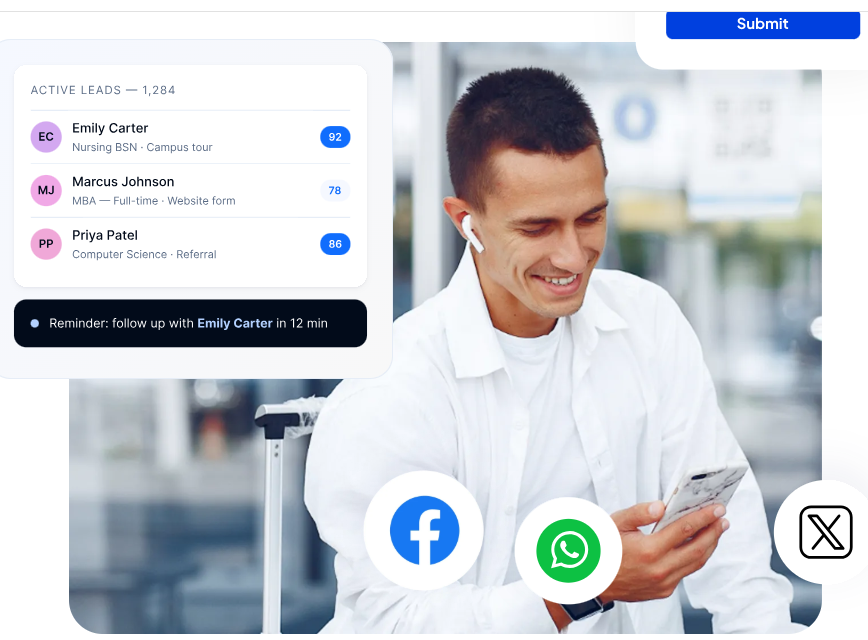
The LeadSquared EMPOWER SIS integration connects your front-end admissions engagement with your back-end student records. Each system does what it’s best at, and your team doesn’t have to copy data between them.
Here’s what that looks like in practice:
One journey, two systems, no re-keying. LeadSquared manages the early enrollment journey, from first inquiry through application and admission. Once a student is admitted, the relevant details are handed off to EMPOWER, so no one has to re-type them. What gets passed, in which direction, and when is set up during implementation to match how your college works.
Faster first response. Flash, a LeadSquared AI agent, responds to new inquiries instantly and scores each lead’s readiness from 0 to 100. Counselors can see who to call first.
Cleaner applications. Agent Sherlock helps with application intake quality checks and document validation, catching missing or mismatched documents before they cause delays down the line.
Fewer data gaps. Agent Hawke flags stalled or incomplete records in the CRM. If an applicant’s record is missing details or hasn’t moved in too long, your team can fix it before the data reaches EMPOWER.
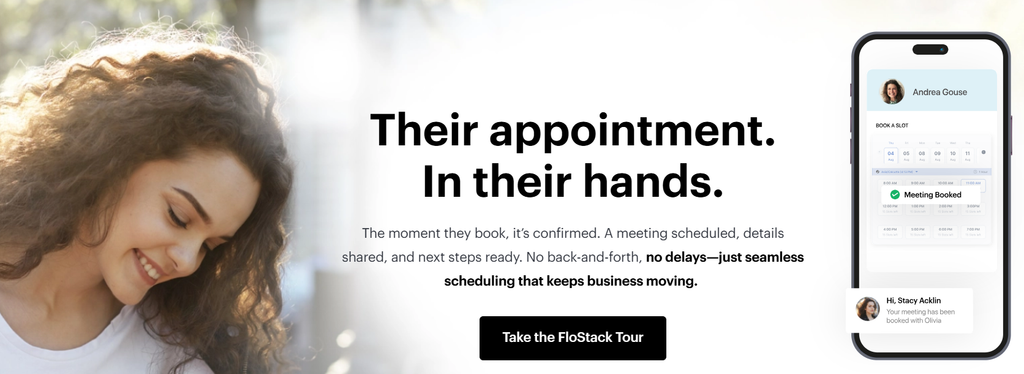
Easy scheduling and voice outreach. FloStack, a LeadSquared add-on, lets prospects book tours and counseling sessions on their own. Invorto, a LeadSquared voice AI add-on, helps your team keep up with call volume during peak season.
To make this concrete, here’s an illustrative example of how EMPOWER SIS enrollment automation might play out for a single prospective student.
Tuesday, 10:40 p.m. Maria, a working adult, fills out an inquiry form for your medical assisting program after seeing a social ad. Within a minute, she gets a text and an email with program details and a link to book a call.
Wednesday, 7:15 a.m. Maria books a 15-minute call for her lunch break. The lead is already assigned to the counselor who handles allied health programs, with her source, program interest, and readiness score attached.
Wednesday, 12:30 p.m. The call goes well. Maria starts her application that evening but stops halfway through.
Friday. An automated reminder goes out with a direct link back to her saved application and a note about the upcoming start date. She finishes it.
Early next week. Maria is admitted and confirms her seat. Her details pass to EMPOWER without anyone re-typing them, and EMPOWER takes over as her system of record for registration, financial aid, and billing.
Behind the scenes. Your admissions director can see that the social campaign brought Maria in, how long each stage took, and how many other students from that campaign enrolled.
No one had to re-type Maria’s details. Follow up wasn’t forgotten. And the counselor spent their time on the conversation that mattered, not on data entry.
Large universities can sometimes absorb inefficiency with bigger teams and bigger budgets. Small colleges can’t. For a small college on EMPOWER, the right CRM is less about adding features and more about getting more out of the team you already have.
This is especially true for technical and allied health programs, where students often decide quickly and enroll on rolling or frequent start dates. A career school CRM EMPOWER SIS setup helps you respond at the speed those students expect, keep every start date’s enrollment funnel visible, and avoid losing prospects in the gap between inquiry and application. To see the features built for these programs, explore LeadSquared’s career school CRM software.
For any institution using EMPOWER, the payoff is the same: fewer missed students, less manual work, and clearer data to plan the next enrollment cycle.
Before you commit to a CRM for EMPOWER SIS colleges, ask each vendor these questions:
EMPOWER gives your college a strong, connected foundation for student records, registration, and financial aid. But enrollment is won or lost earlier, in the first reply, the timely follow-up, and the counselor who calls at the right moment. A CRM for EMPOWER SIS colleges closes that gap. It captures every inquiry, responds instantly, automates the follow-up your team doesn’t have time for, and hands admitted-student data to EMPOWER.
The result is a leadership team that finally knows what’s working.
Ready to see how LeadSquared works alongside EMPOWER?
We’ll walk you through your admissions journey, from first inquiry to enrollment.
Disclosure: This article is published by the company behind an enrollment CRM designed to work alongside student information systems.
Yes. EMPOWER includes recruiting and admissions functionality as part of its SIS. A CRM like LeadSquared complements it with fast multichannel engagement, automated nurturing, lead scoring, and detailed funnel reporting, which are areas built specifically for converting prospects.
No. EMPOWER remains your system of record for student data, registration, financial aid, and billing. The CRM handles prospect engagement and hands admitted-student data to EMPOWER, so your team doesn’t re-enter it.
Yes. LeadSquared can work alongside a range of SIS platforms that small colleges and career schools use, including Jenzabar SONIS. The approach stays the same: the CRM manages the pre-enrollment journey, and student data is handed off to the SIS once a student is admitted, with the details configured for each institution.
Often, yes. Small admissions teams benefit most from automation because they have the least spare capacity. I
Once a student is admitted, the relevant details are passed to EMPOWER, so there’s no manual re-entry. Agent Hawke, a LeadSquared AI agent, also flags stalled or incomplete records in the CRM, so your team can fix issues before data reaches EMPOWER.
LeadSquared is built with security controls designed for student data. It supports FERPA-aligned data handling and role-based access, so staff only see the information they need for their role. The platform is ISO 27001 certified and SOC 2 Type II attested, and it’s built to support colleges’ GLBA Safeguards Rule obligations for financial aid data. For automated texts and calls, consent capture and opt-out management are designed to support your team’s TCPA compliance processes.
Yes. Programs with frequent start dates and quick-deciding students benefit from instant response, self-service scheduling, and routing inquiries to the right counselor by program.
Enter your details and we'll send you a quick confirmation email to verify your address.
 11 min read 10 min read 12 min read