





- Home

- Learn
- Healthcare
- 5 best CRMs for SimplePractice Users
HEALTHCARE
5 best CRMs for SimplePractice Users
Contents

 17 min read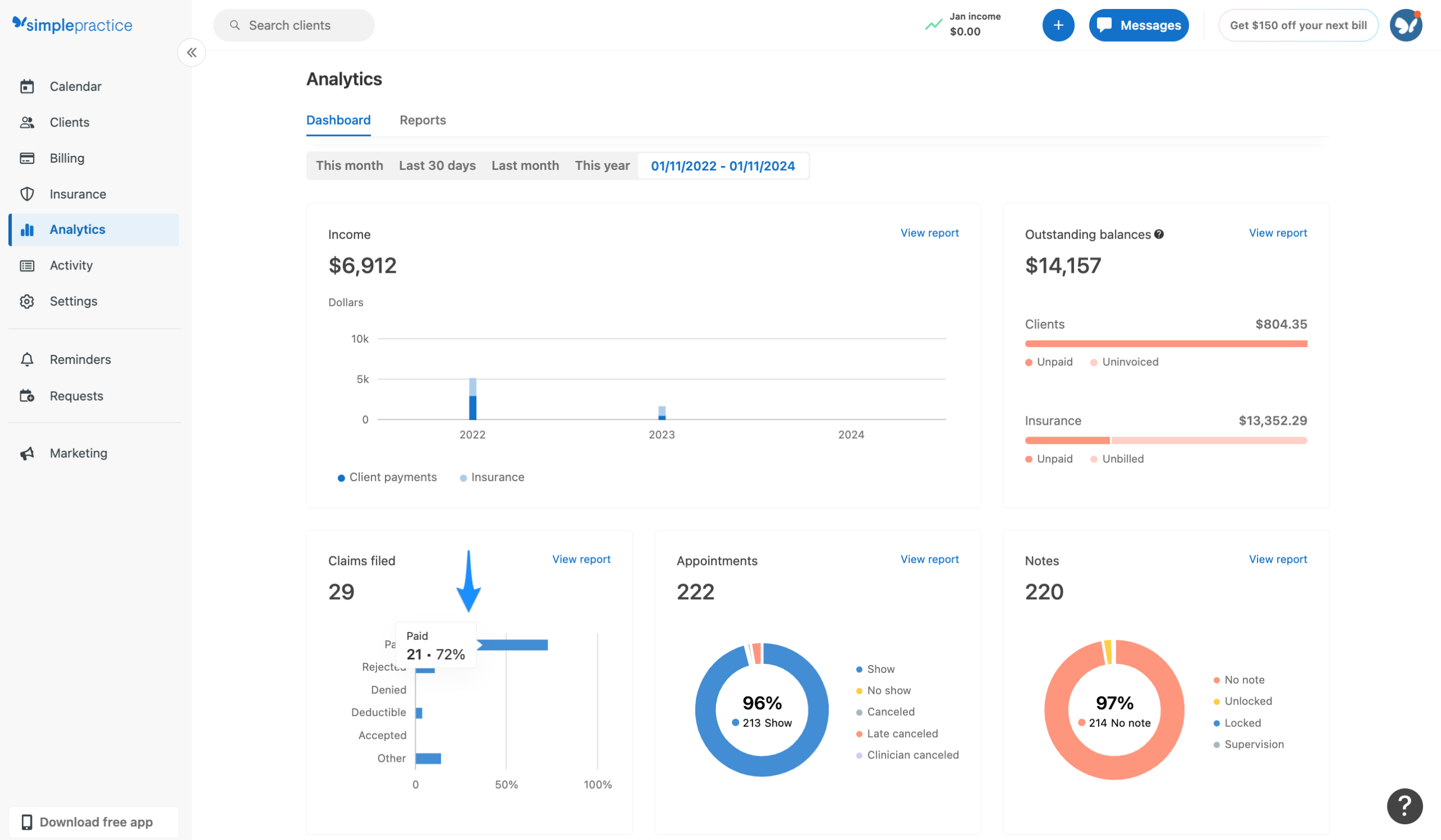


SimplePractice is a popular EHR and practice management platform for therapists and other health and wellness professionals. More than 250,000 practitioners use it today to manage core practice operations such as scheduling, intake, documentation, billing, and client communication.
As a practice grows, however, the number of new inquiries and referrals grow with it. More people also become involved in handling those inquiries and following up with prospective clients. Keeping track of these interactions in such a scenario becomes harder.
This is where a healthcare CRM comes into picture.
A healthcare CRM can complement SimplePractice by giving teams a dedicated place to manage prospective clients. It can also help them follow up with leads, track referrals, and see which marketing channels bring in new clients.
The two systems serve different purposes. SimplePractice is built around managing your practice and client records, while a CRM primarily helps your team organize what happens before a prospective client becomes an active client.
There is one important consideration when choosing a CRM: SimplePractice currently does not offer a public-facing API for integrations. As a result, not every CRM connects to SimplePractice in the same way. Some offer a supported integration, while others may rely on third-party connectors or custom workflows.
In this guide, we compare six CRM options based not just on their features, but on how they connect with SimplePractice, what they can help you manage, and which type of practice each one is best suited for.
Adding a CRM to your SimplePractice setup is only useful if the two systems can work together in a way that fits your practice. Here are six things to check before choosing one.
Find out whether the CRM has a supported integration, uses a third-party connector, or requires a custom workflow. Also check whether the connection is one-way or bidirectional. A one-way connection may only send information from SimplePractice to the CRM, while a bidirectional integration can exchange data between both systems.
Don’t assume that an integration will sync everything. Check exactly which fields are supported, such as contact details, inquiries, appointments, referral sources, lead status, or communication activity. The more clearly the vendor documents the data flow, the easier it is to understand what the integration will actually do.
If your CRM will create, receive, maintain, or transmit protected health information (PHI), ask whether the vendor supports the necessary HIPAA safeguards and will sign a Business Associate Agreement (BAA) where required. Simply seeing “secure” or “HIPAA-friendly” on a website isn’t enough. HHS requires appropriate safeguards for electronic PHI and generally requires a BAA when a business associate handles PHI on a provider’s behalf.
A useful CRM should help you answer simple questions: Where did this prospective client come from? Who is following up? What happened after the inquiry? Can you track referrals from physicians, other therapists, directories, or your website?
Look for workflows that can handle repetitive tasks such as new-inquiry follow-ups, missed-call responses, consultation reminders, intake follow-ups, referral notifications, and appropriate re-engagement.
Your CRM should help you see what happens between an inquiry and a new client. For example, you might track inquiry → consultation → intake → first appointment → conversion and compare results by referral or marketing source. This can be particularly useful for group practices that need to understand where new clients are coming from and where prospective clients are dropping off.
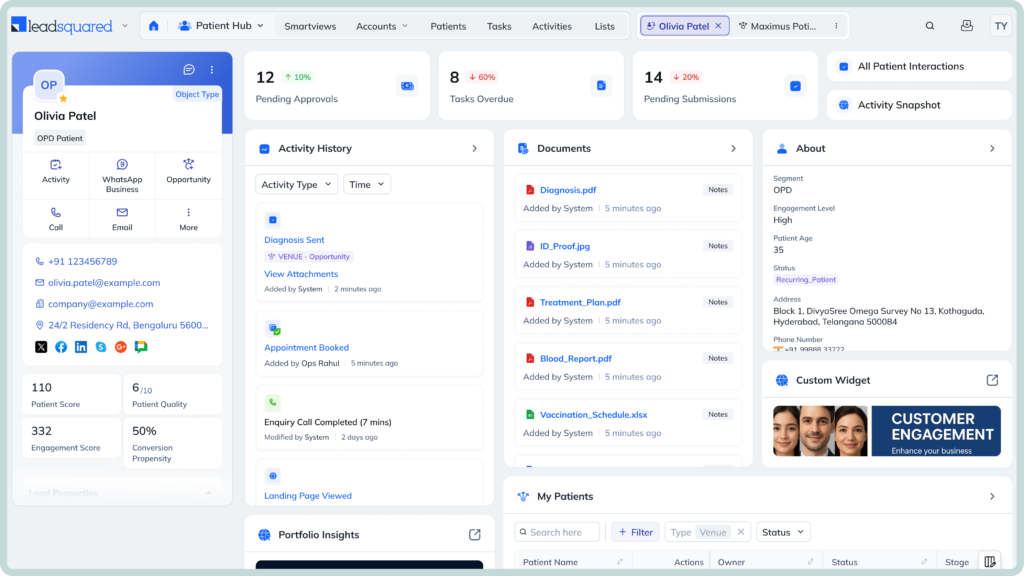
LeadSquared is a robust healthcare CRM that helps practices manage patient acquisition, referrals, intake, follow-ups, and engagement. When used with SimplePractice, it adds a structured layer for managing prospective patients and the workflows that move them from inquiry to appointment.
LeadSquared offers bidirectional integration with SimplePractice, meaning information can flow between the two systems rather than being limited to a one-way transfer. LeadSquared lists SimplePractice among its supported EHR/EMR integrations and says the connection can synchronize patient and appointment information. Practices should confirm which specific fields and workflows are supported for their setup before implementation.
LeadSquared is a relatively comprehensive healthcare CRM. A solo therapist with a small caseload and limited inquiry volume may find its capabilities more extensive than necessary, while larger or growing practices can benefit more from its automation and workflow features.
Growing therapy and behavioral health practices, group practices, and multi-location organizations that need more structured intake, referral, follow-up, and patient acquisition workflows alongside SimplePractice.
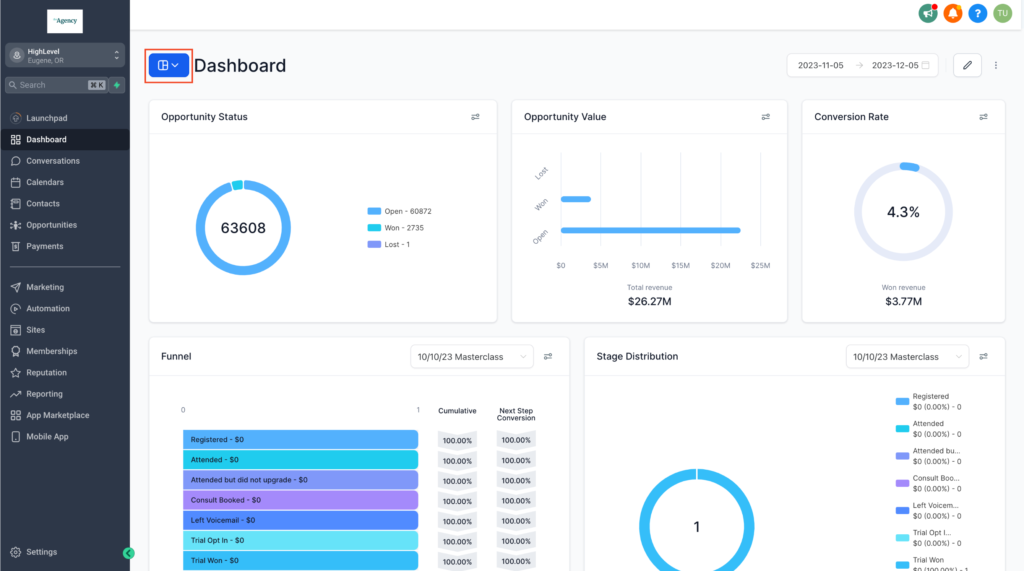
HighLevel is a marketing-focused CRM and automation platform built around lead capture, funnels, communication, and appointment workflows. It is particularly suited to practices that rely heavily on digital marketing, automated follow-ups, and lead nurturing.
HighLevel does not offer a native SimplePractice integration. It can be connected to SimplePractice through third-party integration infrastructure such as ClinicSync Pro. The exact data and workflows available depend on the connector and its configuration, so practices should verify the supported fields and workflows before implementation.
Funnels and lead capture: Build landing pages, forms, and other conversion-focused journeys to capture prospective patients from websites and marketing campaigns.
Lead nurturing: Create automated sequences that follow up with new inquiries through SMS and email, helping practices stay in touch with prospects who have not yet booked. HighLevel workflows can trigger actions based on form submissions, appointment activity, replies, and other events.
Appointment workflows: Automate confirmations, reminders, follow-ups, and other actions around appointments. With the right SimplePractice connection, appointment information can also be passed between the two systems.
Marketing and reputation management: Automate review requests, respond to marketing interactions, and build workflows around patient engagement. HighLevel can trigger workflows from new Google or Facebook reviews and send review requests through channels such as email or SMS.
AI and voice capabilities: HighLevel offers AI-powered voice agents that can answer calls, qualify leads, provide information, follow up, and book appointments. Its Voice AI can also work with multiple calendars when configured appropriately.
HighLevel can be more complex to configure than a CRM designed specifically for healthcare. Practices using it with SimplePractice also need to account for the additional integration layer and carefully configure their workflows and data handling. HighLevel is not HIPAA compliant by default; its HIPAA capabilities require a paid add-on and a signed Business Associate Agreement. Practices handling PHI should also assess the compliance and security of their integrations and overall setup rather than assuming that enabling the HIPAA package makes the entire technology stack compliant.
Marketing-focused therapy and behavioral health practices, clinics, and agencies that want to use SimplePractice for clinical workflows while relying on HighLevel for lead generation, funnels, automated nurturing, and reputation management.
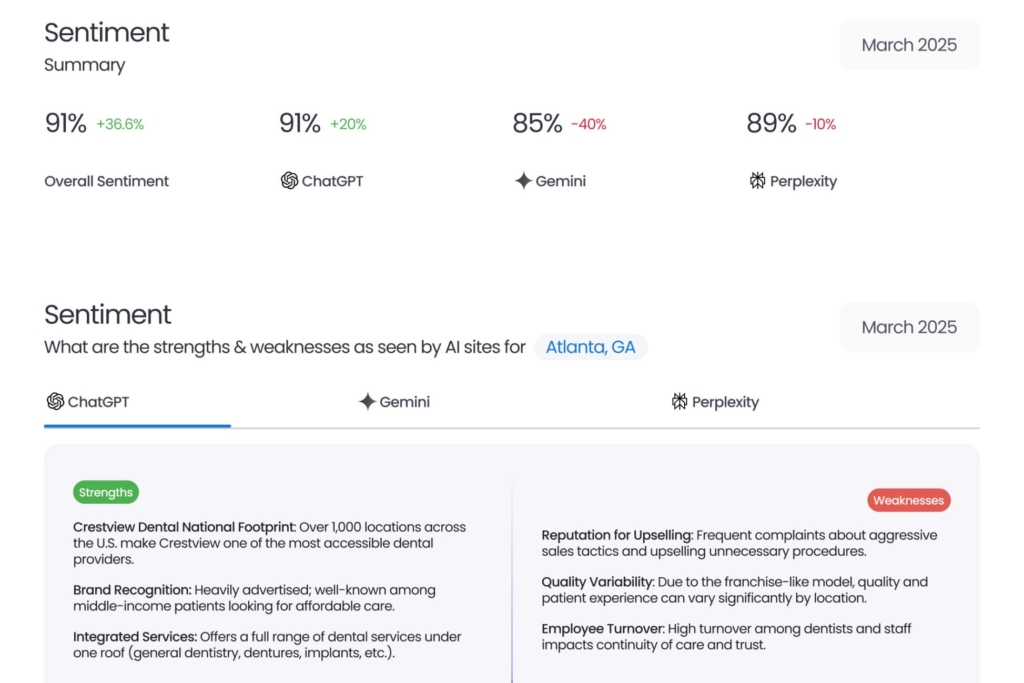
Birdeye is a customer experience and reputation management platform that helps practices collect reviews, gather patient feedback, run surveys, and monitor their online presence. Its SimplePractice integration can connect patient information with Birdeye to support automated review and feedback workflows. Rather than functioning as a traditional sales CRM, Birdeye is better suited to practices that want to strengthen their online reputation and understand how patients experience their services.
Birdeye lists SimplePractice as a supported healthcare integration. Its integrations are designed to connect business software with Birdeye so practices can automate activities such as review requests. The exact data available and how it is used can depend on the integration setup, so practices should confirm the supported workflows with Birdeye before implementation.
Review management: Collect and manage reviews from multiple platforms, including Google, from a central dashboard instead of monitoring each site separately.
Patient feedback and surveys: Send surveys, review responses, and analyze feedback to understand patient sentiment and identify areas for improvement.
Reputation management: Monitor a practice’s online reputation and use review insights to understand how patients perceive the practice across locations and over time.
Engagement: Respond to reviews and survey responses and use automated requests to encourage patients to share their experiences.
Birdeye is not a traditional sales CRM. It does not focus primarily on managing leads, sales pipelines, or complex patient acquisition workflows. Practices looking for those capabilities may need a separate CRM alongside Birdeye.
Therapy and behavioral health practices, group practices, and multi-location organizations that want to improve their online visibility, generate more reviews, collect patient feedback, and manage their reputation alongside SimplePractice.
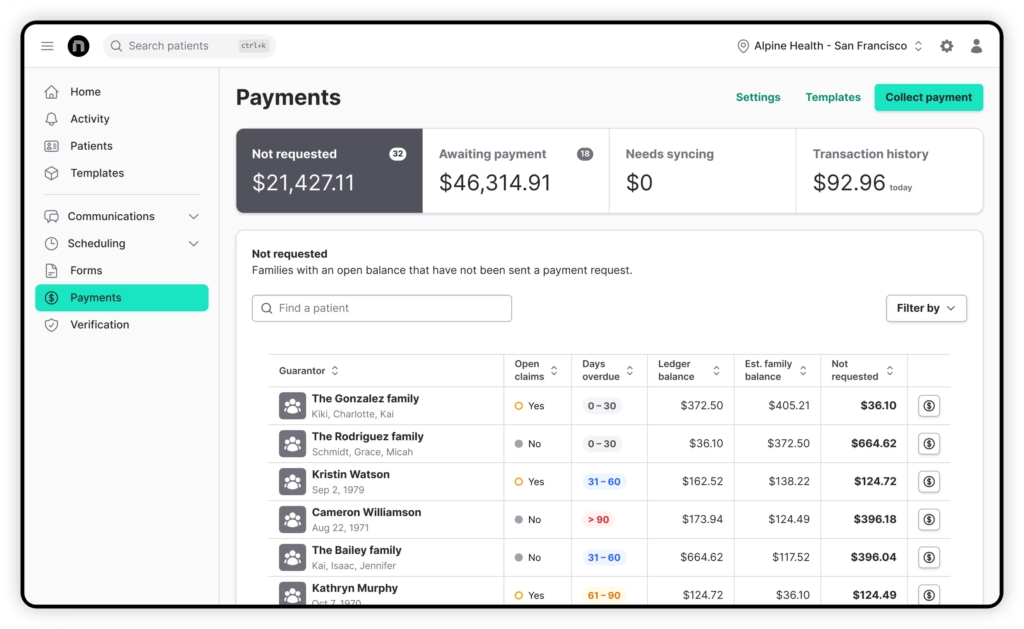
NexHealth is a patient engagement and front-office platform that helps practices automate scheduling, forms, communication, payments, and other administrative tasks. Rather than functioning as a conventional sales CRM, NexHealth is designed to make everyday patient interactions easier for both the practice and its front-office team.
NexHealth lists SimplePractice as a supported system for its Synchronizer. The Synchronizer is designed to read and write data between NexHealth and connected health record systems, allowing workflows such as online booking, forms, messaging, and reminders to stay connected with the patient record. The exact data and workflows available can vary by system, so practices should confirm the supported SimplePractice workflows before implementation.
Online booking and waitlists: Let patients book appointments online and automatically fill canceled slots by notifying eligible patients on a waitlist.
Digital forms: Send HIPAA-compliant forms before appointments and sync submitted information back to the connected health record system, reducing manual data entry.
Messaging and reminders: Automate patient messages and appointment reminders through text and email, while keeping confirmation and appointment information synchronized.
Payments and reviews: Give patients digital payment options and automate requests for Google reviews after visits, helping practices simplify collections and strengthen their online presence.
NexHealth is better thought of as a patient engagement and front-office platform than a conventional CRM. It is not primarily designed for managing sales pipelines, lead qualification, or complex marketing automation.
Therapy, behavioral health, and other practices that want to enhance their patient engagement workflows and reduce front-office work.
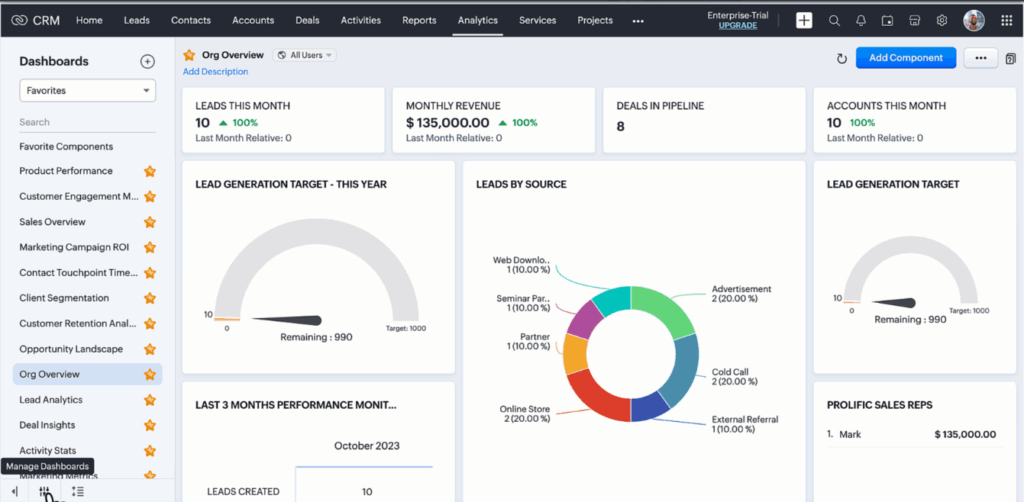
Zoho CRM is a general-purpose CRM that helps practices manage leads, track prospects through a pipeline, automate follow-ups, and measure conversions. Its extensive customization options also make it possible to build workflows around a practice’s specific sales and follow-up process.
Zoho CRM does not have a verified native SimplePractice integration. It can make sense for practices willing to build or use an integration workflow around SimplePractice, particularly when customization is more important than having a prebuilt connector. However, SimplePractice currently does not offer a public-facing API for third-party integrations, which can make custom connectivity more technically involved. Practices should confirm how data will move between the systems before choosing this approach.
Lead and prospect tracking: Capture inquiries, organize prospects, track their interactions, and keep potential clients separate from the active client records managed in SimplePractice.
Pipeline visibility: Move prospects through customizable stages, such as new inquiry, contacted, consultation scheduled, and converted, while seeing where opportunities are being lost.
Follow-up automation: Set up automated tasks, notifications, emails, and follow-up sequences based on lead activity or changes in pipeline status.
Customization and reporting: Create custom fields, modules, workflows, dashboards, and reports to track information such as referral sources, conversion rates, revenue, and lost prospects.
Zoho CRM offers considerable flexibility, but that flexibility can also mean more setup and administration. Connecting it with SimplePractice may require additional integration tools or technical work, especially because SimplePractice does not currently provide a public API.
Growing therapy and behavioral health practices that want a customizable CRM for managing inquiries, lead conversion, follow-ups, revenue opportunities, and pipeline visibility while continuing to use SimplePractice for clinical and scheduling workflows.
SimplePractice can handle core practice workflows such as appointment requests, intake, reminders, and waitlist management. A CRM can extend that workflow by helping practices manage what happens before and between those steps, particularly when multiple staff members handle inquiries, referrals, and follow-ups. Here are five practical workflows therapists can build by connecting the two systems.
A website form creates a lead in the CRM → an automated acknowledgment is sent → a staff member receives a follow-up task → the prospect schedules a consultation or appointment through SimplePractice → the CRM records the outcome.
A prospective client calls the practice but no one answers → the CRM or phone system automatically sends a text acknowledging the missed call → the inquiry is added to the pipeline → a staff member follows up.
A referral arrives from another provider → the CRM records the referral source and tracks the prospect → the practice assigns the inquiry to the appropriate therapist → a consultation is scheduled → the prospect moves into SimplePractice for intake and ongoing care. Tracking referral sources can also help practices understand which relationships generate new clients.
A prospective client is added to a waitlist → an opening becomes available → the practice contacts eligible prospects → the client schedules an appointment through SimplePractice. SimplePractice already supports client waitlists and online appointment requests, while a CRM can add follow-up tasks and visibility around those prospects.
A prospect arrives through Google, the practice website, or a referral → the CRM records the source → the prospect books a consultation → the first appointment is scheduled in SimplePractice → the CRM tracks the conversion. This gives practices a clearer view of which marketing and referral channels bring in clients.
The answer depends on how your practice operates. For a solo therapist with a manageable caseload, SimplePractice already brings together many day-to-day workflows, including prospective-client inquiries, scheduling, intake, reminders, waitlists, and practice reporting.
A CRM becomes more useful as the practice grows and the process around acquiring new clients becomes harder to manage. This is especially true when a practice has:
The takeaway: If SimplePractice already handles your workflow comfortably, you may not need another system. If prospective clients, referrals, and follow-ups are becoming difficult to track, a CRM can fill that gap rather than replace SimplePractice.
The best CRM for SimplePractice users depend on what you want the additional platform to accomplish. Some tools are built primarily for marketing automation, reputation management, or front-office tasks. Others take a broader approach to managing the journey from inquiry to appointment.
LeadSquared fits the latter. Its healthcare-focused CRM can work alongside SimplePractice to help practices capture inquiries, manage referrals, coordinate intake, automate follow-ups, and track the journey from first contact to appointment. This gives growing practices a way to connect patient acquisition and engagement workflows without moving their core practice-management processes out of SimplePractice.
If you’re looking for a healthcare CRM that can bring these workflows together, see how LeadSquared works with SimplePractice. Book a demo today.
Yes. A CRM can track whether new clients came from Google, a website, referral partner, directory, social media, or another source. SimplePractice also has a Referral Income Report that shows referral sources and the revenue attributed to them. A CRM can add more detailed tracking by connecting the source to the inquiry, follow-up, consultation, and eventual conversion.
Yes. A CRM can help practices organize referral partners, record interactions, assign follow-up tasks, and see which relationships generate inquiries or clients. SimplePracticealso supports clinician referrals and lets practices track referral sources. A CRM becomes more useful when a growing practice actively manages relationships with multiple therapists, physicians, organizations, or other referral partners.
Not necessarily. A practice that receives a manageable number of referrals may be able to track them within SimplePractice, which already records referral sources and associated revenue. A CRM becomes more useful when the practice has many referral partners, needs systematic follow-up, or wants to measure the full journey from referral to new client.
Therapists should look for a CRM that supports their practice size, lead volume, follow-up process, and SimplePractice workflow. Key considerations include SimplePractice connectivity, lead and referral tracking, automation, reporting, ease of use, and HIPAA requirements. If the CRM will create, receive, maintain, or transmit PHI, practices should verify the vendor’s HIPAA support and BAA requirements.
Yes. A CRM can collect basic information from prospective clients, such as their service needs, insurance, availability, and preferred therapist, then route the inquiry for follow-up. However, SimplePractice already offers customizable prescreeners and supports initial consultation scheduling before a first appointment. A CRM becomes more useful for larger practices that need to automate screening, assign inquiries, and track prospects through the booking process. It should not be used for clinical diagnosis or risk assessment.
Enter your details and we'll send you a quick confirmation email to verify your address.
 16 min read 14 min read 10 min read



 Orbund CRM integration: Automate enrollment for career schools and continuing...
