





- Home

- Learn
- Healthcare
- CRM for TherapyNotes Users: Filling the Referral and Marketing Gap for Group Practices
HEALTHCARE
CRM for TherapyNotes Users: Filling the Referral and Marketing Gap for Group Practices
Contents

 14 min read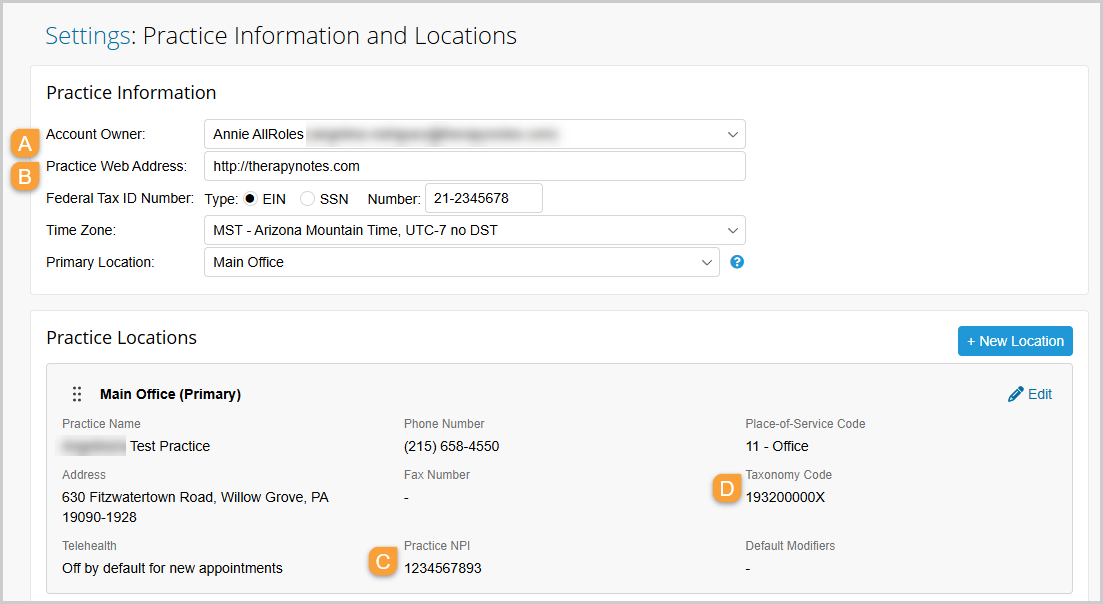


Therapy practices have to manage two related workflows: caring for existing clients and bringing new ones in. The second can involve the handling of a steady stream of inquiries, referrals, follow-ups, and scheduling tasks that need to be coordinated.
While TherapyNotes EHR covers core practice and clinical needs such as scheduling, documentation, billing, client records, and telehealth… the question is what happens beyond those core workflows?
How do you keep track of prospective clients who haven’t booked yet? How do you follow up with referrals? Can your team see which inquiries need attention or which marketing sources are bringing in new clients?
A CRM (customer relationship management system) can help answer these questions for you.
But not every CRM will fit neatly into a TherapyNotes-based workflow, as TherapyNotes does not offer a broadly accessible API for straightforward third-party connections.
So, integration methods can differ between platforms.
In this guide, we’ll compare five best CRM for TherapyNotes while delving into their capabilities, limitations, and fit for different types of therapy practices.
If TherapyNotes is already your practice’s system of record, a CRM can add a layer for managing the prospective-client journey.
It can help your team:
| CRM | Best for | TherapyNotes | Key strengths | HIPAA / BAA | Key consideration |
| LeadSquared | Healthcare CRM and patient journey automation | No native TherapyNotes integration documented; EHR-HL7 connectivity is available | Lead management, intake, referrals, automation, communication, analytics | HIPAA compliant; BAA available | LeadSquared offers a broader healthcare CRM platform, so practices looking only for basic inquiry tracking may not need its full range of capabilities. |
| Admirra | Therapy-specific intake and practice operations | Admirra supports EHR integrations; confirm the specific TherapyNotes connection and data flow | Intake, therapist matching, referrals, insurance verification, communications, analytics | HIPAA compliant; BAA available | Best suited to practices that want intake and operational workflows built specifically for therapy |
| Breksey | Inquiry management and therapist matching | TherapyNotes is explicitly listed as a supported EHR integration | Inquiry capture, therapist matching, intake, referrals, automated follow-up, scheduling | HIPAA-aligned; BAA available | Its strongest value is around the intake and pre-session operational workflow, so it may be less relevant if you only need basic CRM functionality |
| HighLevel | Marketing automation and lead nurturing | No native TherapyNotes integration verified; custom integration is possible through APIs | Funnels, lead capture, SMS/email automation, campaigns, appointment workflows, reputation management | HIPAA functionality requires a paid add-on and BAA | TherapyNotes connectivity requires additional integration work, and healthcare functionality isn’t the platform’s primary focus |
| Salesforce Health Cloud / Agentforce Health | Enterprise healthcare CRM | No native TherapyNotes integration verified; extensive healthcare integration capabilities available | Healthcare data, referrals, care coordination, patient engagement, interoperability, automation | HIPAA capabilities available; BAA terms apply | Its breadth, configuration requirements, and enterprise positioning may be more than a smaller therapy practice needs |
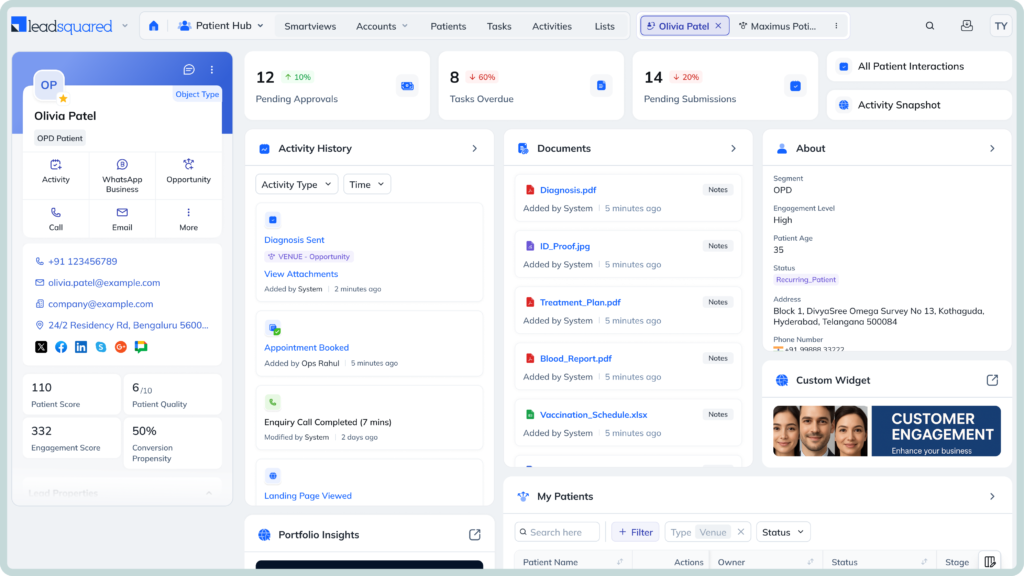
LeadSquared stands out for combining healthcare-specific CRM capabilities with the flexibility to manage multiple parts of the therapy acquisition journey in one system. Rather than focusing on a single workflow, it can connect lead capture, referrals, intake, follow-ups, communication, and reporting, making it suited to practices with more complex patient acquisition processes.
LeadSquared supports EHR connectivity through its EHR-HL7 Connector and other integration methods. LeadSquared does not currently offer a native TherapyNotes integration, so practices using TherapyNotes should confirm the appropriate connection method for their specific workflow.
Its broader healthcare workflow capabilities may be more than a solo therapist needs.
Growing therapy and behavioral-health practices that need structured lead, referral, intake, and engagement workflows alongside TherapyNotes.
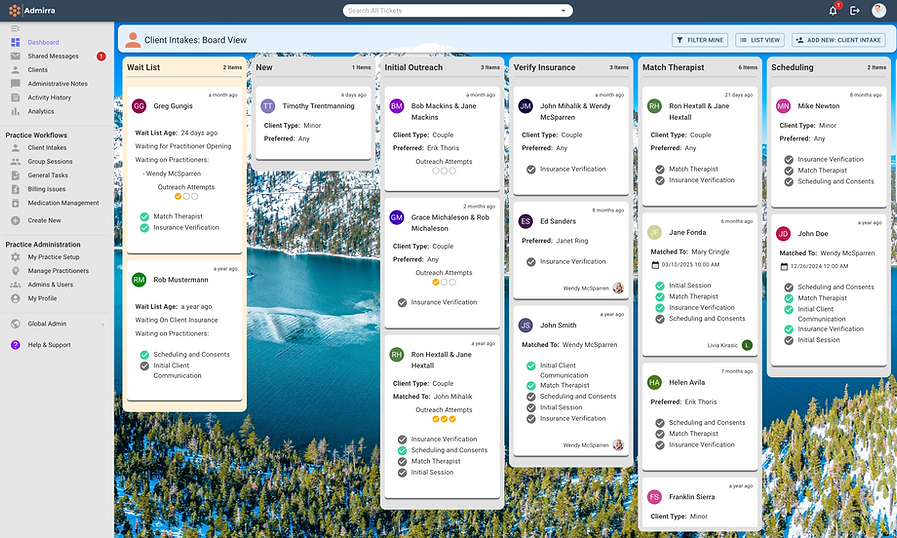
Admirra takes a therapy-specific approach to CRM and practice operations. Rather than adapting a general CRM to behavioral-health workflows, it is designed around tasks such as intake, therapist matching, referrals, insurance verification, and managing prospective clients.
Admirra says it can integrate with existing EHRs, and a recent health-IT discussion identifies it as having a working connection with TherapyNotes. However, Admirra does not publicly document a native TherapyNotes integration or specific data-sync capabilities, so practices should confirm how the connection works before implementation.
Admirra may be more than a solo therapist or very small practice needs if they only want basic lead tracking or follow-up. Its pricing and broader operational toolkit make more sense when a practice has enough intake and administrative activity to benefit from dedicated workflows.
Therapy practices that want CRM and intake operations built specifically around behavioral-health workflows.
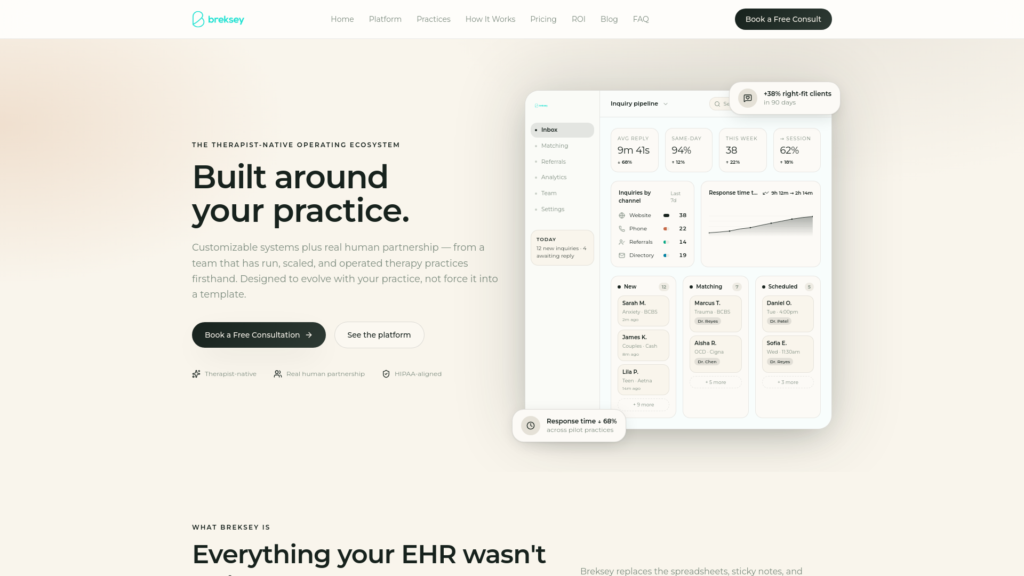
Breksey puts clinician-matching at the center of its intake workflow. Rather than routing every new inquiry to the first available therapist, its platform can weigh specialty, insurance, modality, availability, and fit when identifying potential matches. It then connects that matching process with inquiry capture, follow-up, intake, and scheduling.
Breksey lists TherapyNotes among its supported EHR integrations. Its intake workflow can hand off information to TherapyNotes after a prospective client completes the intake process. Breksey does not publicly detail the full scope of data exchanged, so practices should confirm the specific workflow they need before implementation.
Breksey’s platform is designed primarily for therapy practices, typically with 5+ clinicians, so it may be more than a solo therapist needs. Its platform pricing is currently $300/month for up to 15 clinicians.
Growing therapy practices that want a dedicated operational layer for inquiries, matching, intake, and conversion alongside TherapyNotes.
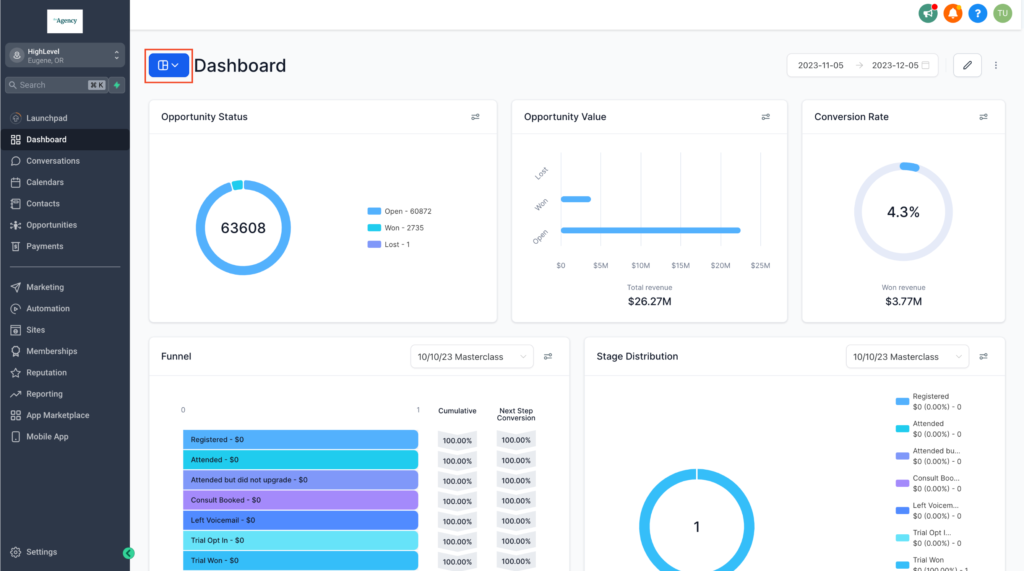
HighLevel is built around marketing and conversion workflows rather than healthcare-specific practice management. Its platform combines funnels, lead capture, CRM pipelines, messaging, appointment scheduling, campaigns, and reputation management, making it a particularly strong fit for practices that rely heavily on digital marketing to generate inquiries.
We could not verify a native TherapyNotes integration from HighLevel’s current documentation. HighLevel does offer APIs and private integrations that developers can use to build custom connections with third-party systems, so a TherapyNotes workflow may be possible through custom integration infrastructure. Practices should verify the required setup and data exchange before choosing it.
HighLevel is not healthcare-specific, and its HIPAA capabilities require a paid HIPAA add-on and BAA rather than being enabled by default.
Therapy practices that prioritize digital marketing, automated lead nurturing, and conversion workflows and are comfortable setting up a custom TherapyNotes connection.
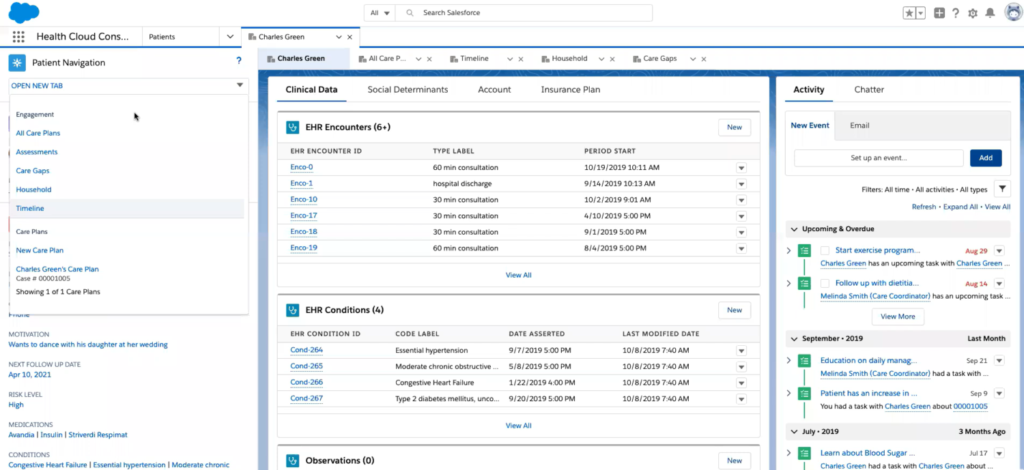
Salesforce Health Cloud is a healthcare-specific CRM platform designed for organizations that need to manage patient relationships alongside more complex healthcare operations. It combines healthcare data models with workflows for patient engagement, referrals, appointments, benefits verification, and care coordination. Salesforce now refers to Health Cloud as Agentforce Health in some of its current documentation.
We could not verify a native TherapyNotes integration. Salesforce does provide extensive APIs and integration capabilities, so a TherapyNotes connection may be possible through custom integration work. Practices should confirm the specific systems, data, and workflows they need to connect before implementation.
Health Cloud is designed for larger and more complex healthcare organizations, so its breadth and implementation requirements may be more than a solo therapist or small practice needs.
Larger behavioral-health organizations that need a highly configurable healthcare CRM and have the resources to support a more complex implementation.
A CRM becomes more useful when it connects individual tasks into a repeatable process. Here are five practical workflows a therapy practice could build around TherapyNotes:
Website inquiry → CRM → automatic acknowledgment → staff follow-up → appointment → TherapyNotes
The CRM captures the inquiry, alerts the right team member, and tracks follow-ups until the prospect books. The appointment and client record can then be managed in TherapyNotes, depending on the integration.
Missed call → automated text → inquiry captured → staff follow-up → appointment
Instead of letting a missed call become a lost inquiry, the CRM can trigger a text and create a follow-up task for staff.
Referral → CRM → source recorded → therapist matched → appointment → TherapyNotes
Teams can record who referred the prospective client, assign the inquiry to the appropriate therapist or coordinator, and track it through scheduling.
Prospective client → waitlist → opening becomes available → outreach → booking
When an opening arises, staff can use CRM data to identify people who are waiting and send targeted outreach. The exact automation depends on how the CRM connects with TherapyNotes.
Google/website/referral → inquiry → follow-up → appointment → source recorded
A CRM can preserve the prospect’s original source, helping practices understand which channels are generating inquiries and, where tracking is configured correctly, which ones lead to appointments.
TherapyNotes can remain the foundation for your clinical and practice-management workflows. As we saw, CRM becomes useful when your team needs more structure around the work that happens before and around those workflows, from managing new inquiries and referrals to following up with prospective clients and understanding where new business comes from.
The right choice depends on what your practice needs. Therapy-specific platforms such as Admirra and Breksey focus on intake and therapist matching, while HighLevel is geared toward marketing automation. Larger organizations may need the broader capabilities of an enterprise healthcare CRM.
If you need a healthcare CRM that can bring lead management, referrals, intake workflows, automated engagement, and reporting into one place, LeadSquared is worth exploring. It gives growing practices a way to build more structured patient acquisition and engagement processes without losing sight of the patient journey.
See how LeadSquared could fit into your practice’s workflow. Book a demo to explore the platform and discuss your specific requirements with our team.
Yes. A CRM for TherapyNotes users can capture inquiries in one place, assign follow-up tasks, and show staff which prospective clients still need a response. This gives practices a shared view of new inquiries instead of relying on individual inboxes, spreadsheets, or notes.
Not necessarily. A CRM can manage prospective clients while they are still deciding whether to schedule, while TherapyNotes can remain the practice’s system for established client and clinical workflows. The exact handoff depends on how the practice connects and uses the two systems.
Yes. A CRM can record whether inquiries came from Google, a website, referral partners, advertising campaigns, or other sources. This helps practices compare which channels generate inquiries and which ultimately lead to appointments. LeadSquared can connect source and conversion data through its reporting and attribution capabilities.
A healthcare CRM can give group practices a shared way to manage inquiries, assign follow-ups, route prospects, and monitor conversion activity across therapists or locations. This becomes particularly useful when intake coordinators or administrative staff handle new-client inquiries.
TherapyNotes should remain the system for clinical records and information related to ongoing care. A CRM can manage business and acquisition workflows such as inquiries, referral sources, follow-ups, marketing attribution, and intake status. Practices should avoid storing unnecessary clinical information in a CRM.
Yes. A CRM can record referral sources, assign referrals to staff, track follow-up, and show whether a referral resulted in an appointment. This gives practices greater visibility into referral activity and helps teams follow up with prospective clients and referral partners more consistently.
Look at the CRM’s TherapyNotes connectivity, HIPAA safeguards and BAA requirements, prospective-client workflows, automation, reporting, and ease of use. Practices should also confirm exactly how information moves between the CRM and TherapyNotes rather than assuming that every CRM offers a native integration.
Enter your details and we'll send you a quick confirmation email to verify your address.
 16 min read 17 min read 10 min read



 CRM for FAME Advantage SIS schools: Automate admissions before students walk...
