





EDUCATION
CRM for Canvas LMS institutions: Winning students before they reach the LMS
Contents

 11 min read


A prospective online student fills out three inquiry forms on a Sunday night.
By Tuesday, one institution has called, emailed, and scheduled a tour. The other two are still on autoresponder. Twenty days later, the student is enrolled at the first institution— and Canvas, the LMS that will deliver every course they take for the next two years, never enters the story until after the enrollment is already won.
That gap matters for the Canvas ecosystem because Canvas now holds more market share than its next three competitors combined. Yet students often make their enrollment decision before they ever encounter the platform — and with competition for online students intensifying, that pre-Canvas window is exactly where enrollment is won or lost.
The pressure is sharper than it was 18 months ago. Recent security incidents in EdTech, ownership changes at major platforms, and the start of a demographic enrollment cliff have all pushed institutions to re-examine where prospective students enter the funnel — and how long it takes to move them from inquiry to enrollment.
This guide is about closing that gap. What Canvas does and doesn’t do. Why online learner recruitment is structurally different from traditional admissions. And what the right CRM looks like running alongside Canvas — the LMS your faculty and students already use every day.
This is published by an enrollment technology provider that builds CRM software for higher education. The Canvas capability descriptions below reflect publicly available product information.
Canvas is a learning management system — built for what happens after a student is enrolled in a course. It manages course content, assignments, discussions, grading, and communication for students who are already in the system.
Instructure — the company behind Canvas — does sell products that touch enrollment-adjacent workflows. Canvas Catalog is the closest thing to enrollment functionality: It handles course catalog browsing, registration, and payment for non-degree and continuing education programs. It’s useful for short courses, professional development, and certificate programs.
But it’s a transactional catalog and registration tool, not a CRM.
It doesn’t capture inquiries, manage multi-touch nurture campaigns, score prospects by behavior, route leads to counselors, or track the admissions pipeline from inquiry through application and enrollment decision.
For institutions running degree programs, particularly online and hybrid, the real admissions pipeline lives somewhere else entirely. That somewhere else is what an admissions CRM is for.
The core job is managing the operational data of learning:
What Canvas does not do — and was never designed to do — is the high-volume, marketing-driven, multi-channel work of acquiring prospective students before they enroll.
Here’s the actual lifecycle most online programs run today:
Canvas owns step 7. Steps1 through 6 are where enrollment is actually won or lost, and they’re exactly the steps a CRM is built around.
Online programs face a fundamentally different competitive landscape than traditional on-campus programs.
Online students rarely inquire with just one school. They build their own shortlists — comparing programs, outcomes, and cost across several institutions at once, often well before they ever fill out a form. By the time a prospect raises a hand with your program, they’re already weighing it against three or four others. That means you’re not just competing on whether your program is a good fit; you’re competing on whether your response is faster, clearer, and more useful than everyone else’s they’re talking to at the same time.
Per EducationDynamics’ Modern Learner research, 72% of Modern Learners enroll at the first school that admits them and the current median contact speed across the market is under 15 minutes, with top-quartile performers responding in under 5 minutes. Speed to lead isn’t a service metric — it’s a winner-takes-all competitive trigger.
Online programs disproportionately serve adult learners, working professionals, and military-affiliated students. These are not 18-year-old high school seniors weighing five-year residential decisions — they’re 32-year-olds balancing work, family, financial aid logistics, and shorter decision cycles. A non-traditional student recruitment CRM has to run different nurture sequences: financial aid clarity, schedule flexibility messaging, employer-tuition-benefit information, and counselor outreach timed around evening and weekend availability.
Generic admissions software doesn’t convert this audience. Adult learner enrollment pipeline software — built around financial aid, scheduling, and employer benefits — is what does.
A prospect who inquired about an MBA, a Nursing program, and a Cybersecurity certificate is three different prospects with three different follow-up needs. Mass nurture doesn’t work. Program-specific routing — to the right counselor, with the right content, on the right timeline — is what converts. This is where a purpose-built enrollment CRM earns its keep.
What does a CRM do that Canvas doesn’t?
Five workflows make up most of the value a CRM for Canvas LMS institutions delivers:
Every inquiry — whether from a program-specific landing page, a paid campaign, an event, or a third-party site — flows into the CRM with the program of interest tagged. The CRM auto-routes the inquiry to the right counselor based on program, geography, or language. From the first touch, the prospect is in the right pipeline.
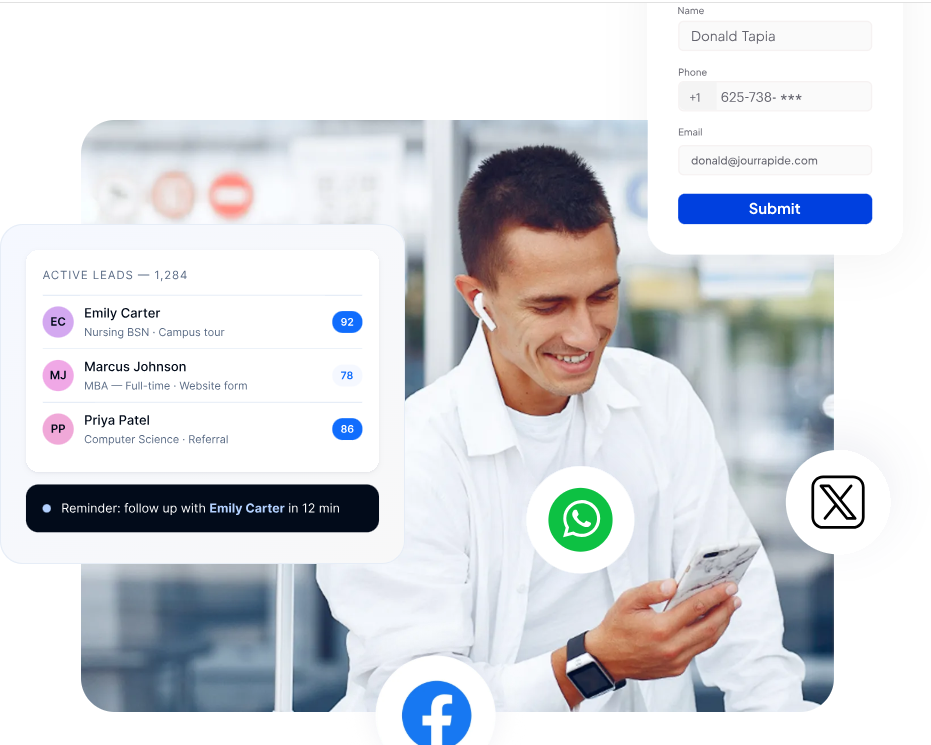
Web inquiry to first counselor outreach in 5 minutes, not 5 hours. Automation handles the immediate acknowledgment, schedules the counselor call, and triggers the initial nurture sequence — all within the window where the prospect is still actively engaged with the program search.
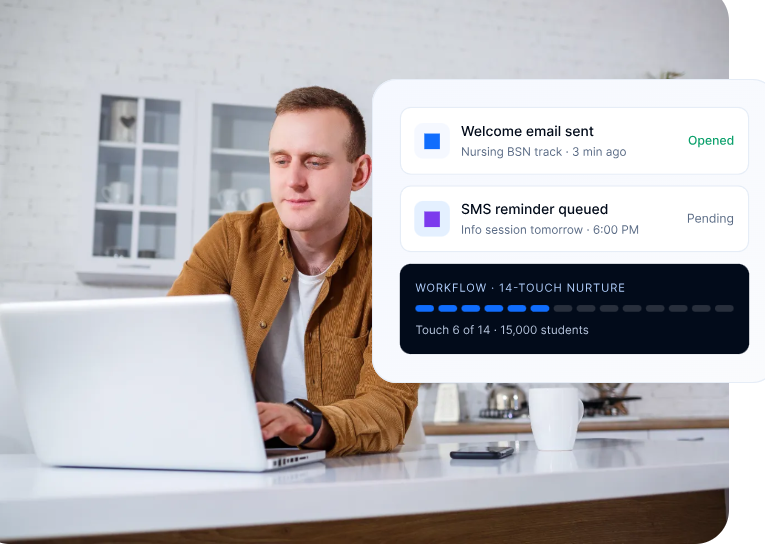
Pre-built nurture flows specific to adult learners — financial aid focus, schedule flexibility content, employer benefit messaging, evening/weekend counselor availability. The sequences run automatically, with counselor intervention triggered by prospect behavior. For more on the underlying campaign architecture, see LeadSquared’s higher education marketing automation page.
Online programs see particularly high drop-off rates between application start and application submission. The CRM tracks where each applicant is in the application process, triggers automated reminders for missing documents, alerts counselors when a high-fit applicant stalls, and runs deposit follow-up sequences after admission.
Once a student enrolls and is provisioned in Canvas, the CRM hands off the relationship to academic advising — kicking off an orientation sequence, introducing the assigned advisor, and surfacing engagement risk during the critical first term.
The integration pattern is straightforward. A Canvas LMS CRM integration uses Canvas’s open API to sync enrolled student data, with the CRM owning the pre-enrollment pipeline:
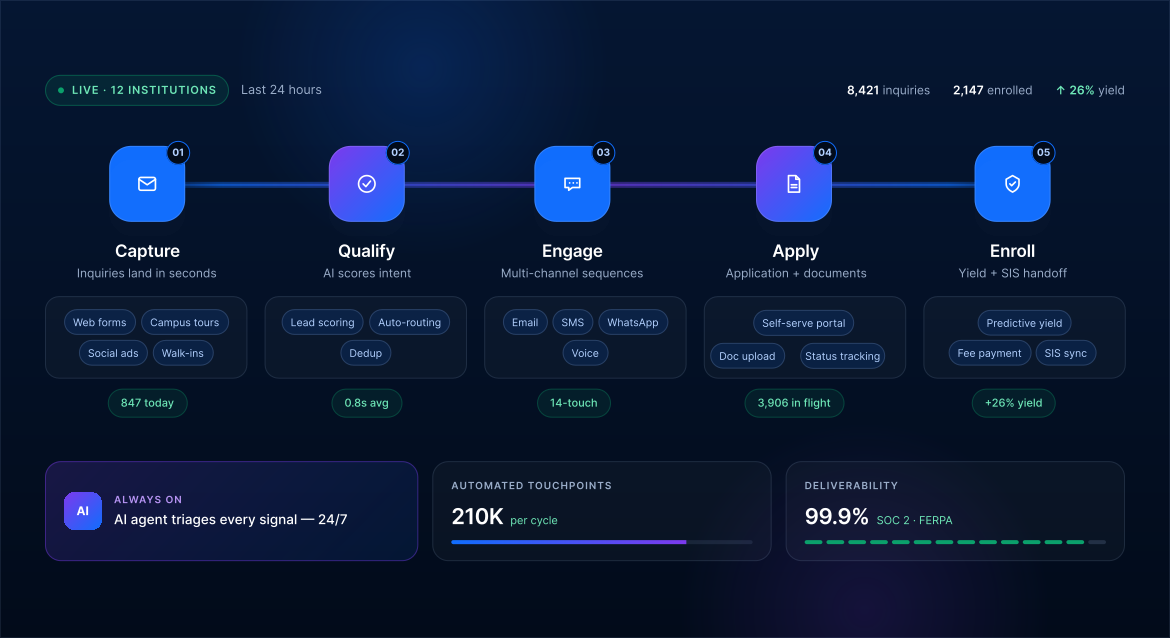
The result: Canvas stays the system of record for learning. The CRM owns everything before, around, and after — without anyone maintaining two parallel databases by hand.
What does this look like in practice?
Picture a public state university running 8 online degree programs — MBA, MS in Cybersecurity, MEd, MS in Data Analytics, BA in Psychology, and a BBA. Combined, the programs receive about 2,000 inquiries per year. The admissions team has 5 enrollment counselors working in Canvas (for enrolled students) and a mix of disconnected tools for everything else:
The result: Median time to first contact is 30 hours; competitive benchmark is under 5 minutes. The team is losing prospects to faster-responding competitors and doesn’t know where in the funnel the drops happen.
With a CRM layered on top of Canvas, the same team can:
Five counselors stop spending the day on inquiry triage and start spending it on the work that actually wins comparison-shopping prospects: fast, personalized, program-specific conversations.
Canvas is the right tool for the job it was built for — managing learning for enrolled students.
But it isn’t, and was never meant to be, the system that recruits those students into degree programs in the first place.
For Canvas institutions running online and hybrid degree programs, the gap between Canvas and a working enrollment funnel is exactly where most enrollment leaks happen — slow first response, fragmented nurture, no view of multi-program applicants, no pipeline visibility for leaders.
A purpose-built CRM for Canvas LMS institutions closes that gap. It captures every inquiry, routes them in seconds, runs program-specific nurture sequences for each degree, tracks the application pipeline through to deposit, and hands the enrolled student off to Canvas without anyone retyping a record.
Want to see how a Canvas-integrated CRM handles multi-program inquiry routing and speed-to-lead automation?
Book a personalized demo with our team — we’ll walk through Canvas API integration, program-specific routing, and what a real online enrollment funnel looks like running on top of your LMS.
No. Canvas is a learning management system — built for managing courses, assignments, grades, and communication for students who are already enrolled. Instructure sells Canvas Catalog, which handles course catalog browsing and registration for non-degree programs, but Catalog is a registration tool, not a CRM. It doesn’t include inquiry capture, multi-channel nurture, behavior-based scoring, or admissions pipeline management. For degree program recruitment, Canvas institutions layer a CRM alongside the LMS.
A modern CRM for online program recruitment runs the full pipeline: inquiry capture across web, paid, referral, and partner channels → speed-to-lead automation (counselor outreach within 5 minutes) → multi-channel nurture (email, SMS, sometimes voice) → application tracking with automated document reminders → financial aid conversation orchestration → enrollment commitment and Canvas sync. The programs doing this well manage the full pipeline through a single CRM. The programs doing it through spreadsheets and inboxes usually have the slowest response times and the highest drop-off.
Canvas has an open API and integrates with most modern CRMs — Salesforce Education Cloud, Element451, LeadSquared, and others — via API connections, with enrolled student data syncing bidirectionally. The technical bar for integration is low. The more important question is whether the CRM actually fits how online program teams work: multi-program routing, speed-to-lead automation, non-traditional student nurture, and pipeline visibility. Implementation speed, multi-channel coverage, and counselor UX usually matter more than the integration mechanics.
The most consistent enrollment lifts come from four moves: compressing speed-to-lead (getting first response under 5 minutes), running program-specific nurture sequences for each degree program rather than mass campaigns, building application-completion automation to address the high drop-off between started and submitted applications, and reaching adult learners through multi-channel sequences that respect their evening and weekend availability. Doing any one of these moves the needle. Doing all four — through a CRM that ties them together — moves it significantly.
There’s no universal answer. The best CRM for a state university with online degree programs differs from the best CRM for a single-program online MBA or a multi-campus online learning network. The variables that matter most: speed-to-lead capability, multi-program routing sophistication, multi-channel nurture (email + SMS + voice + WhatsApp), application-stage automation, Canvas integration depth, and counselor UX. For a fuller view of the EdTech CRM landscape, see LeadSquared’s best EdTech CRM guide.
Enter your details and we'll send you a quick confirmation email to verify your address.
 10 min read 12 min read 10 min read



 Your institution runs on EAB Navigate360. But is it actually built for e...
