





- Home

- Learn
- Healthcare
- Symplast-CRM integration for plastic surgery practices: What you need to know
HEALTHCARE
Symplast-CRM integration for plastic surgery practices: What you need to know
Contents

 20 min read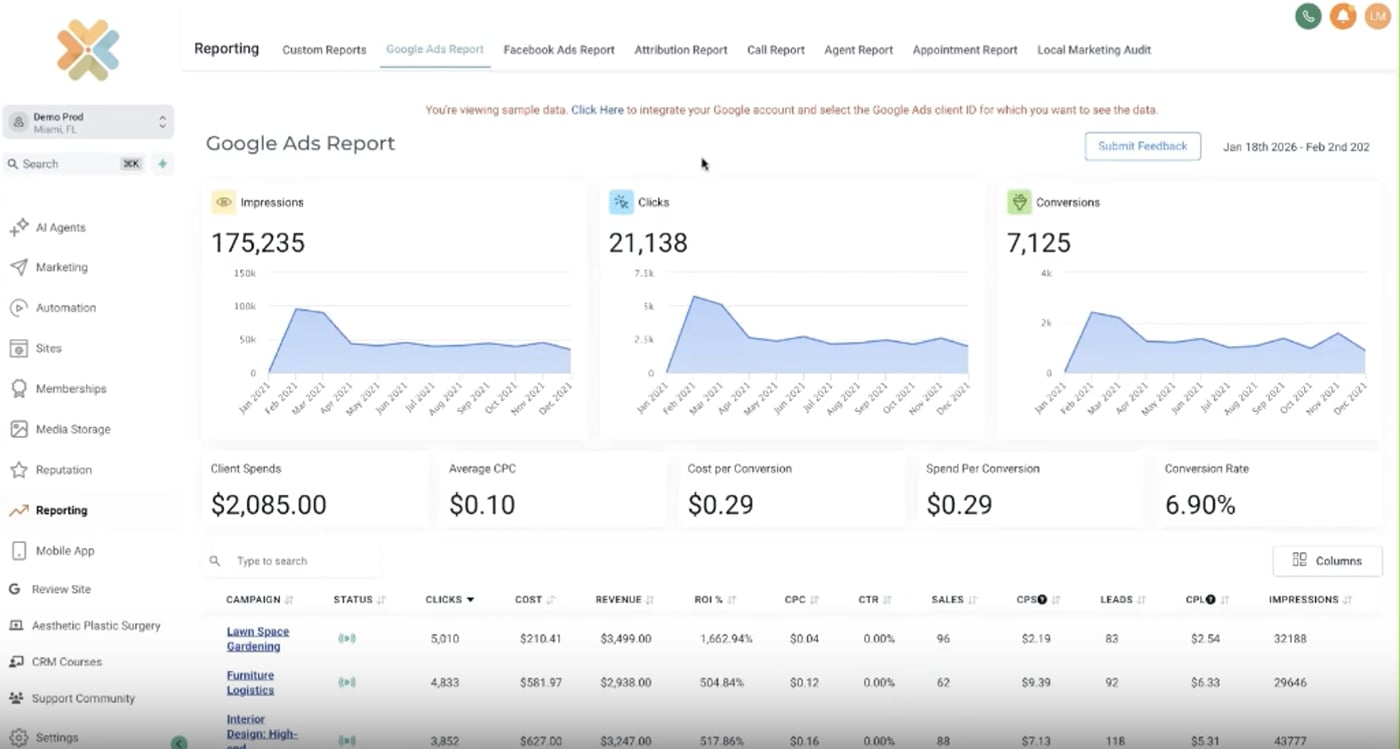


Symplast gives plastic surgery practices tools to manage their patient records, appointments, and practice operations.
But attracting prospective patients is only the first step. Practices also need to respond to new inquiries quickly and identify which marketing campaigns bring in serious prospects.
For instance, a plastic surgery practice might advertise its facelift services on Google and Instagram. The ads may generate plenty of inquiries, but the practice needs to know how many of those inquiries turn into booked consultations to understand which ads are working. Without connecting the original source of an inquiry to the consultation booking, teams may know how many leads each ad generates but not how many bookings it brings in.
A healthcare CRM that integrates with Symplast can handle these pre-consultation workflows while helping practices connect marketing activity with consultation bookings. This gives teams a clearer picture of which campaigns are turning inquiries into consultations, rather than just generating leads.
When evaluating a CRM to use alongside Symplast, consider three questions:
This guide compares the best CRM options for plastic surgery practices using Symplast, with a focus on these pre-consultation workflows and marketing attribution.
When inquiries, follow-ups, and campaign data sit in different systems, it becomes harder to see which marketing efforts lead to consultations. A healthcare CRM that integrates with Symplast can connect these pre-consultation activities and give the practice a clearer view of its acquisition pipeline.
Prospective patients may find a practice through Google searches, paid ads, social media, or referrals. A study of plastic surgery patients found that internet searches were the most commonly reported information source before the first surgical appointment, followed by family, friends, and other patients.
A CRM can bring inquiries from supported channels into one pipeline, so staff can see where each inquiry came from and who needs to follow up. For example, a consultation coordinator can identify whether a new inquiry came from a Google ad or a patient referral instead of searching across separate platforms.
Prospective patients often research procedures, compare surgeons, and ask questions before booking. How a practice communicates during this period can shape their impression. Research published in Aesthetic Surgery Journal found that staff interactions and communication were among the factors associated with patients’ satisfaction in online reviews, including reviews from people who had not undergone surgery.
A CRM helps staff keep track of new inquiries, previous conversations, and pending follow-ups. Automated reminders and follow-up messages can prompt coordinators to reconnect with prospective patients who have questions or haven’t booked yet, so fewer inquiries are overlooked.
Lead counts and ad clicks show interest, but they don’t tell a practice which campaigns bring in consultations or patients who proceed with treatment. If the CRM and Symplast can share the relevant data, a practice can track what matters: consultation bookings, the consultation-to-procedure conversion rate, and cost per acquisition for each marketing source.
For example, a practice could compare two advertising campaigns to see which generated more consultations and which brought in more patients who proceeded with a procedure. This helps the team assess campaign performance beyond the number of inquiries generated.
Practices with multiple surgeons or locations need a consistent way to assign inquiries, track follow-ups, and monitor performance across the practice. A facelift inquiry, for instance, can be routed to the coordinator supporting the surgeon who performs facelifts, while an inquiry for the Brooklyn office goes to that location’s coordinator. Leadership can still review inquiry and consultation numbers across all locations.
A CRM can automate these assignments and provide shared reporting, reducing the need for staff to manually distribute inquiries or compile updates from separate teams.
| CRM | Best for | Inquiry capture and follow-up | Symplast integration and attribution | HIPAA compliance |
| LeadSquared | Managing and nurturing prospective patients across teams and locations | Captures leads through supported forms and integrations, then automates follow-ups, routing and lead-source reporting. Custom sources can connect through its paid Universal Lead Capture Connector (ULC), subject to API requirements. | A custom integration with Symplast can be possible. Consultation and revenue reporting requires appointment and financial data from Symplast or another connected system. | Yes. LeadSquared offers a HIPAA-compliant healthcare CRM and a Business Associate Agreement (BAA). |
| MyMedLeads | Aesthetic practices focused on lead conversion and marketing ROI | Captures web inquiries and tracked calls, automates email and text campaigns, sends appointment reminders, and tracks leads from marketing source through procedure completion. | MyMedLeads integrates with Symplast to transfer leads for appointment scheduling. It also offers marketing ROI reporting that connects lead sources with practice outcomes. | Yes. MyMedLeads identifies itself as a business associate and describes safeguards designed to support HIPAA compliance. |
| Red Spot Interactive (RSI) | Practices seeking marketing attribution and patient revenue intelligence | Integrates phone, text, email and fax into patient communication workflows. Its platform supports marketing attribution, patient engagement and reporting from acquisition through payment. | RSI and Symplast previously announced an integration covering patient acquisition, scheduling, retention and marketing ROI. The current availability and scope of that specific integration are not fully established by the original announcement. | Yes. RSI describes its healthcare CRM as HIPAA-compliant and states that it is SOC 2 certified. |
| HubSpot | Practices needing flexible marketing automation and custom workflows | Offers forms, chat, email marketing, segmentation and campaign reporting. Additional channels may require separate integrations. | HubXpert offers a custom Symplast integration with workflows for patient registration, consultations, surgical quotes, surgery completion and payment-status updates. This is a third-party integration, not a native HubSpot connector. | Conditional. HubSpot provides a BAA for eligible customers and services, but not every product or feature is suitable for handling PHI. |
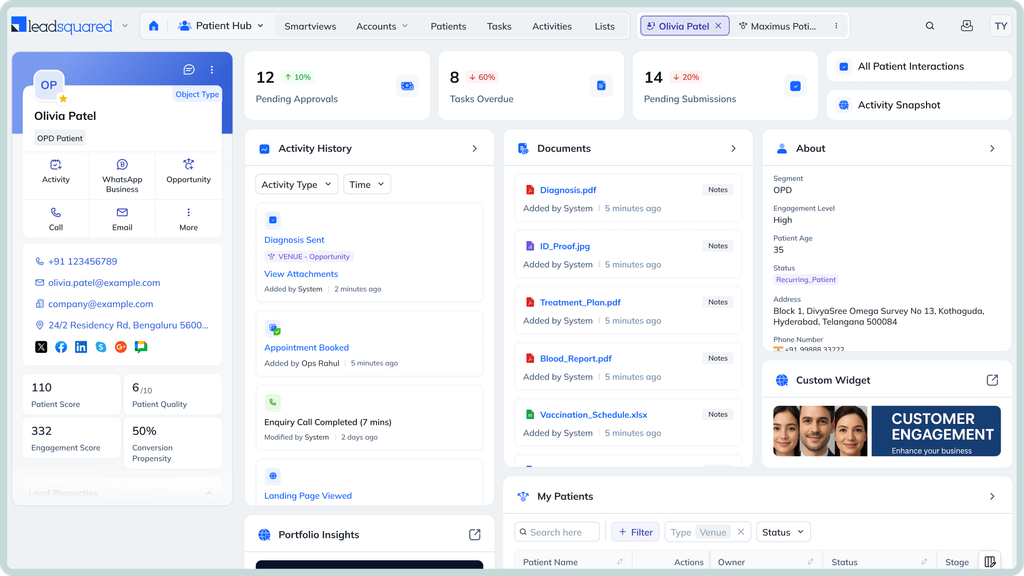
LeadSquared is best for plastic surgery practices managing high volumes of prospective-patient inquiries across multiple surgeons, locations or service lines. The tool is particularly suited to teams that need configurable lead routing, automated follow-ups and visibility into each inquiry’s progress, with the flexibility to connect external lead sources through custom integrations.
LeadSquared captures inquiries through website forms, supported advertising lead forms, phone calls, and integrations with SMS, chat and WhatsApp. For additional data sources, its Universal Data Sync (UDS), which includes the custom connector capability previously known as Universal Lead Capture (ULC), lets teams connect LeadSquared with compatible systems through APIs.
For a plastic surgery practice using both LeadSquared and Symplast, a custom integration could transfer prospective-patient details from LeadSquared to Symplast when an inquiry progresses to a consultation, reducing duplicate data entry. It could also send appointment updates or patient outcomes from Symplast back to LeadSquared, helping the practice track which inquiries turn into consultations or procedures.
The integration must be configured to match corresponding information between the systems, such as linking a patient’s phone number or record ID to the right patient record. Data can transfer in real time or at scheduled intervals, depending on the setup. Sync logs help teams identify and troubleshoot failed transfers. The specific workflows depend on the available APIs and the integration built.
LeadSquared offers a custom integration with Symplast through compatible APIs. The implementation determines which records move between the systems, in which direction and how frequently.
LeadSquared can track lead sources and pipeline progression. To attribute booked consultations, completed procedures or revenue to those sources, the integration would need to bring the corresponding appointment and financial outcomes from Symplast or another connected system into LeadSquared, with reliable record matching.
LeadSquared can report on lead sources and conversion through configured pipeline stages. Closed-loop revenue attribution depends on the outcome data available to the CRM. Without appointment and financial data from Symplast or another connected system, reporting cannot reliably establish which marketing sources generated completed procedures or collected revenue.
LeadSquared offers a HIPAA-compliant healthcare CRM and supports Business Associate Agreements (BAAs).
LeadSquared uses subscription pricing based on users and the modules required. Custom integration, ULC/UDS access, implementation and ongoing support can add to the total cost. Healthcare and enterprise deployments may require a tailored quote.
ULC/UDS is a configurable integration capability, not a ready-made connector for every advertising, social or review platform. Connecting Symplast or another external source requires compatible APIs and technical implementation. The cost and complexity depend on the data exchanged and the workflows the practice wants to automate.
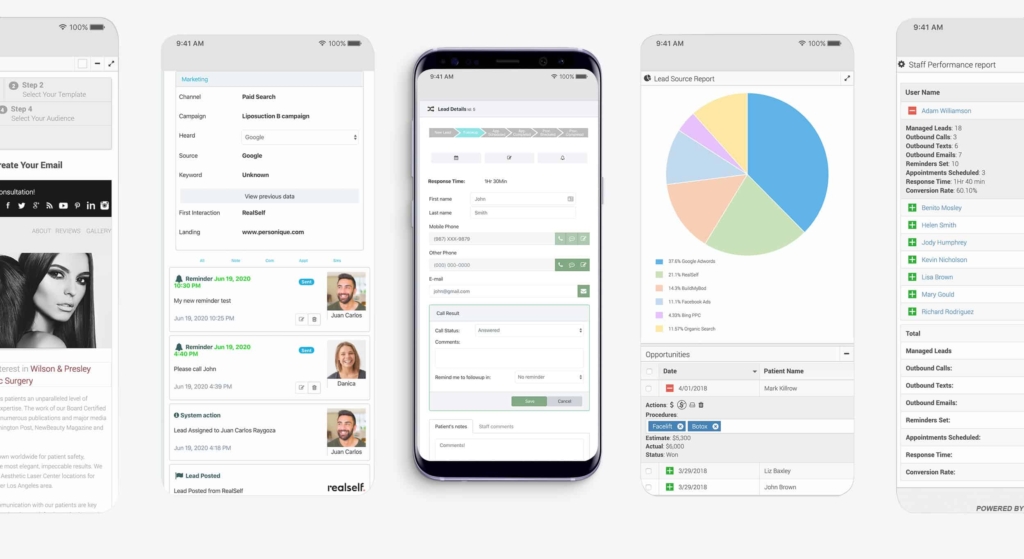
Aesthetic and plastic surgery practices that want a specialized lead-management and marketing platform focused on converting inquiries into patients. Its combination of call tracking, automated follow-up, appointment scheduling and marketing ROI reporting makes it especially relevant to practices that want to understand how acquisition campaigns perform.
MyMedLeads captures inquiries through web forms and tracked phone calls. Its lead-capture information also lists referral sites, online directories, email campaigns, social media, SEO and paid search as sources. Automated email and text campaigns support follow-up, while its patient review service helps practices generate reviews on platforms such as Google, RealSelf and Yelp.
Social media listed as a lead source does not necessarily mean that every social DM is captured natively. The platform’s published information does not establish universal native capture across all social messaging and review channels.
MyMedLeads advertises a direct Symplast integration. Staff can transfer a lead into Symplast for appointment scheduling with a single action, reducing duplicate data entry. MyMedLeads also describes its practice-management integration as two-way, with revenue synchronization between the systems.
Its public documentation does not fully specify the Symplast-specific fields transferred in each direction or the synchronization schedule for appointment statuses, completed procedures and payment records.
MyMedLeads explicitly markets ROI reporting that tracks leads from their original source through patient acquisition and revenue. Its practice-management integration also advertises revenue synchronization. This makes revenue attribution a central part of its offering, rather than just lead-source reporting. The exact financial outcomes represented in its reports depend on the data available through the integration.
MyMedLeads identifies itself as a business associate and states that it maintains the administrative, physical and technical safeguards required under HIPAA. A BAA is the appropriate contractual arrangement when the platform handles PHI on behalf of a covered practice.
MyMedLeads advertises a per-office fee with unlimited users. The overall cost depends on the services included, such as lead management, call tracking, marketing automation and patient review management. Its website directs prospective customers to request a demo for pricing.
MyMedLeads is more specialized in aesthetic-practice lead management and marketing than a general-purpose CRM. Although it advertises revenue synchronization and ROI reporting, its public Symplast integration documentation does not specify every field or synchronization rule. Its strongest differentiator is the direct practice-management workflow, but the scope of the revenue reports should be understood in that context.
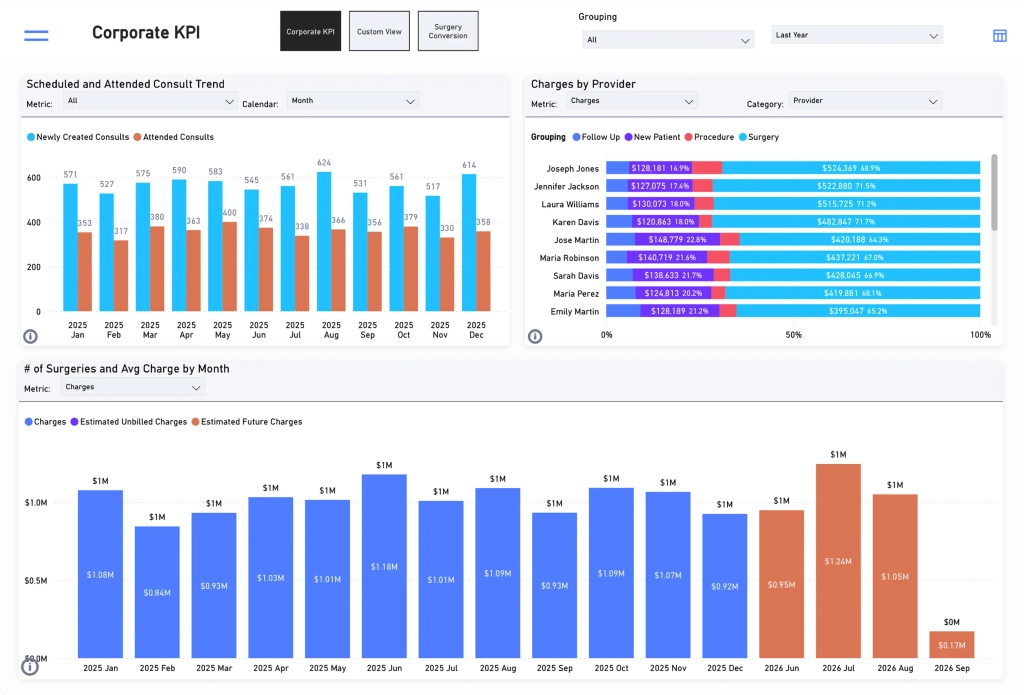
Plastic surgery practices seeking a broader patient acquisition, engagement and retention platform with marketing attribution and revenue intelligence. Red Spot Interactive (RSI) is relevant to practices that want to connect marketing, communication, scheduling and financial performance across their existing systems.
RSI supports communication workflows involving phone, text, email and fax. Its wider platform also includes patient engagement, appointment scheduling, review generation and online reputation management. These capabilities extend beyond capturing new inquiries to maintaining communication with prospective and existing patients.
Its public platform information does not establish that every social DM, web chat or review-platform inquiry is captured natively. Coverage depends on the platform modules and integrations used.
RSI and Symplast announced an integration in 2019 that provided Symplast users with access to RSI’s patient acquisition, engagement and retention platform. The announcement described synchronized access to the systems and workflows connecting marketing ROI with lead conversion, scheduling, patient acquisition and retention. It also referenced appointment reminders, review generation, online scheduling and two-way texting.
RSI’s current platform promotes integrations across practice-management, scheduling, clinical and billing systems. However, its current public documentation does not fully specify the Symplast integration’s available fields, synchronization direction or frequency. The historical announcement establishes that an integration was announced, but not the precise scope of every workflow currently available.
Revenue intelligence is a core part of RSI’s positioning. The platform describes source-to-revenue reporting that connects marketing activity, patient communication, scheduling and financial outcomes, including final payment. Its broader platform is designed to show how acquisition activity translates into revenue across connected practice systems.
The degree of attribution available for a particular Symplast deployment depends on the data accessible through that connection.
RSI states that its platform is HIPAA-compliant and SOC 2 certified. Its platform documentation also describes security controls such as role-based access, audit trails, consent management and encryption. A BAA is required when RSI handles PHI on behalf of a covered practice.
RSI uses custom pricing based on the platform capabilities, services, integrations and reporting required. Its broader service model may include more than CRM licensing alone.
RSI combines patient acquisition and engagement technology with broader marketing and revenue intelligence capabilities. That can suit practices looking for an integrated growth platform, but the 2019 Symplast announcement does not establish the present scope of every integration workflow. Its fit also depends on which platform modules and services are included in the engagement.
Plastic surgery practices that want flexible marketing automation, audience segmentation and campaign reporting, and have the resources to implement a custom connection with Symplast. It is a more general-purpose platform than an aesthetic-specific lead-management system, so healthcare workflows and integration requirements need to be designed around the practice’s needs.
HubSpot offers website forms, chat, email marketing, contact segmentation and campaign reporting. Additional channels can be connected through compatible integrations. Phone calls and SMS may require separate providers, while social DMs and review-platform inquiries depend on the specific integration or custom connection used. HubSpot’s marketing and social publishing capabilities should not be confused with automatic capture of every inbound message or review.
HubXpert advertises a custom Symplast–HubSpot integration service. Its published workflows include patient registration, consultation booking and updates, surgical quote creation, surgery completion, patient matching, and deposit or payment-status updates.
This is a third-party integration service, not a native HubSpot–Symplast connector. HubXpert describes building the connection with APIs and mapping the data flows to the practice’s requirements. Its published offering describes real-time synchronization, but the exact fields, direction and frequency depend on the integration scope.
HubSpot supports marketing attribution and pipeline reporting. A custom Symplast connection can extend those reports with consultation, surgery and payment-related data where those fields are included and synchronized reliably. HubXpert specifically advertises workflows for procedure completion and payment status, but actual revenue attribution depends on matching those outcomes to the original inquiry or campaign.
Conditional. HubSpot offers a BAA for eligible customers and services through its Sensitive Data Terms. Its supported sensitive-data features include CRM records, activities, workflows, reporting, integrations and certain forms and APIs. Not every HubSpot feature or configuration is suitable for PHI, so the practice must use an eligible subscription and supported services.
HubSpot uses tiered subscription pricing. Costs vary by product, plan, seats and marketing-contact volume. Higher-tier marketing automation can carry substantial subscription and onboarding costs, while a Symplast integration adds third-party implementation and ongoing maintenance expenses.
HubSpot’s flexibility comes with integration and configuration work. The Symplast connection depends on a third-party implementation, and the practice must define the records, fields, matching rules and workflows to be synchronized. Healthcare suitability also depends on the specific HubSpot services and configuration used, not simply on having a BAA.
Before shortlisting a CRM, check whether it supports the inquiry channels your practice relies on and whether its Symplast connection can exchange the data you need. Then confirm that its reporting can connect lead sources to the outcomes you want to measure.
A platform that captures inquiries may not be able to report on completed procedures or collected revenue without additional data connections. Likewise, a listed partnership does not necessarily establish that a current integration is available.
Request demonstrations using real scenarios from your practice. Ask each vendor to show how an inquiry enters the CRM, how follow-up is managed, how consultation outcomes are recorded, and how the final reports are produced. Compare the total cost of delivering those workflows, not just the subscription price.
Integrating LeadSquared’s CRM with Symplast can help plastic surgery practices manage prospective-patient inquiries, automate follow-ups, assign leads across providers or locations, and track marketing sources among many other benefits. Here’s a closer look at these benefits.
When someone submits a website form asking about rhinoplasty, LeadSquared can capture their details, record the inquiry source, and assign the lead to a consultation coordinator. The team can then see who owns the inquiry and what action is due next.
If the prospective patient isn’t ready to book a consultation, the coordinator can use LeadSquared’s follow-up workflows to schedule reminders or send relevant messages. The team can track responses and continue outreach based on the patient’s engagement.
If the patient originally came through a Google Ads campaign, LeadSquared can track that source as the lead progresses. With appointment data from Symplast or another connected system, the practice can measure whether the inquiry resulted in a booked consultation. Tracking completed procedures or revenue requires those outcomes to be available and matched to the original lead.
If the patient wants rhinoplasty at a particular location, LeadSquared can route the inquiry according to configured rules for procedure interest, location or provider. The practice can then track ownership and follow-up consistently across its teams.
Integration note: The capabilities described above are LeadSquared CRM features, not confirmation of a working LeadSquared–Symplast integration. Symplast also offers native CRM and marketing capabilities. Practices should compare both platforms against their actual requirements before deciding whether a separate CRM would add value.
If the capabilities discussed in this guide align with what your plastic surgery practice needs, a demo can help you explore how LeadSquared could support your patient acquisition workflows alongside Symplast.
Book a demo today to discuss your practice’s goals and find the right fit for your team.
Start by deciding which system owns each type of record. Establish a reliable matching method using identifiers such as a unique patient ID, email address, or phone number, where appropriate. Define how updates and conflicting records should be handled before enabling data exchange. Test common scenarios, including an existing patient submitting a new inquiry, before rolling out the integration to the entire practice.
A CRM should store the information needed for its assigned workflows, such as contact details, inquiry source, procedure of interest, communication history, and consultation status. Clinical notes, medical histories, and other sensitive information should remain in the appropriate clinical system unless there is a clear, authorized need to exchange them. Limit access to sensitive data and confirm that your vendor agreements and safeguards support your HIPAA obligations.
Look beyond the number of inquiries generated. Track metrics such as cost per booked consultation, inquiry-to-consultation conversion rate, consultation attendance, and the time your team spends managing leads. If your reporting includes procedure bookings or revenue, confirm that the underlying data is reliable and attributed correctly. LeadSquared can help practices track acquisition activity and pipeline progression, but the outcomes you can measure depend on the data available to the CRM.
Review which records can be exported, whether the export includes communication history and custom fields, and how data will be mapped to the new platform. Test a sample export before migrating all records. Also establish how duplicates, incomplete records, consent preferences, and inactive contacts will be handled. Finally, clarify how the existing vendor will retain or delete data after the transition.
Establish a consistent process for recording communication preferences, honoring opt-outs, and updating those preferences across connected systems. Confirm which platform is responsible for maintaining the current consent status and how changes will be shared. Before launching automated email or text campaigns, review the applicable privacy and messaging requirements with your compliance team.
The right CRM should address gaps in your patient acquisition process without adding unnecessary complexity. If you’re choosing a CRM to use alongside Symplast, evaluate these five factors:
The CRM should be able to assign inquiries by location, provider, procedure interest, or lead source and support the follow-up reminders your team needs.
It should connect lead sources to consultation bookings and, where data is available, completed procedures. This requires the relevant data to flow between the CRM and Symplast.
If it handles protected health information (PHI), the vendor should offer appropriate security controls, access permissions, audit logs, and a business associate agreement (BAA). Check how your data will be handled when the contract ends.
The expected benefits should justify the total cost, including subscription fees, setup, integrations, training, and ongoing support. Define how you’ll measure improvements, such as more consistent follow-ups or better visibility into consultation bookings.
Before choosing, test shortlisted CRMs against real workflows your team handles every day.
Enter your details and we'll send you a quick confirmation email to verify your address.
 11 min read 12 min read 15 min read



 Using ampEducator? Here’s how to enroll more students with the team you...
