





- Home

- Learn
- Healthcare
- Digital intake forms in healthcare: A practical guide
HEALTHCARE
Digital intake forms in healthcare: A practical guide
Contents

 14 min read


In healthcare, some tasks quietly take more time than they should.
Collecting patient information on paper forms is one of them.
With paper-based intake, patients fill out forms at check-in, after which staff must review and manually enter the information into a system. While this process has long been the norm, it’s time consuming and involves far too many steps.
Digital patient intake forms offer a simpler alternative. Clinics can allow patients to enter their information electronically, either before their appointment or at check-in using a tablet or computer.
Patients complete the forms themselves, and the information is captured instantly in a structured, digital format that staff can access right away.
The benefits are many: fewer mistakes, time savings for staff, and smoother patient intake workflows that shave off unnecessary friction.
In this article, we’ll see how digital patient intake forms work and why they are an essential tool for clinics looking to modernize and streamline their operations.
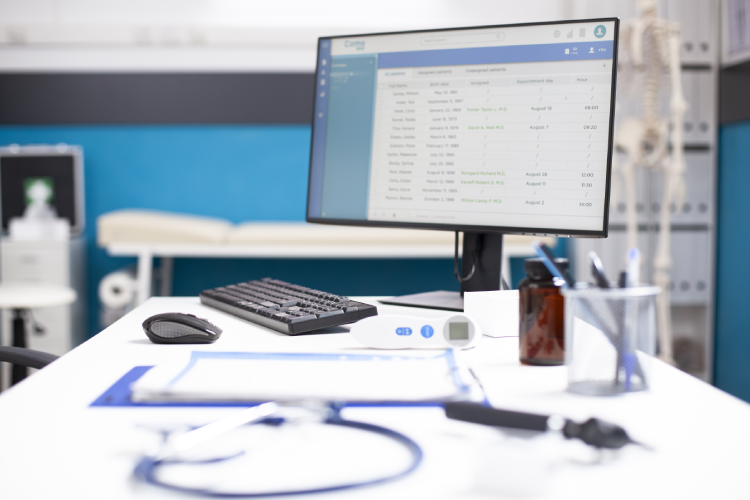
Digital patient intake forms are electronic versions of the paper forms clinics have traditionally used to collect patient information. They gather the same types of details (such as personal and contact information, insurance data, medical history, and consent forms) but in a format that can be completed and processed digitally.
Instead of writing information by hand, patients enter their details into an online form. This can be done using a smartphone or similar digital devices.

The digital intake process usually begins when a patient books an appointment. After the appointment is scheduled, the clinic sends the patient a secure link by email or text. This link gives the patient access to the intake form that the clinic uses to collect information.
From the patient’s perspective, the process is straightforward. They open the link on their phone, tablet, or computer and fill out the form at a time that works for them. The form asks for the same information they would normally provide on paper, such as contact details, insurance information, medical history, and required consents.
Some digital intake forms use simple logic to guide patients through the process. For example, if a patient indicates they do not have certain conditions, follow-up questions related to those conditions may not appear.
Once the patient completes the form, they submit it electronically. The information is then saved securely and becomes available to the clinic through digital systems like EHRs (Electronic Health Records) or healthcare CRM. Staff can review the details from the system before the appointment or at check-in, without needing to handle physical paperwork.
However, it is important to note that not all digital intake forms integrate automatically with every system. Whether data flows directly into the clinic software depends on the intake solution being used and how it is set up.
Overall, digital intake replaces manual handoffs with a more direct way of collecting and reviewing patient information.
As discussed earlier, digital intake allows patient information to be collected electronically rather than on paper. One practical effect of this shift is reduced administrative effort during check-in. Paper-based processes often require printing forms, reviewing written details, and manually entering information into clinic systems, all of which take time and can slow appointment flow.
When the intake information is available earlier in the process or already in a digital format, staff can spend less time on repetitive data entry and clarification. This can help appointments start on time and reduce congestion during busy periods. Even when forms are completed on-site, having the information captured digitally simplifies handoffs between front-desk staff and clinical teams.
Using paper forms commonly results in missing data fields, or unclear information due to handwriting issues. Digital patient intake addresses some of these issues by structuring how information is collected. Mandatory fields, standardized formats, and guided questions help ensure that key details are captured before a form can be submitted.
This leads to more complete records and eliminates the need for staff to follow up on missing information. It also makes patient data easier to review and reference during consultations and visits.
Handling patient information digitally can support stronger privacy and security practices when systems are set up correctly. Many digital patient intake solutions, like LeadSquared’s patient intake software or healthcare CRM, offer features such as encrypted data transmission, role-based access, and activity logs that track when information is viewed or changed.
These features can help clinics meet regulatory and privacy requirements like HIPAA or GDPR.
From the patient’s perspective, digital intake often provides more flexibility. Completing forms in a familiar environment, without time pressure, can make the process feel smoother and improve patient experience.
It also leads to shorter wait times, making the check-in process more organized for patients and staff.
Over time, reducing reliance on paper forms can lower costs related to printing, scanning, storage, and physical record management. Digital intake can also reduce the administrative effort required to handle paperwork, contributing to longer-term efficiency gains.
Yes, there are usually upfront costs, including software fees, implementation, training, and possible system integration. But eventually, your patient intake workflows improve, and make up for the money spent.
When evaluating digital patient intake solutions, it helps to understand a few common features and how they affect everyday use. Not every clinic needs every feature, but knowing what they do makes it easier to choose a system that fits your practice.
Mobile responsiveness means the form works well on any device, including phones, tablets, and desktop computers. The layout should adjust automatically to the screen size, so patients do not have to zoom in or scroll unnecessarily.
Conditional logic allows the form to show only questions that are relevant based on a patient’s earlier answers. For example, if a patient indicates they do not have a specific condition, follow-up questions related to that condition are skipped. This keeps forms shorter and less confusing for patients.
E-signatures allow patients to sign consent forms electronically instead of on paper. Patients typically sign using a mouse or touchscreen. This helps clinics collect required authorizations digitally and store them with the rest of the patient’s intake information.
Some systems offer forms in multiple languages or include accessibility features such as larger text, screen reader support, or keyboard navigation. These features help ensure that patients with different language needs or disabilities can complete forms independently.
Auto-save ensures that a patient’s progress is saved as they complete the form. If they leave the form or lose their connection, they can return later without starting over. This is especially helpful for longer intake forms.
Secure data handling refers to how patient information is protected during submission and storage. Audit trails record when data is accessed or changed and by whom. These features support privacy and regulatory requirements.
It is important to note that not all digital intake vendors offer all of these features. Clinics should prioritize the features that align with their workflows and compliance needs rather than assuming one solution fits all.

Digital intake forms are most useful when they can work together with the other software a clinic already uses. These systems may include electronic health records (EHRs), practice management or scheduling tools, billing systems, and customer or patient relationship systems.
When intake forms are integrated with these systems, patient information does not need to be entered multiple times. For example, details collected during intake can be sent directly to the patient’s record, used to confirm insurance information, or linked to an upcoming appointment. This helps keep information consistent across systems and reduces the risk of errors caused by duplicate data entry.
Without integration, staff may still need to manually transfer information from the intake form into other systems. While this is still an improvement over paper, it limits the efficiency gains digital intake can offer. Integration helps ensure that information collected once can be reused where it is needed throughout the clinic’s workflow.
It is important to understand that integration does not happen automatically. Connecting intake forms to other systems usually requires setup work. This may involve configuration within the software, the use of technical connections called APIs, or intermediary tools known as middleware that help different systems communicate with each other.
The level of integration available depends on the intake solution, the systems already in use, and the clinic’s technical resources. Some integrations are straightforward, while others require more planning and support. For this reason, clinics should review their existing software and discuss integration options with vendors before making decisions.
In practice, well-planned integration helps clinics reduce manual work, improve data consistency, and support smoother operations across administrative and clinical tasks.
One common challenge is digital literacy. Not all patients are comfortable using online forms, especially older adults or those with limited access to technology. Some patients may need assistance or prefer paper options, particularly during early adoption.
Another challenge is initial setup and staff training. Digital intake systems require time to configure forms, define workflows, and train staff. During the transition period, clinics may experience temporary slowdowns as staff learn new processes and adjust their routines.
Not all intake tools work seamlessly with existing EHRs, scheduling systems, or billing platforms. Choosing a system without considering compatibility with current software can result in manual workarounds that reduce efficiency.
To address the above challenges, clinics can follow a these best practices.
Only ask for information that is truly necessary for the visit. Clear wording and simple question formats reduce confusion and improve completion rates.
Offer support for patients who need help. This might include having staff available at check-in, providing tablets with guidance, or keeping a limited paper option available. Flexibility helps ensure no patient feels excluded.
Test forms before rolling them out widely. Running a small pilot with staff or a limited group of patients helps identify confusing questions or technical issues. Feedback from both staff and patients can be used to improve the forms before full implementation.
By planning carefully and setting realistic expectations, clinics can reduce friction during adoption of their intake forms.
Digital patient intake forms are used in different ways depending on the type of care a clinic provides and how appointments are delivered. Below are common, real-world examples that show how intake forms fit into everyday healthcare settings.
For telehealth appointments, digital intake forms are often completed entirely at home. Before the virtual visit, patients receive a secure link to provide their information and review consent forms. In this setting, digital intake supports smoother virtual visits and helps make better use of limited appointment time.
Specialist clinics often tailor intake forms to specific conditions or types of care. For example, an orthopedic clinic may include questions about pain location and mobility, while a dermatology clinic may ask about skin history or prior treatments. Digital forms make it easier to adjust questions based on the clinic’s focus, rather than relying on generic paper forms that may include irrelevant sections.
Digital intake forms are also commonly used to support insurance and administrative processes. Patients can enter insurance details using standardized fields, which reduces errors caused by handwritten information. Some systems can flag missing or incomplete information before submission, helping staff identify issues earlier in the process. While this does not replace full insurance verification, it can reduce back-and-forth communication and speed up administrative preparation.
Together, these examples show how digital intake forms adapt to different care models.
Digital patient intake forms are an easier way for healthcare providers to reduce manual work and make the intake process easier for both staff and patients.
However, collecting information is only one part of the process.
To get the most value from digital intake forms, clinics need a way to manage what happens after the form is submitted. This is where a system like healthcare CRM becomes useful.
A healthcare CRM like LeadSquared helps organize and store patient intake information collected via digital forms, link it to appointment data, and use it to support follow-ups and further patient communication.
If you’d like to see how digital intake forms and CRM can work together in practice, feel free to book a quick demo of LeadSquared CRM.
Not always. Many clinics keep a small number of paper forms available for patients who are uncomfortable with digital tools or when technology is unavailable. Digital intake reduces reliance on paper, but most clinics transition gradually rather than eliminating paper overnight.
In most cases, staff can review the submitted information and make corrections if needed, either by confirming details with the patient or updating the record directly. Digital forms reduce certain errors, but they do not remove the need for basic review and verification.
Yes, but it requires planning. Clinics may offer tablets at check-in, provide staff assistance, or allow patients to complete forms on shared devices. Digital intake works best when clinics offer flexible options rather than assuming every patient uses the same technology.
Implementation timelines vary. Simple setups can take days or weeks, while more complex setups involving integrations and customization may take longer. Time is usually spent configuring forms, testing workflows, and training staff rather than installing software.
It can. During the early stages, staff and patients may need time to adjust. Temporary slowdowns are common during transition periods, but they often improve as workflows stabilize, and users become familiar with the process.
This responsibility typically falls to administrative or operations staff, sometimes with IT support. Forms should be reviewed periodically to ensure questions are still relevant, wording is clear, and regulatory requirements are met.
Digital intake can benefit clinics of all sizes. Smaller practices may value reduced paperwork and easier record management, while larger organizations often focus on consistency and integration. The key is choosing a setup that matches the clinic’s scale and needs.

 14 min read
  9 min read
  20 min read



 WhatsApp + DMS Integration: Utilizing India’s Largest Communication Platform...