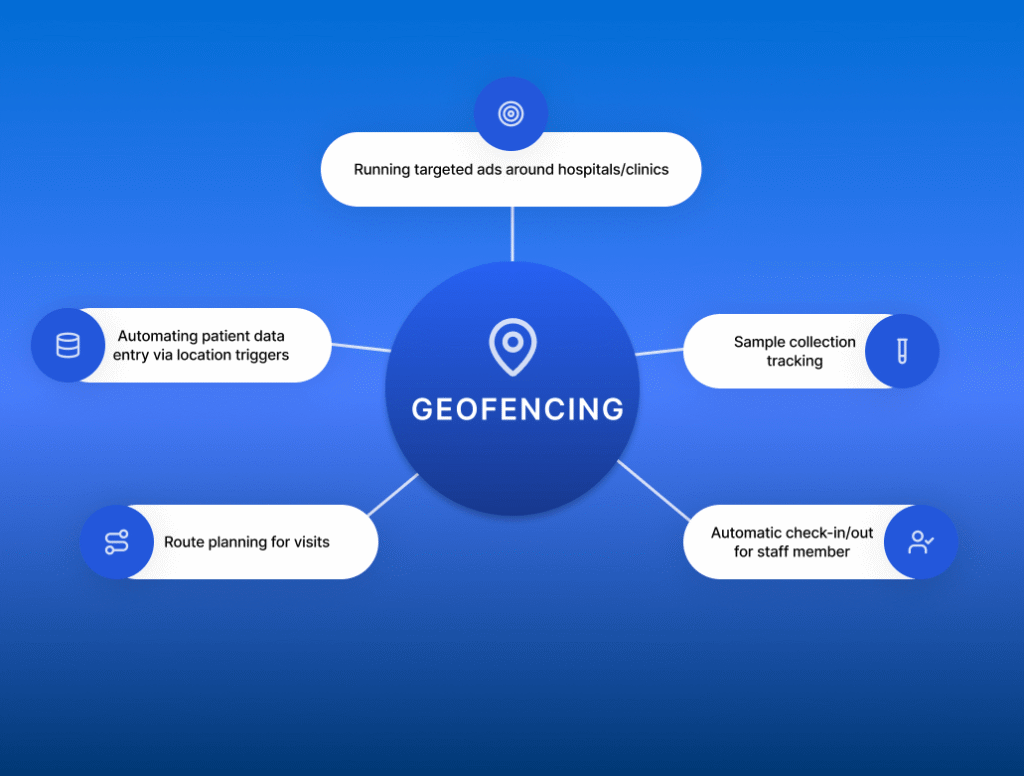
Geofencing refers to the usage of virtual location boundaries to execute pre-defined automations. In healthcare, geofencing can be used to create a virtual boundary (known as a “geofence”) around healthcare organizations such as hospitals, clinics, pharmacies or diagnostic labs. Depending on who (patient/caregiver/field staff) enters, exits or lingers in the geofenced area, predefined actions are triggered.
These actions can be set up via healthcare CRMs and can be communication or workflow related. Some examples are:
Sending SMS/Message notifications for promotional packages
Simply put, geofencing helps healthcare organizations engage patients and staff members at the right place and right time.
What is geofencing in healthcare CRM?
You might have thought the term “geofencing in healthcare” simply refers to hospitals and clinics running targeted ads around their location. That is one use case, but geofencing in healthcare CRM is more than that. While retail/generic marketing geofencing might push coupons or discount codes when you walk by a physical store, healthcare geofencing can go one step further and automatically check in a patient or even remind a person to schedule a due vaccination when they walk past a clinic.
Geofencing in healthcare can also be extended to on-field teams. For example, when a field sales representative enters the referral partner’s parking lot and clicks on “check in”, geofencing will automatically be able to verify the location, create tasks in the CRM, and start SLA timers. Geofencing typically resides in your CRM, between your HIMS/HIS and operational workflows. It enables flow between both systems, based on where the user is.
geofencing in healthcare crm: use cases, benefits and examples 5
Why geofencing matters for healthcare organizations
We live in a mobile-first world. This has increased competition, patient expectations, and access to data. Geofencing helps healthcare organizations survive this competitive landscape. For example, if a patient is physically near a healthcare facility, a geofence-enabled organization can send push notifications or SMS messages to patients, encouraging them to avail an ongoing offer. This aligns with modern patient expectations: seamless, personalized communication.
Geofencing involves four critical steps:
Defining a geofence: Creating a virtual perimeter around a specific healthcare location or area.
Detecting location: Mapping a person’s location event in real time using GPS, WiFi or Bluetooth beacons.
Triggering an action: Automatically triggering a predefined action based on location event, via CRM or other geo-integrated systems.
Delivering outcomes: Using the predefined action to produce an outcome such as sending a push notification.
Many healthcare organizations use field-based roles to execute operations. Untracked activities can lead to wasted resources (such as time, energy and money), higher operational costs, lost opportunities, and mismatched schedules. Geofencing brings transparency in operations, that can translate to better allocation of resources and higher ROI.
Geofencing also brings in verifiable accountability. For example, if a client complains about a missed visit, the field sales manager can clearly determine the date and time of scheduled appointment, the assigned field rep, and even track the location of the rep at the time of the meeting. Location-based check-in and check-out are especially helpful for organizations that calculate pay on an hourly basis as it can eliminate fraudulent clock-ins.
Types of technologies used in geofencing
Type of Technology
Definition
Ideal Range
Use Case
GPS
Uses satellite-acquired GPS Signals.
Great for outdoor range.
Notifying a patient to avail a discounted full-body checkup when they are near the hospital.
WiFi
Uses WiFi networks and hotspots to determine location.
Inside hospitals or large campuses.
Guiding a patient to the doctor’s room once they connect to hospital WiFi.
Bluetooth Beacon
Uses small beacons called Bluetooth Low Energy beacon, which are placed in specific locations within the healthcare organization.
Ideal for room-level or department-level alerts.
A beacon placed in the pharmacy can send an alert message to staff when a high-value medication cart is moved from a designated area.
RFID
Uses RFID tags and readers.
Typically used for asset and staff tracking.
Ensuring only authorized staff enter a restricted lab and triggering an alert if unauthorized tag is detected.
Key use cases of geofencing in healthcare
1) Patient acquisition & marketing:
Targeting patients near healthcare campuses/centers: Example: If someone has downloaded the hospital’s app enters the geofenced zone around the hospital, they could receive a personalized notification, such as: “Looks like you’re nearby! Need a quick health check-up today? Walk-in slots available at 20% discount just for today!”
Ethical geo-conquesting: The term geo-conquesting refers to geofencing a competitor’s location. This works similar to the above use case; Here you can provide notifications/content/ads for your clinic’s services. However, this must be done carefully and respectfully. A sample notification you could send is “Considering a second opinion? Our heart care center is nearby if you need us.”
2) Patient acquisition & marketing:
Automated check-in upon arrival: Help patient skip long registration queues by automatically checking them in upon arrival. By setting up geofencing parameters around the parking lot or hospital entrance, patients can automatically receive check-in notifications on their phone. This can trigger another workflow which notifies the front desk and updates appointment status.
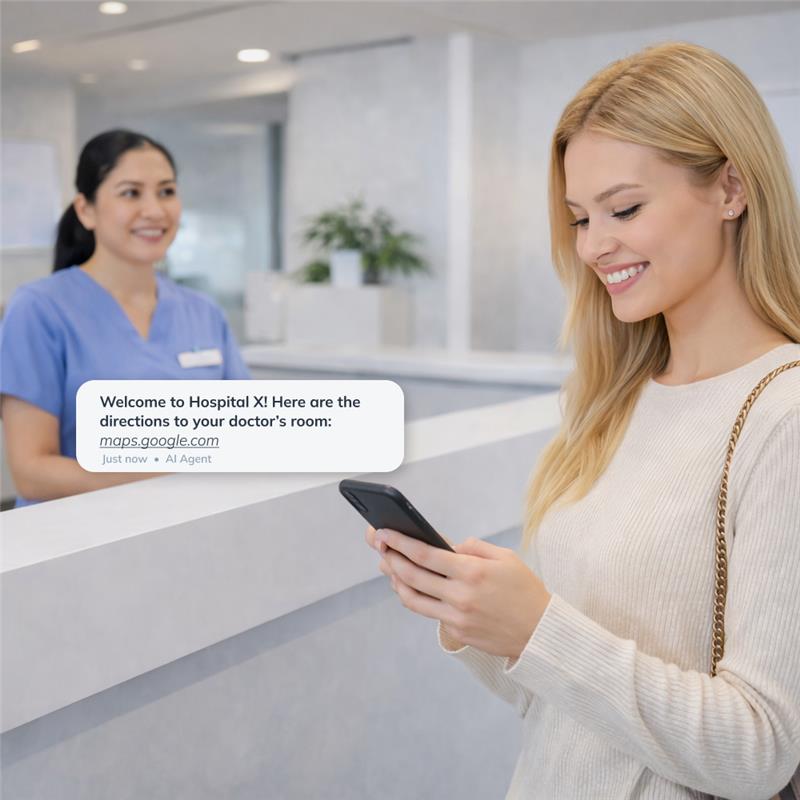
Indoor navigation: Large hospitals can often be confusing to navigate. By using WiFi or Bluetooth beacons at key locations/floors, patients can receive real-time navigation instructions. For example, once a patient has checked in, they can receive directions to reach their doctor/radiologist’s room.
Context-based messaging: Geofencing can help deliver the right information to patients based on their live location. For example, if they’re lingering around the radiology and diagnostics department, their location can be detected via geofencing and matched with CRM records – if updated in real time, patients can receive preparation instructions for the prescribed test/scan.
geofencing in healthcare crm: use cases, benefits and examples 6
3) Care coordination & field sales teams
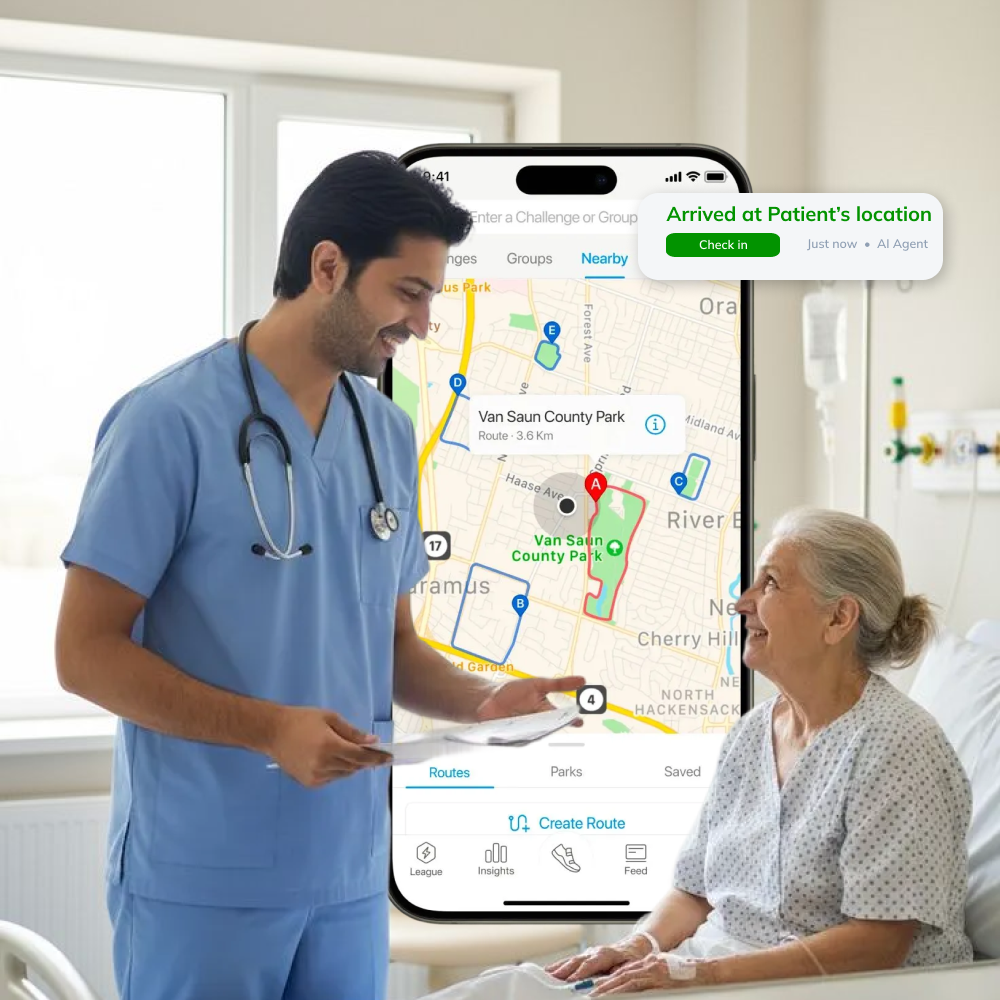
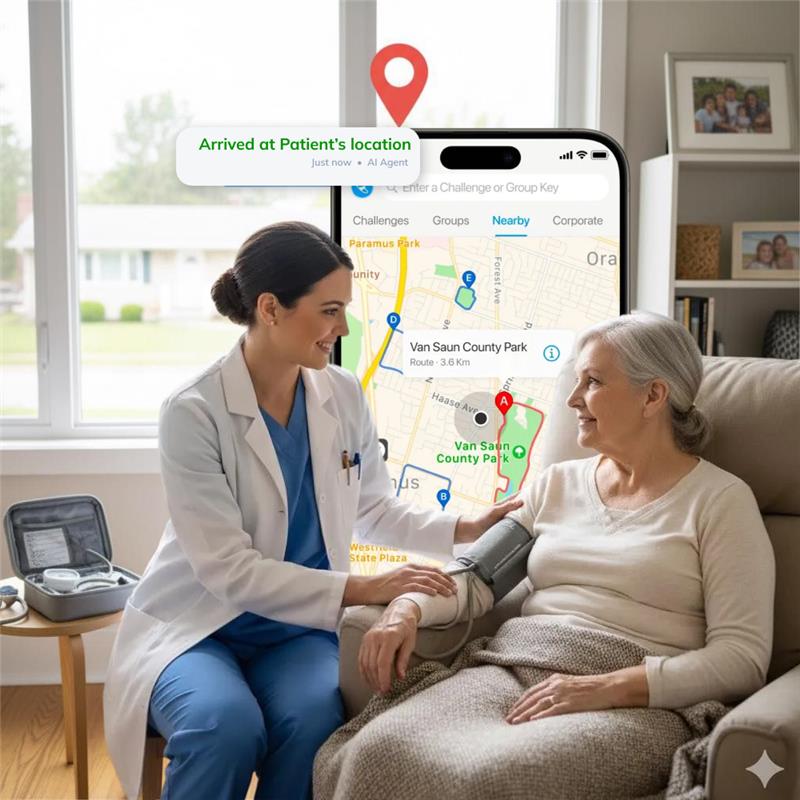
Home healthcare visits: Many medical professions such as nursing, ambulances, therapy, counselling, etc. require home visits. Geofencing can help verify visit details by auto check-in and check-out features. Features like daily summaries can help managers gain insights into each team members’ tasks and activities. This is especially useful for field teams working in sensitive areas of healthcare like behavioral health and ABA, which often follow strict verification, documentation and operational compliance rules.
Ambulance/emergency situations: Geofencing a hospital’s emergency unit can help staff prepare for incoming patients and route ambulances to nearby emergency sites.
Sample collection: Phlebotomists utilize geofencing to ensure samples are picked up on time and sent to the right location. This also doubles as proof of service.
Field sales teams: Geofencing can help verify attendance proof and ensure territory compliance to prevent overlap, maintain clear accountability and track missed visits. It can also help users plan routes for best navigation and provide real-time visibility into doctor & patient onboarding processes.
geofencing in healthcare crm: use cases, benefits and examples 7
4) Preventive care
Vaccination reminders: Clinics and other health departments that offer vaccinations can set geofences around schools or their own facilities to send preventive healthcare reminders to passers-by. For example, if someone is near a clinic or hospital they have previously visited, they could receive a message for an upcoming vaccination drive. Screening nudges can also be delivered in a similar fashion.
Chronic care follow up: Geofencing can help chronic care patients stay on track with their treatment. For example, if a physiotherapist’s clinic has tied up with a rehabilitation center, they can geofence that area and send an automated blood test reminder to their patient, if they’re in the geofenced area.
Geofencing in behavioral healthcare and mental health
In the US, many Medicaid-funded behavioral health practices (like ABA therapy or home-based counseling) require proof of the caretaker’s physical presence, at the right location, for the billed duration. This is part of the Electronic Visit Verification (EVV) compliance process.
Geofencing can automate this process entirely and accurately, by capturing the caretaker’s live location, and check in and check out timings. This also reduces the chance of fraudulent billing and related penalties.
Geofencing in healthcare CRM can also act as a silent guardian in behavioral health fieldwork practices. For example, if a home-based therapist does not check out from a client’s geofenced location by the expected time, the system could alert a supervisor. It can also help log distance and time spent on travel automatically, helping fasten the process of reimbursement or claims.
Geofencing can also be used in crisis response cases, especially psychiatric emergencies or mobile crises units. The healthcare CRM can identify the location of the emergency and alert all nearby medical professionals.
geofencing in healthcare crm: use cases, benefits and examples 8
Benefits of implementing geofencing in healthcare CRM
Increase in operational efficiency: Since geofencing can sync with your healthcare CRM, it can automatically trigger workflows and reminders. This can also help with reducing wait times, enabling staff to handle higher volumes and real-time visibility into operations while they are on field.
Faster patient access to care: Geofencing can help automatically check in a patient, send them automated messages with navigation guides and alert critical care teams of incoming patients.
Accurate staff coordination: Geofencing through mobile CRM solutions can help manage large teams that are on field by ensuring route adherence. It can also help administrative teams identify bottlenecks, such as traffic patterns.
Improved patient satisfaction: With all the benefits mentioned above, teams can deliver better patient experience, ultimately improving patient satisfaction. Timely follow-up messages and reminders can help keep a patient engaged as well, improving their loyalty.
Challenges and best practices of geofencing in healthcare
Challenge
What doesn’t work
Best practice
GPS accuracy
GPS signals are often unreliable in large hospital buildings, which can trigger incorrect workflows.
Use GPS geofencing through WiFi or Bluetooth beacons across a smaller radius.
Battery drain
Continuous location tracking drains the phone battery quickly.
Use efficient geofence APIs that activate only when needed.
Achieving staff trust and adoption
Not every member of staff would be comfortable with location sharing.
Educate your users on the benefits and best practices of using the app as well. Provide company-only phones for usage.
Communication overload
If geofencing leads to too many messages or notifications, patients may start ignoring it completely.
Use detailed logic to define exact messages to be sent depending on geofenced areas, such as the type of message, target audience and content of message.
Privacy and compliance guardrails to consider
Geofencing, while offering operational gains, also raises important privacy and legal concerns. Here are some guardrails to keep in mind, while enabling geofencing in healthcare CRM and operations:
1. United States:
Primary healthcare privacy law to follow: HIPAA, which covers PHI (Protected Health Information)
Regulators have clarified that geographic location can be considered PHI if tied to healthcare interactions.
If you involve a third-party vendor to enable geofencing, they must sign a Business Associate Agreement (BAA).
Many states such as California, Texas and Illinois prevent non-consensual electronic tracking of people.
Implement clear policies: what is being tracked, why it’s being done, when tracking is off, and how long such data is stored for.
2. EU/UK:
Primary healthcare privacy law to follow: GDPR (General Data Protection Regulation)
Under GDPR, any data that can identify a person (name, age, location) is personal data, that must be consensually collected.
The 2 key principles are lawfulness and data minimization, i.e. the company should either get explicit consent from the user being tracked or be able to justify it under “legitimate interests”.
Users should be clearly informed about what data is being collected, by whom and for what purpose.
GDPR also states that individuals have the right to access their data, erase it, or withdraw consent at any point.
Do not track any data off-hours or beyond the scope defined – as data minimization is heavily emphasized upon, in EU/UK regions.
3. India:
The Digital Personal Data Protection Act 2023 guides India’s data privacy landscape.
Although DPDP doesn’t explicitly define certain data as “sensitive”, health-related information is implicitly sensitive.
Location data being captured in relation to health services would be considered sensitive personal data -as well.
Explicit consent capture and data minimization should be followed as well, for best practices.
DPDP also emphasizes purpose limitation, i.e. collecting data only for legitimate use.
In addition to DPDP, the National Digital Health Mission guidelines stress consent and privacy in health services.
Step-by-step blueprint to implement geofencing in healthcare CRM
Step 1: Define objectives and KPIs
List down everything you want to achieve with geo-fencing: increase in field visit completion rates, reduction in falsified logs, improve turnaround times, ensure EVV compliance,etc.
Set specific metrics for each objective – ex. 50% reduction, 20% increase.
Step 2: Define areas to be geofenced
Decide where to set up each geofence and what area should be covered.
Define the trigger conditions for each geofenced area, such as enter/exit/dwell etc.
Step 3: Choose communication channels and content
Before you start searching for geofencing vendors, set up communication workflows and trigger actions.
Decide which channels to integrate – SMS, WhatsApp and email are common.
Define timing, frequency, target audience, send time and other logistical features if possible.
Step 4: Engage stakeholders and craft policies
Is the platform compliant with your local healthcare guidelines?
Can the platform provide easy to create-and-edit geofences?
Is a mobile app available, and if yes, can it support offline mode?
Can the platform send real-time alerts in cases of emergencies?
Can the geofencing feature be configured to your workflows?
Does the platform provide reports or analytics for location-based metrics?
Can granular permission controls be changed?
Can the platform handle a scale in number of users?
A vendor that ticks all these boxes is LeadSquared. Check out more about the geofencing capabilities here.
Step 6: Pilot, in phases
Rather than rolling out a new feature company-wide, start small – such as a specific team in a specific region.
Closely monitor usage and results, such as false negatives, workflow triggers, etc.
Collect feedback from pilot users: how much drain the app puts on battery usage, how easy it is to use the app on the go, any privacy concerns?
Conduct regular hands-on training sessions so users know what to use and how.
Step 7: Refine and expand
Use insights from conversations to refine geofence boundaries – some might be too narrow or too wide.
Adjust settings on check-in/out timings if needed.
Document successful use cases to show to other teams during expanded rollout.
Keep an eye on KPIs defined in step 1 and monitor it throughout usage over a defined period of time, such as 6-8 months.
Conclusion
Geofencing in healthcare CRM is a must-have strategic tool for healthcare organizations today. With clear policies, user education, and strict privacy guidelines, geofencing can empower healthcare staff to perform better.
If you are exploring geofencing and geo-tracking services for your institution, LeadSquared’s geofencing in healthcare CRM is a perfect solution. We provide geofencing for critical activities like activity audio recordings, document collection, task completion, and KYC verification etc.
How does geofencing integrate with hospital workflows?
Geofencing can help OPD and field sales teams by triggering workflow steps based on patient or field sales rep location. Processes such as patient or agent check-in can be accurately collected to reduce wait time and ensure adherence to schedule.
Can geofencing integrate with my existing systems (HIS/LIMS/Mobile CRM)?
Yes, modern geofencing solutions are interoperable with your existing tech stack. You can use open APIs or built-in connectors to connect your systems and enable data flow between systems. Many healthcare CRMs and their mobile apps already support geofencing and geotracking, such as LeadSquared’s mobile CRM app.
Is geofencing legal in healthcare?
Yes, geofencing is legal to use in healthcare practices so long as compliance and privacy laws are respected.
Does geofencing need a mobile app or GPS at all times?
Geofencing does not always require a mobile app, although an app can help with precise GPS capture, which can trigger the correct workflows. Geofencing can also work via cell tower locations as well, meaning GPS is not required at all times. Some use cases such as on-the-field sales, will require mobile app and GPS at all times.
How accurate is geofencing in healthcare?
The accuracy of geofencing depends on the technology and geofencing configuration. Generally, WiFi geofencing can be accurate up to 10-30 meters, GPS-based geofencing can be accurate to 10-20 meters, and Bluetooth-based geofencing can be accurate to 5-10 meters.
How is patient privacy protected with geofencing?
By explicitly asking for patient consent at each step, using secure and compliant systems, providing role-based access to data. Offering any time opt-out options and only collecting data that’s absolutely necessary, patient privacy can be protected with geofencing.
Table of Contents
Stay updated with the latest marketing & sales insights
We’ll email you once a week. No spam-just valuable content






 15 min read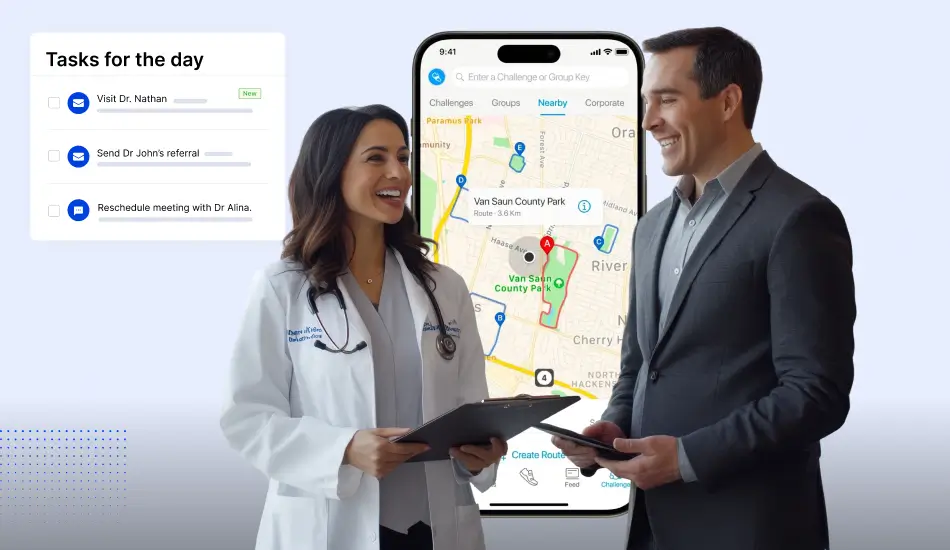





 Top 12 Hospital Marketing and Advertisement Strategies for 2026