





MARKETING
WhatsApp Coexistence (Meta) Explained: Features, Use Cases, Applications, And Business Impact
Contents

 13 min read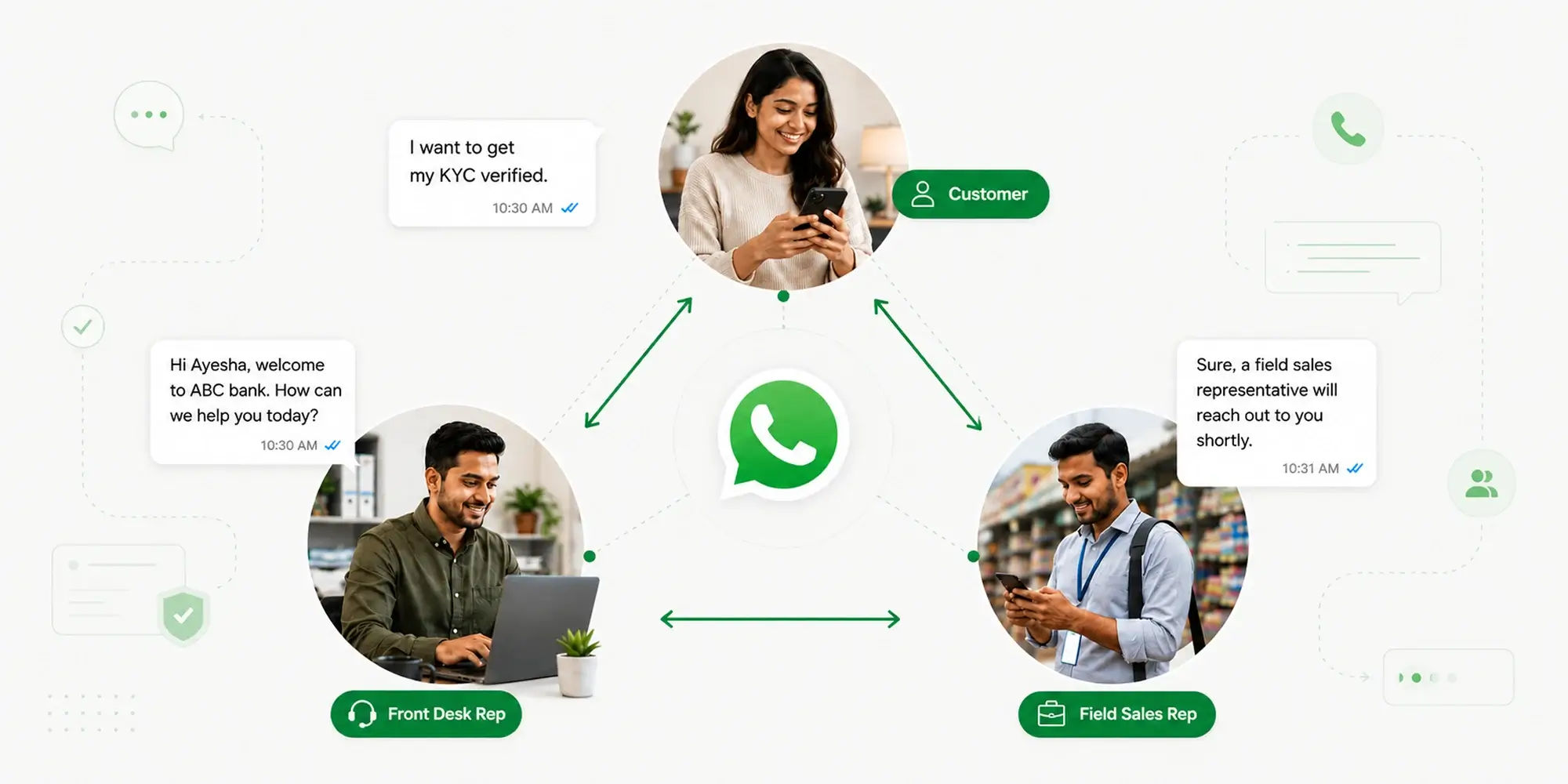


Millions of small businesses around the world rely on WhatsApp to communicate with their vendors, customers, and partners. Every one of those education institutions, salons, retail and e-commerce stores has built years of trust through one phone number. Students save it, your aunt texts them for her haircut appointments, and your grocery shop sends you weekly discounts from it.
Imagine you’re an owner of one of these small businesses, and you want to do more than just talk to your customers. You want to set up automated fee reminders, 20% discounts for those who haven’t visited in over a month, or even a chatbot for first-touch responses. If you wanted to do this before late 2025, you’d have to leave all your 1-to-1 chats (and hence, a lot of context) behind. Meta has fixed this with the introduction of WhatsApp Coexistence: a dual-fork approach to staying in touch with your customers, with the Business app and Cloud API running on the same number, at the same time. That means every message, contact and history is preserved – whether you’re texting someone from a taxi, or your agent is replying to them from their laptop.
WhatsApp Coexistence (featured as “Onboard WhatsApp Business app users” by Meta) is a feature that lets businesses use the same number for their WhatsApp Business app and the WhatsApp Business Platform (a.k.a Cloud API), at the same time. This allows one number to be used by multiple interfaces and personas, whether it’s a person replying via their phone from the back office, or an agent replying from a CRM dashboard in the corporate office. All interactions are logged against a single number.
Before WhatsApp Coexistence, businesses were forced to choose between personalized, one-on-one conversations, or scalable, automated messages to keep their customers in the loop. This was because registering a number on the Cloud API forced business owners to deregister it from the Business app, so chat history, voice and video call features, status updates, communities, and groups – all of this, disappeared. In WhatsApp-first regions like India, Indonesia and Brazil, small retailers and service businesses run their entire operations out of the Business app. But to keep the API, these businesses would buy a second number and run two parallel identities, which negatively impacted brand recall and confused customers.
WhatsApp Coexistence has been in testing and production since September 2024, with most holdouts coming through late 2025 and into 2026.
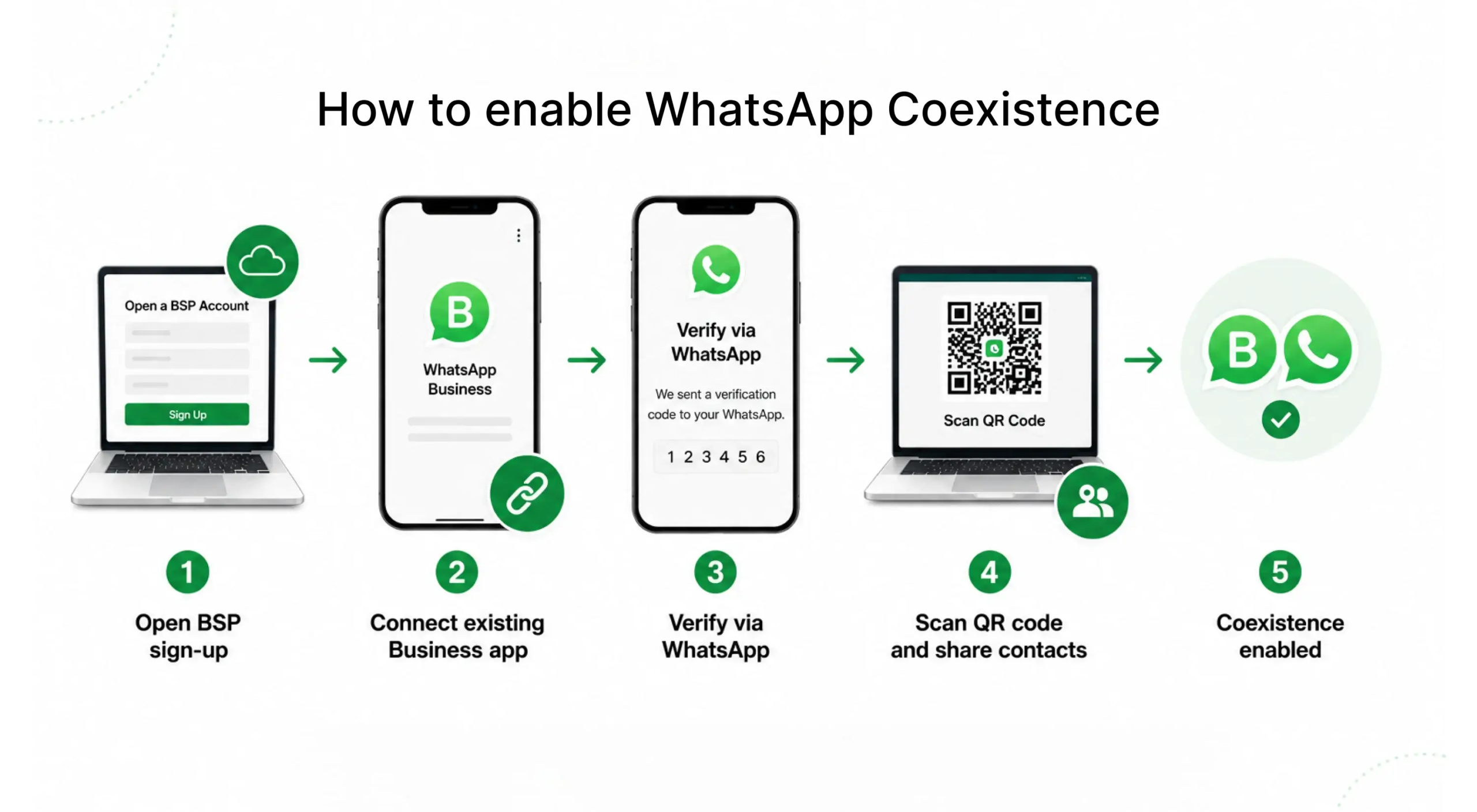
WhatsApp Business Solution Providers are the easiest way to access WhatsApp Business apps. These are Meta-authorized third-party partners who help business integrate and use the WhatsApp Business App.
After a business owner opens the Business Solution Provider (BSP)’s sign up flow, they get the option to connect their existing WhatsApp Business app. Here, they enter the phone number registered on their WhatsApp Business, get a verification code on WhatsApp, scan a QR code from the Business app and get an option to grant consent to share contacts and history. If the owner chooses to share chat history, data from the last 6 months is shared with Cloud API. This is delivered in three phases, so conversation threads can rebuild in order. Once this process is done, Coexistence is enabled.
After this, every message sent from the Business app is forwarded to the BSP through a webhook. This webhook enables bi-directional sync between your Business app and Cloud API. The same thread runs across multiple surfaces and systems, with full context logged inside the CRM.
An important point to note is that Coexistence only works with Meta’s Cloud API. Legacy On-Premise API is not supported. Most BSPs have migrated, but a confirmation from your provider before you commit doesn’t hurt.
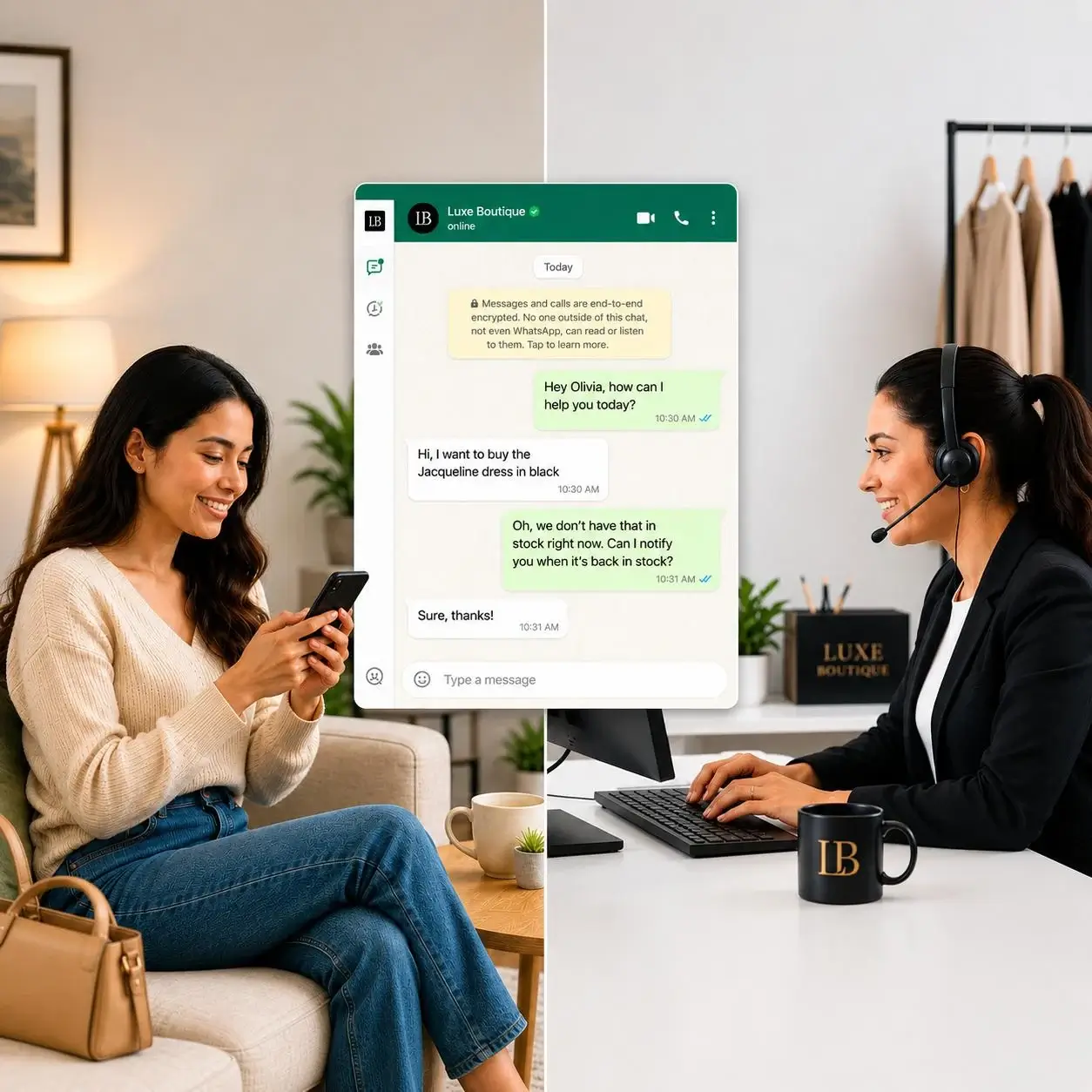
Coexistence is especially useful for high-volume calling industries such as retail, BFSI, healthcare, and real estate. The WhatsApp Business app can help bring the human touch into these interactions, and the Cloud API can work with the CRM to handle automation at scale.
| Industry | WhatsApp Business App | Cloud API |
| Retail & D2C | Store and brand managers can reply to escalations and VIP customers from their phone, providing direct human interaction. | The CRM can simultaneously send out offer and discount broadcasts, abandoned-cart nudges and order confirmation messages. |
| BFSI | Relationship managers can handle sensitive HNI queries from their phones, keeping the conversation personal. | OTPs, fraud alert broadcasts, EMI payment reminders, and statement notifications can go out via utility templates. |
| Healthcare | Doctors, nurses, and other clinic staff can respond to one-off patient questions directly from the app, avoiding long TAT. | Appointment confirmations, preparation instructions, lab results, post-visit follow-ups, and satisfaction surveys can be automated through the API+CRM connection. |
| Education | Teachers and counsellors can chat with students and parents individually and immediately. | Fee reminders, class schedules, test alerts, and extra class reminders can go out via templates. |
| Real Estate | Brokers and developers can chat with potential clients on their phone. | Lead qualification bots can route inquiries to the right agents. |
| Travel & Hospitality | Front-desk and concierge teams can reply to messages and notifications from checked-in customers via their phones. | Booking confirmations, check in instructions and post-visit feedback flows run through the API and CRM. |
The most immediate benefit of adopting WhatsApp Coexistence is seen in improved customer engagement. Here are some other benefits:
Enabling Coexistence inside a CRM comprises of 3 simple steps.
Your existing CRM contacts are matched against your WhatsApp contact list, after which message routing can be configured.
Note:
1. It is important to verify whether both your CRM and BSP support Coexistence and not just generic Cloud API connectivity before you commit to enabling Coexistence.
2. The setup will work as long as your CRM is integrable with a Meta-approved BSP.
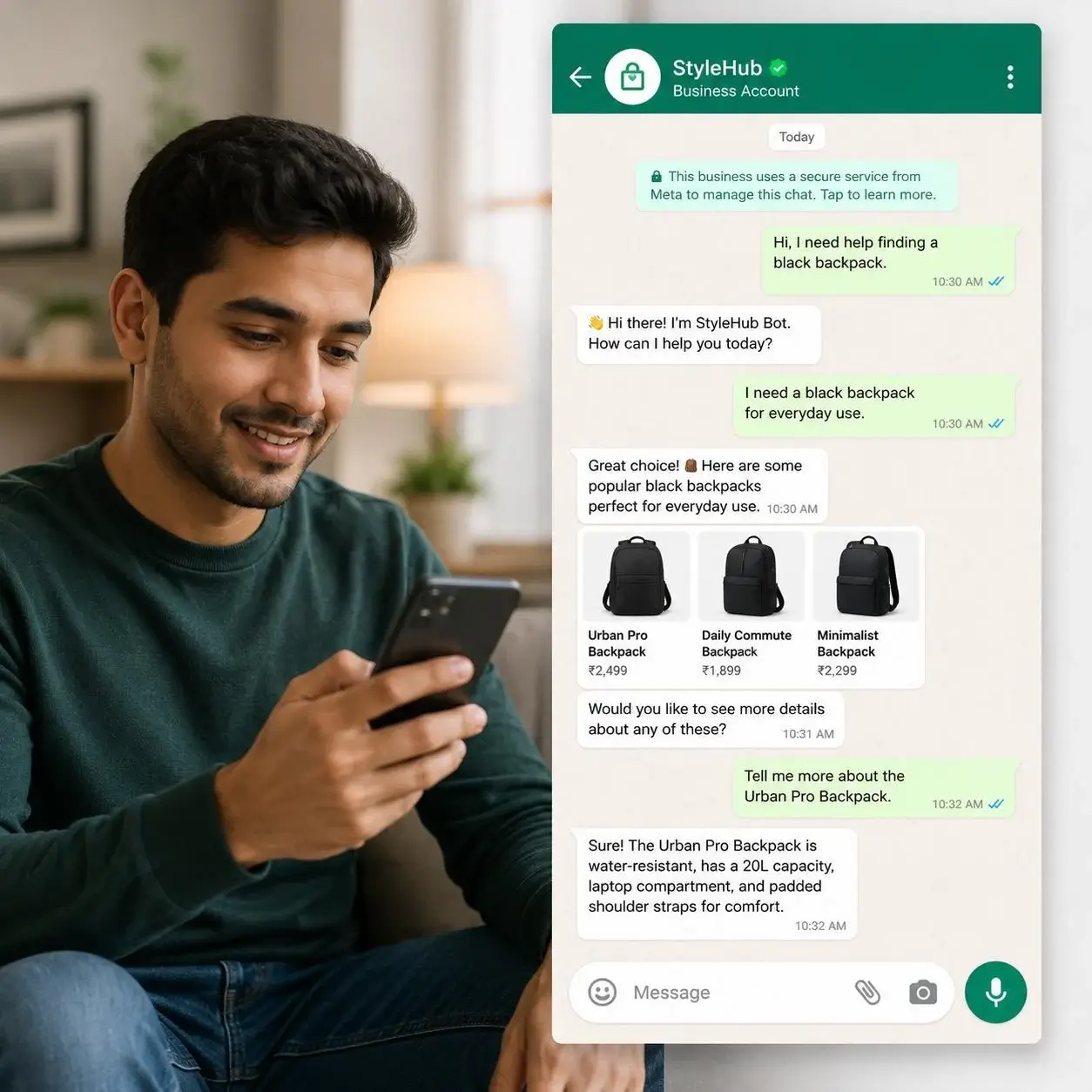
AI has moved from being experimental to becoming a standard tool in the customer engagement toolkit. Generative AI chatbots are now used to answer tickets, qualify leads, summarize conversations, and run support operations without human involvement.
Until Coexistence, adopting many of these AI tools was not practical; The cost of moving to the API was too high for businesses already established on the Business app. Hence, many AI capabilities available through the Cloud API were effectively gated behind a “migration tax” that only larger businesses could afford.
With Coexistence, AI can work with real context and customer data. Your team can make better decisions on the next steps, receive more relevant suggested replies, and view the full customer context right next to the chat.
If you are wondering which WhatsApp modality is best for you, here’s a quick comparison table to help you decide:
| WhatsApp Business App | WhatsApp Cloud API | WhatsApp Coexistence | |
| Built for | Solo or micro businesses | Mid-market and enterprise teams | SMBs and growing mid-market teams |
| Setup | One app on one phone | API connectivity through BSP | One number on phone and systems, via Embedded Signup |
| Users | A maximum of 4 app devices | Unlimited CRM users | App devices + unlimited CRM users |
| Chat history | Stays on phone | Lost on migration | Up to 6 months of app history is imported into the CRM on migration |
| Templates | Non-existent; only manual communication | Multiple templates available | Templates can be imported via the CRM |
| Calls/group chats/status views | Yes | No | Yes (via the app) |
| CRM integration | Limited | Full | Full |
| Cost | Free | Based on pricing model per-message. Average price is ~$0.025 for marketing, ~$0.004 for utility, and ~$0.0135 for authentication. Service messages (within 24-hr window) are free. | Free on the app, standard Cloud API per-message-rate applicable only for API-sent messages. |
| Automation and AI capabilities | No | Yes | Yes |
A majority of the businesses we serve use WhatsApp as their primary communication channel. That’s why we’ve built multiple features for businesses looking to enable Coexistence between our platform and their BSP:
If you’re evaluating CRMs and WhatsApp sits at the heart of your customer engagement operations, we’d be happy to walk you through our Coexistence capabilities.
WhatsApp Coexistence enables two-way sync between your Business app and Cloud API, ensuring messages sent via either platform are visible across all linked devices and desktops. You do not need to delete either setup or number.
No, you will not lose chat history on your phone. Moreover, up to six months of one-to-one chat history also syncs into your CRM during onboarding. However, group chats and media older than 14 days are not synced.
Yes, you can still make WhatsApp calls, participate in group chats and view status updates from your WhatsApp Business App. However, they do not sync into your CRM.
When sending messages to the CRM, the Business App sometimes marks them as read on the phone. This issue is commonly flagged across BSP communities.
No, the traditional Official Business Number verification (green tick) is not granted for Coexistence numbers. Meta Verified for Business is the current supported verification method.
Coexistence can only be disconnected from your WhatsApp Business app. Go to Settings -> Account -> Business Platform -> Disconnect Account to disconnect.
Enter your details and we'll send you a quick confirmation email to verify your address.

 5 min read
  8 min read
  8 min read


