Dentrix-CRM integration: All you need to know
Contents

 13 min read
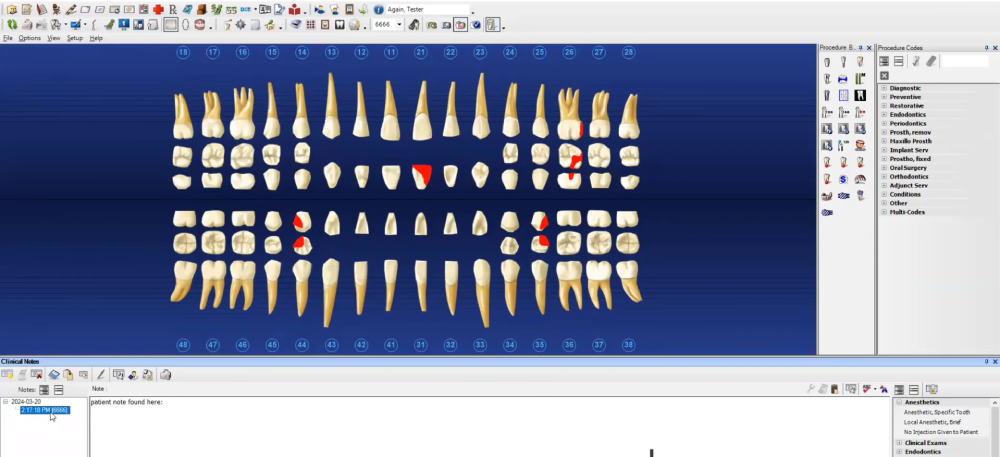


If you already use Dentrix to run your dental practice, you probably have a lot of the patient journey management part covered.
Dentrix handles core practice-management tasks while its patient-engagement tools support online booking, appointment reminders, texting, and targeted campaigns.
But there is another part of the journey to think about. Someone finds your practice through Google, an ad, a referral, or your website. They call or submit an inquiry. How do you make sure that interest turns into an appointment?
And once they’ve had their first visit, how do you keep patient recall and follow-up on track without adding more work for your team?
That’s where a CRM can become useful. Working alongside Dentrix’s practice management system, it can give your team a way to manage prospective patients, follow-up, marketing journeys, patient re-engagement and more.
In this guide, we’ll look at how Dentrix-CRM integration works, where a CRM can fit into new-patient acquisition and recall workflows, and what to consider when choosing CRM software that integrates with Dentrix, and 5 best CRM to consider alongside Dentrix.

Dentrix already supports patient communication and engagement through features such as reminders, recall, texting, and targeted campaigns.
A CRM can help further by giving your team a dedicated system for managing prospective patients and acquisition activities. For example, it can store an inquiry’s source, track its status, assign follow-up tasks, and record interactions before an appointment is booked. Depending on the CRM and its integration with Dentrix, that information can then be linked to appointment or patient data.
If Dentrix meets your needs, you may not need a CRM. If your acquisition and engagement processes have grown beyond what Dentrix can handle, a CRM could be worth evaluating.
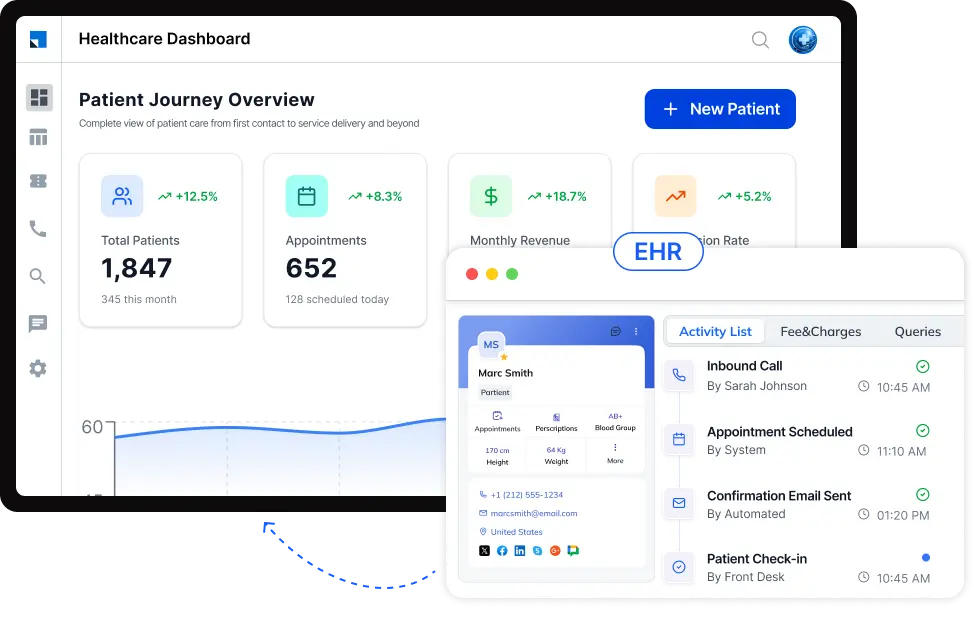
A prospective patient might come through a website form, phone call, referral, or advertising campaign. A CRM can give your team a place to capture that inquiry, record its source, track its status, assign follow-up, and keep a history of interactions until the person books. This is especially relevant when a practice wants to understand why inquiries are not turning into appointments.
Once an inquiry is captured, a CRM can trigger follow-up based on what happens next. For example, your team could create a sequence for someone who has asked about a service but hasn’t scheduled an appointment after an unanswered call. The exact automation depends on the CRM and how it is configured.
Recall is already part of Dentrix’s patient-engagement capabilities. Dentrix supports automated recall messages for patients who are due or overdue, along with other patient communications. A CRM can provide another way to organize re-engagement campaigns, particularly when a practice wants to segment patients or combine re-engagement with broader marketing workflows.
Dentrix provides tools for tracking referral sources and evaluating new-patient activity. A CRM can add another layer for connecting marketing activity with the journey from source → inquiry → follow-up → appointment. Depending on the integration, the practice may then be able to compare acquisition activity with appointment or patient outcomes.
| CRM | Best for | Dentrix integration | HIPAA/BAA | What to consider |
| LeadSquared | Dental practices that want a dedicated CRM for patient acquisition, lead management, marketing automation, and engagement | Documented Dentrix integration. LeadSquared’s current dental CRM documentation lists Dentrix among its supported practice-management integrations and describes bidirectional syncing between connected systems. The exact data exchanged and implementation details should be confirmed based on the practice’s Dentrix environment and requirements. | Yes. LeadSquared offers a HIPAA-compliant healthcare CRM with a Business Associate Agreement (BAA). | LeadSquared is the most conventional CRM option in this comparison. The main consideration for a Dentrix practice is implementation. Your team should confirm the Dentrix version, required data exchange, integration architecture, and implementation responsibilities before proceeding. |
| NexHealth | Practices that want patient engagement, online scheduling, communication, and acquisition workflows connected to their practice-management system | NexHealth currently lists Dentrix G6.2+, Dentrix Ascend, and Dentrix Enterprise among its supported health-record systems. Its Synchronizer is used to connect supported systems with NexHealth. | Yes. NexHealth states that its platform is HIPAA compliant and supports healthcare organizations handling protected health information. | NexHealth is better described as a patient engagement and healthcare connectivity platform than a traditional CRM. It’s worth considering when scheduling, patient communication, online booking, and connected workflows are the priorities.. |
| Solutionreach | Dental practices focused on patient communication, recall, reminders, and reactivation | Solutionreach says it supports 400+ native PM/EHR integrations and provides two-way data synchronization and real-time write-backs for supported systems. Its integration directory includes Dentrix and Dentrix Enterprise. | HIPAA compliant. Solutionreach states that its platform supports HIPAA-compliant handling of healthcare data. | Solutionreach is primarily a patient-engagement platform, rather than a traditional acquisition CRM. It makes more sense for practices prioritizing communication, reminders, recall, and patient reactivation than for teams looking for a full lead-management pipeline. |
| Practice by Numbers | Dental practices that want Dentrix-connected analytics, growth insights, patient communication, and retention workflows | Practice by Numbers supports Dentrix and describes a direct data connection with real-time synchronization. Its documentation also lists Dentrix G5.2 or higher as compatible, although newer versions are recommended for some packages. | Yes. Practice by Numbers describes its integrations as HIPAA compliant and says patient data is encrypted and transmitted to its HIPAA-compliant cloud environment. | Practice by Numbers is primarily a dental growth and operations platform, not a conventional CRM. Its a strong fit for practices that want to use Dentrix data for analytics, performance tracking, communication, retention, and growth workflows. |
| Birdeye | Dental practices focused on reputation management, reviews, patient experience, referrals, and engagement | Birdeye’s current Dentrix integration uses its BE Connector. It pulls patient information from Dentrix once daily for completed appointments and uses that information to automate review requests. | Yes. Birdeye states that its dental software is HIPAA compliant and supports integrations with Dentrix and other dental practice-management systems. | Birdeye is primarily a customer-experience and reputation-management platform. Its Dentrix connection is relevant for automated review requests and patient-experience workflows. It should not be presented as a full lead-management CRM. |
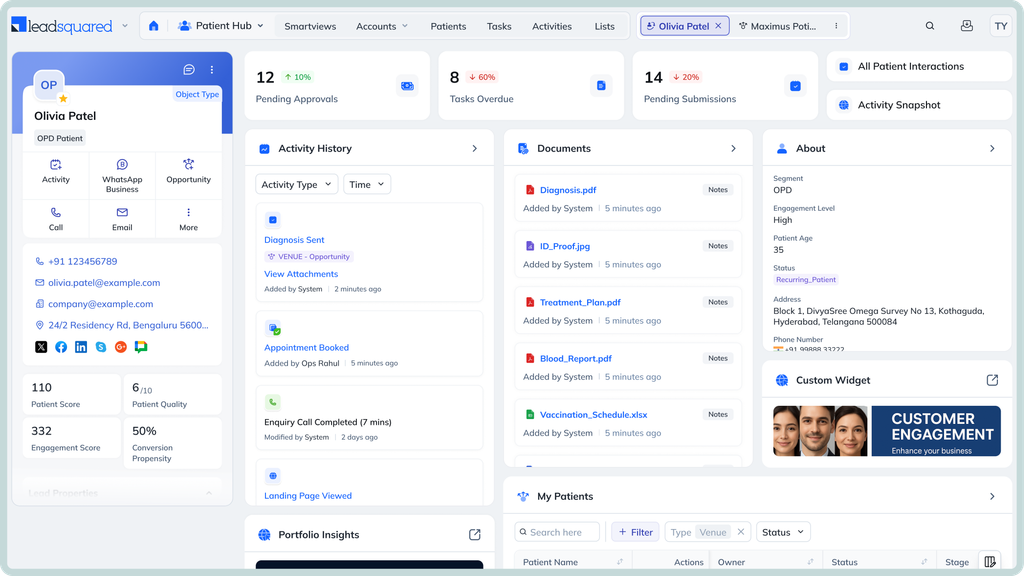
Dentrix can continue to support your practice-management workflows while LeadSquared adds a dedicated layer for acquisition, follow-up, marketing, and patient engagement. LeadSquared’s dental CRM currently lists Dentrix among its practice-management integrations and describes bidirectional data syncing between connected systems.
LeadSquared can capture inquiries from sources such as website forms, campaigns, calls, and referrals. Your team can then organize those inquiries, assign follow-up, track interactions, and move prospects through defined stages toward an appointment. This gives your acquisition team a structured place to manage the journey before the patient is scheduled in Dentrix.
LeadSquared lets you create workflows for follow-ups, reminders, and targeted outreach. You can segment contacts based on information and engagement history, then use SMS, email, and other channels to communicate with them. This can support new-patient follow-up as well as re-engagement and retention workflows.
With LeadSquared’s Invorto AI, your practice can use AI-powered voice interactions to answer common questions, qualify inquiries, schedule appointments, and follow up on no-shows or incomplete inquiries. Conversation information can also be captured in the CRM for your team to review.
LeadSquared can capture referral and source information and help your team track how those inquiries progress. You can use this data to understand which referral sources, campaigns, or other acquisition channels are generating inquiries and appointments.
LeadSquared supports recall and re-engagement workflows that can help practices reconnect with patients who have become inactive or are due for follow-up. This can be used alongside Dentrix’s existing recall and patient-communication capabilities rather than replacing them.
LeadSquared brings patient interactions, appointment information, referrals, follow-ups, and other engagement activities into a centralized CRM view. With the Dentrix connection, relevant information can be shared between the systems, helping teams work with more context while keeping Dentrix in place as part of the practice’s existing technology stack.
If you’re considering a CRM for your dental practice, see how LeadSquared can support your patient acquisition and engagement workflows. Book a free demo to explore the platform and discuss how it could fit into your existing setup.
Yes. A CRM can be used alongside Dentrix rather than replacing the practice management system. The two platforms can serve different purposes, with Dentrix continuing to support practice management workflows while the CRM handles areas such as lead management, marketing, and acquisition. LeadSquared’s dental CRM is designed to connect with practice-management systems including Dentrix.
Look beyond whether a vendor simply says “Dentrix integration.” Ask which Dentrix products and versions are supported, what information is exchanged, whether data flows in one or both directions, how synchronization works, and who handles implementation. These details can vary considerably between integrations. Dentrix’s API documentation also distinguishes between different API capabilities, including patient, scheduling, claims, and other data access.
Not necessarily. The goal of a connected setup is to let each system support the workflows assigned to it rather than requiring staff to abandon Dentrix. The practical impact depends on the CRM, the integration, and which teams use each platform. It’s worth asking a vendor to demonstrate the day-to-day workflow before choosing a Dentrix CRM integration.
Potentially, yes. This is an important question for DSOs and multi-location practices because requirements can differ from those of a single office. Ask whether the CRM can separate locations, assign users and workflows by practice, and report on acquisition and patient activity at both the individual-location and group levels. LeadSquared supports multi-location healthcare workflows, but the exact Dentrix data architecture should be confirmed during implementation.
Potentially, yes. This is an important question for DSOs and multi-location practices because requirements can differ from those of a single office. Ask whether the CRM can separate locations, assign users and workflows by practice, and report on acquisition and patient activity at both the individual-location and group levels. LeadSquared supports multi-location healthcare workflows, but the exact Dentrix data architecture should be confirmed during implementation.
Potentially, yes. This is an important question for DSOs and multi-location practices because requirements can differ from those of a single office. Ask whether the CRM can separate locations, assign users and workflows by practice, and report on acquisition and patient activity at both the individual-location and group levels. LeadSquared supports multi-location healthcare workflows, but the exact Dentrix data architecture should be confirmed during implementation.
Potentially, yes. This is an important question for DSOs and multi-location practices because requirements can differ from those of a single office. Ask whether the CRM can separate locations, assign users and workflows by practice, and report on acquisition and patient activity at both the individual-location and group levels. LeadSquared supports multi-location healthcare workflows, but the exact Dentrix data architecture should be confirmed during implementation.
Don’t assume that a CRM will automatically import everything from Dentrix. The information available to the CRM depends on the integration and the data it is designed to exchange. Dentrix’s API program provides access to several categories of information, including patient information, appointments, recall, insurance, referrals, and financial data. Before implementation, ask which records will be synchronized, which will remain in Dentrix, and whether historical data needs to be migrated separately.
Choosing a HIPAA-compliant CRM is only one part of the process. Dental practices should also understand the vendor’s Business Associate Agreement, how protected health information is handled, who can access it, and how information is exchanged between connected systems. LeadSquared offers a HIPAA-compliant healthcare CRM with a BAA, but practices should still review their own compliance and security requirements before implementation.
LeadSquared can be configured for different practice sizes and workflows, so the better question is whether its capabilities match your practice’s requirements. A smaller practice may focus on new-patient inquiries, follow-up, marketing, and reporting, while a larger group may need multi-location workflows and more extensive automation. The best way to assess the fit is to map your current Dentrix workflow and see how LeadSquared would fit around it.
Enter your details and we'll send you a quick confirmation email to verify your address.