





EDUCATION
How to Create Higher Education Landing Pages That Actually Convert: 8 Best Practices
Contents

 13 min read


You’ve done everything right.
Your paid ads are running, your SEO is dialed in, and the traffic numbers look promising. Visitors are coming to your site—but they’re not converting.
You check your ad copy. Fine. You review your targeting. Spot on. You analyze your traffic sources. All good.
So, what’s the problem?
More often than not, it’s your landing page.
A well-designed landing page isn’t just a nice-to-have—it’s your silent closer. The difference between a visitor and a lead often comes down to what happens in those critical first seconds after someone clicks.
For education institutions competing for student attention, the stakes are even higher. You’re not just selling a product—you’re asking prospects to invest time, money, and trust in their future. That’s why education landing pages need to work harder: building credibility, addressing concerns, and making the enrollment path crystal clear.
Here are 8 education landing page tips that work. Each one is designed to eliminate friction, build trust, and guide prospects toward enrollment—without the guesswork.
Use high-quality and attractive images on your higher education landing page (with some text, of course). Like Chegg did.
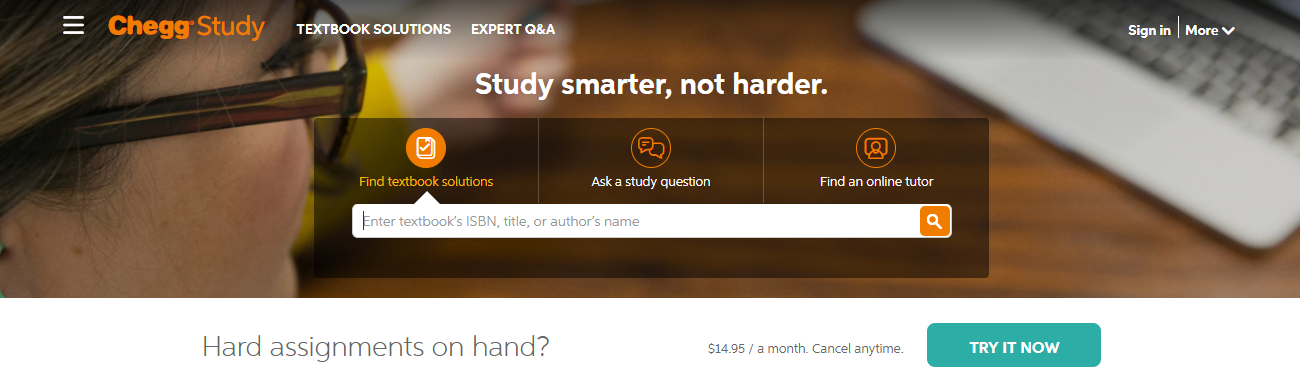
No matter how you’ve gotten people to visit your landing page, if it’s not clear what your customer is supposed to do next, they’ll simply leave and look elsewhere.
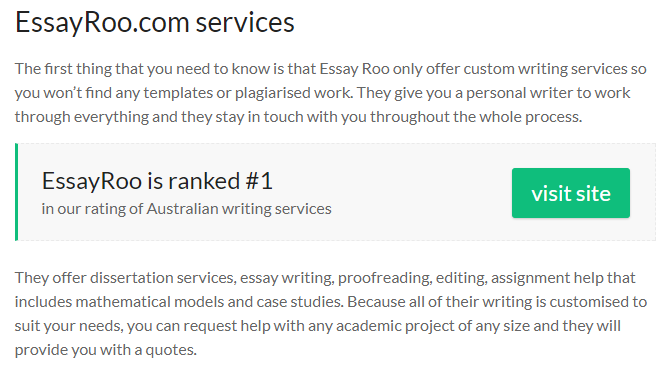
When crafting the language for your call-to-action (CTA), avoid vague phrases like “Learn More” that don’t give your audience a real sense of direction. The most effective CTAs are specific and decisive—they make it clear what you want users to do next and leave no room for confusion.
Think direct and actionable:
These phrases firmly tell visitors what action to take, nudging them down the path you want without hesitation. The key is to remove the guesswork and create a sense of momentum, so your leads feel confident clicking through to the next stage.
Whether you’re trying to sell a product or service, getting more subscribers for your mailing list, or getting people to follow your social media profiles, you need to make this experience straightforward. So that your leads don’t second-guess themselves.
One of the most effective ways to do this is by using a simple one-click sign-up button. If you have a very complicated sign-up method, users will take one look at it and leave, leading to increased bounce rates.
Walk through your landing page process yourself. If there’s a step or two that you can remove, do it and you’ll soon see a spike in your conversion rates.

Sometimes, despite the customer making their way over to your landing page, there’s still not enough reason for them to fall into your sales funnel. A nice incentive on your education landing page is sometimes the best way to grab their attention.
“This is a tried and tested method for turning leads into sales. Give your customer the best shopping experience, and maybe a 10% discount for their initial loyalty, and they’ll happily come back again and again!”
– Damon Matthews, a webmaster for Assignment Writing Service
This method is extremely effective as it works on proven psychology. Say you walk past two advertisements for a pair of headphones. If the first is just detailing the product and the other states there’s a huge 50% off, which one is more likely to make you buy? In all likelihood, the one with the discount. Use the same logic with your landing pages as well.
After spending so much time and effort on your landing page, you cannot let it go to waste because of bad content. Landing pages tend to have a lot less copy than most pages, so a mistake will stick out like a sore thumb, even to a lazy internet user.
This means you’ll need to proofread and edit your content to perfection.
Here’s a mistake I see all too often: a landing page for education website getting bogged down describing courses, programs, or services in technical detail—when what students really want to know is how their lives will be better if they sign up. It’s tempting to list features like “small class sizes” or “experienced instructors”, but if you stop there, you’re not showing the full picture.
Why? Because people don’t care about the nuts and bolts as much as they care about the outcome. Imagine you’re shopping for a new phone. Are you swayed by the processor specs—or by hearing how much faster you’ll get through your day, stream your favorite shows, or finally take photos you’re proud to post? The same logic applies here. Students want to see the personal value: career growth, flexible schedules, lower stress, or future earning potential.
So, when you’re writing your education landing page copy, paint a picture of what success looks like.
Instead of saying, “We offer online classes,” share that “You can fit your studies around your job or family—no commute required.”
Turn features into real, tangible benefits, and you’ll find visitors are far more likely to take that next step.
If you’re wondering just how much content your education landing page should feature, here’s a handy guideline: keep it concise. Aim for around 350 to 400 words in total on your higher ed landing page. This sweet spot allows you to deliver your message effectively without overwhelming visitors or tempting them to reach for the “back” button.
By sticking to a succinct word count, your essential information stays punchy, relevant, and actionable. This strategy is proven to boost conversion rates, capturing attention without risking reader fatigue.
Sometimes, internet users like personal touches when it comes to landing pages. Even by adding the city to your URL, you can make a world of difference when it comes to your conversion rates.
This is because people love to feel like they are making a buying or enrolling decision online but still having a personal and local experience. Even adding a ‘co.uk’, a ‘.de’ or a ‘.aus’ can boost your conversion rates.
Furthermore, when it comes to these landing pages, style them with local language and cultural references to create a truly personal experience.
For example, compare these approaches:
A landing page for Boston might emphasize “Join the hub of academic excellence” and feature imagery of historic campuses, while a San Francisco page could lead with “Launch your tech career in Silicon Valley” with modern, innovation-focused visuals.
Or consider language differences: A page targeting students in London might say “Book a consultation with our course advisors,” while the same page for New York students could read “Schedule a call with our program counselors.”
Even small touches matter—currency symbols (£ vs $), date formats (DD/MM vs MM/DD), and colloquialisms (“university” vs “college”) signal to prospects that you understand their local context. These subtle but strategic adjustments can significantly boost trust and conversion rates by making students feel like you’re speaking directly to them, not just translating a generic template.
Data, facts, and figures are a great way to grab your audience’s attention and substantiate whatever claim you’re trying to back up. If you’re struggling for landing page ideas, always use the truth.
Here’s an example.
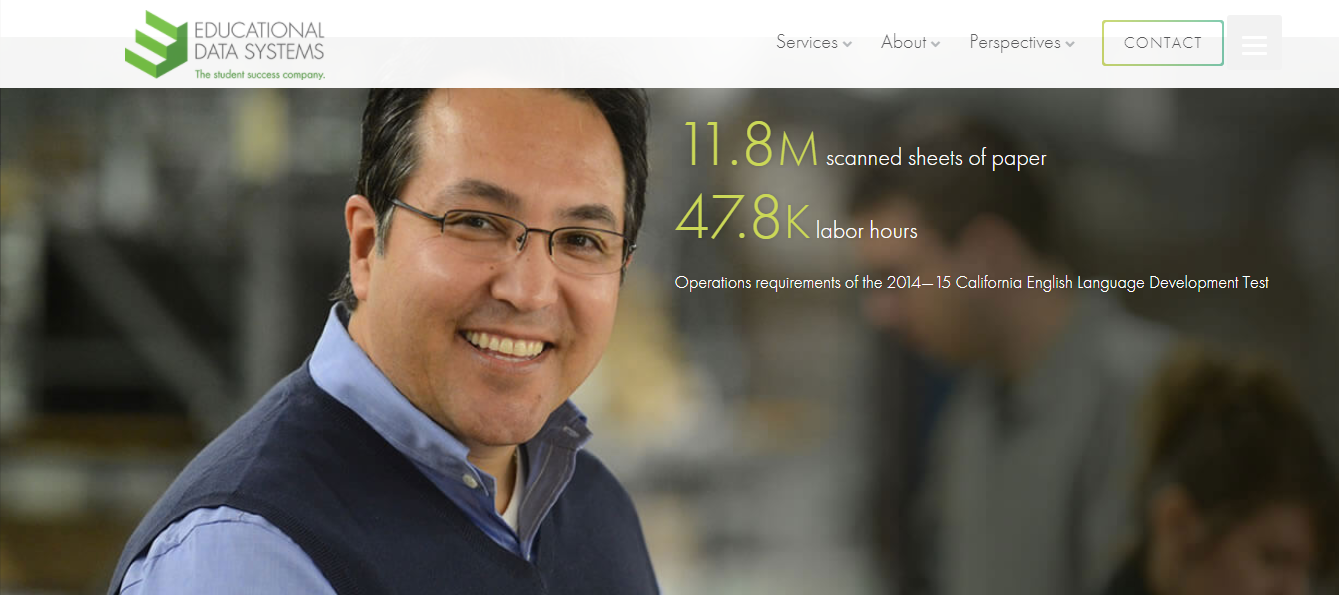
If you have substantial statistics that you can boast of, then using them in your heading will make more sense. That way, your visitors will immediately notice them.
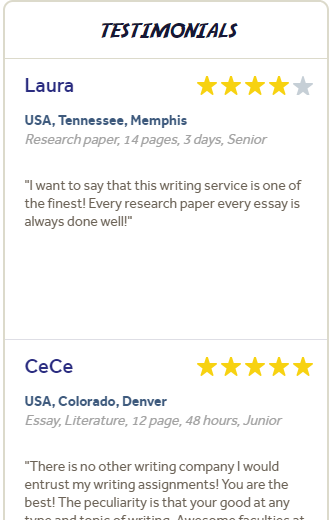
Just because a visitor has landed on your page, it doesn’t mean they’re already convinced that they’re going to convert. As a marketer, you need to remember that word of mouth is the greatest and oldest form of marketing.
Take a look at the Boom Essays page. As you can see, the landing page comes with information on their services and what the company stands for. As the customer scrolls down, they’re instantly shown a featured review of the website and a sidebar with scrolling reviews. This helps the customer to make their purchasing decision in no time at all!
To truly know what’s working (and what’s not), it’s essential to track your landing page and ad performance from every angle—think of it as your trusty roadmap to better conversions.
On the landing page side, pay close attention to metrics like bounce rate, time on page, and click-through rates using tools such as Google Analytics or Hotjar. This will tell you whether visitors are engaging with your content or wandering off before taking any action.
Meanwhile, on the advertising side, make use of UTM parameters in your ad links so you can trace every visitor’s journey right back to the original campaign—no more guesswork about which ad actually convinced Jane Doe to sign up. Connect your forms to a good CRM or marketing platform to track leads from the first click to final enrollment.
By carefully monitoring both fronts, you can spot exactly what’s bringing real results—and where it might be time to tweak, test, or overhaul.
It’s all good making your landing page look beautiful, but if it loads slower than a snail after a heavy lunch, your visitors aren’t going to stick around. Run your page through handy tools like Google PageSpeed Insights to spot issues and speed things up. Fast loading means fewer frustrated users and less chance of them dropping off before they’ve even seen your offer.
Make sure your page works seamlessly across devices—desktop, tablet, or mobile. Check everything: buttons, forms, images, and videos. There’s nothing worse than a squished layout or a broken video on a tiny phone screen. Test, tweak, and test again until it’s flawless everywhere. A technically sound landing page helps you keep those hard-earned visitors engaged and moving toward that all-important conversion.
Creating high-converting education landing pages isn’t about following a formula, it’s about testing what works for your audience. Experiment with headlines, CTAs, visuals, and placements until you find the right combination.
The key is having the right tools to execute quickly.
LeadSquared lets you build responsive landing pages using pre-built education landing page templates—no coding needed. Once a prospect converts, automated follow-ups kick in immediately, ensuring no lead goes cold. You get landing page creation, lead capture, automated nurturing, and performance tracking in one platform.
Stop juggling multiple tools and manual follow-ups.
Your Call-to-Action (CTA) buttons shouldn’t play hide-and-seek with your visitors. For optimal conversion, always position your main CTAs front and center—right at the top of your landing page, so users see them without any scrolling (think: “above the fold”). This immediate visibility means no one is left guessing about the next step.
But don’t stop there. As readers move down your page, sprinkle additional mini-CTAs or reminder buttons at key sections. This gentle nudge ensures that whenever a visitor is ready to take action—whether that’s five seconds in or after a thoughtful scroll—the next step is always visible and accessible.
Nowadays, students are attached to their smartphones like a backpack—wherever they go, their devices go too. So, if your university landing page design isn’t optimized for mobile screens, you’re essentially rolling out the red carpet for lost leads and frustrated visitors. Think about this: a cluttered, slow-to-load, or awkwardly sized page can drive even the most enthusiastic prospect straight to your competitor’s site.
Mobile-friendly design isn’t just a nice-to-have; it’s non-negotiable. Keep your layout clean, streamline navigation, and make sure important buttons and forms are tap-friendly. Prioritize fast load times, responsive images, and easily tappable CTAs if you want your prospects to stick around. After all, a smooth mobile experience tells your visitors you value their time, which builds trust before they even fill out a single form.
It’s easy to think your job is done once someone fills out your form, but that’s far from the truth! Those who make the best education landing pages know that the humble “Thank You” page is actually a golden opportunity to continue building trust and push the relationship further. Rather than being just a polite afterthought, a well-crafted thank you page can:
Reinforce that your visitor has made the right decision
Guide them toward meaningful next steps, like booking a call with your advisor, watching a campus tour video, or downloading a helpful resource
Encourage sharing by adding social media buttons
Cross-promote related services or content to keep them engaged
In the same way you wouldn’t show guests to the door immediately after dinner without offering coffee or conversation, don’t let your thank you page be a dead end! Treat it as a strategic part of your conversion path—helping keep new leads warm, informed, and one step closer to becoming loyal students or customers.
With pre-built education landing page templates that you can use to create high-converting landing pages without any coding, LeadSquared is extremely helpful. It also helps education providers capture, track, and nurture student leads with automated follow-ups and data-driven insights—ensuring no prospective student falls through the cracks.

 15 min read 18 min read
  16 min read



 11 Modules of Hospital Management System and their Benefits