





SALES
6 Best Bitrix24 Alternatives for 2025
Contents

 18 min read


Bitrix24 brings a lot to the table as a CRM and project management tool. It’s designed to be an all-in-one workspace and has earned solid reviews across platforms like G2, Capterra, and Gartner. The platform also offers users telephony features, a website builder, and even contact center management options.
But despite its range of features, Bitrix24 isn’t always the easiest tool to work with. Many users find it hard to navigate, slow to learn, and heavy on system resources. For teams that just want to get to work without a steep learning curve, it can feel like more effort than it’s worth.
In this guide, we break down 5 best Bitrix24 alternatives. We’ll see what each tool excels at, how they’re priced, and what real users are saying about them — so you can find one that best matches your needs.
(Please note, since the number of reviews for each product is inconsistent, the average rating column is just to give you an idea about customer perceptions.)
| Bitrix24 Alternatives | Popular for | Average Rating on Gartner, Capterra, and G2 | Pricing |
| LeadSquared | Ease of Use, Pricing, Scalability, and No-code Automation | 4.4 | Lite – $25 per user/month Pro – $50 per user/month Super – $100 per user/month |
| EnagageBay | Email Nurturing, Marketing Automation, Sales Pipeline Management | 4.1 | Free – $0 per user/month Basic – $12.74 per user/month Growth – $42.49 per user/month Pro – $84.99 per user/month |
| Monday Sales | Lead Nurturing, Interactive User Interface, Scalability | 4.6 | Individual CRM – $0 per user/month Basic CRM – $10 per user/month Standard CRM – $14 per user/month Pro CRM – $24 per user/month Enterprise CRM – customizable |
| Zoho CRM | Number of Features, Price, Integrability, Ticketing Services | 4.2 | Standard – $14 per user/month Professional – $23 per user/month Enterprise – $40 per user/month Ultimate – $52 per user/month |
| Scoro | Customizability, User-Interface, and Ease of Use | 4.5 | Essential – $26 per user/month Standard – $37 per user/month Pro – $63 per user/month Ultimate – not disclosed |
| Hubspot | Unified CRM + marketing suite, strong onboarding, multi-departmental workflows | 4.4 | Free plan available Starter – From $20/month Professional – Starts at $890/month |
LeadSquared is a sales, marketing, and service CRM that provides all the solutions you need to improve your business, packed in a single software. The CRM improves team efficiency by offering solutions like advanced reporting, tasks and workflow automation, reminders, create customizable templates, employee management, collaboration, and much more.
This CRM has been rated 4.4 out of 5 on average on G2, Capterra, and Gartner.
Let’s take a look at some of LeadSquared’s pros:
LeadSquared is also far more user-friendly and requires no prior technical experience to learn. The UX is also well thought through and the platform is easily adaptable.
This CRM has three price packages, out of which the most feature-extensive package will set you back by just $100 per user/ month. You can check out their pricing page if you want more information on the structure below.
A chink in this CRM’s armor is that it is “Sometimes very slow to load” according to reviewers on G2.
But with the company’s excellent record for customer service, this issue will likely be resolved soon.
Overall, LeadSquared is a highly scalable end-to-end sales, marketing and service automation solution that makes it suitable for businesses of all sizes.
EngageBay is a comprehensive sales and marketing tool that, like Bitrix24, is popular for its project management and workflow automation services. EngageBay is relatively more affordable and is better suited for smaller businesses.
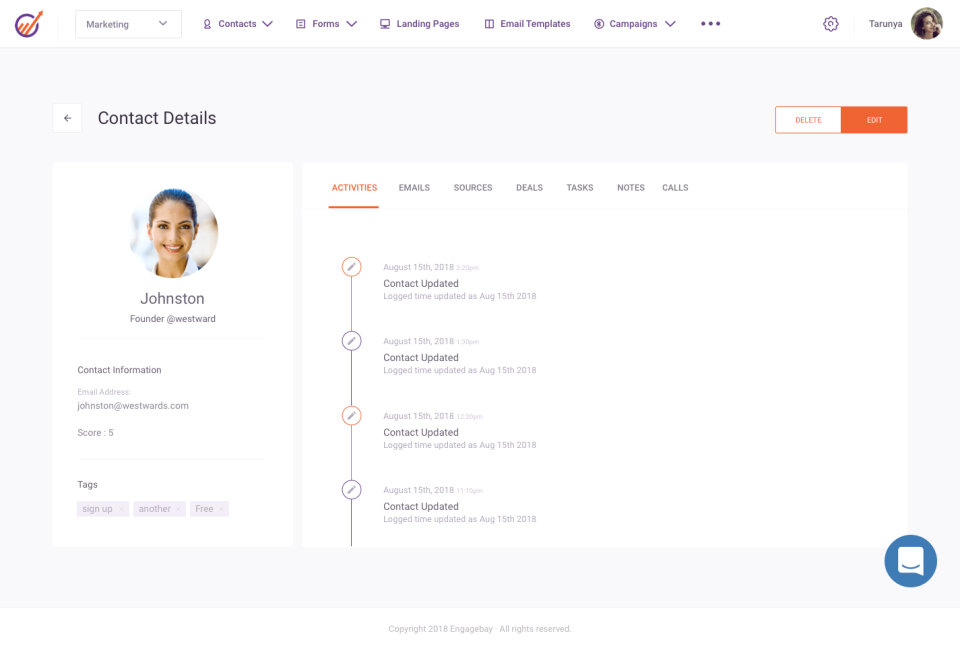
This software is rated 4.6 on average on G2, Capterra, and Gartner.
EngageBay offers impressive customer support, which, combined with the fact that it has a really short learning curve, leads to a great user experience.
It also helps you:
Another great thing is that the company takes feedback continuously to update the product. “This is one of those products that gets better, not worse, the more you dig into it.
EngageBay has framed its prices keeping in mind SMBs and start-ups. This makes the CRM extremely affordable. You can check their pricing page for more information on the features you get in different packages.
Integration is one of the main area where EngageBay draws the short end of the stick. While Bitix24 comes with an open API that makes it easy to integrate with other apps, EngageBay only integrates with a handful of businesses and applications.
Another aspect that EngageBay needs to improve is its glitchy software. As one user shared on G2, “It loads. sometimes. But it’s manageable.”
This CRM is made for companies just getting off the ground and aren’t looking to scale up anytime soon. If you are looking for a feature-extensive, scalable solution for your business, this CRM might not be the best fit.
Monday.com CRM is also famous for project and business management. Some of the platform’s key features include an interactive dashboard, workflow and process automation, and customizable forms and docs.
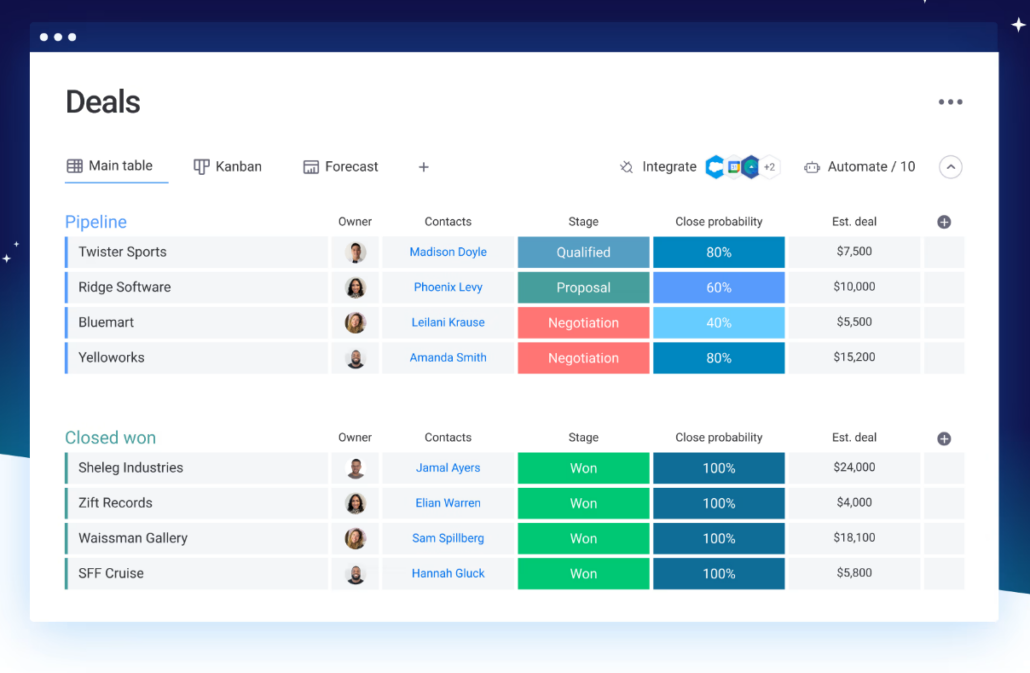
This CRM has a high rating of 4.6 on average on G2, Capterra, and Gartner.
Compared to Bitrix24, Monday.com provides better customer support and more intuitive dashboards. It also offers additional features, like A/B testing, which Bitrix24 doesn’t.
Monday.com also provides flexible dashboards, whether it is client management, lead generation, team management, or any other purpose.
Access real-time reports to track sales activity, forecast revenue, and measure team performance.
This software provides a free package with limited features, along with four other paid packages. To know more about what features are included at what price, you can take a look at their pricing page.
Monday.com CRM lacks VoIP telephony services and email servers. If these are some things that are essential to your business, then this software may not be the best fit for you.
Another problem with this Bitrix24 alternative is its long setup time, to configure the software based on your business requirements. Monday.com has a lot of features but lacks essential automation and has long implementation periods.
Some users also report that Monday.com can feel overly complex for businesses with simpler CRM needs, and that performance can slow down when working with multiple boards.
This SaaS company provides a range of products in its suite. Zoho CRM is best known for its contact and lead management, delivering many other features like email marketing, interaction tracking, and segmentation. Apart from CRM, the company also provides a range of products in its suite.
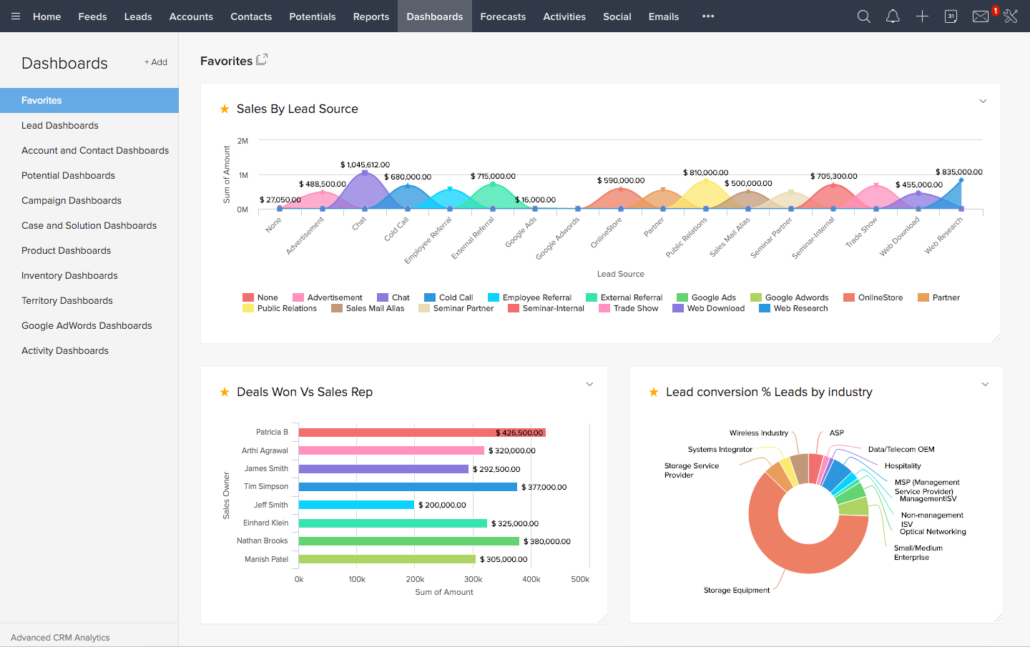
One of the things that makes Zoho a great Bitrix24 alternative is that it is more affordable while offering a range of features that Bitrix24 lacks.
Zoho CRM helps you:
Zoho also offers excellent contact management features such as automated reminders and email integrations.
Zoho has four packages, the most expensive being just over fifty dollars per user per month. You can check their pricing page for more information.
One of the aspects where Zoho fails to stand up to Bitrix24 is that the former provides only cloud services, while the latter can be hosted on private servers as well.
A reviewer also pointed out that “There is limited customer support, and the software requires a lot of customization” during its implementation.
Another issue is that while the CRM easily integrates smoothly with applications in its own suite, customers found that this wasn’t the case with third-party software.
Some users also mention that the workflow feature is not always user-friendly and reports may not always produce reliable results.
Scoro, with an average rating of 4.3 on G2 and Capterra, is an end-to-end work management software. It helps teams, sales, and projects come together. Teams can create project budgets, manage tasks, track invoices, keep all information in one place, and automate processes using the platform.
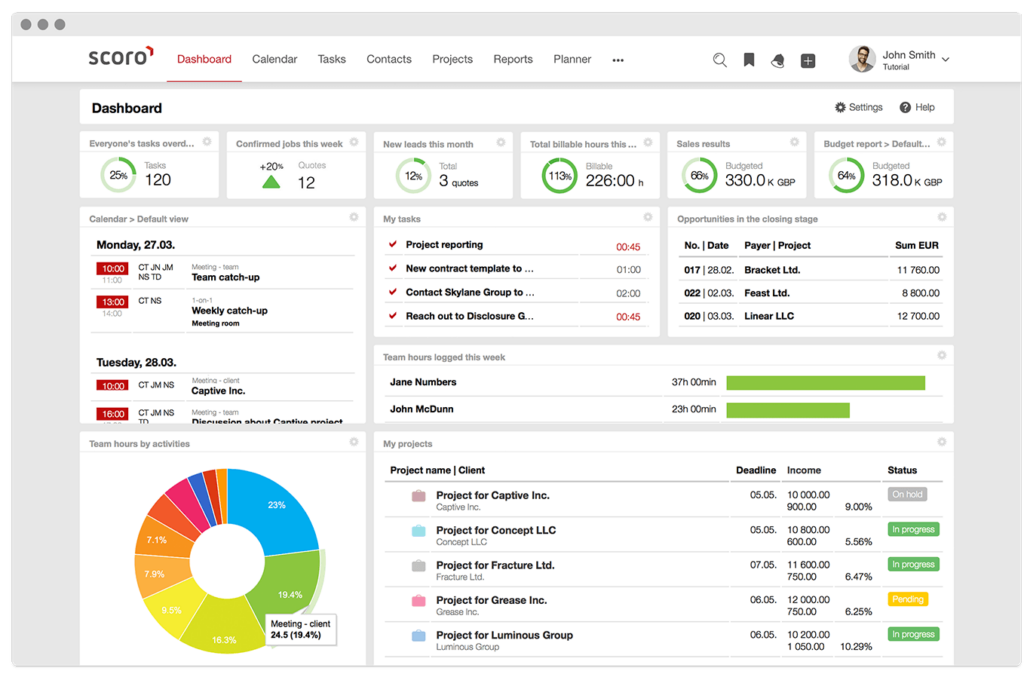
Well firstly, Scoro has a great organizational structure, where the different modules are logically connected and easy to navigate. This makes it really simple to use.
Some of the pros of Scoro include:
One other positive of Scoro is that it also provides terrific customer support, which helps users fix problems quickly.
Scoro has packaged its features at four different price points. You can check out their pricing page for more details on the features that each package includes. .
Users say Scoro CRM can sometimes have synchronization issues, which leads to the disappearance of contacts from your list.
Integrations are also not the platform’s strong suit, as customers reviewed that there “are no valuable integrations, and even though there are APIs, they sometimes malfunction.”
Some users also say that creating complex relationships between tasks can be tricky, and scaling up for larger enterprises may be a challenge.
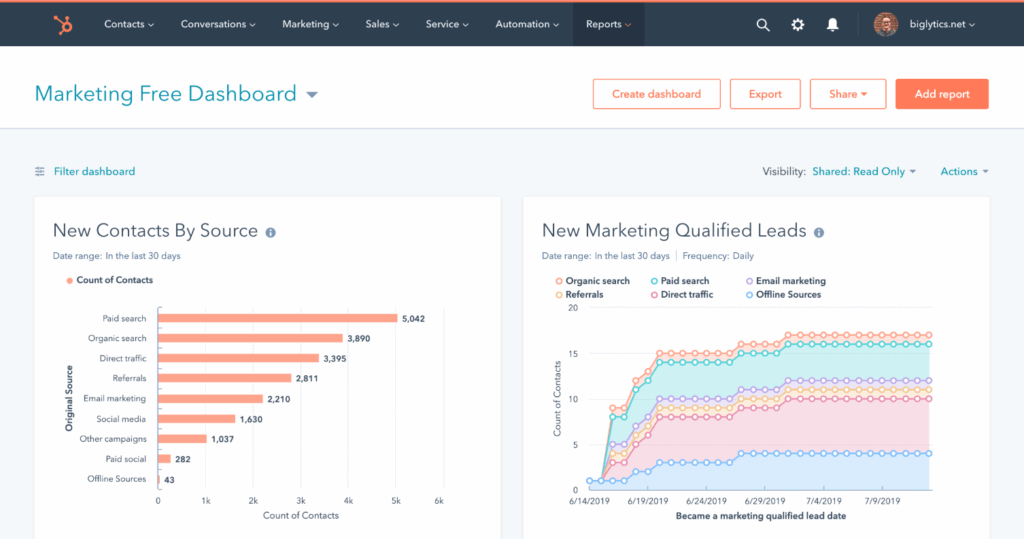
HubSpot is a cloud-based CRM built to support marketing, sales, service, and operations teams in a unified workspace. Its free CRM tools are popular among small to mid-sized businesses, and you can add paid “hubs” for extra capabilities like automation, reporting, and customer service.
It’s easier and faster to use with its more intuitive workflows. While Bitrix24 can feel cluttered, HubSpot is known for its clean interface and smooth onboarding experience.
HubSpot is also especially strong when it comes to lead generation and nurturing. From capturing leads through forms and landing pages to guiding them with personalized email campaigns, the platform removes much of the manual effort sales teams typically face.
HubSpot CRM helps you:
Bitrix24 is packed with features, but as we saw, it can be a difficult tool to work with.
The alternatives we’ve covered here offer a range of options depending on what matters most to you, be it better task management, robust automation, or cleaner reporting.
Among them, LeadSquared stands out for its flexibility and industry-specific tools. It is a strong choice if lead management and automation are your priority. It also offers ready-made templates for industries like education, healthcare, and financial services, which can save time if you’re looking for something more tailored out of the box.
If you would like to know how LeadSquared would look like in practice, book a free demo now!
Choosing a CRM should start with a clear understanding of your business needs. Take a moment to identify what’s not working in your current system—whether it’s disorganized contacts, missed follow-ups, or a lack of useful reporting. Involving your team in this process is important; they’ll be the ones using the CRM daily, and their input can highlight must-have features or recurring frustrations you might overlook.
Once you’ve outlined your requirements, look for a platform that can scale with your business and offers enough flexibility to adapt as your workflows evolve. Reading reviews on platforms like G2 or Capterra can also provide valuable insights into real-world usability. Finally, test the product yourself through a free trial or demo. This gives you a feel for how intuitive it is and whether it integrates smoothly with your existing tools. Taking these steps helps ensure you choose a CRM that fits—not just on paper, but in practice.
When comparing CRM platforms, it’s important to look beyond feature lists and focus on how well a tool aligns with the way your business actually works. Four key areas to pay close attention to are flexibility, integrations, customer support, and pricing.
Start with flexibility. A good CRM should adapt to your workflows—not force you to change them. Look for tools that let you customize pipelines, dashboards, and fields easily. Features like drag-and-drop interfaces, role-based access, and scalable user management can make a big difference as your team grows.
Integration is another critical factor. CRMs rarely work in isolation, so being able to connect seamlessly with tools like Gmail, Slack, Zoom, or QuickBooks helps avoid duplicate effort and disconnected data. Ideally, the CRM will support both native integrations and custom ones via API or webhooks, depending on your needs.
Customer support often gets overlooked until there’s a problem, but it’s worth evaluating upfront. Some platforms offer live chat, onboarding support, and detailed knowledge bases, while others may only offer limited email support. Look for a provider that matches your expectations around availability and responsiveness.
Finally, consider pricing—not just the sticker price, but what you’re actually getting for it. Free plans can be great for early-stage teams, but you’ll want to check for hidden costs like caps on emails, contacts, or automations. Also, explore discounts for annual billing or nonprofit use if they apply.
Many CRM alternatives focus on making everyday tasks more manageable by bringing contact management, email outreach, and task tracking into one place.
For contact management, the basics should feel easy—adding a new contact, finding the right person quickly, or updating details without jumping through hoops. Better platforms also let you adjust contact fields to match your workflow, which can help if your sales or support process doesn’t follow a standard template.
In terms of email marketing, a good CRM lets you send the right messages at the right time without doing everything manually. That might include follow-up emails after a meeting, onboarding sequences for new leads, or scheduled check-ins. Many tools offer automation, scheduling, and basic analytics to help you fine-tune things over time—not just blast out emails and hope for the best.
When it comes to task tracking, it’s helpful to have reminders, due dates, and assignments tied directly to your contacts or deals. Some CRMs use visual boards or timelines to organize work, while others integrate with your calendar or messaging tools to keep things on your radar.
You’ll also want to check what integrations are available—things like Google Calendar, Slack, or your email provider. The goal isn’t to replace what you already use, but to connect it in a way that saves you time.
The strongest platforms are the ones that quietly support how your team already works, rather than forcing you to adjust everything around the tool.
Yes, many Bitrix24 alternatives offer a good amount of customization, both in how they look and how they function.
You can usually rename fields to match the terms your team actually uses, adjust dashboards, so the most relevant info is front and center, and reorganize menus to make navigation quicker. Most platforms also let you build custom workflows, so tasks, reminders, or follow-ups happen in a way that matches your internal process.
For example, you might set up different sales pipeline stages, build automation rules that trigger based on specific actions, or tailor forms for things like onboarding or support requests. These kinds of changes don’t require a developer in most cases—they’re built into the settings and designed to be accessible.
This flexibility makes a big difference in day-to-day use.
Migrating from Bitrix24 to another CRM is generally manageable, especially if you’re moving standard data like contacts, companies, and deals. Most well-known CRM platforms—such as HubSpot, Zoho, or SalesForce — offer import tools that work with common formats like CSV, which makes the basic transfer process pretty straightforward.
That said, things can get more involved if you have custom fields, automation rules, or detailed activity logs. These elements might require manual setup or additional mapping in your new system. Some CRMs provide step-by-step migration guides or even offer migration support if you’re on a paid plan, which can help avoid issues during the transition.
If your setup in Bitrix24 is complex or heavily customized, it’s a good idea to connect with the support team of the CRM you’re moving to before starting. They can usually give you practical advice on how to structure your data for a smoother import.
In short, simple migrations are quite doable on your own, but a more tailored setup might need extra attention and planning.

 27 min read
  20 min read
  17 min read


 14 patient retention strategies to grow your healthcare practice